


18 Top Data Loss Prevention (DLP) Software

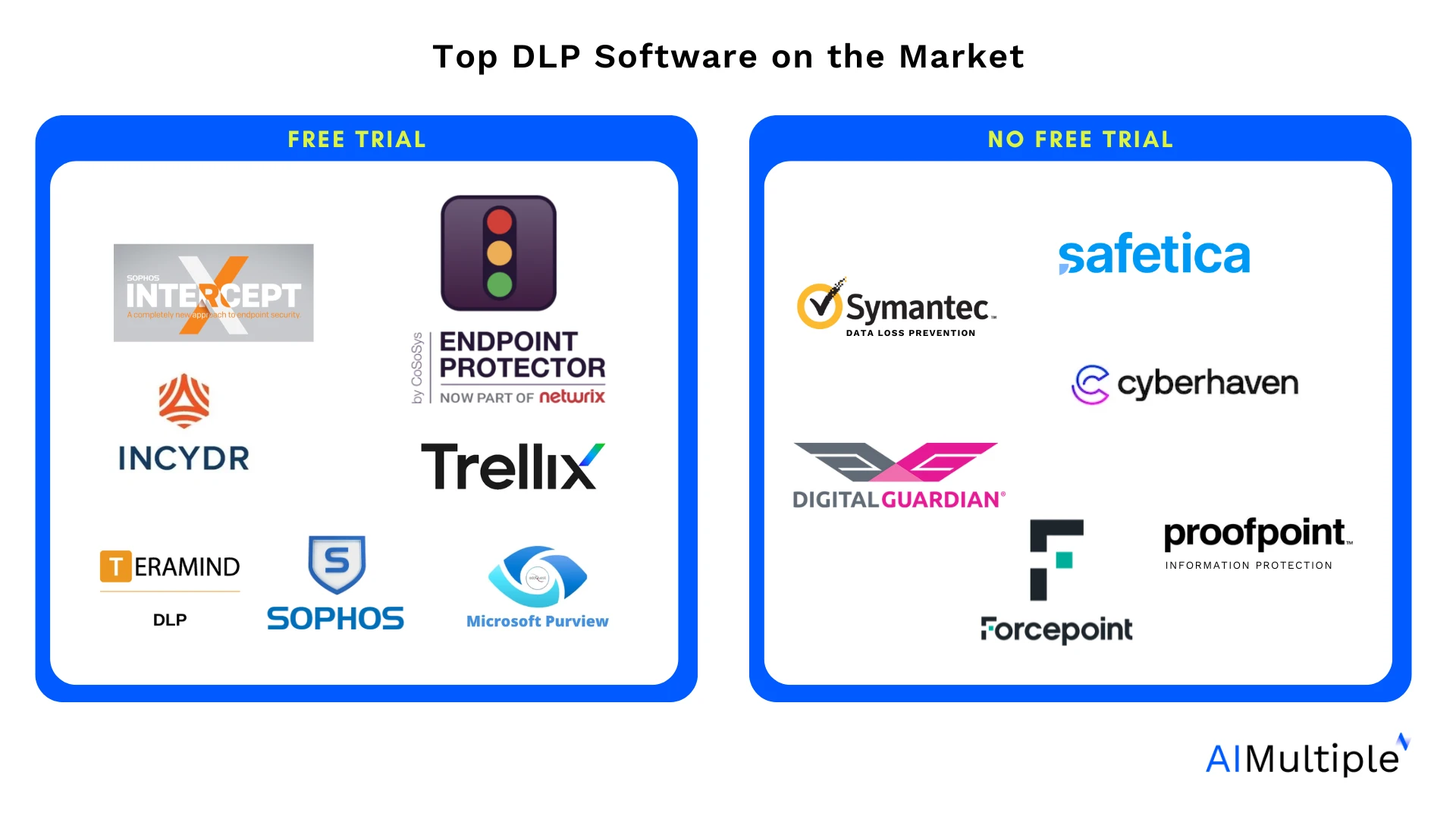
Based on our DLP benchmark & features, here are the top data loss prevention tools. See our rationale for these recommendations by clicking the links on the product names:
To comply with regulations such as GDPR, HIPAA, or PCI DSS and strengthen your security with a DLP solution, you need to find the right vendor that meets your specific needs.
Compare each vendor based on features & pricing:
Comparison of the top 18 vendors
VDI support: Agents can be installed or deployed in virtual desktop infrastructure (VDI) environments, in addition to physical devices.
User remediation: End users can safely override or resolve security policy blocks under controlled conditions, with all actions logged for admin review.
* Free trial duration is added in days for vendors that publish this information.
All the vendors compared have common DLP features.
* The data was gathered from leading B2B review platforms.
** The data is collected from LinkedIn.
General requirements for inclusion in the table:
- 50+ employees
- Data loss prevention offering
Products are ranked by total number of reviews, except for AIMultiple’s benchmarking services subscribers ranked at the top.
Detailed analysis of the top 10 DLP software
Acronis DeviceLock DLP
Acronis, based in Schaffhausen, Switzerland, claims to offer a range of data loss prevention solutions, including (as listed on its website):
Acronis DeviceLock DLP, the on-premises endpoint DLP product in this lineup, focuses on device control and content inspection at the endpoint level.
Pros
- Acronis Cyber Protect provides centralized management with features including endpoint protection, backup, and threat detection.
- It has a user-friendly interface, effective real-time monitoring, and integration capabilities with different platforms.
- In our hands-on DLP benchmark, Acronis DeviceLock DLP blocked 19 of 23 leak scenarios, including format-independent SSN detection across 8 representations (spaced, dotted, no-separator, reversed) where competing products caught the standard hyphenated format.
- Full SIEM integration through Syslog, SNMP, and SMTP with CEF and JSON log formats, plus shadow copy evidence preservation that retains the complete blocked file content on the server for forensic review.
- Granular device control across roughly 20 device types observed in the management console (USB port, Removable storage, MTP devices for Android/Windows Phone, iPhone/iPad, BlackBerry, Bluetooth, FireWire, Optical Drive, Printer, Clipboard, Infrared/Parallel/Serial ports, Tape, TS Devices, Windows Mobile, Palm), each with separate Regular and Offline policy slots.
- Content analysis with 90+ prebuilt regex templates, 160+ keyword dictionaries with morphological analysis in 9 languages, OCR across 33 languages, and 5,300+ file types identified by binary content rather than extension.
- Standard-user tamper protection passed all three tests in our benchmark (service stop, process kill, uninstall). The DeviceLock Administrators list provides additional protection against local administrator tampering.
- Native VDI/DaaS support across Citrix XenDesktop/XenApp, VMware Horizon View, Microsoft RDS, Hyper-V, and Oracle VM VirtualBox, with DLP controls enforced at the edge of the virtual platform.
Cons
- Acronis Cyber Protect is more expensive than other services, with additional charges for online storage and licensing.
Choose Acronis DeviceLock DLP for granular endpoint DLP with on-premises management, broad device coverage, and SIEM-ready evidence preservation.
Visit WebsiteNetwrix Endpoint Protector
Netwrix Endpoint Protector provides an automated Data Loss Prevention solution focusing on endpoint DLP, device control, cloud DLP, and network DLP. Endpoint Protector is based in North Carolina, USA.
Pros
- Endpoint Protector offers responsive customer support with prompt issue resolution.
- The product deploys within a day and exposes a usable administration interface.
- It integrates with third-party security stacks and SIEM tools for log forwarding.
Cons
- Endpoint Protector supports selected virtualization platforms, lacks a network DLP component, and doesn’t support data discovery on the cloud or file shares.
- The console is not highly customizable, event logging lacks detail, and unclear labeling makes policy configuration challenging.
- Use cases like flagging clipboard pastes and restricting CLI commands need improvement, and licensing and email notification have been recurring pain points.
Choose Netwrix Endpoint Protector for endpoint and device control with broad peripheral coverage and SIEM-ready logging.
Visit WebsiteManageEngine DataSecurity Plus
ManageEngine DataSecurity Plus is a Windows-focused data visibility and security platform that combines data discovery, file server auditing, and data leak prevention. It is modular: data leak prevention, file server auditing, file analysis, and data risk assessment are licensed as separate components, so coverage depends on which modules are deployed.
Pros
- Differentiates on data-at-rest protection: discovers and classifies sensitive data (PII, ePHI, PCI) across file servers and endpoints, which complements the endpoint- and network-centric focus of most tools in this list.
- Combines file server auditing and file integrity monitoring with DLP, giving visibility into who accessed, modified, copied, or moved files, with real-time alerting.
- Endpoint DLP controls cover USB/removable media, Outlook email attachments, printers, file-copy actions, browser activity, and selected cloud-upload scenarios, with USB device control and application/process control capabilities.
- Includes ransomware detection and automated response features, alongside compliance-oriented reporting for GDPR, HIPAA, PCI DSS, and similar mandates.
- Self-hosted, on-premises deployment with published per-module pricing (data leak prevention from $345/year at time of writing), which suits organizations that prefer to control data on-premises.
Cons
- Windows-only: the platform centers on Windows environments and does not provide the macOS and Linux endpoint coverage that some cross-platform DLP tools offer.
- Modular licensing means full data protection (discovery, auditing, and leak prevention) may require purchasing several components rather than one all-in-one license.
Choose ManageEngine DataSecurity Plus for Data Loss Prevention on data-at-rest protection
Visit WebsiteTrellix DLP (McAfee)
Based in the United States, Trellix provides data loss prevention solutions that identify, monitor, and secure sensitive information across endpoints, networks, and the cloud.
Pros
- Trellix DLP supports flexible creation and integration of sensitive information types.
- It has the most significant number of user reviews on review platforms
- It offers the 2nd longest free trial (60 days) among its competitors.
Cons
- Trellix DLP is priced above several DLP peers.
- The unified agent works in practice, but some advertised features fall short of the specification.
- Support response times can be slow, and there is no data restoration option after purging DLP incidents, despite the presence of customizable workflows and classification features.
Sophos Intercept X
Sophos is a British cybersecurity company headquartered in Abingdon, England. It was launched in 1985 and has been operating in the data security market since then. One of its key products is Intercept X, which includes a Data Loss Prevention (DLP) solution designed to protect sensitive information from unauthorized access, use, or sharing.
Pros
- Sophos provides visibility into multi-cloud platforms and helps identify potential security risks.
- The software offers features like real-time monitoring, anomaly detection, and ease of integration and use.
- Sophos Endpoint Protection is a cloud-managed solution with remote monitoring, management, and dedicated anti-ransomware controls.
Cons
- The framework and functionality require technical depth and hands-on expertise to operate fully.
- Slow report issuance and memory-heavy system scans are recurring performance pain points.
- Customer support and the setup process are friction points, and compatibility and customization options are limited in some scenarios.
Safetica DLP
Safetica claims to provide a DLP solution that prevents sensitive data from unintentionally leaving the company. Alongside its DLP offering, Safetica also offers solutions for monitoring and controlling user activity and data flow within organizations.
Pros
- Safetica DLP combines data leak detection with user behavioral analytics, with policy customization across content types, channels, and user groups.
- The software offers clear descriptions and transparency, facilitating easy implementation and monitoring, and the customer support is responsive.
- With Safetica, users can regulate data access, classify files, prevent unauthorized data sharing and printing, and gain insights into employee productivity.
Cons
- The user interface is unintuitive and split across two consoles, which makes configuration complex.
- The Safetica agent has shown performance problems, high resource consumption, and uninstall difficulty.
- Linux and macOS support is limited, and customer support response times can be slow.
Teramind DLP
Based in Florida, Teramind also claims to offer a DLP solution focusing on user behavior analytics, providing insights into user activities and potential data breaches. The company also offers employee monitoring, insider threat detection, and user activity tracking solutions.
Pros
- Teramind installs quickly with a usable interface and supportive customer service.
- Monitoring, analytics, discreet installation, and remote control are core strengths of the platform.
- Teramind monitors employee productivity, surfaces real-time insights, and supports custom policies tailored to specific business needs.
Cons
- Teramind is priced above its peers and has a complex setup, which limits accessibility for small businesses.
- Linux and macOS support is limited, the screen recording frame rate is low, and email-platform recognition is partial.
- Technical issues include occasional system glitches, connectivity problems, and antivirus software detection, which can disrupt workflow.
Digital Guardian Endpoint DLP
Digital Guardian, part of Fortra, claims to offer endpoint data loss prevention to protect confidential business data. Its DLP suite also includes solutions for network and cloud data protection, as well as data discovery, catering to businesses of all sizes.
Pros
- Digital Guardian provides strong analytics, fast deployment, and a user-friendly interface for data visibility and event navigation.
- The platform supports custom report creation, broad DLP channel coverage (endpoint, network, cloud), and multiple operating systems.
- Digital Guardian ships an advanced tracking system for leak resolution, strong encryption, and detailed reporting.
Cons
- Custom report generation and UI navigation can be difficult due to interface complexity.
- Setting up and configuring the software can be time-consuming, and it may impact system performance on less powerful machines.
- Customer support can be slow to acknowledge and resolve issues, and the software may cause conflicts with other programs, such as Outlook and Excel.
Proofpoint Enterprise DLP
Proofpoint Enterprise DLP is headquartered in Sunnyvale, California. It claims to offer a DLP solution alongside other endpoint protection solutions. Here is a list of its offerings as mentioned on its website:
Pros
- Proofpoint DLP exposes a user-friendly interface backed by responsive technical support.
- Implementation is straightforward, with built-in email encryption and centralized DLP policy management.
- The product offers good visibility, easy integration with other apps, and effective user administration.
Cons
- Proofpoint Enterprise DLP is limited to email, requiring additional tools for browsing.
- Integration with other Proofpoint products requires many separate web interfaces.
- The product lacks Endpoint DLP scans, agent-based deployment, and tamperproof features.
Microsoft Purview DLP
Microsoft Purview claims to offer a DLP solution that protects sensitive information across Microsoft 365 services, endpoints, OneDrive, SharePoint, and Teams.
Pros
- Microsoft Purview DLP provides easy and flexible options for creating sensitive information types and policies.
- The product helps secure compliance data, detect private data across Microsoft 365, OneDrive, SharePoint, Teams, and Windows endpoints, and offers flexible governance action options.
- Purview offers a user-friendly interface, data governance mechanisms, and end-to-end monitoring, tracking, and protection across data flows.
Cons
- Microsoft Purview DLP’s activity explorer limits extraction to 10,000 activities at a time.
- False positives can occur when Sensitive Information Types are built with regex, and configuring the Endpoint Data Loss Prevention policy is non-trivial.
- The software is expensive for individual use, setup is complex, and memory consumption is substantial.
- Defender endpoint alerting for sensitive data is being retired.1
Symantec DLP by Broadcom
Symantec is now a part of Broadcom and is headquartered in California. The company offers a DLP solution that covers endpoint, network, storage, and email channels. Its other cybersecurity products include endpoint security, web and email security, and identity protection solutions.
Pros and cons identified from our analysis:
- Symantec DLP delivers strong security coverage and user education, but configuration is challenging and Network Protect features have known limitations.
- The platform protects social security numbers effectively across the enterprise, although it occasionally flags files outside the defined scope.
Some common features your DLP software must have:
- Data Discovery (+ optionally Data Classification): Without this, your DLP software won’t be able to identify and locate sensitive data within an organization’s network, systems, and storage repositories.
- Supported OS: Without support for widely-used operating systems, your DLP software will face compatibility issues, reducing its overall effectiveness and reach across organizational environments. Universal support for Windows is critical, as it dominates enterprise environments and safeguards the majority of endpoints. MacOS compatibility is equally essential, serving creative industries and organizations where Apple devices are prevalent and helping prevent data leakage from an increasingly significant user base. Similarly, Linux support is crucial for securing sensitive data on servers and systems used in technical and operational environments. Without cross-platform compatibility, critical gaps in data protection could expose enterprises to vulnerabilities and compromise their security posture.
- Content Inspection and Analysis: Without this feature, your DLP tool cannot examine data content to detect sensitive information or policy violations.
- Endpoint Protection: Without this, your DLP software won’t be able to secure data on user devices, leaving endpoints vulnerable to data breaches and unauthorized access.
- Network Monitoring and Control: Without this feature, your DLP tool won’t be able to monitor and control data in transit across your network, making it difficult to prevent data leakage over network channels.
- Cloud Data Protection: Without this, your DLP software will be unable to safeguard sensitive data stored or processed in the cloud, thereby exposing it to potential threats.
- Data Encryption and Masking: Without this feature, your DLP tool will be unable to protect data by encrypting or masking sensitive information, leaving it vulnerable to unauthorized access.
- Policy Management and Enforcement: Without this, your DLP software won’t be able to define, implement, and enforce data protection policies across your organization.
- User Behavior Analytics (UBA): Without this feature, your DLP tool will be unable to analyze user activities and detect anomalous behaviors that may indicate insider threats or compromised accounts.
- Data Movement Monitoring (USB, Email, Web, etc.): Without this, your DLP software cannot track and control how data is transferred via removable media, email, or web uploads, thereby increasing the risk of data exfiltration.
- Incident Response and Reporting: Without this feature, your DLP tool won’t be able to provide alerts and reports on data security incidents, hindering your ability to respond promptly to breaches.
- Compliance Management: Without this, your DLP software won’t be able to help your organization meet regulatory compliance requirements by enforcing relevant data protection standards.
- Integration with SIEM/SOC Tools: Without this feature, your DLP tool will be unable to integrate with Security Information and Event Management (SIEM) or Security Operations Center (SOC) tools, thereby limiting your overall security visibility and response capabilities.
- Contextual Data Protection: Without this, your DLP software won’t be able to consider the context (such as user role, data type, and location) when protecting data, leading to less effective data security measures.
- Role-Based Access Control (RBAC): Without this feature, your DLP tool won’t be able to restrict data access based on user roles, increasing the risk of unauthorized data access within the organization.
- User remediation and Quarantine Mechanisms: Without this, your DLP software won’t be able to automatically isolate or block access to sensitive data when threats are detected, delaying incident containment. And without the user remediation feature, specific users (Who have the power to remediate) will not be able to bypass particular policies that do not apply to them.
Guidelines to narrow down your DLP software options
1. Decide the focus of the solution
There are DLP solutions suitable for Endpoint, Cloud, or Network DLP. Identify which environment in your organization needs to be prioritized, and evaluate solutions accordingly.
2. Prepare a shortlist
The feature and market presence metrics, as well as a summary of user reviews, featured above, can help you narrow the list to 3-5 best-fit solutions for your business. You can use the common features checklist we created.
3. Understand pricing
Understanding the pricing structure of DLP software involves examining usage-based pricing, annual subscriptions, and custom pricing options. The costs should align with the organization’s budget and data protection requirements, and should grow reasonably as the organization expands.
4. Take advantage of the free trial
Most DLP solutions offer free trials, which allow hands-on experience with the DLP tool to assess its suitability in protecting data across multiple systems, including unstructured data and cloud DLP needs. If the vendor doesn’t offer a free trial, a demo can help understand the software’s capabilities in content inspection, adhering to DLP policies, and meeting specific data loss prevention criteria.
Best practices for implementing a DLP solution in your business
Once you have found the right product and vendor, consider the following best practices while implementing it in your system.
1. Data understanding
It is essential to comprehend the data within various departments within the organization. The information security teams need to communicate with multiple departments to understand the types of data that require protection and which documents are considered confidential. This will help the implementation team in creating policies and rules for data classification.
2. Policy development across all data flows
Now that you understand the data types, ensure that the DLP policies in the solution cover all aspects of data protection, including data classification, user roles, and access levels. They should also address how data is handled, transmitted, and stored. Policies must be clear, enforceable, and regularly reviewed to ensure they remain practical and relevant.
3. Employee training and awareness
Employee training and awareness drive day-to-day DLP outcomes more than tool selection alone. Employees should be educated about the importance of data security, the specific policies in place, and their roles in protecting sensitive information. Regular training sessions and awareness programs can help ensure that employees understand and adhere to DLP policies. For the product implementation, you can ask the vendor to provide demos.
4. Monitoring and incident response
Continuous monitoring and a defined incident response workflow are required for a working DLP program. DLP software should be configured to monitor data flows and detect potential data breaches or policy violations. An effective incident response plan should be in place to quickly address any data loss incidents, mitigate damage, and learn from these incidents to prevent future occurrences.
5. Regular audits and updates
Regular audits and software updates keep the DLP rule set aligned with current threats and changing business processes. Regular audits help identify any gaps or weaknesses in the DLP implementation and ensure that policies are being followed. Updating the DLP software and policies based on audit findings, emerging threats, and changes in business processes keeps the DLP program effective against current risks.
Why is it important to use DLP software?
Data Loss Prevention (DLP) software helps protect sensitive data, including financial data, personally identifiable information (PII), protected health information, and intellectual property.
1. Data protection from external threats
DLP solutions are designed to prevent data breaches and data leaks, thereby safeguarding this sensitive data. By utilizing data classification and exact data match techniques, DLP tools ensure that critical information is not inadvertently exposed or accessed by unauthorized parties.
2. Regulatory compliance and auditing requirements
As privacy regulations tighten across regions, DLP supports compliance by enforcing policies that match local rules (GDPR for the EU, HIPAA for US healthcare, PCI DSS for cardholder data).
Compliance and auditing requirements can vary significantly depending on the industry and location; however, many DLP solutions, including those from vendors such as McAfee Enterprise and Trellix DLP Endpoint, are equipped to handle a diverse range of standards.
These solutions facilitate content review and enforce DLP policies based on predefined criteria, which is crucial for complying with regulations and avoiding potential legal consequences and fines.
3. Preventing data loss and mitigating insider threats
Data loss can occur not through external attacks but also due to insider threats, whether malicious or accidental. DLP software solutions, such as Digital Guardian and Endpoint Protector, offer comprehensive monitoring of data movement within an organization’s network, including multiple systems and cloud storage.
Data visibility and exfiltration control are how DLP tools reduce both insider risk and accidental data loss.
 Add as preferred source
FAQs
Data Loss Prevention (DLP) software is a security tool used by organizations to prevent unauthorized access to, and transmission of, sensitive information. DLP software works by monitoring, detecting, and blocking sensitive data in use (endpoint actions), in motion (network traffic), and at rest (storage).
It employs rules and policies to classify and protect confidential and critical data so that unauthorized end users cannot accidentally or maliciously share data and put the organization at risk.
DLP (Data Loss Prevention) software implementation often fails due to:
– Poor preparation: The security team doesn’t assess the organization’s data flow and risks before deployment.
– Inadequate data monitoring: Policies are created without understanding how data moves within the organization.
– Lack of process and people alignment: System improvements aren’t supported by staff training or updated processes.
– Failure to customize: Organizations rely on default configurations instead of tailoring the solution to their needs.
– No continuous monitoring: DLP systems are not updated or adjusted regularly to meet evolving threats.
Further readings
Cite this research
Pick the format that matches where you're publishing. Pasting the link version into your CMS preserves the backlink.
@misc{hafa2026,
  author = {Hafa, Adil and PhD., Ezgi Arslan,},
  title  = {{18 Top Data Loss Prevention (DLP) Software}},
  year   = {2026},
  month  = aug,
  howpublished    = {\url{https://aimultiple.com/dlp-software}},
  note   = {AIMultiple. Retrieved August 24, 2026}
}Results and timestamps of 36 data points. Download the summary data shown in this article's charts and tables as a ZIP file containing 2 CSV files.
Want the granular data behind it? Join Premium
Changelog
20 updates- 2026
Added a ManageEngine DataSecurity Plus section with pros and cons to the vendor lineup.
Added hands-on benchmark results for Acronis DeviceLock DLP, which replaces Acronis Cyber Protect in the vendor lineup.
Expanded the vendor comparison table from 15 to 17 DLP vendors.
- 2025
Replaced Endpoint Protector by CoSoSys with Netwrix Endpoint Protector in the detailed analysis section.
Removed the Thin client definition from the Features we considered while comparing the vendors section.
- 2024
Removed Forcepoint DLP, Incydr by Code42, and Cyberhaven DDR from the article.
Added Thin Client and User Remediation to the Key DLP Features section.
Updated the list of top vendors in the introduction.
Expanded the list of top vendors in the introduction.
Added a quick list of top vendors to the introduction.
Expanded the introduction to include HIPAA certification.
Added a new section, "Best practices for implementing a DLP solution in your business," to the article.
Added Table 2, Comparison based on market presence & pricing.
Added a "Features explained" section to the "Guidelines for selecting a DLP" section.
Added Cyberhaven DLP to the list of DLP software vendors.
Added Trellix DLP (McAfee) to the list of DLP software.
Added a new question to the FAQs for DLP software.
Removed the "Criteria for selecting the right DLP software vendor" section.
Added Table 2. Comparison based on features criteria Notes from the tables.
Added Endpoint Protector by CoSoSys to the list of DLP vendors.






Be the first to comment
Your email address will not be published. All fields are required. Comments are left in their original language.