


We benchmarked Acronis DeviceLock DLP and ManageEngine DLP Plus on identical Windows Server 2022 VMs with 28 scenarios: 23 data leak tests (including 12 adversarial evasion files), 3 agent security tests, and 2 tests under high CPU and memory consumption.
For the other DLP products, Netwrix Endpoint Protector, Sophos Intercept X, Teramind DLP, and Trellix DLP, we reviewed their features.
DLP benchmark results
We deployed each product on identical infrastructure: 3 Contabo Cloud VPS 10 instances (4 vCPU, 8 GB RAM, 150 GB SSD) running Windows Server 2022 Datacenter with Active Directory.
- Acronis wins overall with a 10-point lead driven by deeper content inspection, full SIEM integration, shadow copy evidence preservation, and a richer policy template library.
- A user who copies SSN data from a spreadsheet and pastes it into any web form (Pastebin, Google Translate) bypasses ManageEngine completely. Changing the SSN format from 578-12-3364 to 578 12 3364 also bypasses it. Acronis blocks both.
- Both products passed all agent tamper tests. The DLP agent cannot be stopped, killed, or uninstalled by a standard user account.
- Both products continued blocking uploads under 100% CPU load and during bulk file transfers. This category is documented but not scored, since performance under load was not a differentiator.
- Neither product detected base64-encoded SSN data. Both blocked extension spoofing, encrypted archives, and single-SSN detection in large documents.
The overall score is a weighted sum of 8 categories. See our DLP benchmark methodology for the weights and scoring rationale.
Data leak prevention tests
✓: DLP blocked the attempt, ✗: DLP let it through
ManageEngine blocked 16 out of 23 scenarios (70%). Acronis blocked 19 out of 23 scenarios (83%). Both products block the standard exfiltration channels (file uploads, email, web transfers). The differences emerge on clipboard paste, SSN format variants, cross-client exfiltration, and print channels.
Mapping to OWASP top 10
Our leak scenarios map to well-documented vulnerability categories. The primary reference is A02:2021 Cryptographic Failures, formerly named “Sensitive Data Exposure”. This category covers SSN and PII, leaving the endpoint in plaintext without encryption or tokenization, which is the failure mode every exfiltration scenario in our test set targets. A04:2021 Insecure Design covers architectural gaps like missing clipboard inspection or cross-client indexing that cannot be fixed by configuration alone.
Our adversarial tests (base64 encoding, SSN format variants, HTML hidden text, formula split across cells) align with the encoded-injection and filter-evasion techniques documented in the OWASP Web Security Testing Guide and the XSS Filter Evasion Cheat Sheet. The techniques differ in purpose (data exfiltration vs payload injection) but share the same underlying pattern: obfuscating sensitive content so that signature-based and regex-based filters fail to recognize it.
DLP agent security tests
Both products protected against all three tamper attempts. Stopping the service from PowerShell was refused. The agent process could not be terminated from Task Manager. Uninstall from Programs & Features failed without administrative privileges. Standard users cannot disable the DLP agent on either product.
Behavior under high CPU and memory consumption
Both products continued blocking under 100% CPU load without degradation. Bulk uploads were also blocked correctly. This category is documented for reference but excluded from scoring, since neither product showed degradation and it produced no differentiation between them.
Benchmarked DLP products
The two product sections below document the full hands-on benchmark. Both were installed on identical Windows Server 2022 VMs and tested with the same 23 leak scenarios, 3 agent security tests, and 2 high CPU and memory consumption scenarios.

1. Acronis DeviceLock DLP
Installation
Acronis DeviceLock required an SQL server as a prerequisite for installation, and we installed SQL Server 2022 Express.
After the database was ready, DeviceLock setup resumed with a self-signed certificate and database connection configuration. Agent deployment used a 164 MB MSI file copied via network share.
Dashboard & UI
DeviceLock is administered through native Windows applications rather than a web console. The primary interface is an MMC (Microsoft Management Console) snap-in with a tree-view navigation. Acronis also ships a DeviceLock Group Policy Manager snap-in for AD-managed environments and a separate DeviceLock Enterprise Manager for non-AD networks, all sharing the same UI conventions.
The left panel has three branches: DeviceLock Service (agent settings), Enterprise Server (central management), and Content Security Server (content analysis engine). The MMC console connects to one client at a time, but the DeviceLock Reports module provides graphical reporting across the fleet, including User Activity Charts, Relations Charts, User Dossiers, and plug-and-play device reports.1
The architectural advantage: every device and protocol splits into Regular (online) and Offline (disconnected) profiles. A laptop can have strict rules in the office and relaxed rules on the road. ManageEngine does not offer this distinction.
Policy configuration
DeviceLock’s Content Database contains 50+ pre-built content groups with 90+ regex templates and 160+ keyword dictionaries. Morphological analysis supports 7 languages for keyword matching.
The built-in “Social Security” group is a Keywords type (searches for the phrase “social security”), not a Pattern type. The correct approach: Add Group > Pattern with the built-in “US Social Security Number” validation, which uses Luhn-style verification. This validated pattern is why Acronis detected all 8 SSN format variants while ManageEngine caught the hyphenated format.
Acronis supports two centralized distribution paths: Active Directory Group Policy (the DeviceLock GPO snap-in) and DeviceLock Enterprise Server, which delivers policies to agents through push (server-initiated) or pull (agent-scheduled or on-demand) modes. In our lab, we used .dls file export per client through the Management Console, which is the manual path; the production approach is GPO or Enterprise Server delivery.
Leak tests
Acronis blocked 19 out of 23 scenarios (83% block rate). The standout results:
Clipboard paste blocked: SSN data pasted into pastebin.com and submitted via “Create New Paste” returned ERR_CONNECTION_RESET. DeviceLock inspected the HTTP POST body, found SSN content, and killed the connection. The same test on Google Translate: pasting a full SSN (212-64-6345) triggered “Translation error.” Removing the last four digits allowed the translation. The rule fires on valid SSN patterns, not on the site itself.
SSN format variants detected: Acronis blocked all 8 representations: spaced (578 12 3364), dotted (612.34.8876), no separators (334721198), reversed groups, and mixed formats. The built-in validation engine recognizes the number regardless of formatting.
Cross-client exfiltration blocked: ssn_data.xlsx taken from the shared folder and uploaded via WeTransfer from a different machine was blocked. Acronis scans content at the point of exfiltration, not at the point of creation.
File deletion blocked: ManageEngine allowed users to delete sensitive files from the desktop. Acronis prevented it. This means Acronis protects against data destruction, not just data exfiltration.
Print bypass: Print not blocked in our test (configuration limitation). Printing confidential_report.docx from WordPad succeeded because Content-Aware Rules were configured under Protocols. DeviceLock’s two-layer architecture requires a separate rule under Devices > Content-Aware Rules for printers; with the Devices-side rule in place, print blocking would also engage. This is not a missing capability, but it is an extra step administrators need to remember when covering both network and physical channels.
Access control & AD
DeviceLock offers native GPO-based Active Directory integration. It adds its own snap-in (DeviceLock Group Policy Manager) to Group Policy Management Console, allowing policy distribution through standard AD infrastructure. OU-based differentiation is technically supported: different OUs can receive different DeviceLock policies.
In our lab, we used .dls file distribution rather than the production GPO/Enterprise Server paths. We also saw the console request re-authentication when binding AD users/groups to Content-Aware Rules on remote clients, which we treated as a credential-cache artifact of our small test environment. As an alternative to AD GPO, DeviceLock Enterprise Server delivers policies through push or pull modes, which suit non-AD environments and ad-hoc deployments.
Integration
Acronis leads on integration with three SIEM export channels (Syslog, SNMP, SMTP) supporting CEF and JSON log formats. Shadow copy preserves a complete copy of every blocked or monitored file on the server for incident response. The Content Security Server includes a Discovery module that scans endpoints, NAS, and file shares for misplaced sensitive data.
RBAC has three levels (Full Access, Change, Read-only) with a separate Shadow Data Access toggle on each level. Programmatic integration is built around SIEM forwarding (Syslog/SNMP/SMTP) and shadow log delivery to a central server rather than a public REST API.
Agent security
Acronis protected against all three tamper tests as a standard user. Stop-Service on the DeviceLock Service returned access denied. Task Manager refused to end the agent process. Uninstall from Programs & Features required administrative elevation and was blocked without it.
For defense against administrator-level tampering, Acronis offers the DeviceLock Administrators list. When configured, accounts on the list can uninstall, modify, or stop the agent. Even local administrators outside the list are blocked.
Behavior under high CPU and memory consumption
Under 100% CPU load (4 infinite-loop PowerShell jobs), Acronis continued blocking uploads without degradation. 100 files uploaded consecutively were all scanned and blocked correctly. This category was not scored.
Content analysis
Content analysis is Acronis’s strongest area. The validated SSN pattern with format-independent detection is the most impactful feature we tested. Beyond regex, Acronis documents several capabilities2
Logging & alerting
DeviceLock provides three separate log viewers: Audit Log (all access attempts and policy changes), Shadow Log (copies of blocked/monitored files), and UAM Log (user activity monitoring with screenshots and application usage).
Alert channels include SMTP, SNMP Traps, and Syslog. Four alert categories are configurable: device/protocol access, Content-Aware Rules violations, firewall rules, and administrative changes. Report export supports HTML, PDF, and RTF.
Shadow copy is the standout feature for incident response. When a file transfer is blocked, the full file content is preserved on the server. ManageEngine logs the event but discards the file. Neither product has a complete incident workflow (assignment, escalation, status tracking).
Choose Acronis DeviceLock DLP for an integrated solution, including backup, disaster recovery, and endpoint management.
Visit Website2. ManageEngine DLP Plus
Installation
ManageEngine DLP Plus installs from a standard Windows wizard. No external database required. The entire process, server plus two client agents, took about 15 minutes.
The agent installer silently failed on Client 1 with a port 8383 conflict that produced no visible error message. The issue was discovered by checking the service status manually. Browser extension installation is also required for upload blocking and must be configured separately for each browser (Chrome, Edge, Firefox, Brave).
Dashboard & UI
ManageEngine opens in a web browser. The dashboard displays policy status, recent incidents, and device overview with charts and graphs. Navigation uses a left sidebar. Policy creation, device management, and reporting are accessible within 2-3 clicks.
All clients are visible in a single screen. Compared to Acronis’s MMC console, the interface feels modern and functional. ManageEngine does not offer Offline/Regular dual-profile mode.
Policy configuration
ManageEngine provides a Content Database with pre-built rules for PCI-DSS, HIPAA, GDPR, and country-specific patterns. Categories include credit card numbers (Visa, Mastercard, Amex), SSN, Tax ID for 20+ countries, IBAN, passport numbers, and health insurance data. Custom regex rules can be created.
One operational issue: every policy change requires a client PC restart before taking effect. The first attempt cost 30 minutes of troubleshooting before the restart requirement was discovered in the documentation. Policy deployment status sat at 0% until the client was manually restarted. In a production environment with hundreds of endpoints, this is a serious operational burden.
Leak tests
ManageEngine blocked 16 out of 23 scenarios (70% block rate). The key findings:
Print blocked automatically: Printing confidential_report.docx from WordPad was blocked. Print-to-PDF also blocked. Unlike Acronis, ManageEngine covers print under the same policy as uploads. No separate device rule required.
Clipboard paste bypass: SSN data copied from a spreadsheet and pasted into pastebin.com uploaded successfully. ManageEngine does not inspect text pasted into web forms. Google Translate paste also bypassed.
After switching File Access to “Allow Within Trusted Applications” mode, clipboard bypass was closed because users could no longer open sensitive files with untrusted applications. This is an indirect mitigation that limits legitimate workflows, not a targeted clipboard inspection.
SSN format variants bypass: ManageEngine detected the standard hyphenated format (XXX-XX-XXXX). Spaced, dotted, and separatorless variants passed through.
Screenshot capture blocked: ManageEngine detected and blocked screen capture while a sensitive file was open.
SSN image upload blocked: ssn_image.png (an image file containing SSN numbers) was blocked during upload. This is metadata/classification-based detection, not OCR.
File deletion bypass: Sensitive files could be deleted from the client desktop without any DLP intervention. Acronis blocked file deletion.
Cross-client exfiltration bypass: A screenshot taken on Client 1, copied to the network share, and uploaded from Client 2 via WeTransfer went through. Client 2’s agent had never indexed this file.
Access control & AD
AD integration works: the console discovered the dlptest.local domain and synced users and OUs automatically after entering credentials. Group-based policies were tested by creating two manual computer groups (Finance-Clients and IT-Clients) with different rules. Client 1 (Finance) had strict file access restrictions while Client 2 (IT) had no blocking. The differentiation worked correctly.
AD user groups could not be mapped directly to computer groups. The system expects AD computer groups, not user groups. This means group-based policy assignment requires manual computer grouping rather than pulling groups from Active Directory.
Integration
ManageEngine Endpoint DLP Plus has no native SIEM integration. The official help documentation3, features page, and user guide do not mention Syslog, CEF, or SIEM forwarding. Other ManageEngine products (DataSecurity Plus, ADAudit Plus, Endpoint Central) do support Syslog, but DLP Plus as a standalone product does not.
RBAC is available and more granular than Acronis: 4 predefined roles (Administrator, Endpoint DLP Manager, Technician, Guest), custom roles with module-level permissions (Full Control, Write, Read, No Access), scope-based assignment (restrict admins to specific computer groups), and 2FA support (Email OTP or Google Authenticator). Despite better RBAC, the overall integration score is lower because SIEM and shadow copy are absent.
Agent security
ManageEngine protected against all three tamper tests as a standard user. Stop-Service on the DLP agent service returned access denied. Task Manager did not terminate the agent process. Uninstall from Programs & Features required administrative elevation and was refused without it.
Unlike Acronis, ManageEngine does not offer a named administrators list to restrict uninstall at the admin level. Any account with local administrator rights can uninstall the agent from Programs & Features. For production deployments, this means endpoint-admin rights must be tightly controlled through Active Directory group membership and local admin policy, since there is no product-layer restriction.
Behavior under high CPU and memory consumption
Under 100% CPU load, ManageEngine continued blocking uploads without degradation. All 100 files in a bulk upload test were scanned and blocked correctly.
Content analysis
ManageEngine’s content analysis is regex and keyword-based. It correctly parses multiple file formats (xlsx, docx, csv, json, html, py, log) and scans inside code comments, log entries, and structured data fields. Extension spoofing does not fool it. Encrypted ZIP files are blocked from metadata/header analysis.
The limitations: the standard hyphenated SSN format (XXX-XX-XXXX) is detected. No base64 decoding, no encrypted PDF scanning. ManageEngine offers document fingerprinting and OCR via Endpoint Central, but the regex engine does not include format-independent SSN validation like Acronis. The rule library is rich (20+ countries, multiple compliance frameworks).
Logging & alerting
The Sensitive File Audit page logs events with useful detail: computer name, logged-in user, event type, file name, web domain, enterprise application, event status, and the specific classification rule that triggered. This level of detail is sufficient for investigation.
ManageEngine has a useful false positive reporting feature: when a file is blocked, the user sees a “Report this block as false positive” option. The report appears in the admin console’s Override Audit page. Acronis handles exceptions through admin-side rules and user/group scoping in the Management Console rather than an end-user-facing button.
Alert channels are limited to SMTP email. There is no SNMP or Syslog forwarding. Report export supports CSV and PDF only. Scheduled reports are available. There is no shadow copy or evidence collection. No incident workflow.
DLP benchmark methodology and environment
We provisioned 3 Contabo Cloud VPS 10 instances running Windows Server 2022 Datacenter.
Active Directory: Domain dlptest.local with two OUs (Finance, IT), four test users (user.finance1, user.finance2, user.it1, user.it2), and a shared folder at \vmi3184661\share.
Sequential testing: ManageEngine was installed first, tested across all 8 scored categories, then fully uninstalled. Acronis was installed on the same VMs and tested with identical scenarios and files. Both products faced the same environment. All tests were performed by the same person.
Test dataset
8 base files and 12 adversarial evasion files, all containing US Social Security Numbers (SSN) as the primary sensitive data type:
Base files: ssn_data.xlsx (SSN spreadsheet), credit_cards.csv (credit card numbers), confidential_report.docx (SSN with “CONFIDENTIAL” keyword), health_records.docx (HIPAA data), source_code.py (credentials in code), ssn_image.png (SSN in image for OCR), confidential_archive.zip (encrypted archive), normal_file.docx (clean file for false positive control).
Adversarial files (12): Log file with embedded SSN, innocent-filename CSV with hidden SSN column, JSON with SSN in data fields, Python comments with SSN, 8 SSN format variants (spaced/dotted/no-separator), base64-encoded SSN, HTML with hidden-text SSN, formula-split SSN across spreadsheet cells, extension spoofing (.txt to .jpg, .xlsx to .png), password-protected ZIP, needle-in-haystack (1 SSN in 80 lines of clean text).
Leak test examples
Each test follows the same pattern: attempt to exfiltrate a sensitive file through a specific channel and record whether the DLP agent blocks or allows it.
Basic leak test (upload): Open a browser on the client, navigate to WeTransfer, select ssn_data.xlsx from the desktop, click upload. If the DLP agent blocks the upload, the browser displays an error or the connection is reset. If it allows, the file uploads successfully to WeTransfer.
Channel evasion test (clipboard): Open ssn_data.xlsx in Notepad, select all text, copy (Ctrl+C). Open a browser, navigate to pastebin.com, paste (Ctrl+V) into the text area, click “Create New Paste.” A DLP product with clipboard inspection kills the HTTP POST before it completes. A product without clipboard inspection allows the paste because the data never left as a file.
Content evasion test (format variants): Create a text file containing 8 different SSN representations: standard (578-12-3364), spaced (578 12 3364), dotted (578.12.3364), no separator (578123364), reversed (3364-12-578), and mixed formats. Upload the file to WeTransfer. A DLP product with validated SSN patterns recognizes all formats. A regex-only product detects the formats its regex covers.
Indirect leak test (cross-client): On Client 1, take a screenshot of sensitive data displayed on screen. Save the screenshot. Copy it to the network share (\server\share). On Client 2, pull the file from the share and upload it to WeTransfer. A product that scans at upload time blocks regardless of where the file originated. A product that relies on pre-indexing misses files it has never seen.
CPU load test: Run 4 infinite-loop PowerShell jobs to saturate all 4 vCPUs: 1..4 | ForEach-Object { Start-Job { while($true){} } }. Confirm CPU is at 99-100% in Task Manager. While CPU is pinned, attempt to upload ssn_data.xlsx to WeTransfer. If the DLP agent still blocks the upload under full load, the behavior under load is acceptable. Clean up with Get-Job | Stop-Job; Get-Job | Remove-Job.
DLP benchmark category scores
Each category has a maximum score equal to its assigned weight. The weights sum to 50 and the raw total is scaled to 100 for the final score. Scores are integers tied directly to measured results or documented features, not subjective ratings.
Logging & alerting contributes the largest single gap (+6). Acronis exports to SMTP, SNMP, and Syslog, runs three log viewers (Audit, Shadow, UAM), and preserves full file content via shadow copy. ManageEngine has SMTP, a single audit log, and no shadow copy. Integration adds another +3 through Acronis’s SIEM support, discovery module, and offline dual-profile, none of which exist in ManageEngine DLP Plus standalone. Policy configuration adds +2 through Acronis’s 90+ prebuilt templates and morphological keyword analysis in 9 languages. Leak tests add +1, directly reflecting the 83% vs 70% block rate.
ManageEngine recovers +2 from installation, +4 from dashboard (modern web UI with charts vs MMC snap-in with no dashboard), and +1 from access control (2FA, custom roles, scope-based admin). Agent security tied at 6 each after all three tamper tests passed.
Scoring methodology (weights rationale)
8 categories scored on integer scales proportional to their weight. Each category’s maximum possible score equals its weight value. Weights sum to 50, and the raw total is scaled to 100 for the final score. Weights were assigned by the senior reviewer based on which categories produce meaningful differentiation and which directly correlate with daily DLP operations.
Every score is derived from measured results (leak test block rates) or from the documented feature matrix in the Feature Comparison section, not from subjective assessment. Behavior under high CPU and memory consumption was tested separately but excluded from scoring, since both products performed identically under load.
Feature comparison
Setup & deployment
ManageEngine deploys 6x faster and requires no external dependencies. Acronis requires SQL Server and a certificate, but ships a wider deployment toolkit (Group Policy snap-in, Enterprise Server push/pull, manual .dls export).
Logging & evidence
Shadow copy is the largest gap. When Acronis blocks a file transfer, the full file content is preserved on the server for forensic review. ManageEngine logs the event metadata but discards the actual file. Neither product has a complete incident workflow (assignment, escalation, status tracking).
Content analysis capabilities
Acronis has deeper content analysis across every method. The 90+ regex templates and 160+ keyword dictionaries with morphological analysis in 9 languages give it a broader detection surface. ManageEngine offers OCR via the Endpoint Central platform and document fingerprinting through its classification module, but Acronis publishes specific numbers (33 OCR languages, 5,300+ file types) while ManageEngine does not. Neither product uses machine learning or NLP for classification.2456
Limitations
Two products benchmarked hands-on: The benchmark covers ManageEngine DLP Plus and Acronis DeviceLock DLP. The other four products covered (Netwrix, Sophos, Teramind, Trellix) were not re-tested under the same 28-scenario methodology; their sections reflect prior feature reviews. The comparative scores (76/100 and 66/100) are therefore between the two hands-on tested products, not across all six.
No USB or removable media testing: USB device control is one of the most common DLP use cases. Both products support it, but our infrastructure (cloud VPS instances) has no physical USB ports. USB blocking, encryption enforcement, and device whitelisting were not tested.
Only SSN patterns tested: All leak tests used US Social Security Number as the sensitive data type. Credit card detection (Luhn validation), HIPAA patterns, and GDPR-specific rules were not tested separately, though both products include pre-built templates for these.
Previously reviewed DLP products
We had trial access to the four products below in an earlier research cycle. The findings reflect feature coverage and testing at that time, not a 2026 re-test. Screenshots are from the original review environment. Where vendors shipped updates after the original review, those are flagged inline.
Netwrix Endpoint Protector
Netwrix Endpoint Protector is a channel-heavy DLP solution built around device control, Deep Packet Inspection, and eDiscovery. The review covered its policy creation workflow, peripheral coverage, and administrative features.
Effective features: Granular control over 30+ device types, Deep Packet Inspection for network file transfers, predefined and custom policies, effective rights for policy creation, eDiscovery for data at rest, USB encryption, notifications and alerts for blocked actions, customizable client notifications, audit trail, and tamper protection.
Ineffective features: No device management (MDM is offered as an add-on, not included in the base trial).
Channel coverage: Endpoint Protector enables granular control over 30+ device types, including USB devices, Bluetooth devices, smartphones, and more. Administrators can set up access control for specific devices to allow or block them from connecting to client computers. Deep Packet Inspection enables the administrator to manage network file transfers across webmail, drives, and third-party applications. When enabled, Content Aware Protection (CAP) and device control settings work in compliance with DPI scans.
Data classification: Content Aware Protection includes predefined policies in three groups based on the client’s operating system (Windows, Mac, Linux). There are 86 predefined policies for Windows covering file transfers by content type (graphics, archives, programming), HIPAA compliance, and GDPR compliance. Custom policies can be defined based on policy exit points, users, and chosen policy action. eDiscovery detects sensitive data at rest and enables encryption, decryption, and deletion at the target.
Administration: Effective rights enable policy creation based on a specific user, device, or file type. Global rights are device-control rights that apply in general, and administrators can set different access rights for different devices. To create a policy, the administrator selects from predefined or custom options, and policies can be ordered by priority. Custom classes allow assigning a “Trusted Device (TD)” based on device information such as serial number and type.
Notifications and alerts: When an administrator tries to attach an .xlsx file with the name “Confidential” containing social security number information into WhatsApp, Endpoint Protector blocks the action and notifies the administrator. Event logs are visible in the Content-Aware Report window with details including event, time, user, device, destination, and file.
Other features: Microsoft AD and Microsoft Entra ID synchronization are supported. Client notifications can be customized. Deny and allow lists help define sensitive content through file types, custom content, file locations, scan locations, regex patterns, domains, URLs, and email domains. USB device encryption can be automated.
Choose Netwrix Endpoint Protector for a comprehensive DLP solution with robust device control capabilities
Visit WebsiteSophos Intercept X
Sophos Intercept X provides DLP capabilities as part of a broader endpoint security suite. The review focused on custom policy configuration, tamper protection, and the administrative experience through Sophos Central.
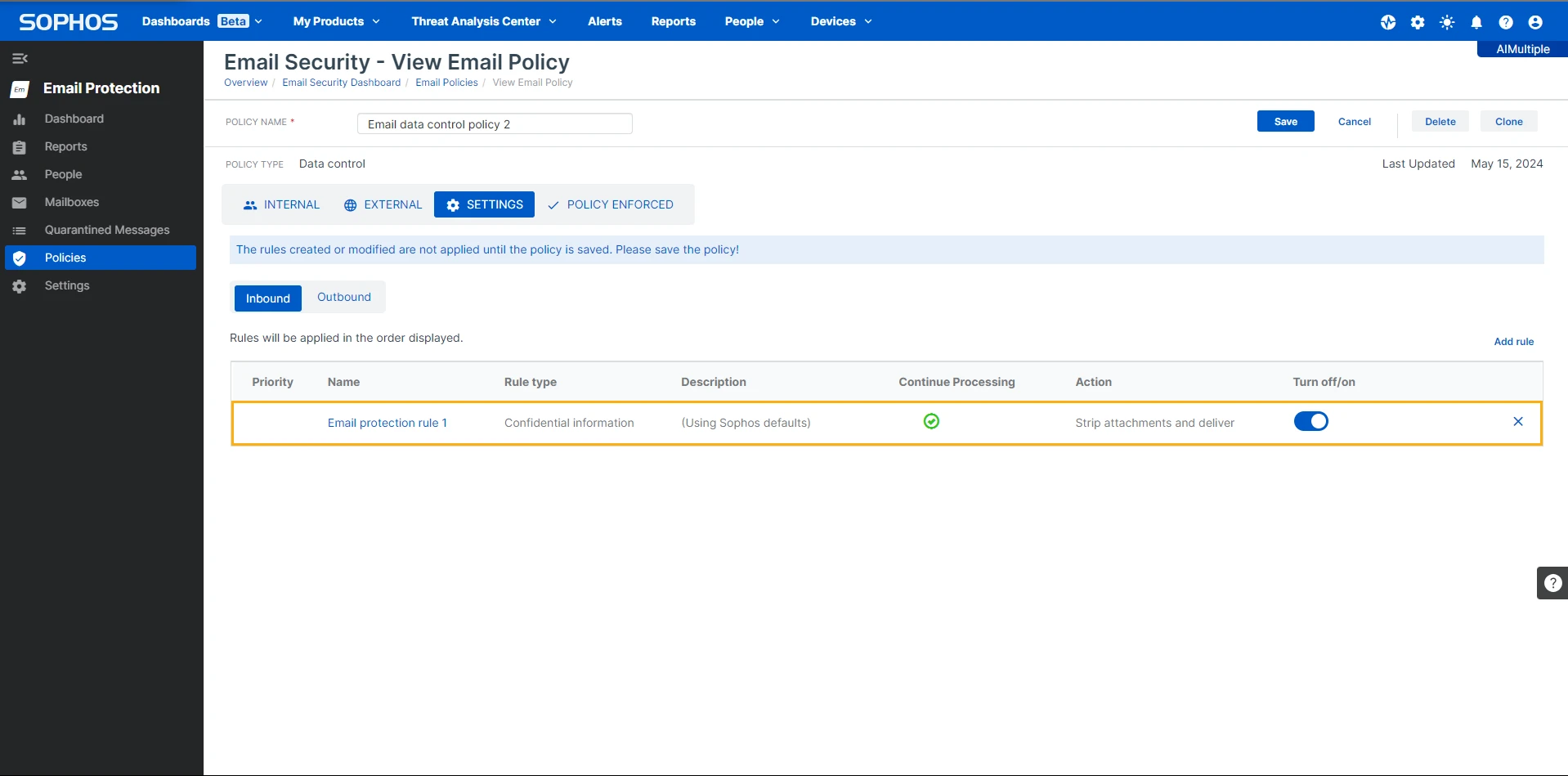
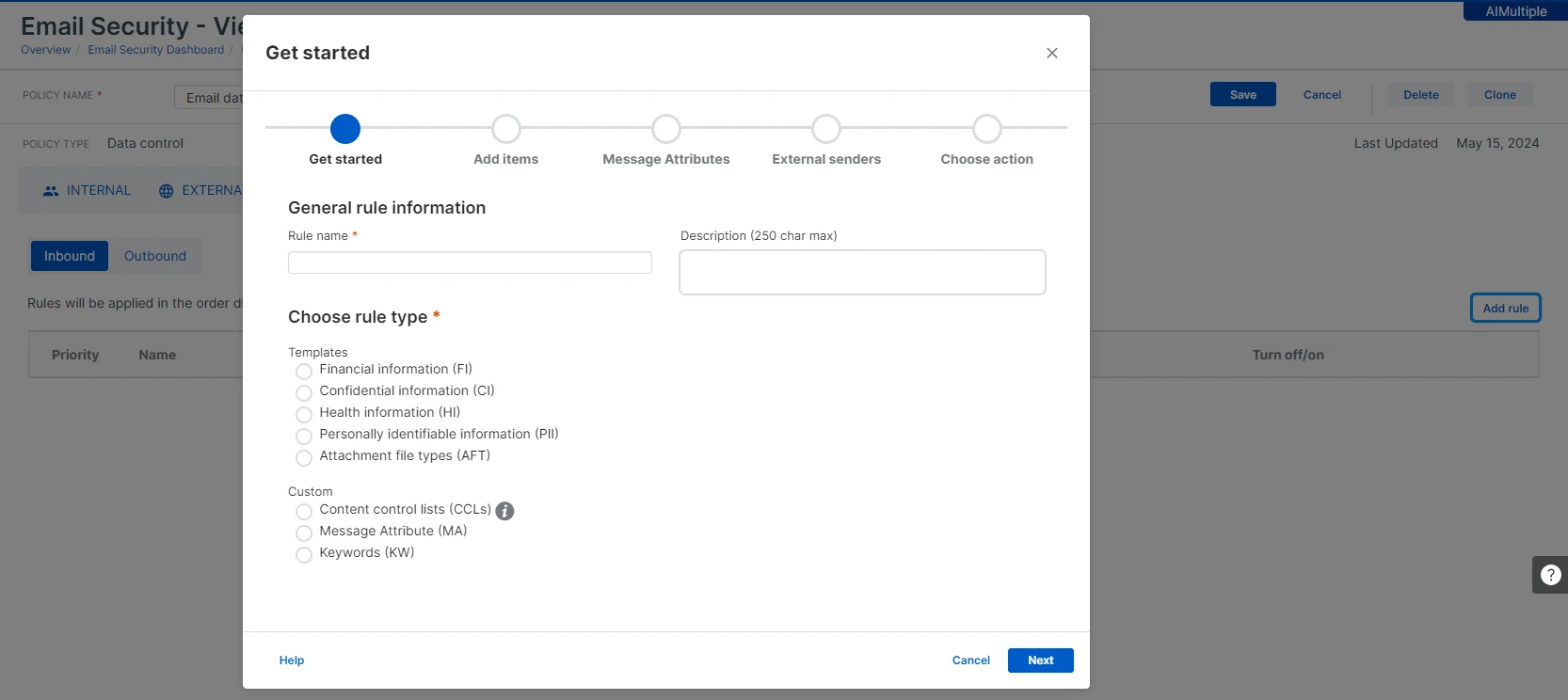
Effective features: Effective email, peripheral, and application protection, working tamper protection, Active Directory integration, customizable data classification, file search and tags with hashes, comprehensive audit trail.

Ineffective features: Some features like peripheral protection require custom policies rather than working out of the box. No user behavior analytics and no device management.
Channel coverage: In both peripherals and email, default base policies did not stop file transfers. The review team was able to block them using custom policies. The application control feature restricted file transfer to other platforms such as Google Drive. Users can be included or excluded directly from policies via email or IP-based exceptions. Nine types of removable devices can be monitored and controlled, fewer than competitors such as Endpoint Protector.
Data classification: Automated data classification was ineffective, classifying risky emails as low-severity. Customization parameters are available and detailed. Classified data is verifiable through a comprehensive file list with classification status.
Administration: Tamper protection restricted devices from tampering with the agent software and required a password to uninstall the agent file. This feature worked during review testing. Sophos Central successfully recorded audit logs of user activities. File hashes are offered through the discovery feature to identify risky files.
Shadow AI note: Since January 2026, Sophos has added Workspace Protection for Shadow IT and Shadow AI governance. Workspace Protection is adjacent to the endpoint DLP features covered here, not a replacement for them.7
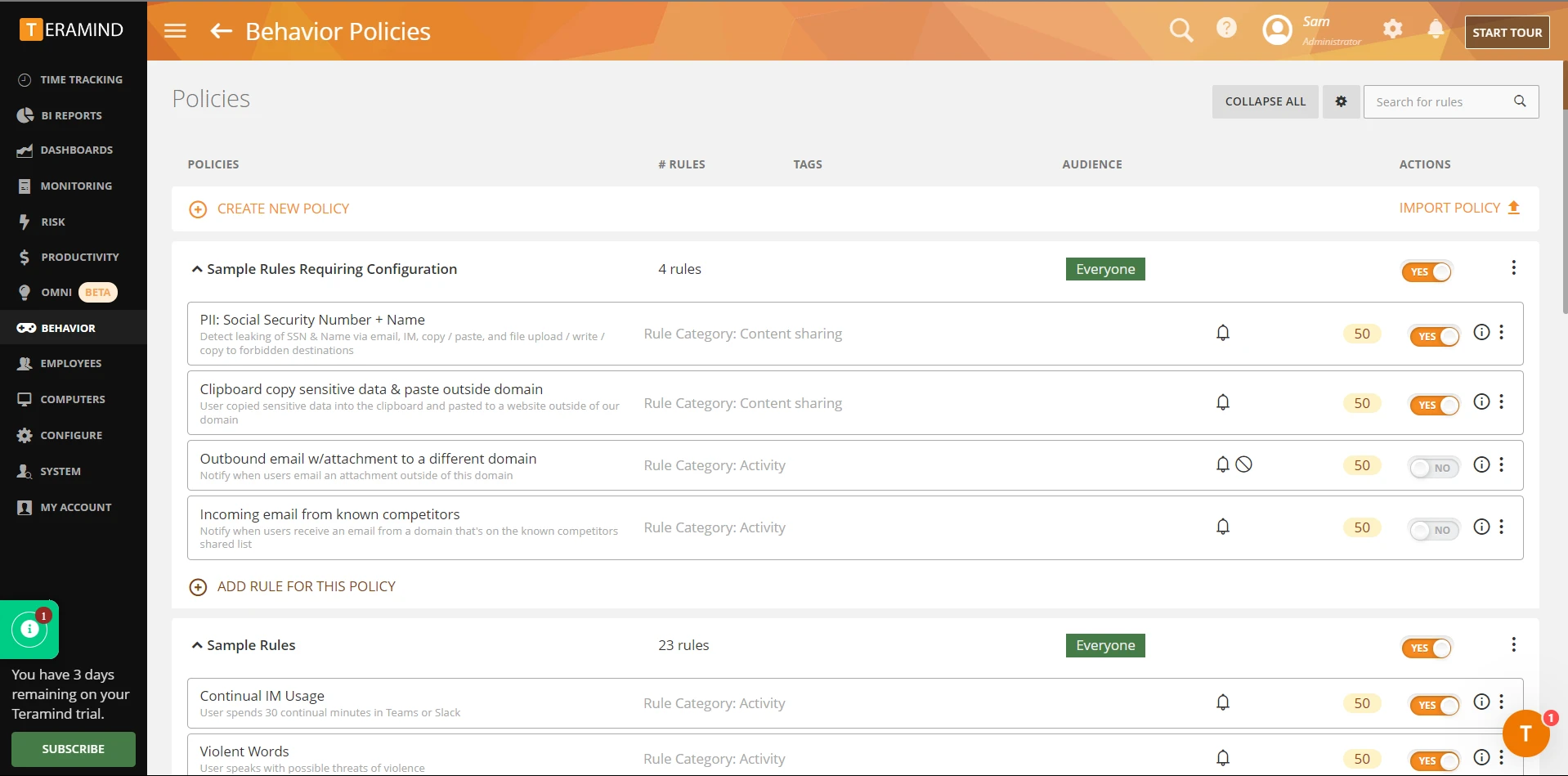
Teramind DLP
Teramind DLP is a policy-driven DLP solution with strong behavioral analytics positioning. The review focused on channel coverage, customization depth, and administrative overhead.
Effective features: Effective protection for peripherals, email, and applications, detailed data classification customization, comprehensive audit trail, Active Directory integration, file search.
Ineffective features: Data classification struggled to distinguish confidential from non-confidential data. Custom policies are difficult to manage. No tamper protection, no OCR in the free trial.
Channel coverage: USB blocking policies were effective but also blocked non-confidential files from being copied to peripheral devices. The types of devices were not mentioned in the removable devices policies. Email policies are effective but prevent internal users from sending emails as a side effect. The application protection policy restricts all data transfers to applications such as Google Drive. Specific emails or domains can be excluded from policies.
Data classification: Data classification was ineffective because it could not distinguish between confidential and non-confidential data in trial testing. Customization options are detailed but require familiarity with the platform. Classified data is verifiable.
Administration: Tamper protection was ineffective, as users could tamper with the agent file. Each user’s activity was monitored with alerts sent to the admin’s email. OCR data identification is not included in the free trial.
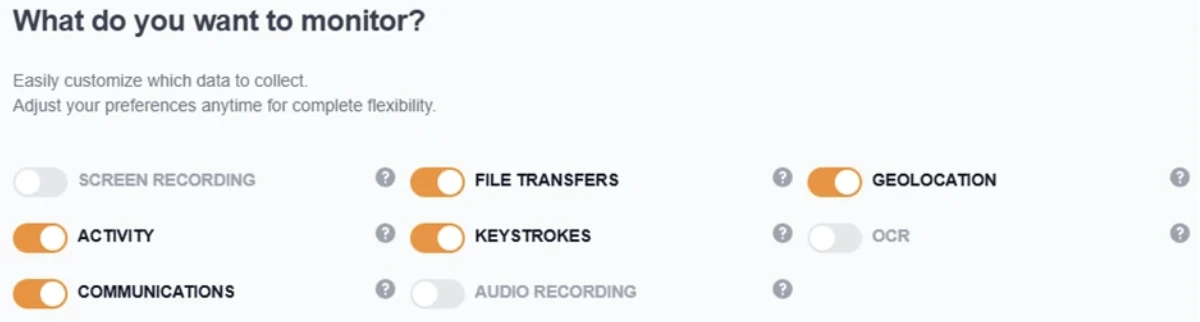
Mac agent update. As of January 2026, the Teramind Mac agent supports screen recording only when a behavior rule is violated, reducing storage use and improving privacy while capturing relevant evidence.8
Trellix DLP
Trellix DLP (formerly McAfee Total Protection for DLP) covers a wide range of endpoint and network channels but shows inconsistency across certain areas. The review focused on channel coverage, predefined vs custom policies, and administrative capabilities.
Effective features: Wide channel coverage, comprehensive email and application protection, customizable data rules, audit trail, tamper protection, web filtering.
Ineffective features: No Active Directory integration in the trial, no file search, no user behavior analytics, no full OCR support for web detection and prevention.
Channel coverage: Trellix can detect when a user configures Outlook to send sensitive files through personal email accounts and can quarantine emails containing sensitive information. Releasing quarantined emails can be cumbersome, requiring manual approval from the sender, the sender’s manager, or the data owner through email notifications rather than an automated workflow. Trellix does not fully support filtering sensitive data synchronized to mobile devices through ActiveSync for certain user groups.
Peripheral device monitoring and control are possible, but Trellix does not support a unified policy across all channels, which limits flexibility in environments with multiple peripheral device types. Administrators can set up access controls for USB devices and other peripherals, but policy implementation can be inconsistent across newer channels such as mobile devices.
Advanced support such as USB device encryption requires additional subscriptions. For applications, Chrome is not fully supported and users can bypass DLP policies in certain scenarios, such as when uploading files from a public Wi-Fi network.
Data classification: Trellix’s predefined policies cover common regulatory frameworks including PCI DSS and GDPR, though the policy templates are less comprehensive and accurate than those of competitors, creating potential detection gaps.
The administrator can create custom policies using keywords, regular expressions, and file fingerprinting. Trellix does not support advanced features such as machine learning or behavioral risk-based protection. OCR is limited to graphical documents for discovery, not for prevention.
Administration: Administrators can assign rights based on users or groups, but Trellix lacks role-based delegated administration, limiting the ability to assign specific roles for policy management and incident handling. USB encryption and endpoint DLP policy enforcement are standard, but advanced options such as risk-adaptive protection and native behavioral analytics are either limited or require third-party integration.
Alerts are generated for sensitive data transfers via email, but limited reporting customization and incident management capabilities may require additional manual oversight.
 Add as preferred source
What does DLP software do?
DLP software monitors and controls the flow of sensitive data across an organization’s endpoints, network, and cloud services. It prevents unauthorized data transfers through channels like file uploads, email attachments, clipboard copy-paste, printing, USB drives, and screen capture.
DLP products typically combine three detection methods: content inspection (scanning file contents for patterns like SSN or credit card numbers), context analysis (evaluating the channel, user, and destination), and policy enforcement (blocking, alerting, or logging based on rules).
Common DLP capabilities
Conclusion
For teams that need SIEM integration, shadow copy evidence, or multi-format SSN detection, Acronis is the stronger product. It blocked 83% of leak scenarios, prevents file deletion, forwards events to Syslog/CEF, and preserves full file content for forensic review through shadow copy.
For teams that prioritize fast deployment and usable UI, ManageEngine installs in 15 minutes with no dependencies. The cost: no SIEM integration, no shadow copy, no clipboard inspection, and 13 percentage points lower block rate.
FAQs
Acronis DeviceLock detected SSN data pasted into Pastebin and Google Translate by inspecting HTTP POST bodies. ManageEngine DLP Plus does not inspect clipboard paste. Enabling “Allow Within Trusted Applications” mode indirectly closes this gap by restricting which applications can open sensitive files.
No. Both products protect against service stop, process kill, and uninstall attempts by standard users. All three tamper tests passed on both. For defense against local administrator accounts, Acronis offers the DeviceLock Administrators list to restrict who can uninstall, stop, or modify the agent. ManageEngine has no equivalent product-level mechanism, so admin rights must be controlled through Active Directory.
Acronis detected SSNs with spaces, dots, and without separators. ManageEngine detected only the standard hyphenated format (XXX-XX-XXXX).
Vendor trial availability. ManageEngine and Acronis DeviceLock DLP provided working trials on Windows Server 2022 within our research window. The other four products (Netwrix, Sophos, Teramind, Trellix) required sales-led demo approvals that did not complete in time, so we rely on the prior feature reviews for those. As new trials become available, we will re-run the full 28-scenario benchmark on those products and refresh the findings below.
Cite this benchmark
Pick the format that matches where you're publishing. Pasting the link version into your CMS preserves the backlink.
@misc{sari2026,
  author = {Sarı, Ekrem},
  title  = {{DLP Software Benchmark}},
  year   = {2026},
  month  = sep,
  howpublished    = {\url{https://aimultiple.com/dlp-review}},
  note   = {AIMultiple. Retrieved September 10, 2026}
}Results and timestamps of 95 data points. Download the summary data shown in this article's charts and tables as a ZIP file containing 14 CSV files.
Want the granular data behind it? Join Premium
Changelog
12 updatesRemoved the overall score comparison table from the DLP benchmark results section.
Added a hands-on 28-scenario benchmark of Acronis DeviceLock DLP and ManageEngine DLP Plus with leak-test tables and category scores.
Added vendor update notes on Sophos Workspace Protection and Teramind's Mac agent screen recording.
Reference Links





Be the first to comment
Your email address will not be published. All fields are required. Comments are left in their original language.