


Best Chrome Proxy Extensions: Free & Premium

Choosing the best proxy for the Chrome browser is necessary for accessing restricted sites. However, not all extensions work the same way, and two things have changed in the last year:
- Chrome removed Manifest V2 support: SwitchyOmega, for years the default recommendation, was never rewritten and no longer runs on Chrome.
- Chrome does not support SOCKS5 authentication: Any extension advertising SOCKS5 on Chrome will work if your provider offers IP-whitelist authentication.
Free Chrome proxy extensions compared
Oxylabs, Webshare, Bright Data, and Decodo include proxies. The rest are managers; you supply the proxy server. Most free claims in this category conflate two different things. Separating them:
Provider | Extension free? | Proxies included? | What you get free | Works with |
|---|---|---|---|---|
Yes (account required) | ✓ | 15 datacenter IPs, 2GB/mo | Bright Data | |
✓ | ✓ | 5 US datacenter IPs, 5 GB/mo | Any provider | |
✓ | ✓ | 10 datacenter proxies, 1 GB/mo | Any provider | |
✓ | ✓ | 100 MB for 3 days | Decodo | |
ZeroOmega | Yes (open source) | ✕ | Bring your own proxies | Any provider |
FoxyProxy | Yes (open source) | ✕ | Bring your own proxies | Any provider |
IPRoyal | ✓ | ✕ | Bring your own proxies | IPRoyal |
Rayobyte | ✓ | ✕ | Bring your own proxies | Any provider |
- If you want to browse through a proxy without paying, try Bright Data, Oxylabs, or Webshare.
- If you have proxies and need a manager: ZeroOmega or FoxyProxy. Both are open source, free forever, and MV3-compatible.
Feature comparison of the Chrome proxy extensions
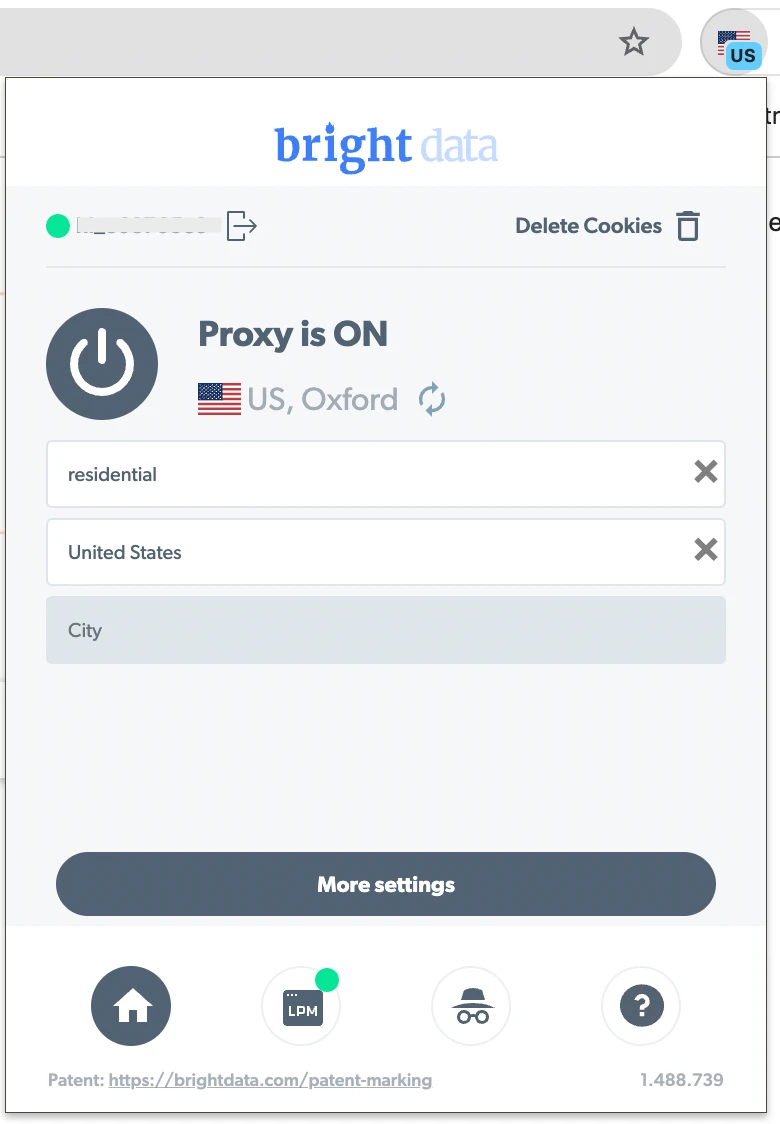
Bright Data is the most capable Chrome proxy extension for professional users who need precise geo-targeting. You can change location and IP address, and the extension provides full session management.
The Chrome Proxy Extension is compatible with the Bright Data Proxy Manager. User agents (Edge 118, Windows 10, Chrome, Android, Linux, Chromium, Opera) can be customized, and you can choose which domains to exclude.
Pros:
- Free proxies included
- Advanced targeting (city/state-level)
- Works with Bright Data Proxy Manager
Cons:
- Requires a Bright Data account
- No permanently free tier
Create your account and use code AIM70 in the billing section to get 70% off all proxies
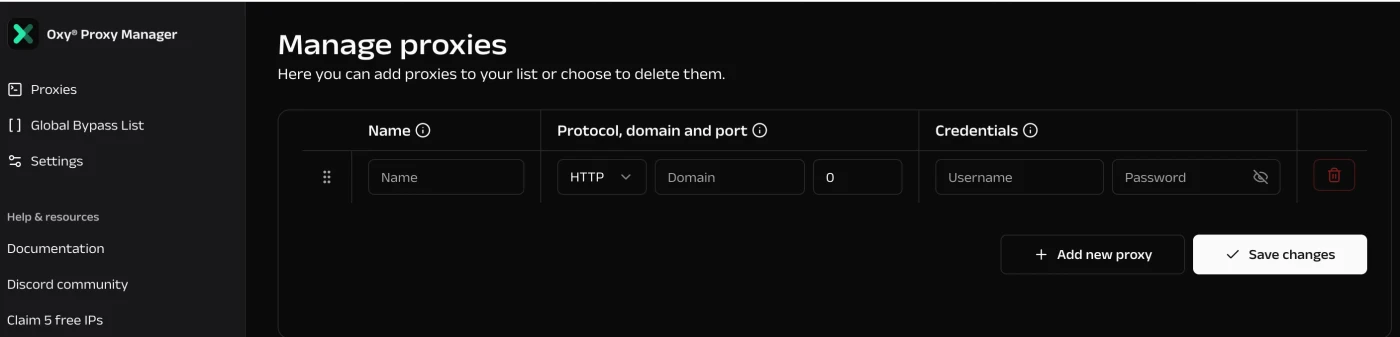
Save on proxy pricesOxylabs offers a free extension, “Oxy Proxy Server Extension,” that works with any proxy provider.
You can add addresses to a Global bypass list in the Oxylabs dashboard; those sites load on your real IP, while everything else routes through the proxy.
Oxylabs provides free datacenter proxies, containing 5 fixed IP addresses in the United States. Free DC proxies support HTTP, HTTPS, and SOCKS5.
Pros:
- Free proxies included
- Works with any provider
Cons:
- Free IPs are US
Get 5 free datacenter IPs (5 GB/mo)
Save on proxy prices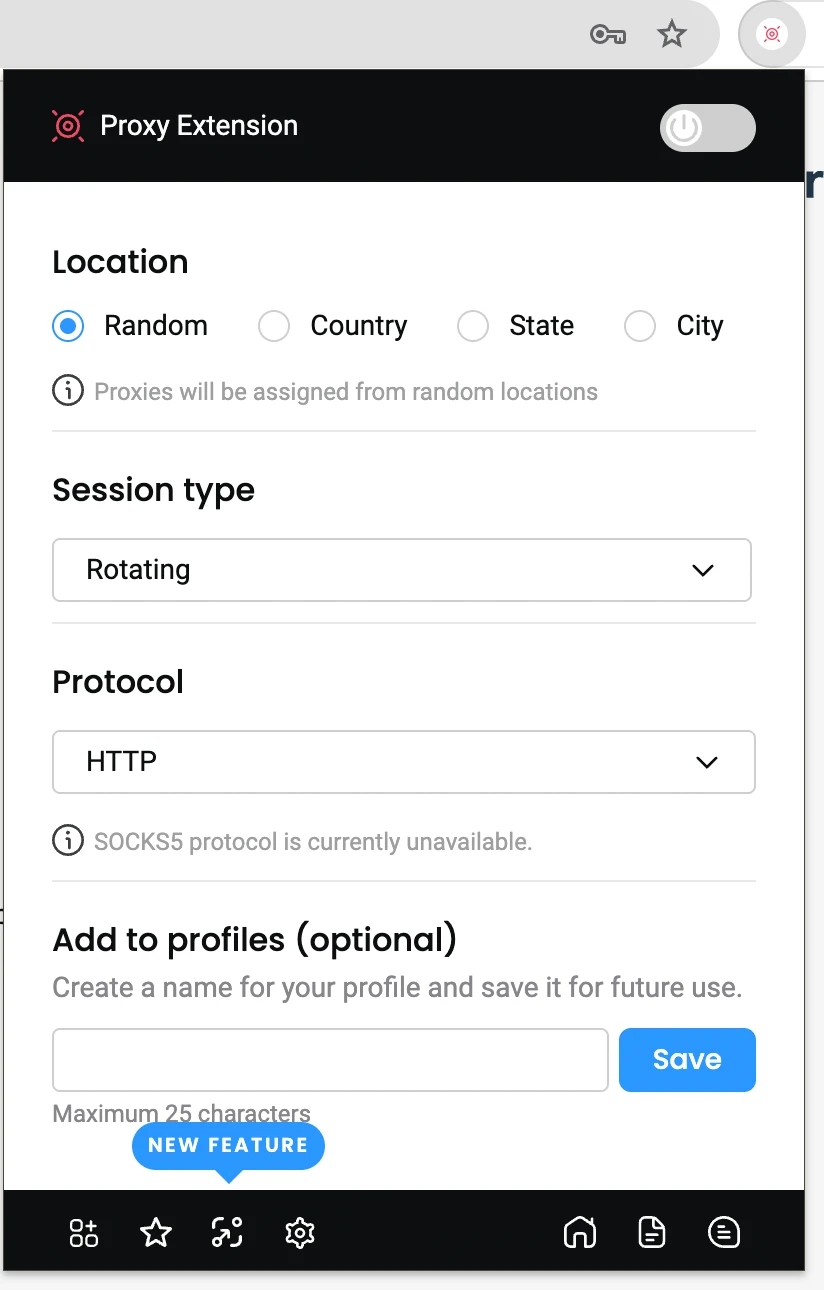
Decodo Chrome Extension is free to use and works with all proxy types and providers. The Chrome Extension supports HTTP and HTTPS protocols, as well as Bright Data and OxyLabs. You can set the session length for the same IP address.
Pros:
- Works with multiple providers
- Easy session length controls
Cons:
- No SOCKS support
Get 10 free shared datacenter proxies
Save on proxy prices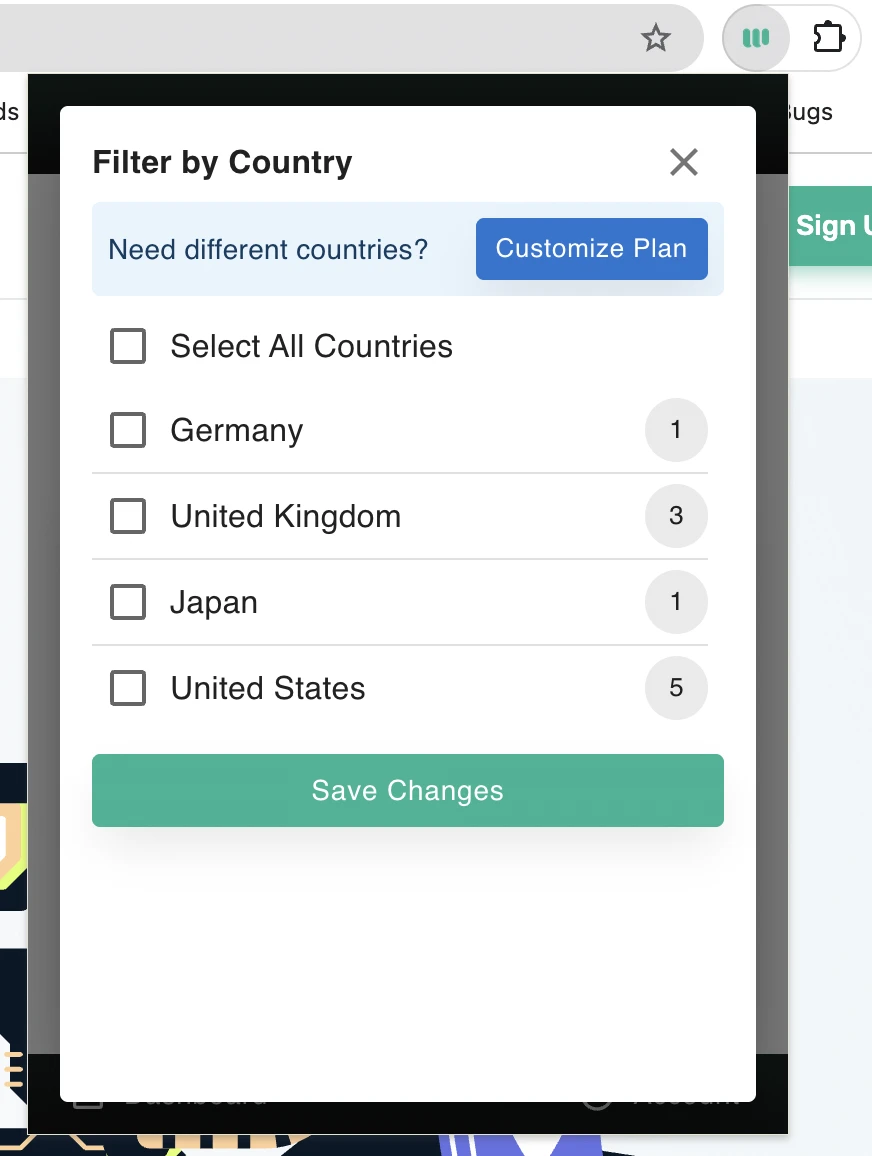
Webshare Chrome Proxy Extension provides a simple interface for browsing available proxies and filtering servers by city to better control location.
The extension supports 10 free proxies, and you can filter them by country, including Germany, the United Kingdom, Japan, and the United States.
Pros:
- Helpful for location-based testing, easy checking of geo-restricted views.
- 10 free datacenter proxies, 1 GB for a month.
Cons:
- A limited number of countries count on the free plan.
Try Decodo Chrome proxy extension
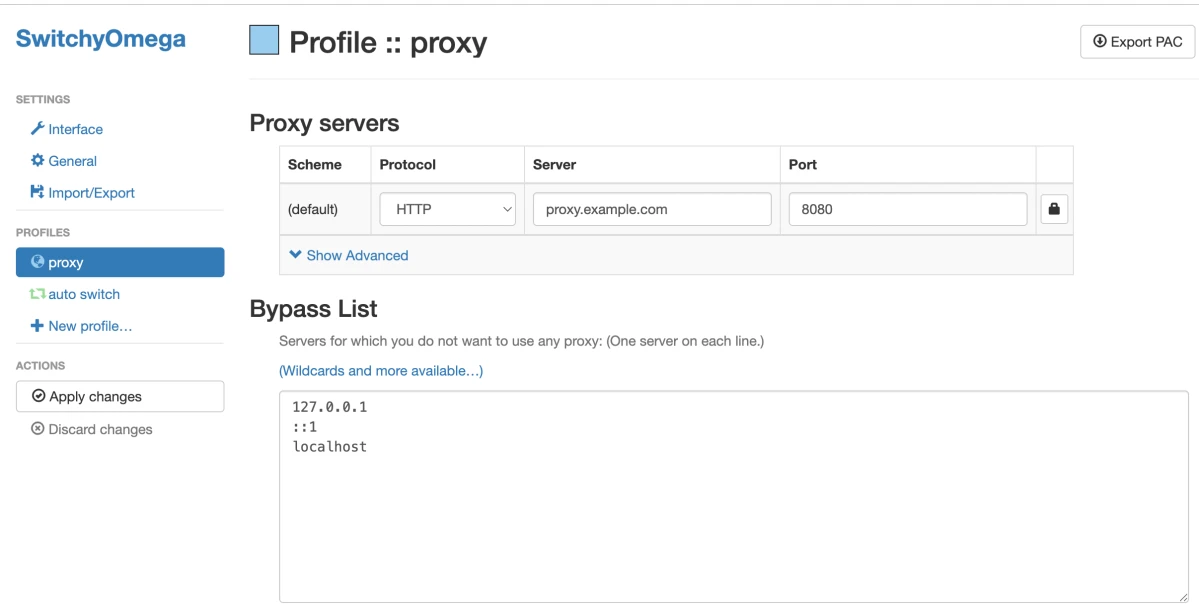
Save on proxy pricesZeroOmega (formerly SwitchyOmega)
SwitchyOmega no longer works on Chrome. The original was a Manifest V2 extension; its author declined to migrate it, and Chrome removed MV2 support entirely with Chrome 138 in July 2025.
The maintained successor is ZeroOmega, listed on the Chrome Web Store as “Proxy SwitchyOmega 3 (ZeroOmega).” It is a community fork rewritten for MV3 that keeps the original interface, adds Gist-based config sync and dark mode, and works on Chrome, Edge, Firefox, and other Chromium browsers.
You can create profiles per protocol (HTTP, HTTPS, SOCKS4, SOCKS5), switch profiles from the toolbar, and use Auto Switch to route specific domains through specific proxies via URL patterns or a PAC script.
Pros:
- Auto Switch and PAC support
- Free and open source
Cons:
- Steep learning curve
- No proxies included
FoxyProxy
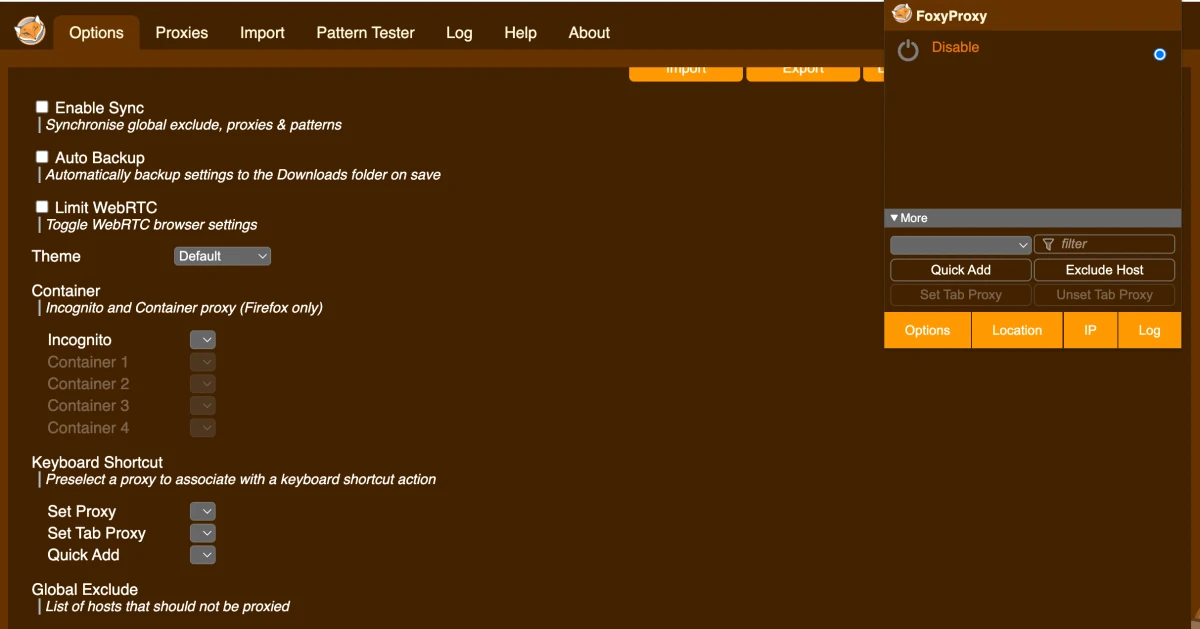
FoxyProxy is an open-source extension for managing proxy settings in Chrome and Firefox, developed by the same team since 2006. Version 8 and above is built for Manifest V3.
You can route specific URL patterns through designated proxies, assign proxies per browser tab, and import/export settings.
Pros:
- Free and open source
- MV3-compatible
- Works with Chrome & Firefox
Cons:
- Requires manual configuration
- Not beginner-friendly
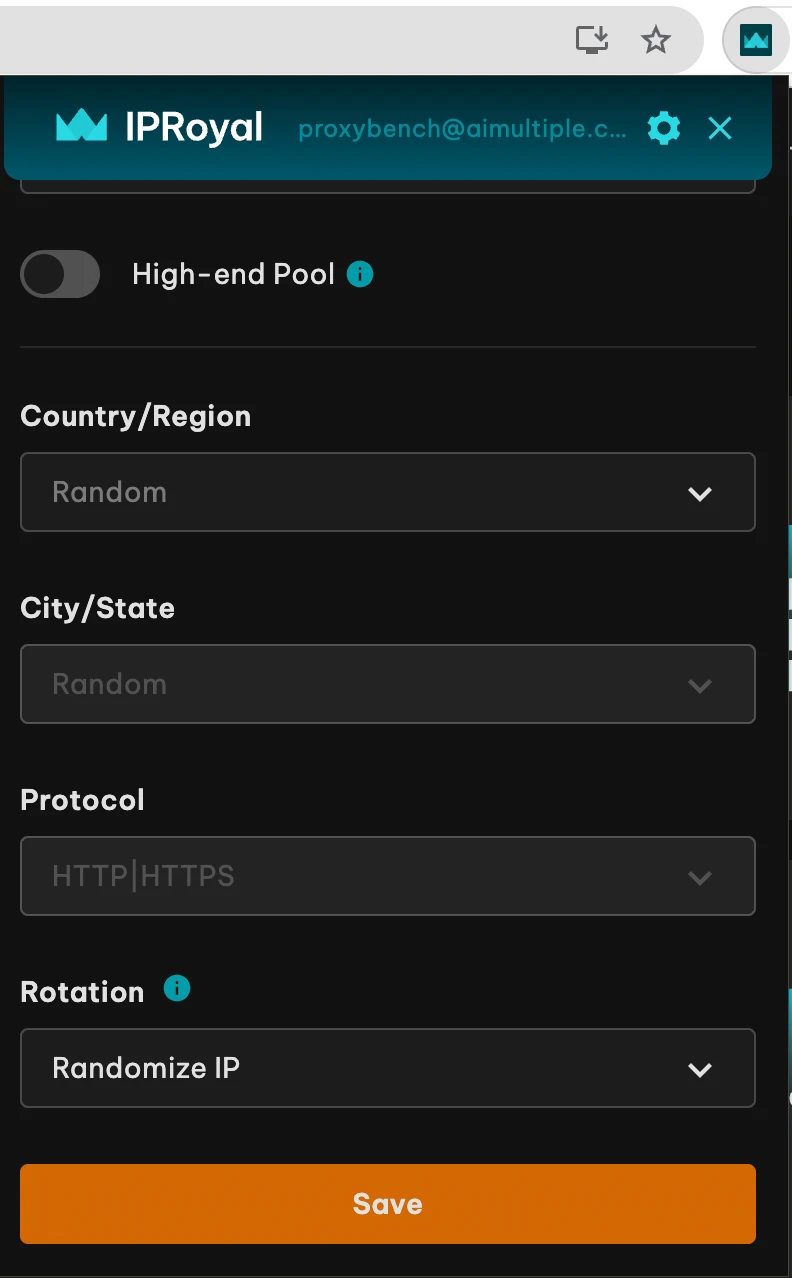
Compared to Bright Data, Oxylabs, and Decodo, IPRoyal offers users more basic Chrome extension features and a simpler interface. You can choose proxies at the city and state levels, and it supports HTTP/HTTPS proxies.
The proxy provider offers users IP rotation for each connection request made while using the extension, as well as sticky sessions lasting up to 59 minutes, 24 hours, or 7 days.
Pros:
- Flexible rotation settings
- City and state-level targeting
- Affordable pricing
Cons:
- The extension is free, but requires paid IPRoyal proxies
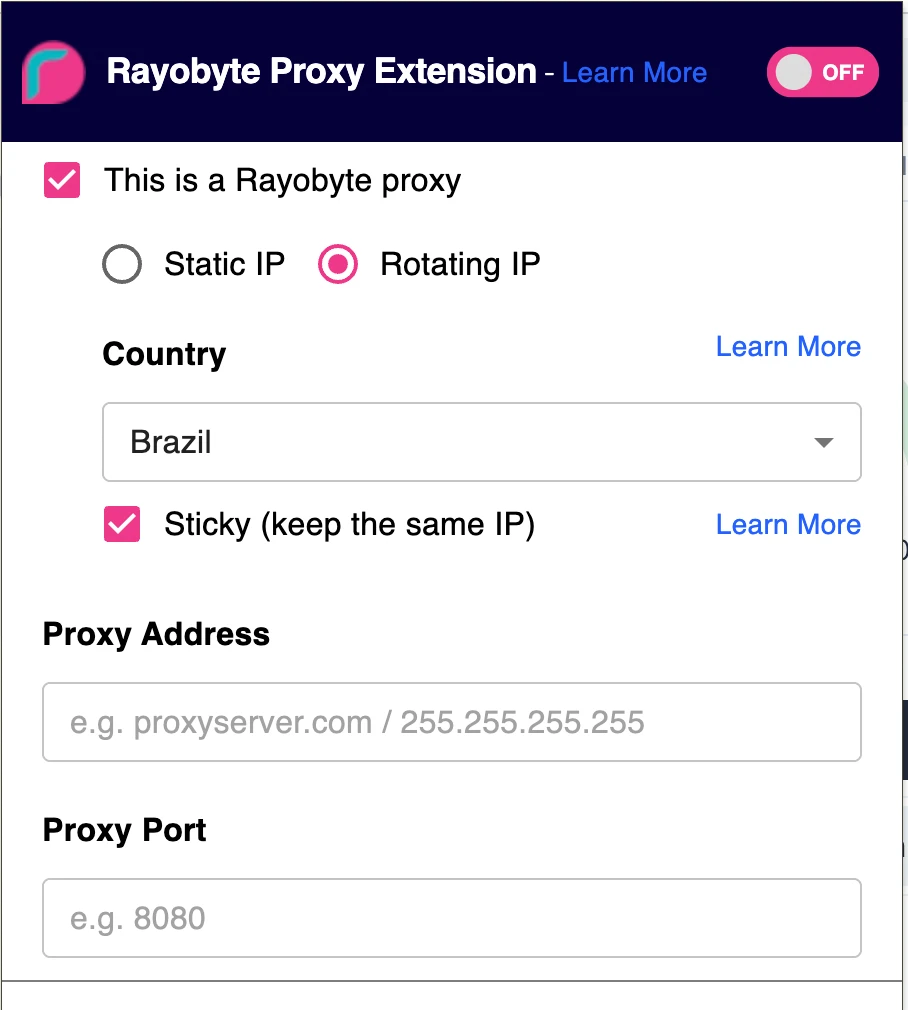
Rayobyte is a proxy provider offering a free Chrome extension that lets users manage multiple proxy profiles efficiently. The tool works with any proxy service provider and proxy type.
The browser extension supports rotating and sticky connections. You can use the Rayobyte extension with all SOCKS protocols, including SOCKS4 & 5.
Pros:
- Manage multiple proxy profiles
- Supports sticky & rotating sessions
Cons:
- No proxies included
- Few Chrome Web Store reviews
Manifest V3: what changed
Chrome stopped accepting new MV2 submissions in January 2024, began disabling MV2 extensions throughout 2024, and removed MV2 support entirely with Chrome 138 in July 2025, after which even the developer settings workaround stopped working.
1
For proxy extensions, this had one visible consequence: extensions that were not rewritten stopped existing on Chrome. SwitchyOmega is the notable casualty. FoxyProxy migrated at version 8. Provider-built extensions were maintained.
Before installing any Chrome proxy extension, confirm it is MV3-compatible and has been updated in the last twelve months.
Extension vs. Chrome’s built-in proxy settings
Chrome has no proxy settings of its own. chrome://settings/system > “Open your computer’s proxy settings” hands you to the operating system, which proxies every application on the machine. For the full walkthrough on Windows and macOS, see our guide to Chrome proxy settings.
- Use an extension when you want proxying confined to Chrome and switchable per site or per tab.
- Use system settings when you need every application proxied, or when your provider requires SOCKS5 credential authentication.
How to choose a Chrome proxy extension
- Manifest V3 compatibility: An MV2 extension will not run.
- Protocol needs: If you need SOCKS5 with username/password, no Chrome extension can help; use system settings or a provider offering IP whitelisting.
- Incognito support: Most extensions support incognito mode, but you must enable it manually per extension.
- Update cadence: Check the Web Store’s last-updated date.
 Add as preferred source
What proxy extensions do not protect you from
- WebRTC leaks: WebRTC makes STUN requests that bypass the proxy entirely, exposing your real IP address even when the proxy is active, and the extension icon is green. Chrome has no built-in toggle to disable WebRTC. FoxyProxy includes a “Limit WebRTC” control; otherwise you need a dedicated extension such as WebRTC Leak Prevent, set to “Disable non-proxied UDP.”
- DNS leaks: Chrome may resolve hostnames outside the proxy tunnel, particularly with SOCKS5. Verify with a DNS leak test after setup.
- Encryption: A proxy is not a VPN. An HTTP proxy does not encrypt your traffic.
FAQs
Oxylabs and Webshare, because both include working proxies at no cost, 5 US datacenter IPs with 5 GB/month, and 10 proxies with 1 GB/month respectively.
If you have proxies and need a manager, ZeroOmega and FoxyProxy are both free and open-source. Note that a “free extension” is not the same thing as free proxies: IPRoyal, Rayobyte, and Decodo all offer free extensions that require proxies you supply.
With IP-whitelist authentication. Chrome has never implemented SOCKS5 username/password authentication, so if your provider requires credentials for SOCKS5, the connection will fail regardless of which extension you use.
Use HTTP(S) instead, or configure SOCKS5 at the operating-system level.
A proxy Chrome extension is a browser add-on that routes your browsing traffic through a proxy server and gives you instant, per-browser proxy control. It lets you:
* Control which domains use proxies.
* Bypass geo restrictions.
* Rotate IP addresses for data scraping or anonymity
Cite this research
Pick the format that matches where you're publishing. Pasting the link version into your CMS preserves the backlink.
@misc{karatas2026,
  author = {Karatas, Gulbahar},
  title  = {{Best Chrome Proxy Extensions: Free & Premium}},
  year   = {2026},
  month  = aug,
  howpublished    = {\url{https://aimultiple.com/proxy-chrome-extension}},
  note   = {AIMultiple. Retrieved August 4, 2026}
}Results and timestamps of 8 data points. Download the summary data shown in this article's charts and tables as a ZIP file containing one CSV file.
Want the granular data behind it? Join Premium
Changelog
5 updatesReplaced the SwitchyOmega review with ZeroOmega, its Manifest V3 successor.
Added Webshare Chrome Proxy Extension to the list of best Chrome proxy extensions.
Removed IPRoyal and Rayobyte from the list of proxy extensions.
Reference Links








Comments 1
Share Your Thoughts
Your email address will not be published. All fields are required. Comments are left in their original language.
Gee, all I want to do is find a user friendly video content scraper, and the next thing I know....I'm going down AI rabbit holes ad nauseum! So confusing. Why is it so hard to find a free video scraper to try out for You Tube and face book reels? Can you steer me in the right direction, Gulbahar? Sincerely, Lilly