


VPS Benchmark: Hetzner vs Digital Ocean

We benchmarked 6 Virtual Private Server (VPS) providers by running ~1,200 automated tests per server across CPU, memory, disk I/O, and network speed using sysbench, fio, and speedtest-cli. We also documented the full signup-to-SSH experience for each provider.
VPS Benchmark Results
We used 4 vCPU (Shared) / 8 GB Plans of each provider, without adding any extras or services.
Provider | Price | CPU (evts/sec) | Memory Write (MiB/sec) | Rand Read IOPS | Seq Read / Write (MB/s) | Network DL / UL (Mbps) |
|---|---|---|---|---|---|---|
$15.00/mo | 12,501 (±22) | 4,365 | 20,066 (capped) | 478/ 478 (capped) | 1,176 / 963 | |
Liquid Web | $45.00/mo | 16,072 (±326) | 4,819 | 72,149 | 12,709 10,212 | 962 / 417 |
Hetzner | $18.59/mo | 14,493 (±35) | 5,423 | 59,558 | 3,728 / 3,013 | 1,811 / 1,689 |
GoDaddy | $65.99/mo | 6,133 (±76) | 1,922 | 63,017 | 721 / 1,088 | 319 / 500 |
Linode | $48.00/mo | 6,133 (±150) | 2,836 | 71,068 | 8,187 / 4,983 | 1,603 / 1,145 |
DigitalOcean | $48.00/mo | 3,408 (±174) | 4,400 | 54,295 | 2,298 / 350 | 1,673 / 1,172 |
- Liquid Web leads in raw CPU and disk speed, but has the weakest network upload in the benchmark.
- Hetzner is the most balanced: second in CPU, first in memory, strong network, and second-cheapest.
- IONOS costs a third of what most providers charge and delivers competitive CPU, but its disk I/O is hard-capped at the hypervisor level.
- DigitalOcean and Linode cost the same ($48/mo) yet perform differently: Linode is stronger on disk and network, and DigitalOcean is weaker across the board.
- GoDaddy is the most expensive and scored last or second-to-last in every category except random read IOPS.
The cheapest providers are also the fastest. IONOS ($15/mo) and Hetzner ($18.59/mo) sit in the top-left corner of the chart, where you want to be: high CPU output, low cost. Liquid Web ($45/mo) edges them out on raw CPU by about 10%, but costs 3x as much as Hetzner to get there. DigitalOcean and Linode both cost $48/mo, yet land in the bottom half. DigitalOcean produced 3,408 events/sec, the lowest in the benchmark. GoDaddy ($65.99/mo) sits alone in the bottom-right: the most expensive provider with below-average performance.
For full details on tools, parameters, and run counts, see our benchmark methodology
This chart strips away the raw numbers and shows what each dollar actually buys. IONOS returns 833 CPU events per dollar per month. DigitalOcean returns 71. That is an 11.7x gap. Hetzner is close to IONOS at 780. After those two, there is a steep drop. Liquid Web still offers reasonable value at 357, but Linode (128), GoDaddy (93), and DigitalOcean (71) are clustered at the bottom. For compute-heavy workloads on a budget, IONOS and Hetzner are in a different tier.
IONOS and Hetzner also had the lowest CPU variance across runs (std. dev. of 21.8 and 35.2, respectively). DigitalOcean’s std dev was 174.1. Low variance suggests dedicated or isolated CPU cores rather than shared, oversubscribed pools. Consistent performance matters as much as peak performance for production workloads.
Disk I/O is where the biggest gaps appear. Liquid Web reads sequentially at 12,709 MB/s. Linode follows at 8,187. Then Hetzner (3,728), DigitalOcean (2,298), GoDaddy (721), and IONOS (478).
IONOS is the outlier that needs context. Their random IOPS and sequential bandwidth returned identical values across every single run, down to three decimal places. Random read: exactly 20,066 IOPS, five runs in a row. Sequential read: exactly 478 MB/s, five runs in a row. This is a hard cap enforced at the hypervisor level, not hardware variance. The fifth sequential write run dropped to 241 MB/s, suggesting the cap tightens further under sustained write load. At $15/mo this is an expected trade-off, but anyone running databases or write-heavy applications needs to know about it.
GoDaddy’s sequential read (721 MB/s) is also weak for an NVMe-equipped server at $65.99/mo. Its random read IOPS (63,017) is actually competitive, which makes the sequential performance gap harder to explain.
Liquid Web has the fastest CPU in the benchmark, but ranks in the bottom half for network speed. Median download was 962 Mbps. Upload was worse, with a median of 412 Mbps and a minimum of 213 Mbps. At $45/mo, that level of network variance is a concern if your workload involves moving data.
Hetzner is the only provider in the top-right quadrant: strong CPU and strong network. DigitalOcean and Linode both have fast networks (1,673 and 1,603 Mbps download speeds, respectively) but weaker CPUs. IONOS network is capped at roughly 1,176 Mbps, consistent with their stated 1 Gbps port speed. The cap is predictable and low-variance, which is better than Liquid Web’s inconsistency despite similar median numbers.
GoDaddy is the worst on both axes. 319 Mbps median download with one run at 58 Mbps. Combined with its last-place memory score (1,922 MiB/sec, 32% slower than the next-worst provider), GoDaddy offers the worst performance for the most money in every dimension except random-read IOPS.
Onboarding Experience
IONOS Onboarding
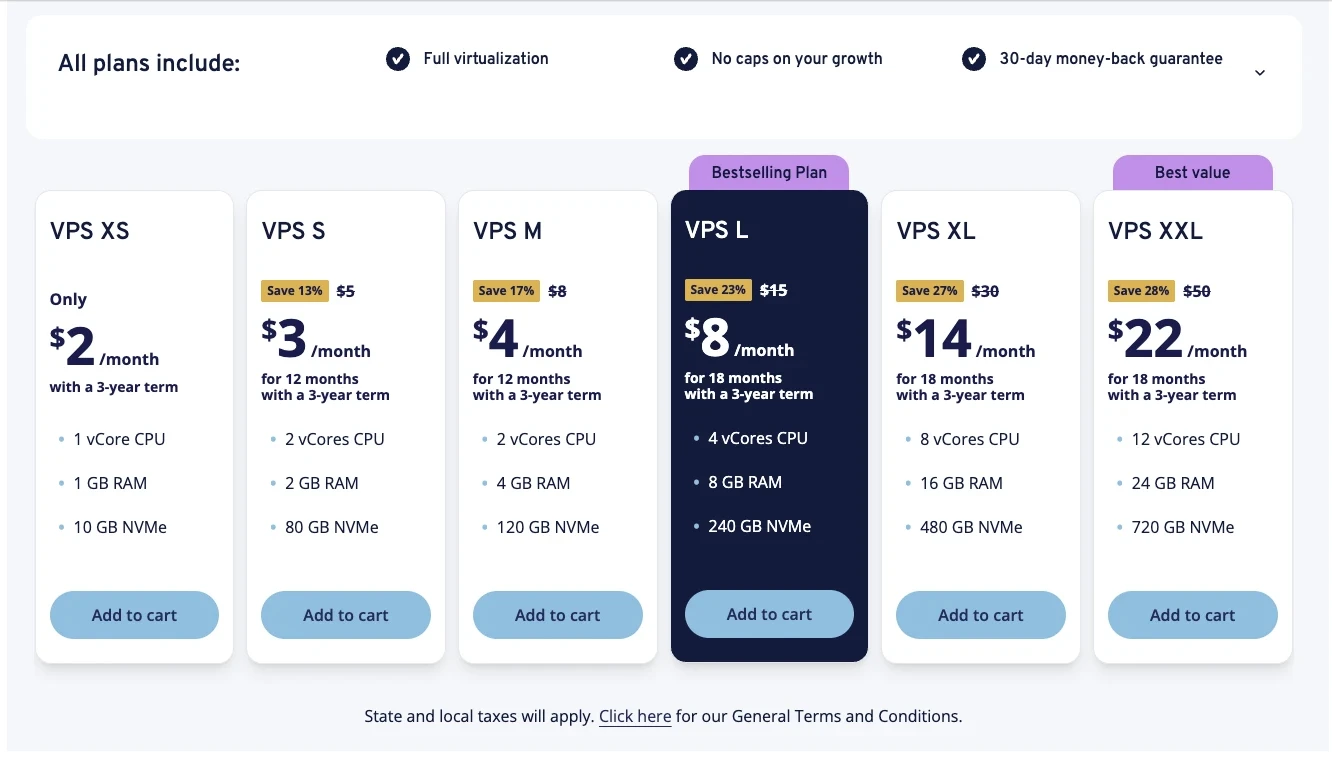
IONOS offers 6 predefined plans. There are no options for dedicated CPU or custom vCPU/RAM configurations. All plans include NVMe SSD.
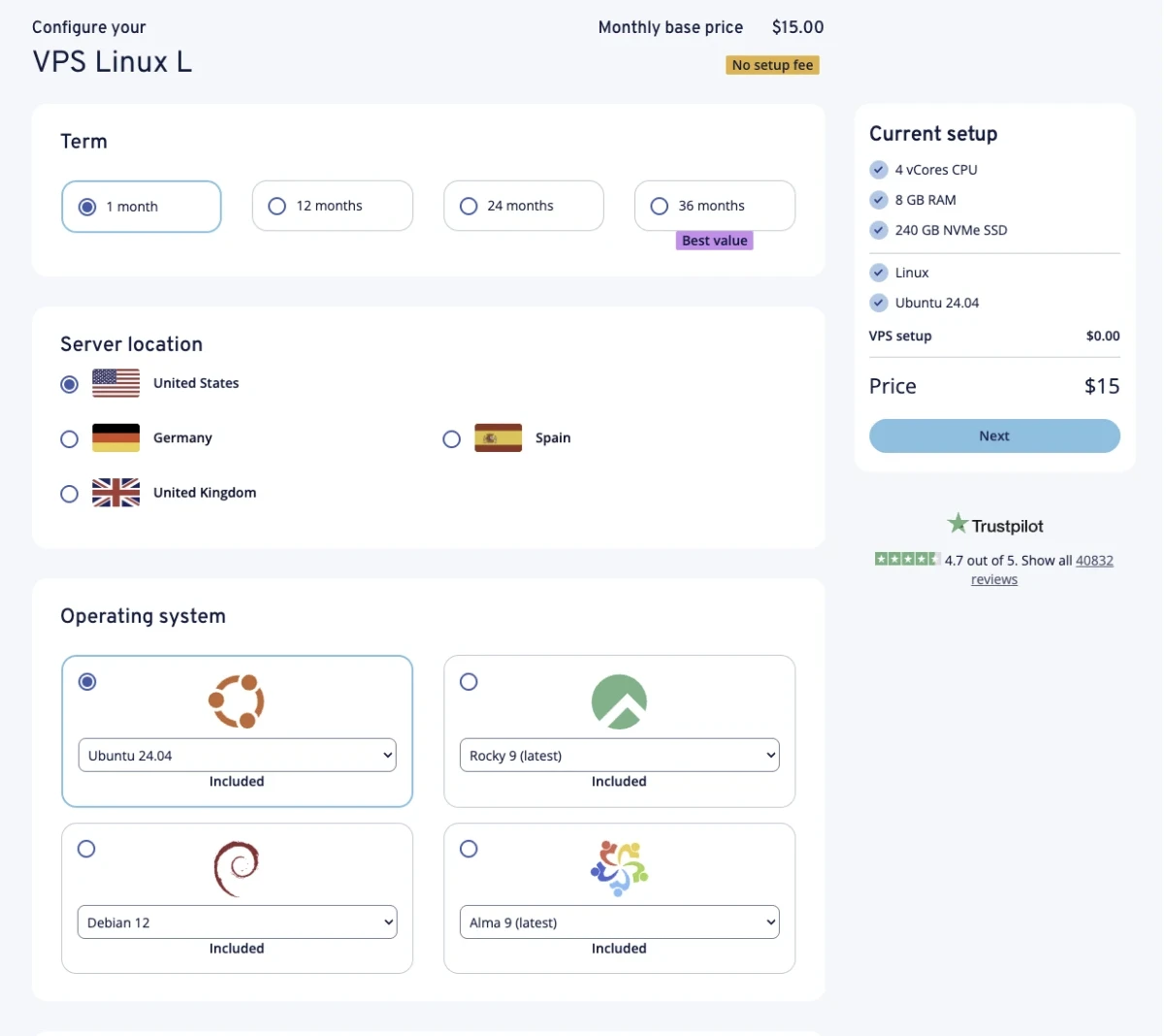
After selecting a plan, you configure term length, server location, OS, and an optional Acronis backup plan.
IONOS Dashboard
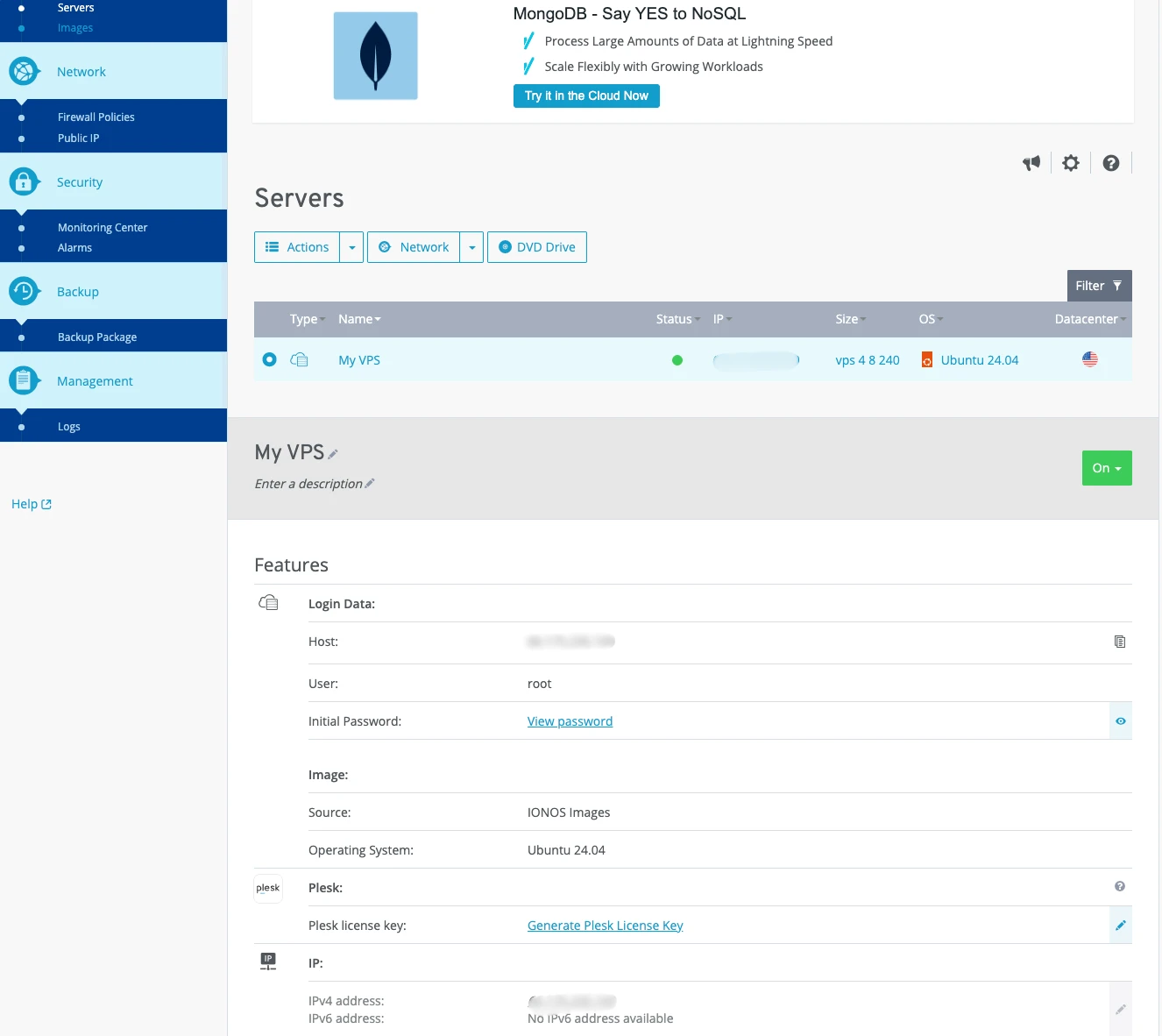
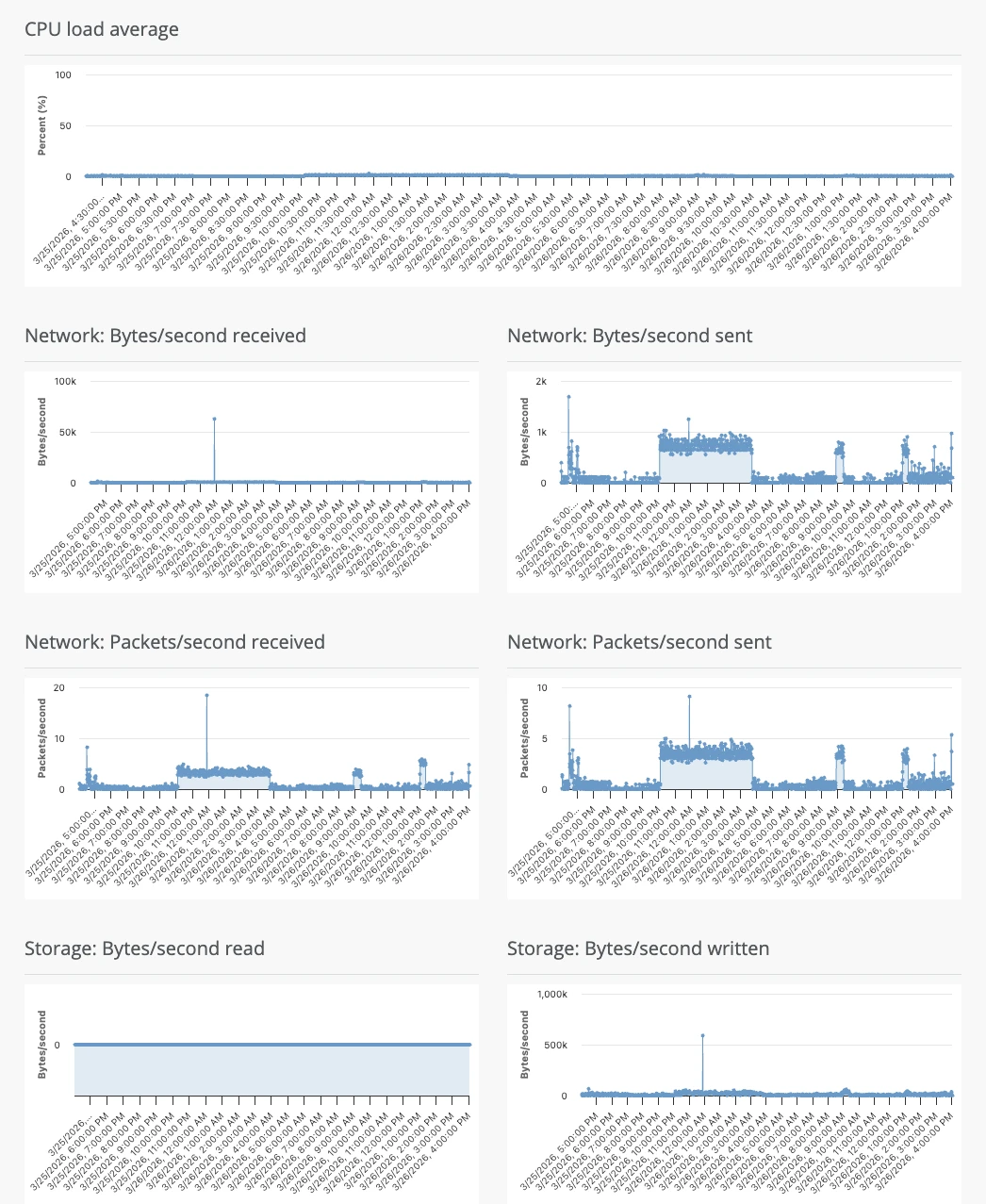
After provisioning, the IONOS dashboard provides firewall policy management, IPv6 assignment, and performance monitoring (CPU, network, storage graphs)
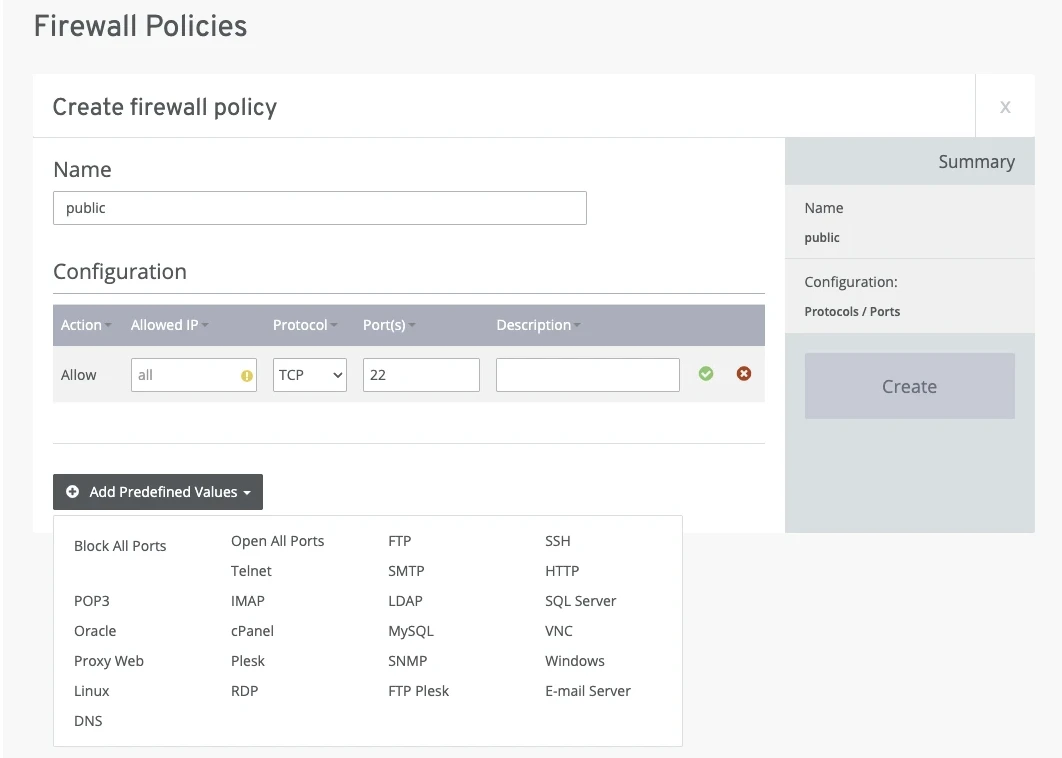
You can edit your firewall settings under Network > Firewall policies. You can either configure everything yourself or choose a template prepared by IONOS.
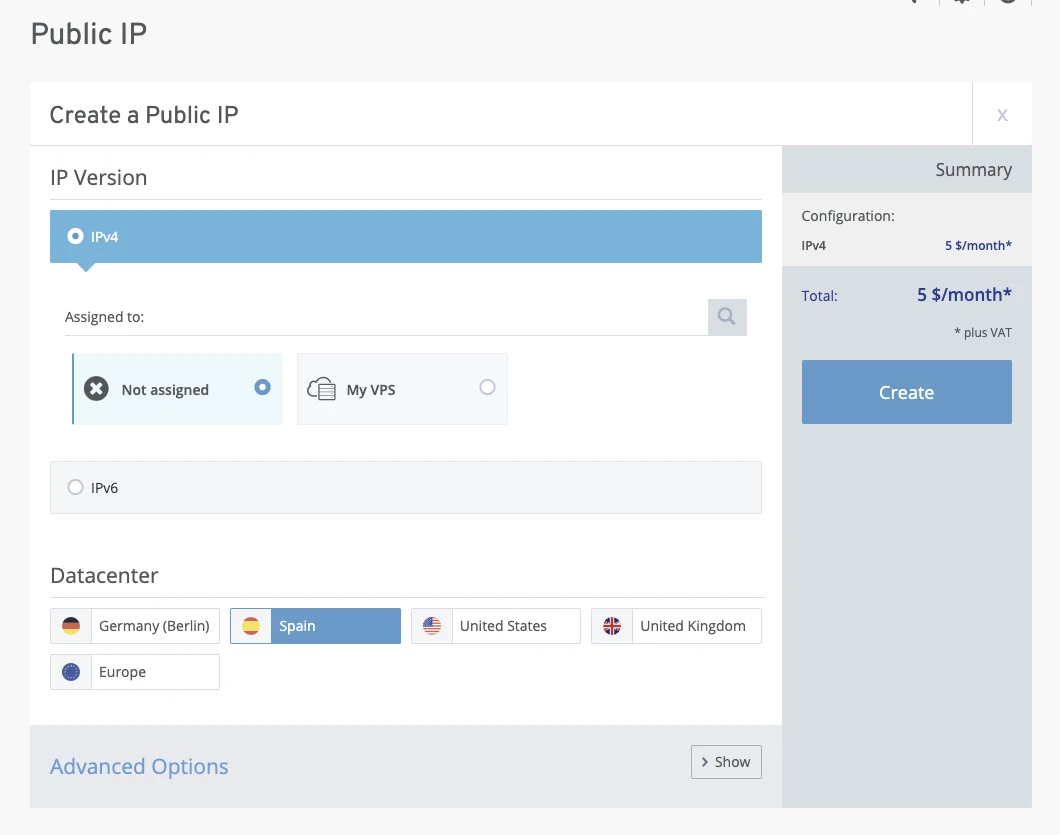
Also, you can add a new IPv4 or IPv6 address under Network > Public IP. Adding new IPv4 and IPv6 in the same device is free, but adding IPv4 in a different datacenter costs $5.00/month
You can see CPU, Network, and Storage performance data on the Monitoring Center.
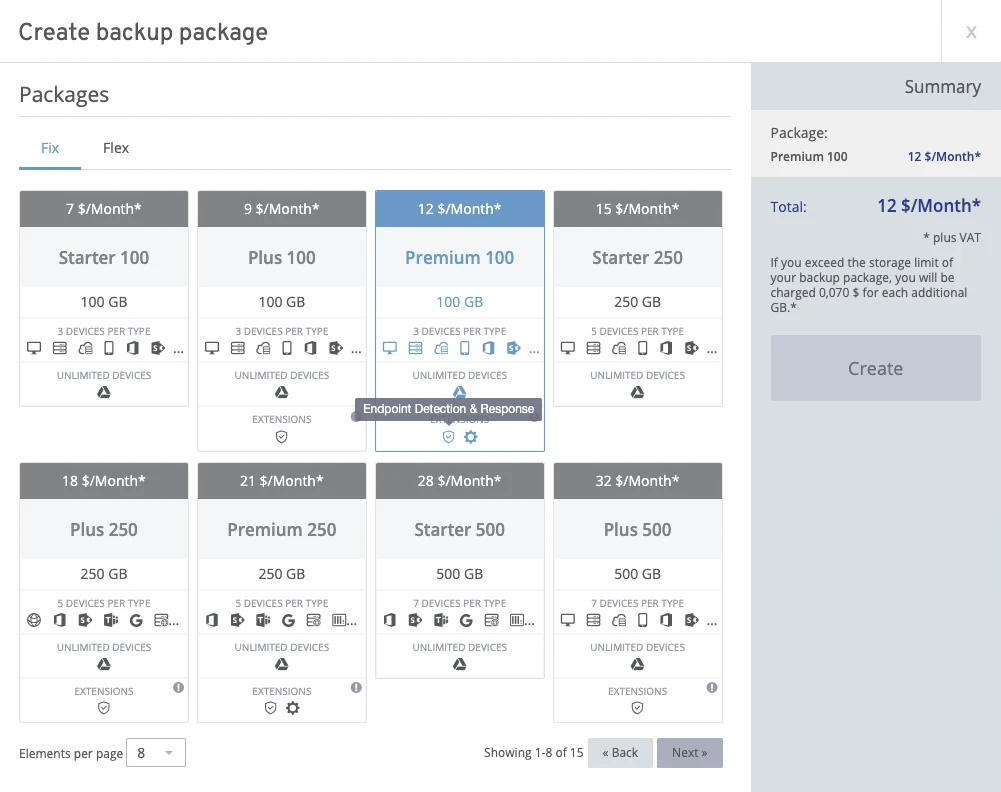
Also, you can set up your Backup and Recovery plan from the dashboard, with Endpoint Detection & Response and Remote Management & Monitoring services by Acronis.
DigitalOcean Onboarding
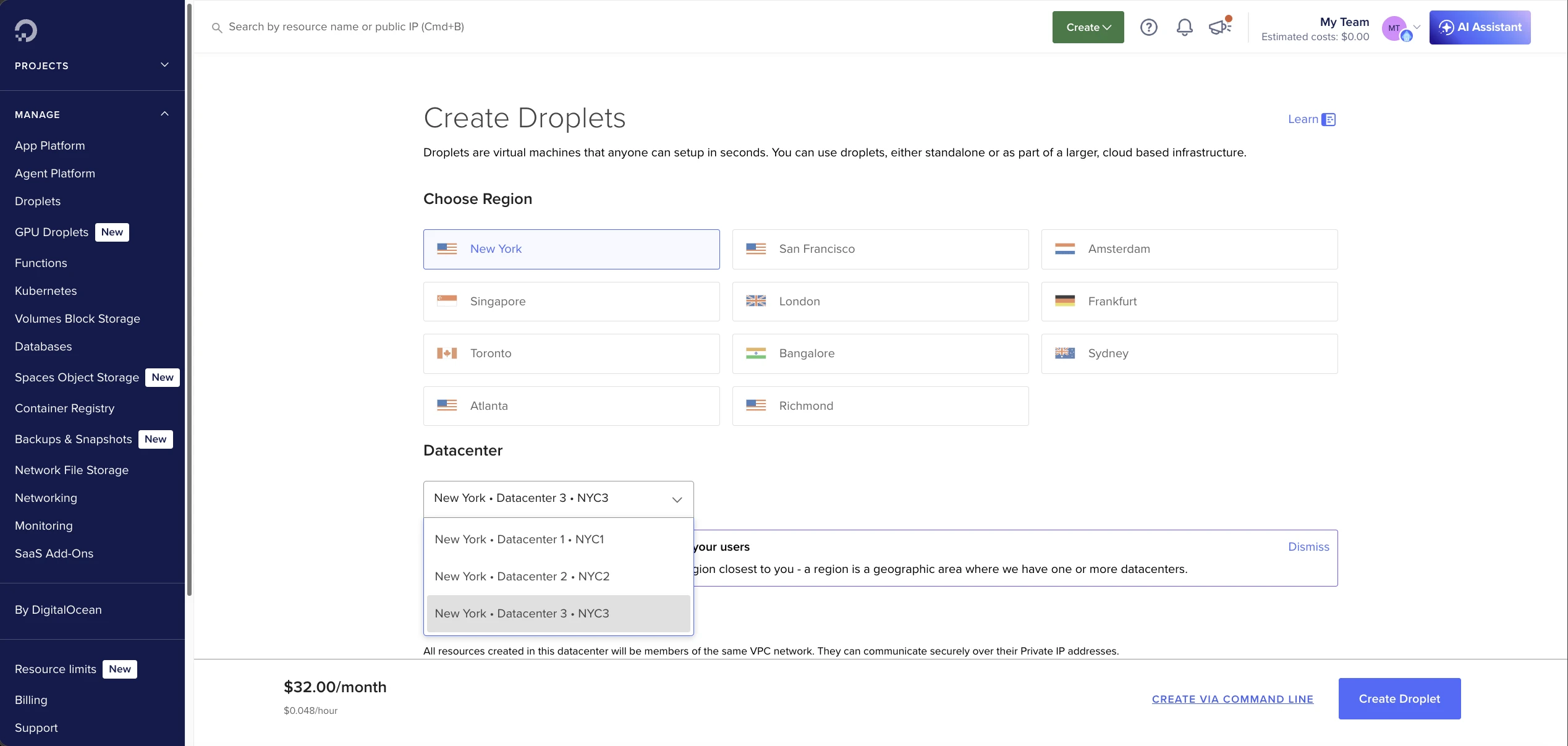
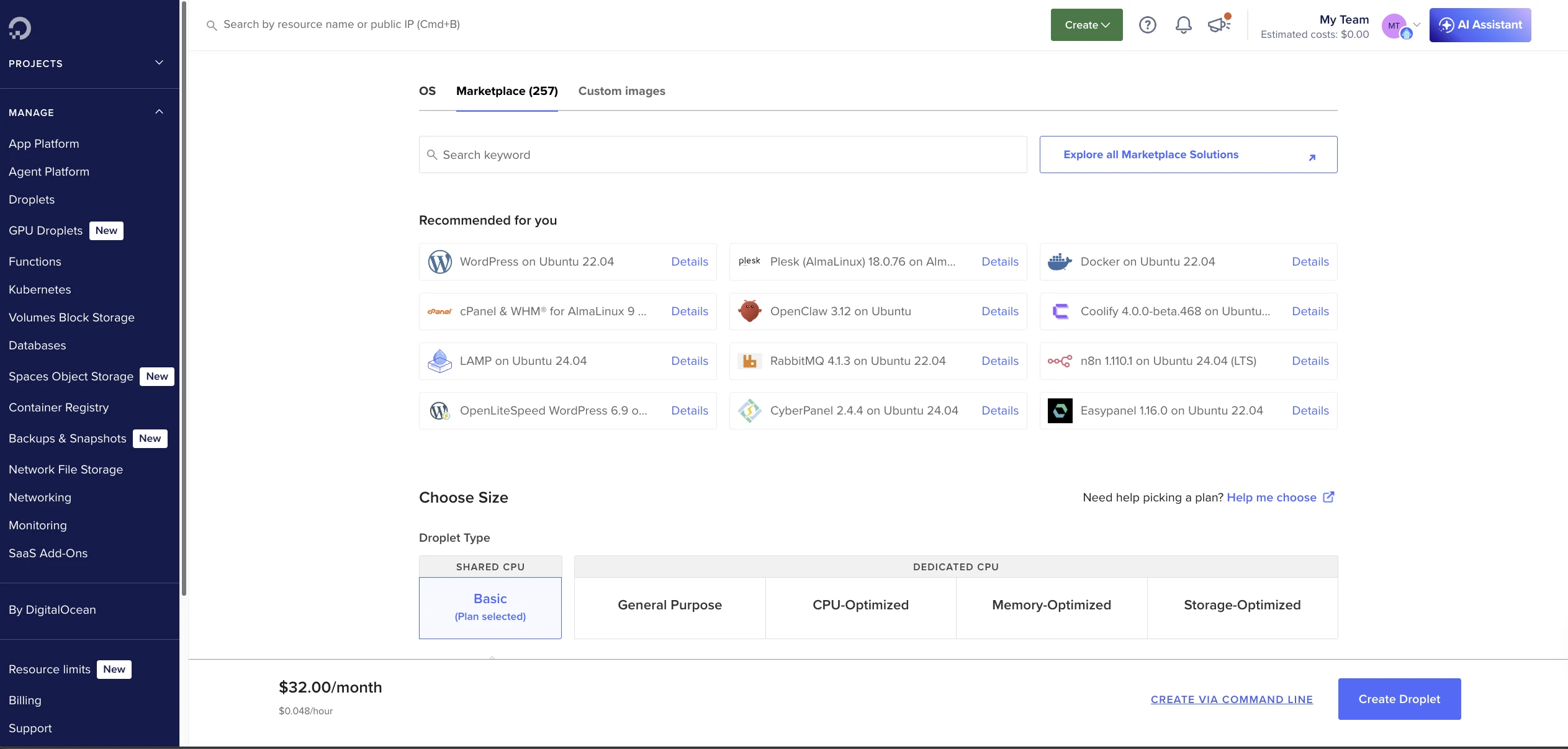
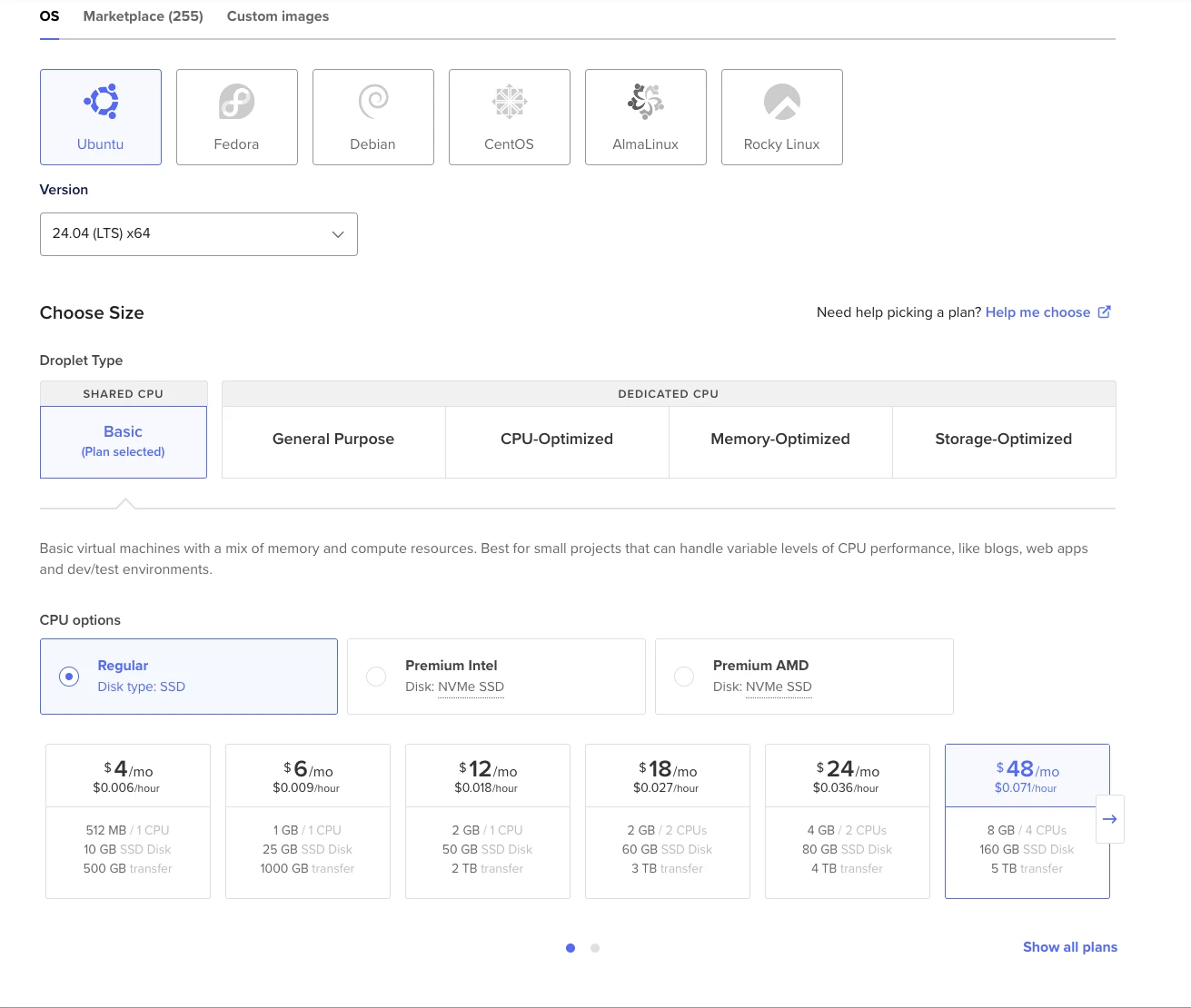
DigitalOcean provides the widest customization at provisioning. 11 data center locations across 8 countries, 5 Linux distributions, and multiple CPU tiers (Regular, Premium Intel, Premium AMD) across shared and dedicated options.
The Image Marketplace offers 257+ pre-built images, including WordPress, OpenClaw, Docker, and more.
CPU options include shared (Basic, General Purpose) and dedicated tiers (CPU-Optimized, Memory-Optimized, Storage-Optimized). Shared plans offer Regular (SSD), Premium Intel (NVMe), and Premium AMD (NVMe) variants.
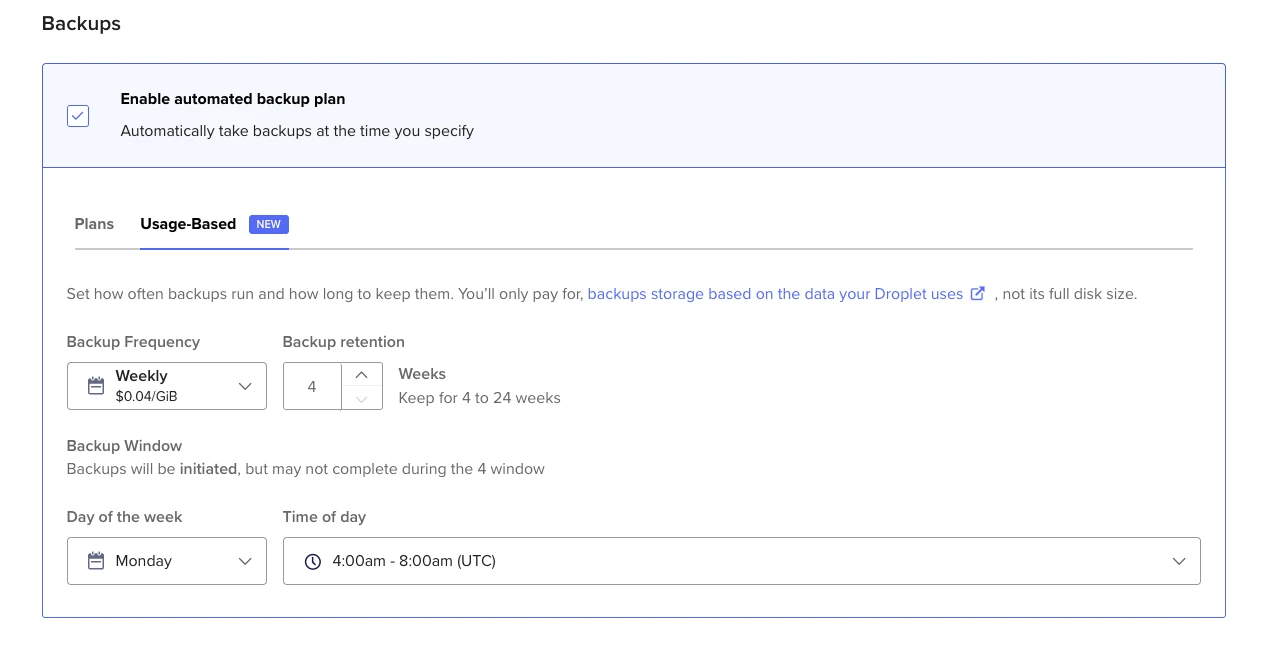
Two backup plans are available. Plan-based: weekly (20% of Droplet cost) or daily (30%). Usage-based: configurable frequency and retention, priced at $0.04/GiB for weekly.
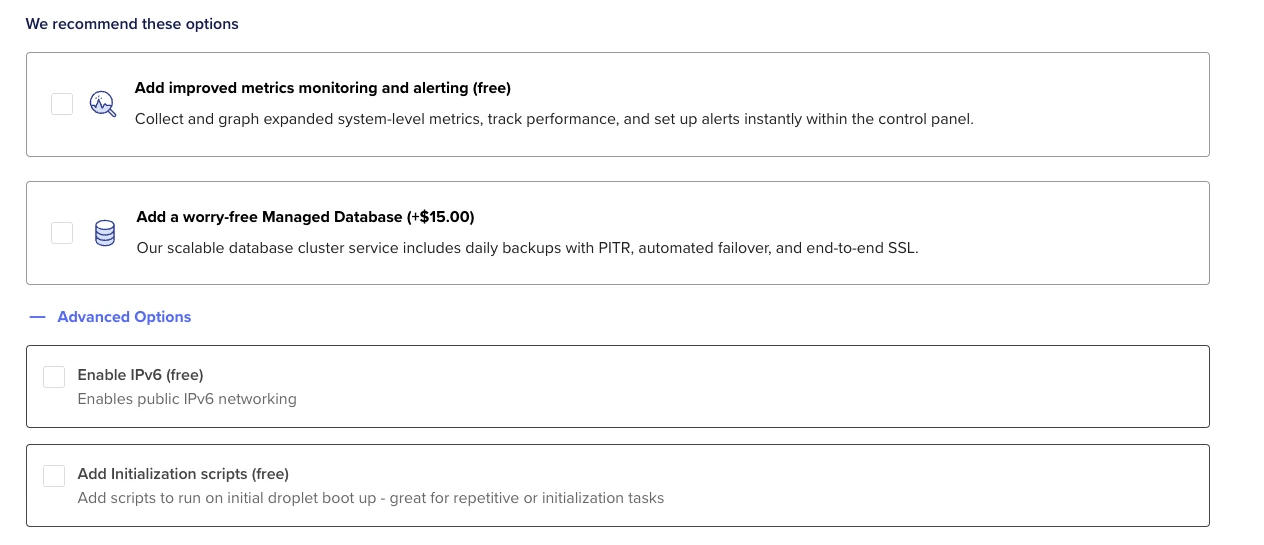
Authentication supports both SSH key and password. Free extras include metrics monitoring, IPv6, and initialization scripts. A managed database cluster is available for $15/month.
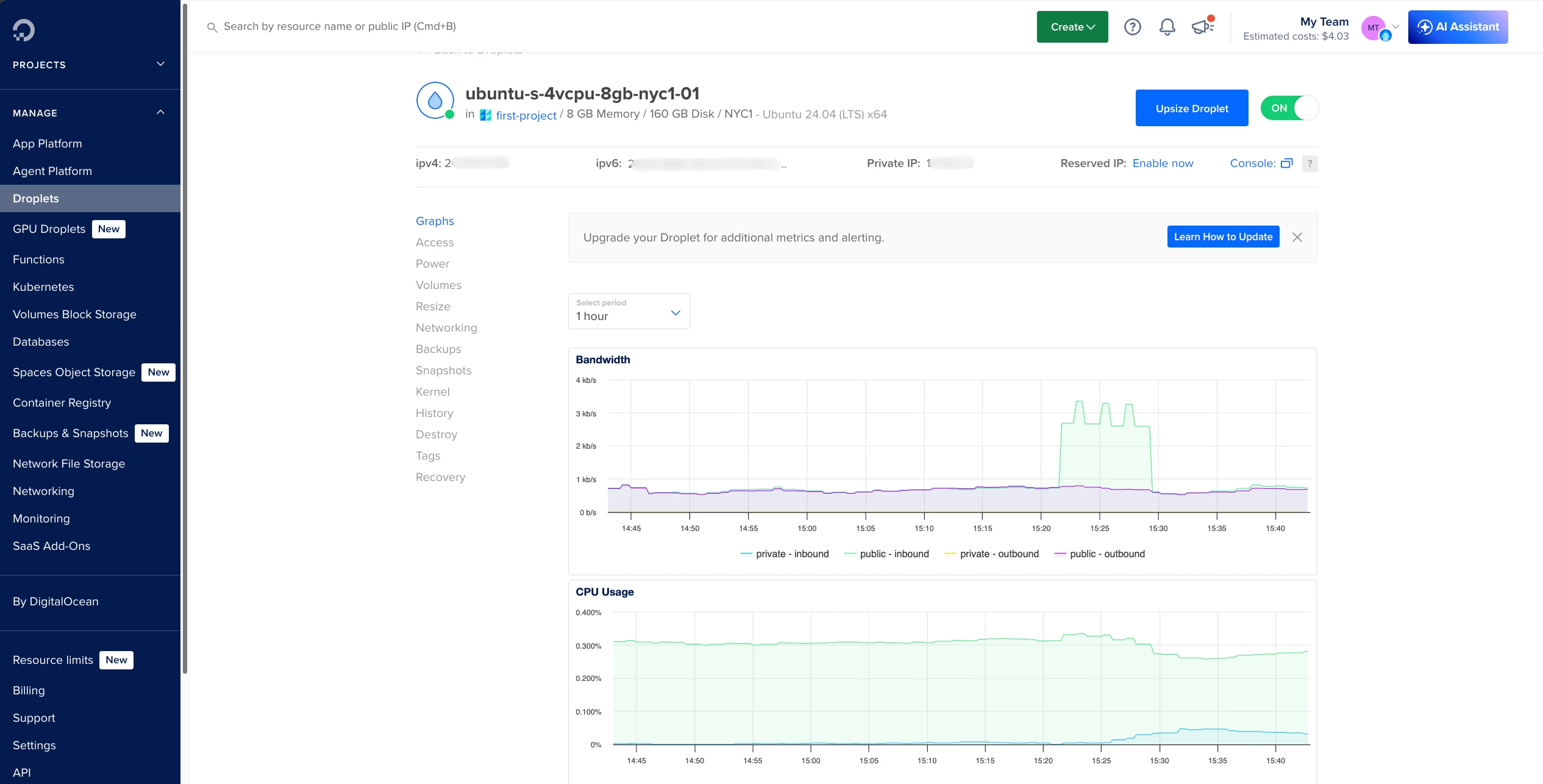
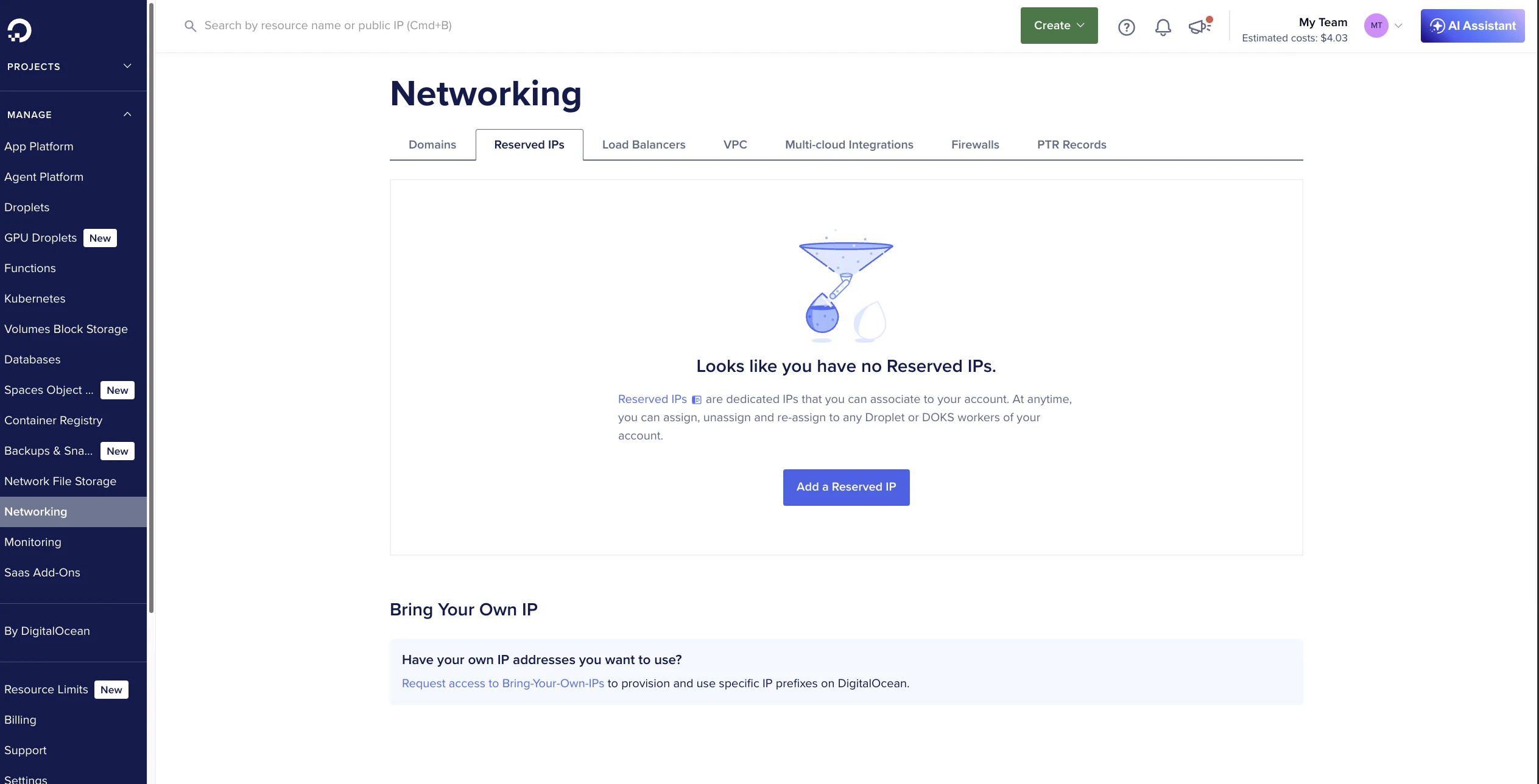
DigitalOcean Dashboard
After provisioning, the Droplets dashboard shows bandwidth, CPU usage, and disk I/O graphs.
The Networking panel supports reserved IPs, load balancers, VPC configuration, multi-cloud integrations, firewalls, and PTR records.
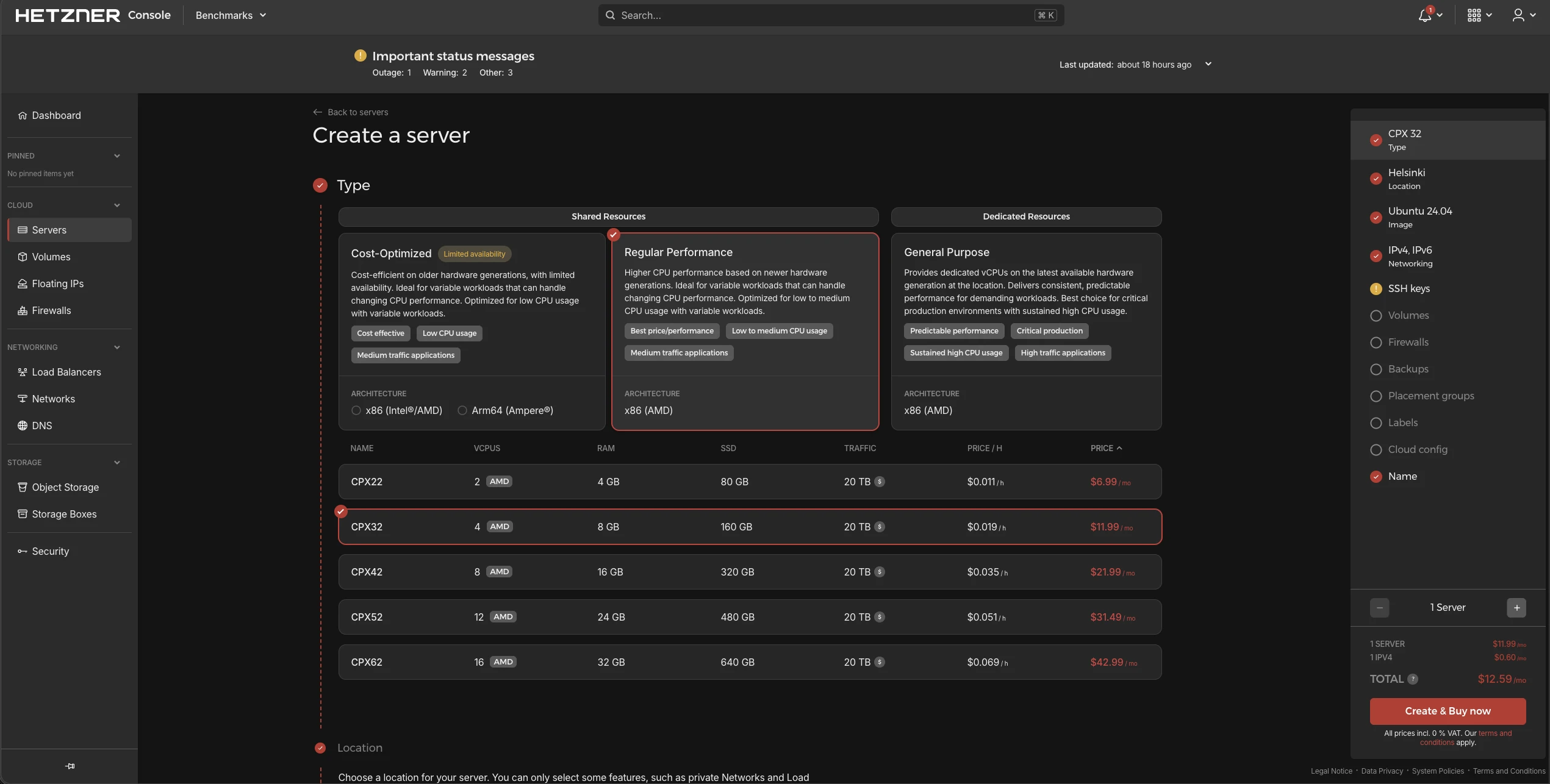
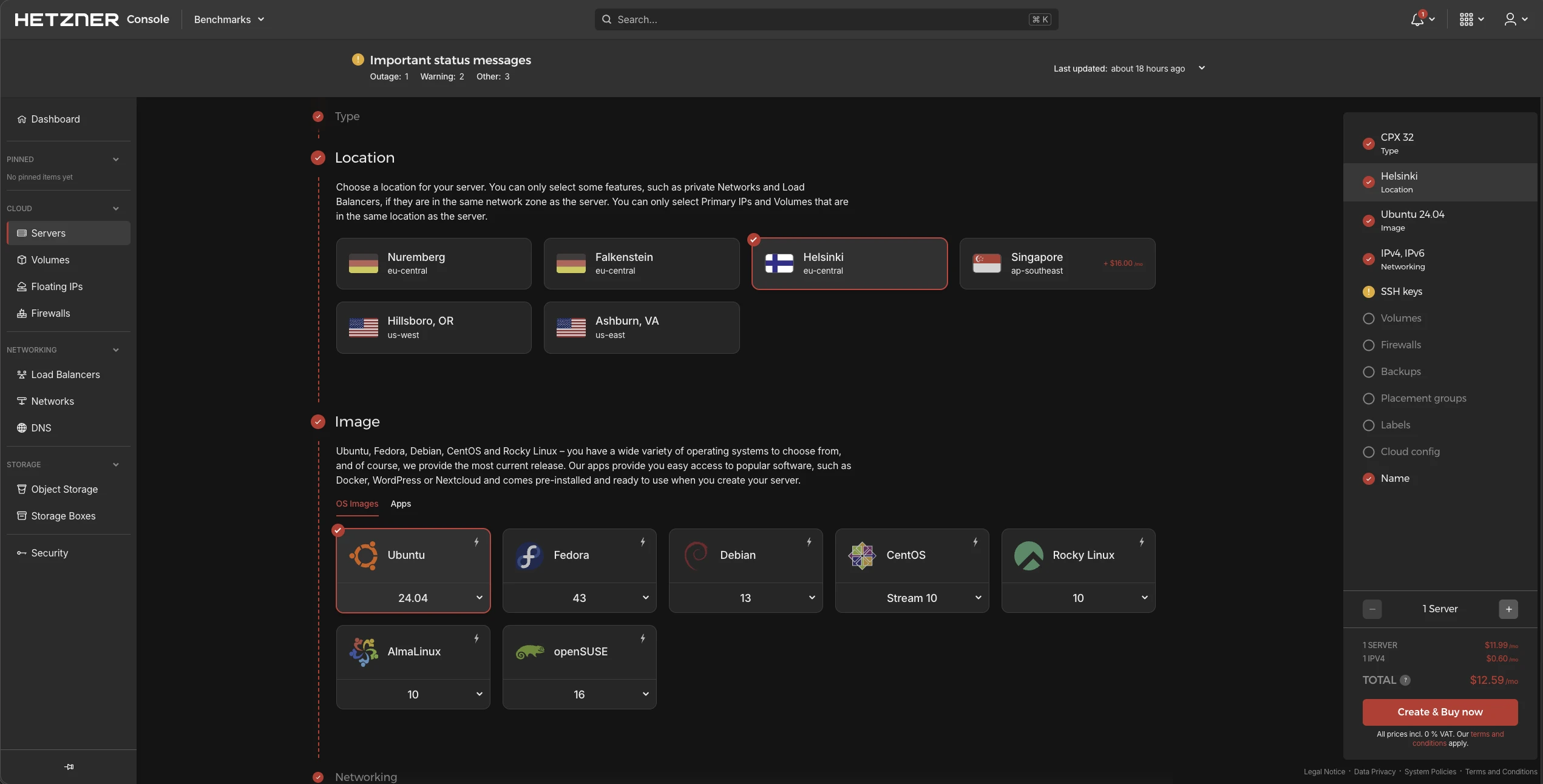
Hetzner Onboarding
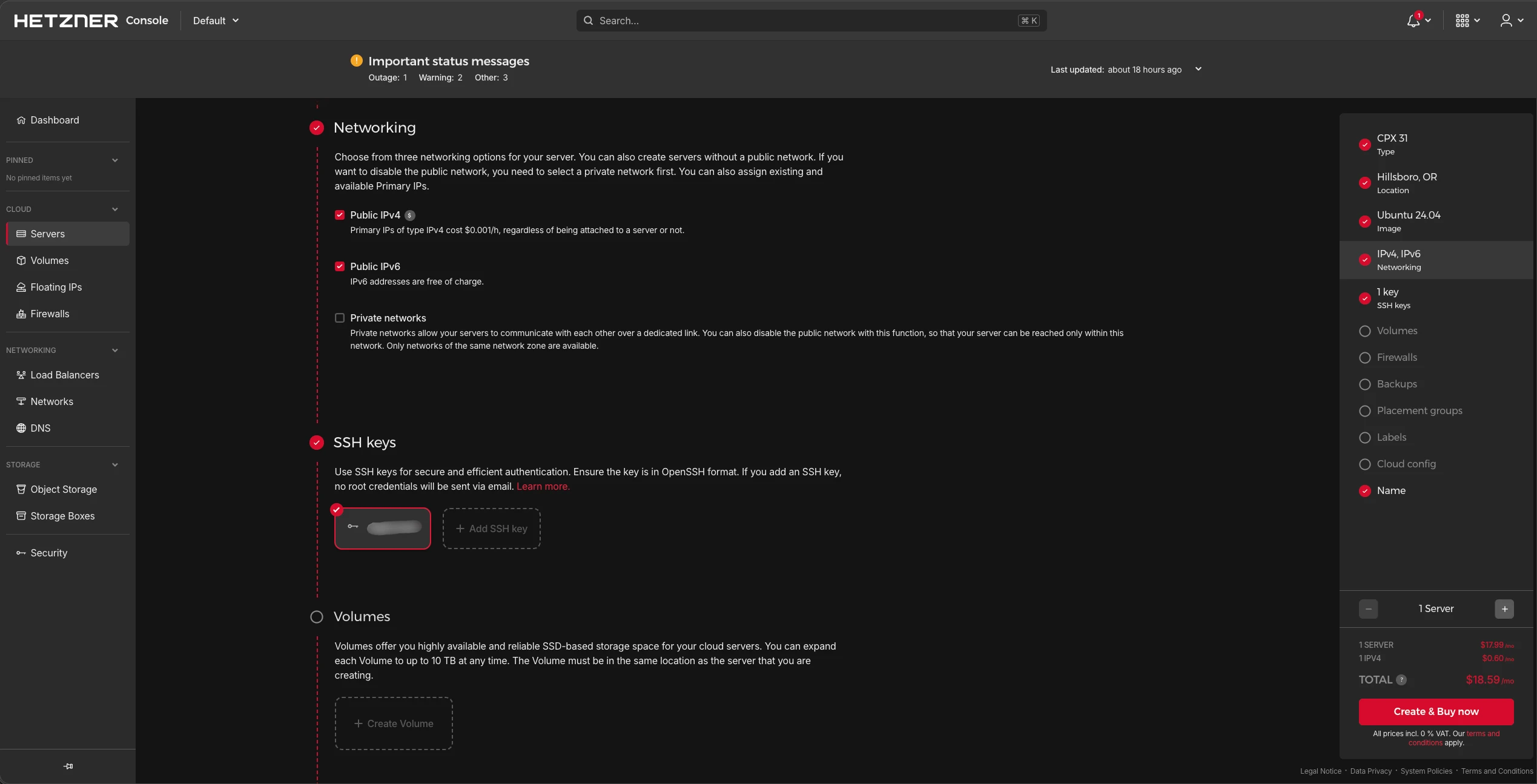
Hetzner splits CPU plans into 3 categories: two shared tiers (Cost-Optimized and Regular Performance) and one dedicated tier (General Purpose).
6 data centers across 4 countries. 7 Linux distributions available: Ubuntu, Fedora, Debian, CentOS, Rocky, AlmaLinux, and openSUSE.
IPv4 and IPv6 are both configurable during setup. IPv4 costs USD 0.60/mo whether attached to a server or not. SSH key authentication is available at provisioning.
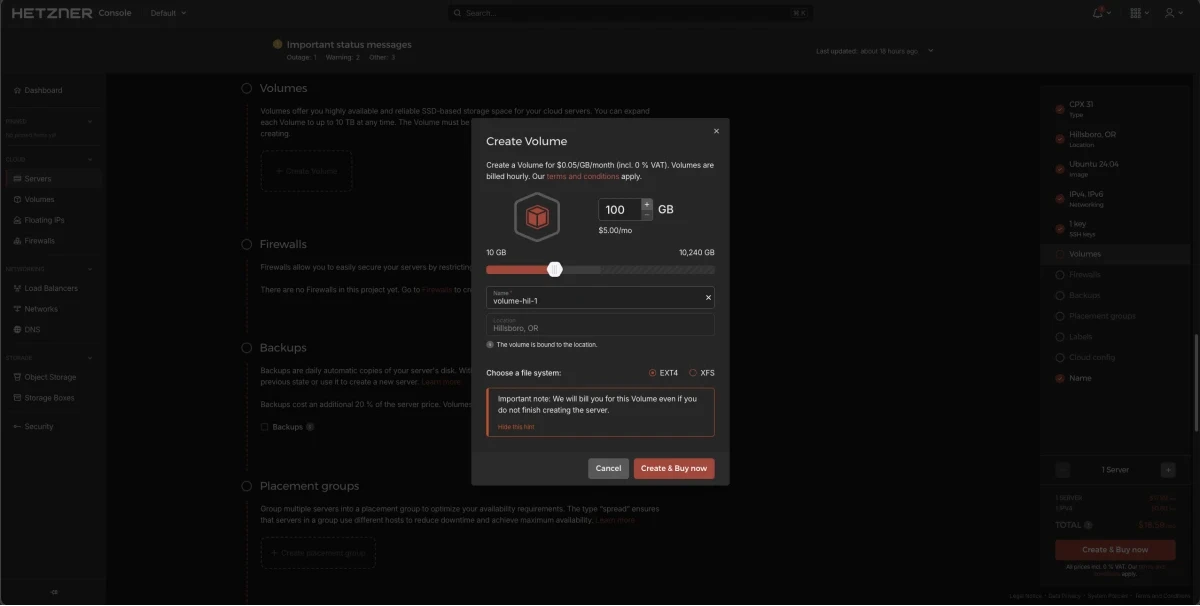
Hetzner offers additional volumes at USD 0.05/GB/month ($5.00 for 100 GB).
Hetzner Dashboard
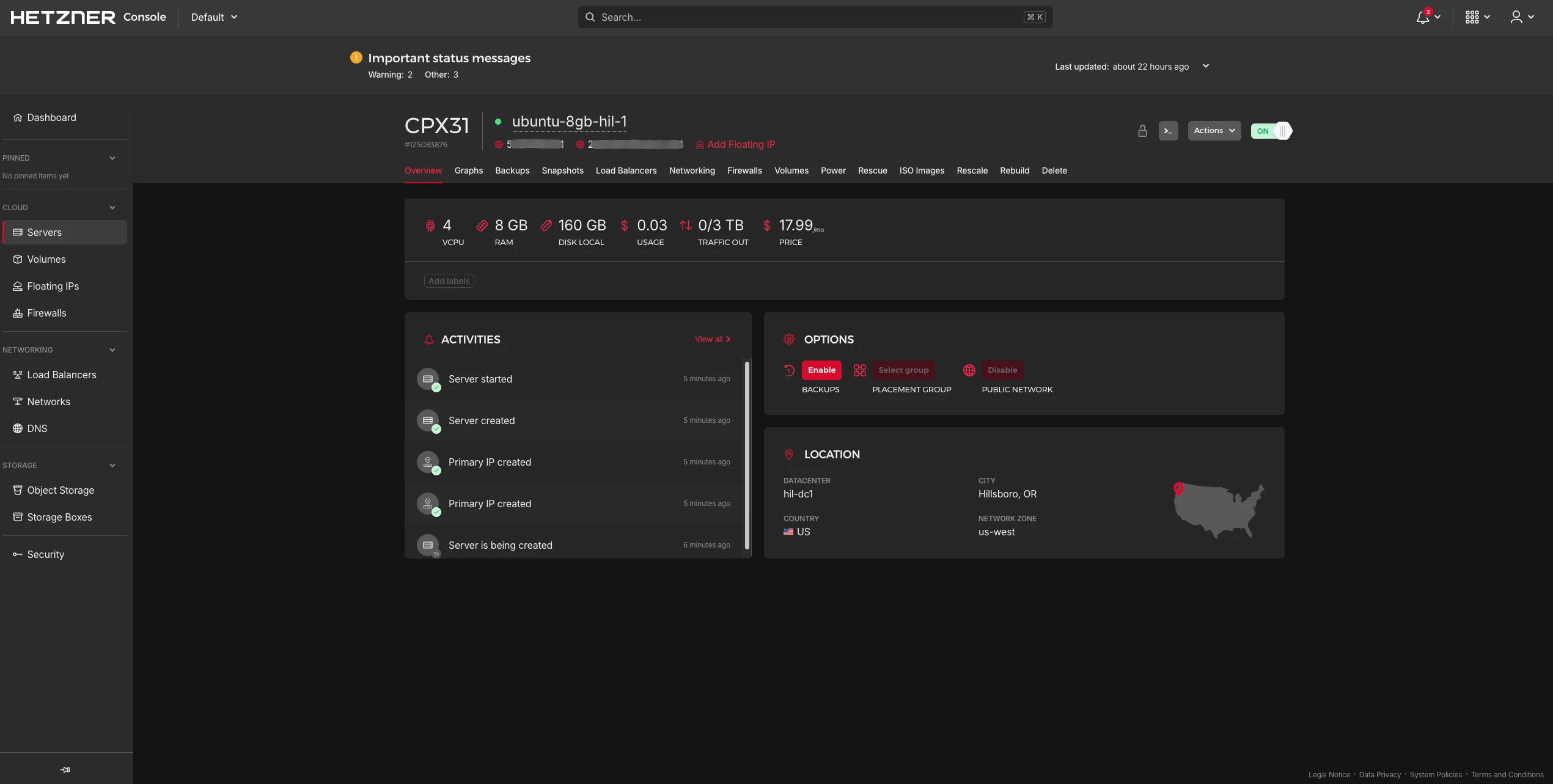
The Hetzner dashboard provides server monitoring, snapshots, rescaling, load balancer management, and network configuration.
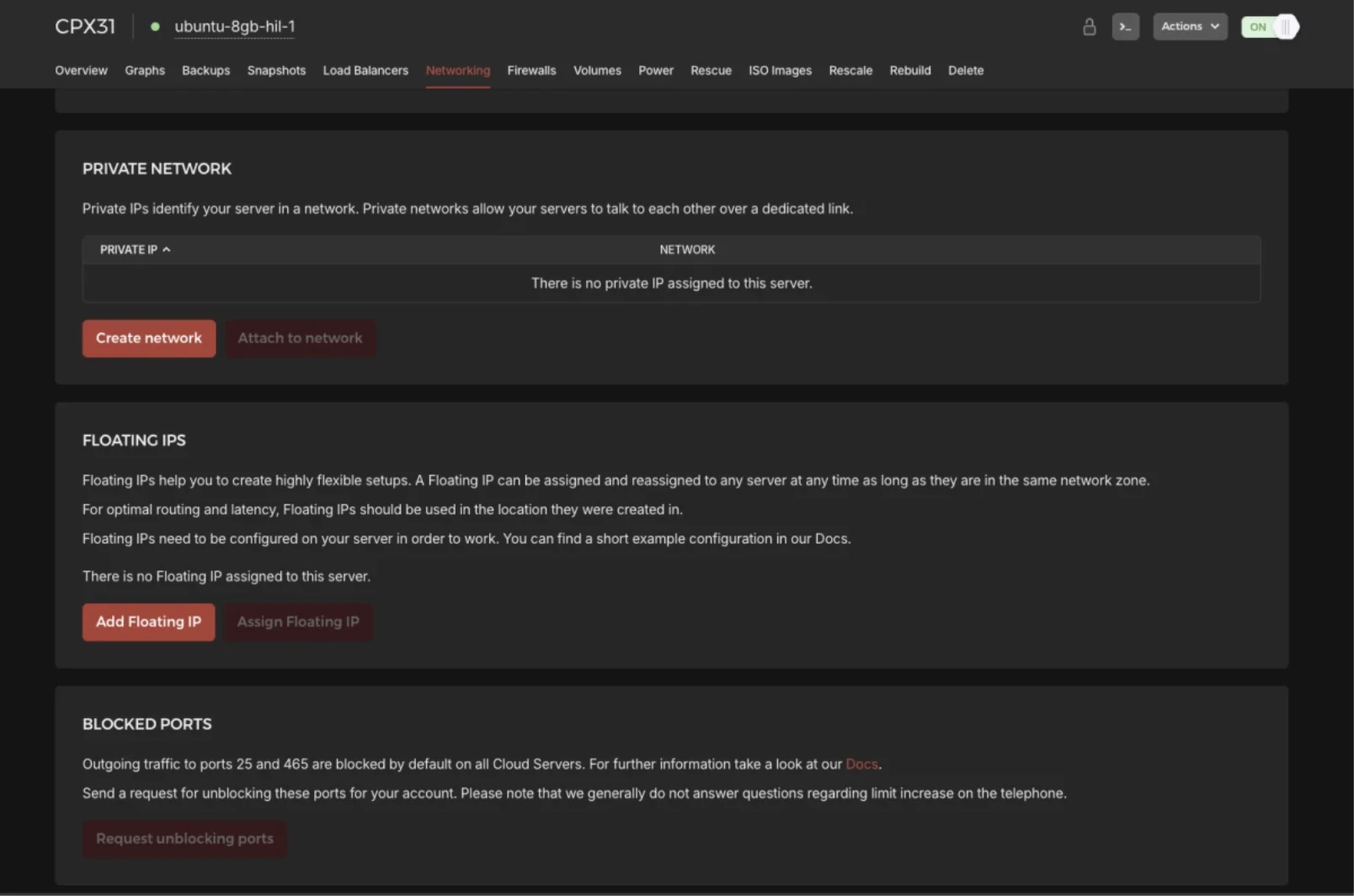
Networking settings include IPv4/IPv6 management, private networks, and floating IPs. Floating IPs can be reassigned to any server in the same network zone. IPv4 floating IPs cost $3.50/mo, IPv6 $1.50/mo.
Linode/Akamai Onboarding
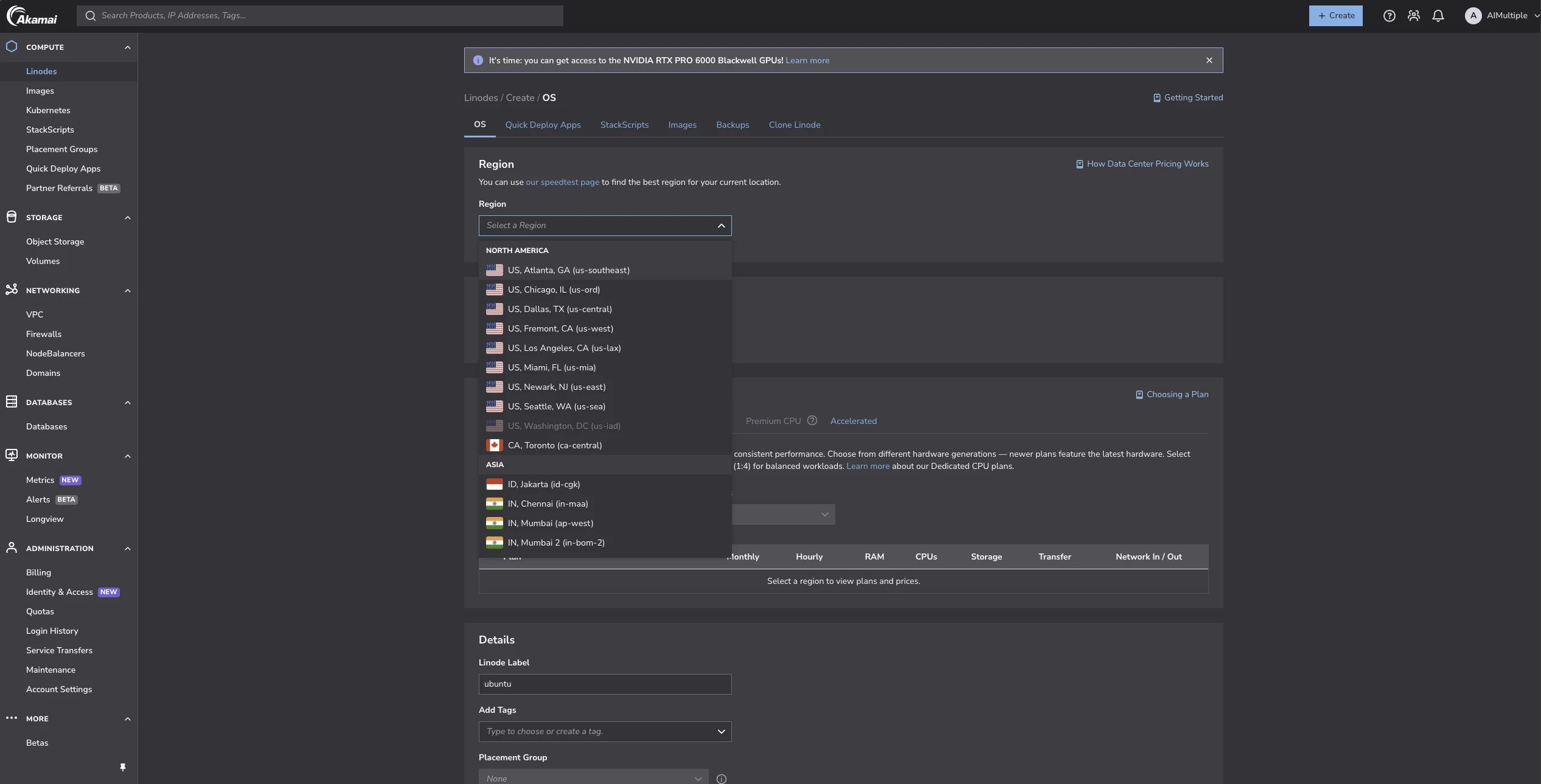
Linode offers the widest data center coverage: regions across US, South US, Asia, EU, and Oceania. 12 Linux distributions are available, including Ubuntu, Debian, Fedora, Arch, Alpine, Kali, and Gentoo.
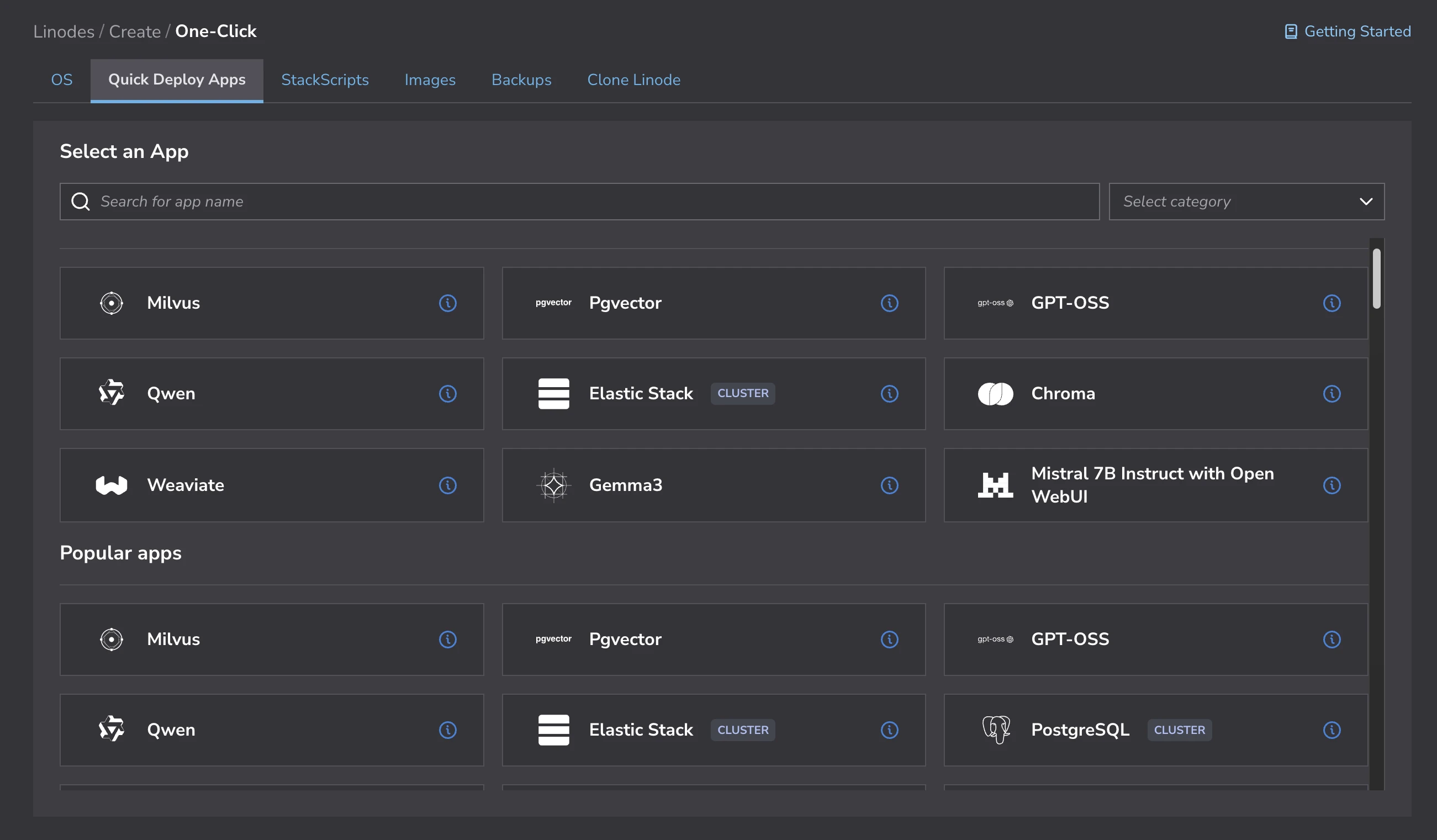
The Quick Deploy Apps section includes pre-built images for vector databases (Milvus, pgvector, Chroma, Weaviate), LLMs (Qwen, Gemma3, GPT-OSS), and common stacks (Elastic, PostgreSQL), and many more.
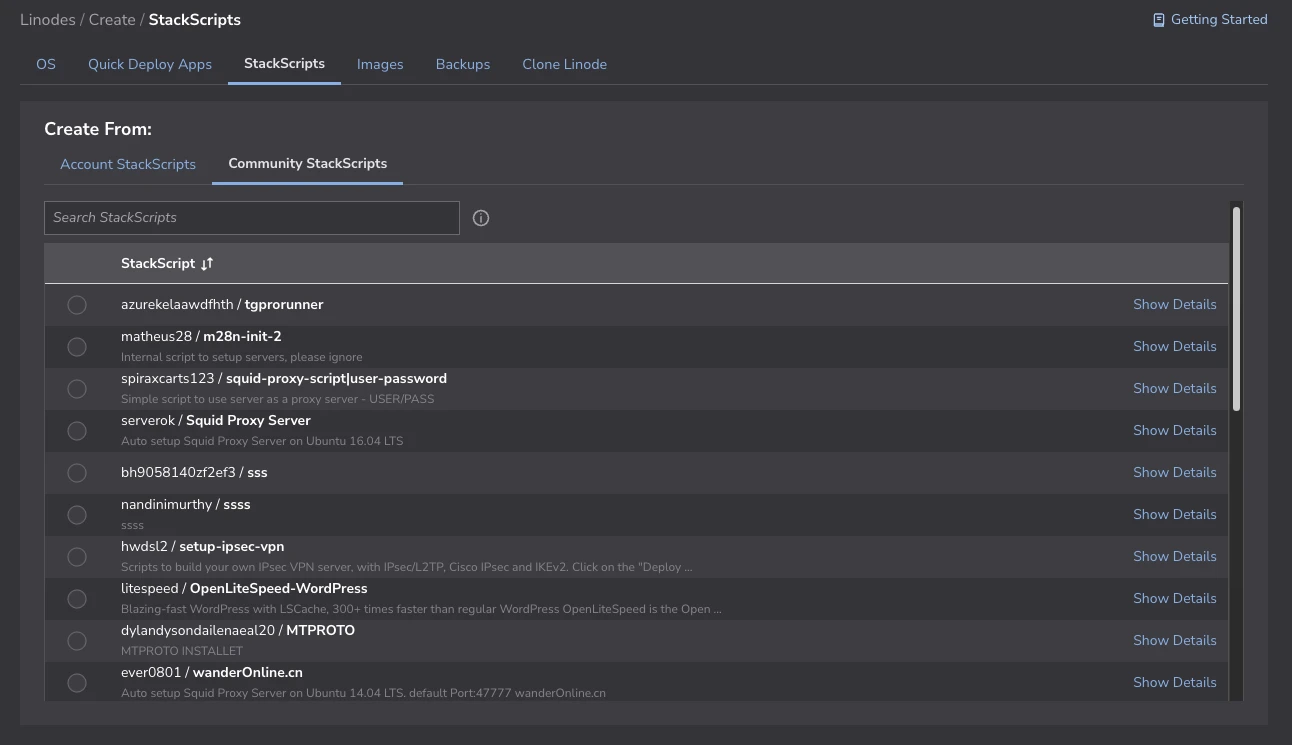
StackScripts provide community-maintained provisioning scripts for common server setups.
Also, you can use your custom images, create a new server from backups, or clone your existing server from the Clone Linode section.
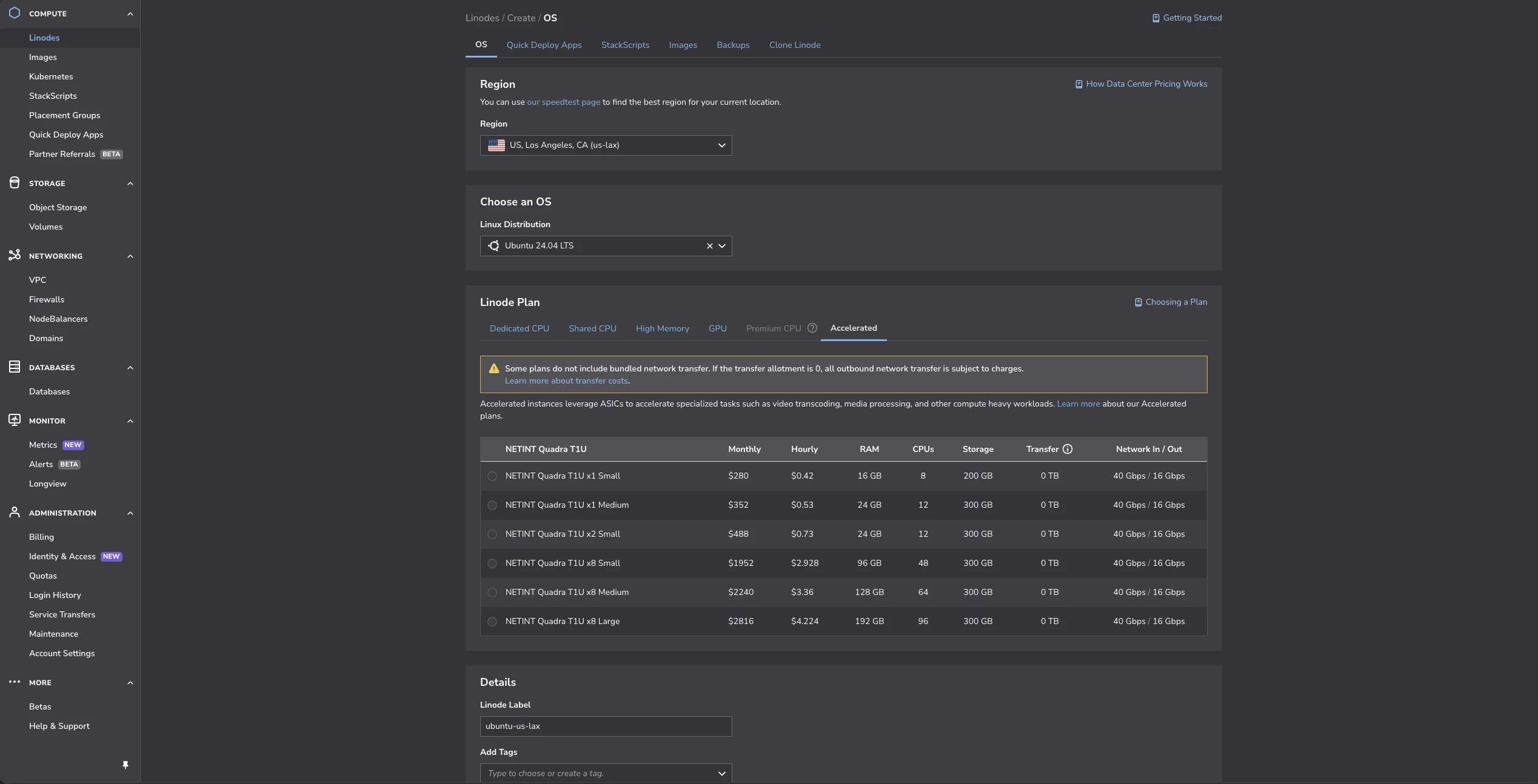
Beyond shared and dedicated CPUs, Linode offers Accelerated instances with NVIDIA GPUs for tasks like video transcoding and media processing.
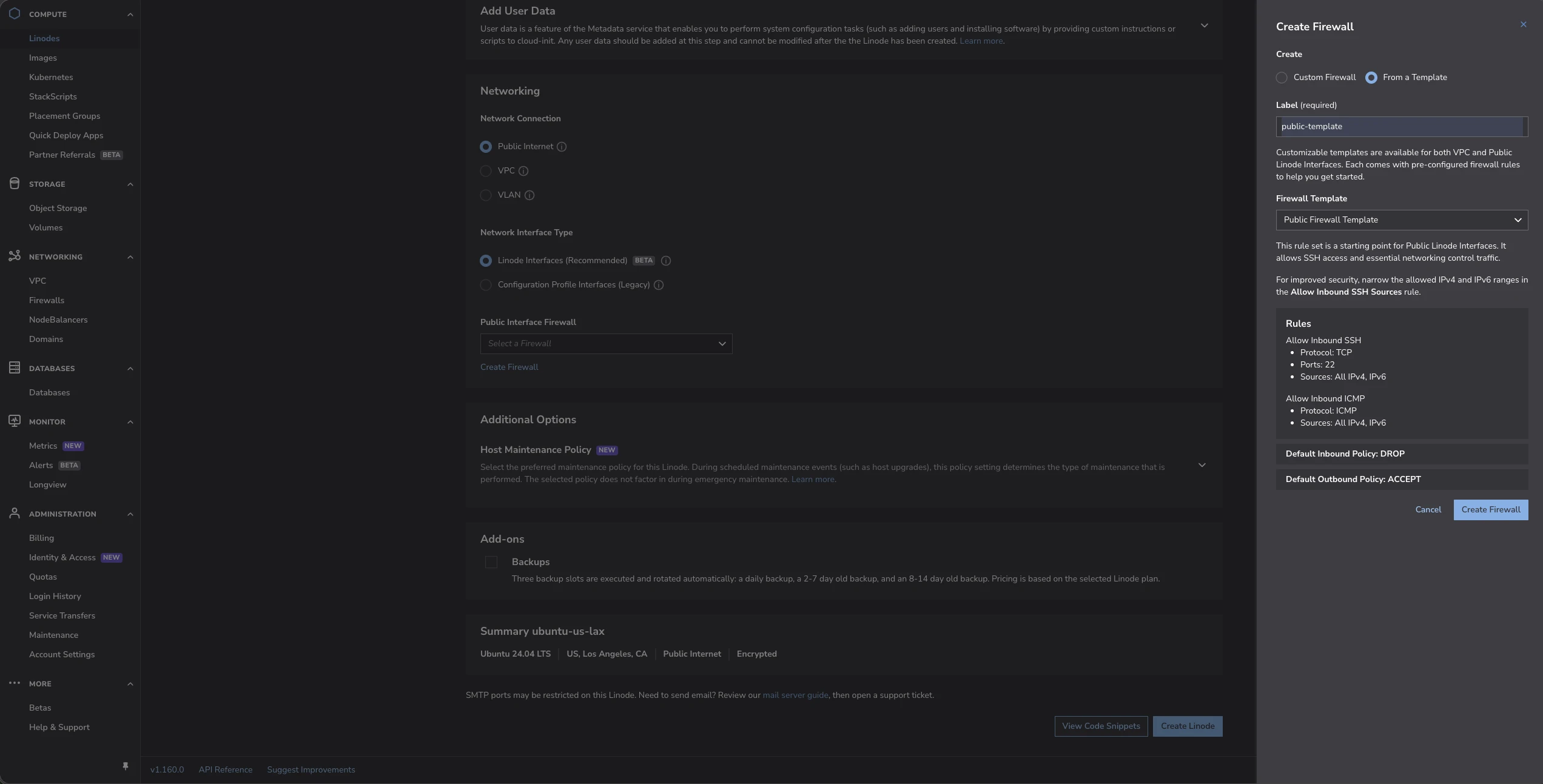
Authentication supports both root password and SSH key at provisioning. Network configuration includes connection type (Public, VPC, VLAN), interface type selection, and custom or template-based firewalls.
Linode/Akamai Dashboard
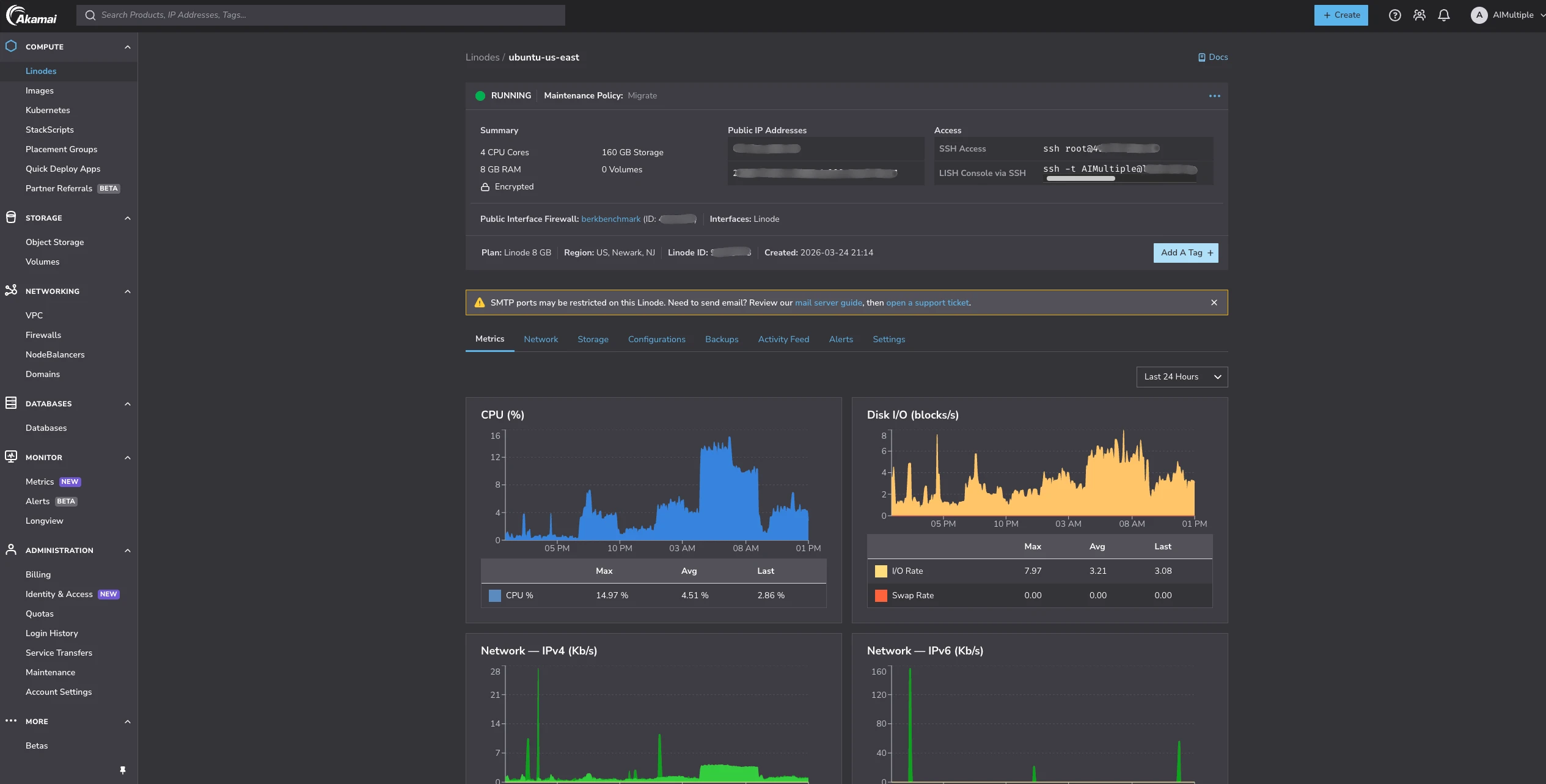
The Linode dashboard provides CPU, disk I/O, and network monitoring (IPv4 and IPv6 tracked separately).
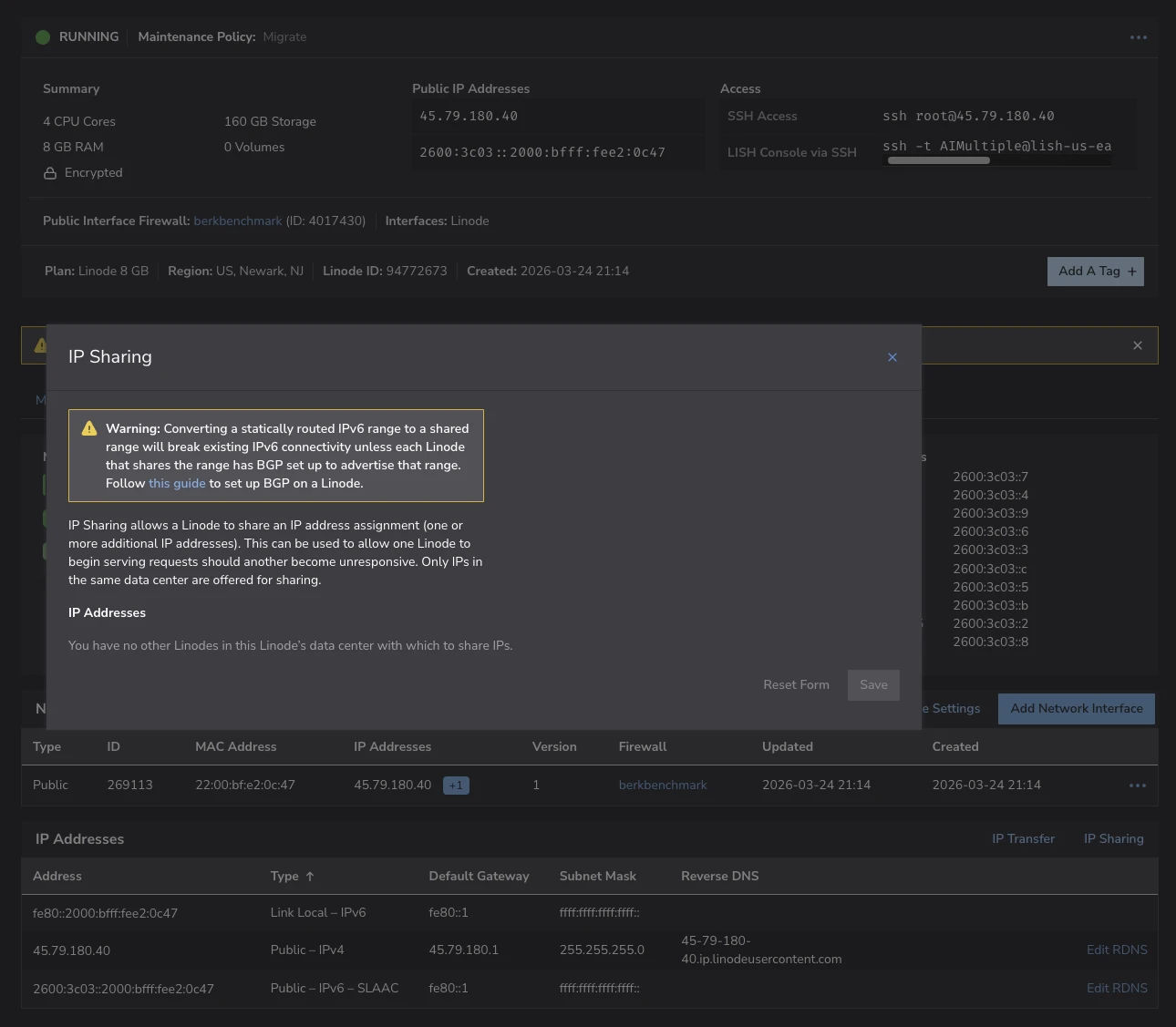
Network settings include IP Transfer (move an IP between Linodes) and IP Sharing (route an IP to multiple Linodes for failover). Both require servers in the same data center.
GoDaddy Onboarding
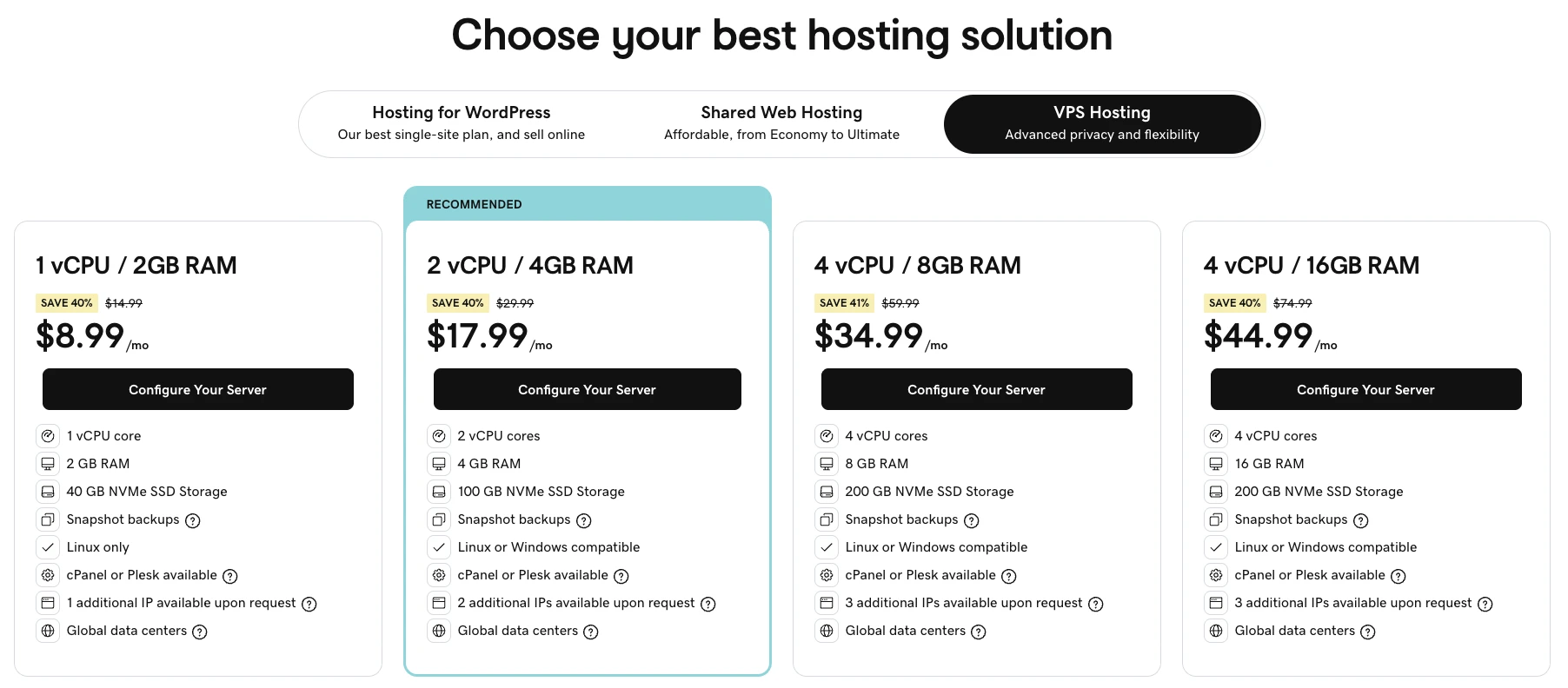
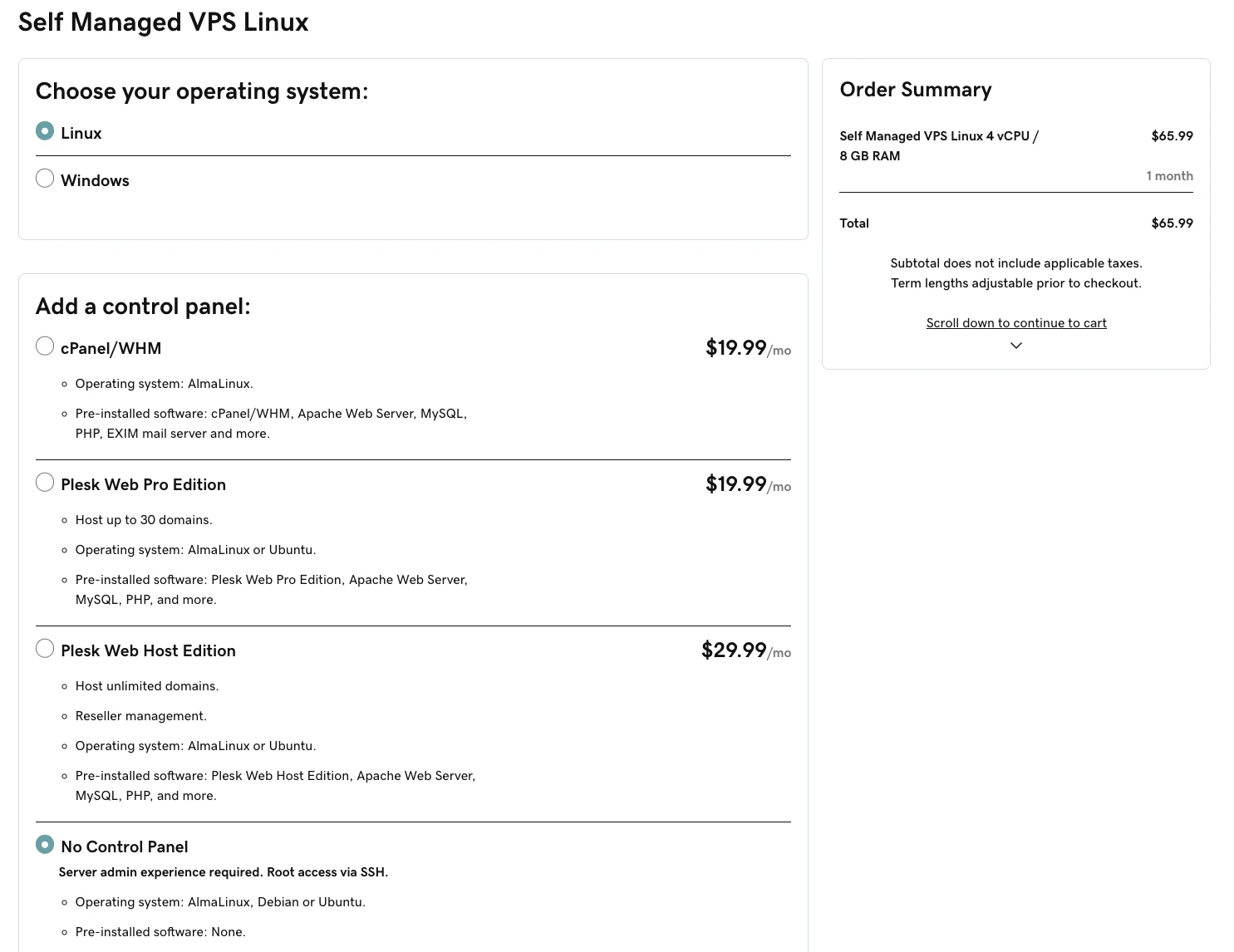
GoDaddy offers 8 CPU plans, ranging 1 vCPU / 2 GB RAM to 32 vCPU / 128 GB RAM.
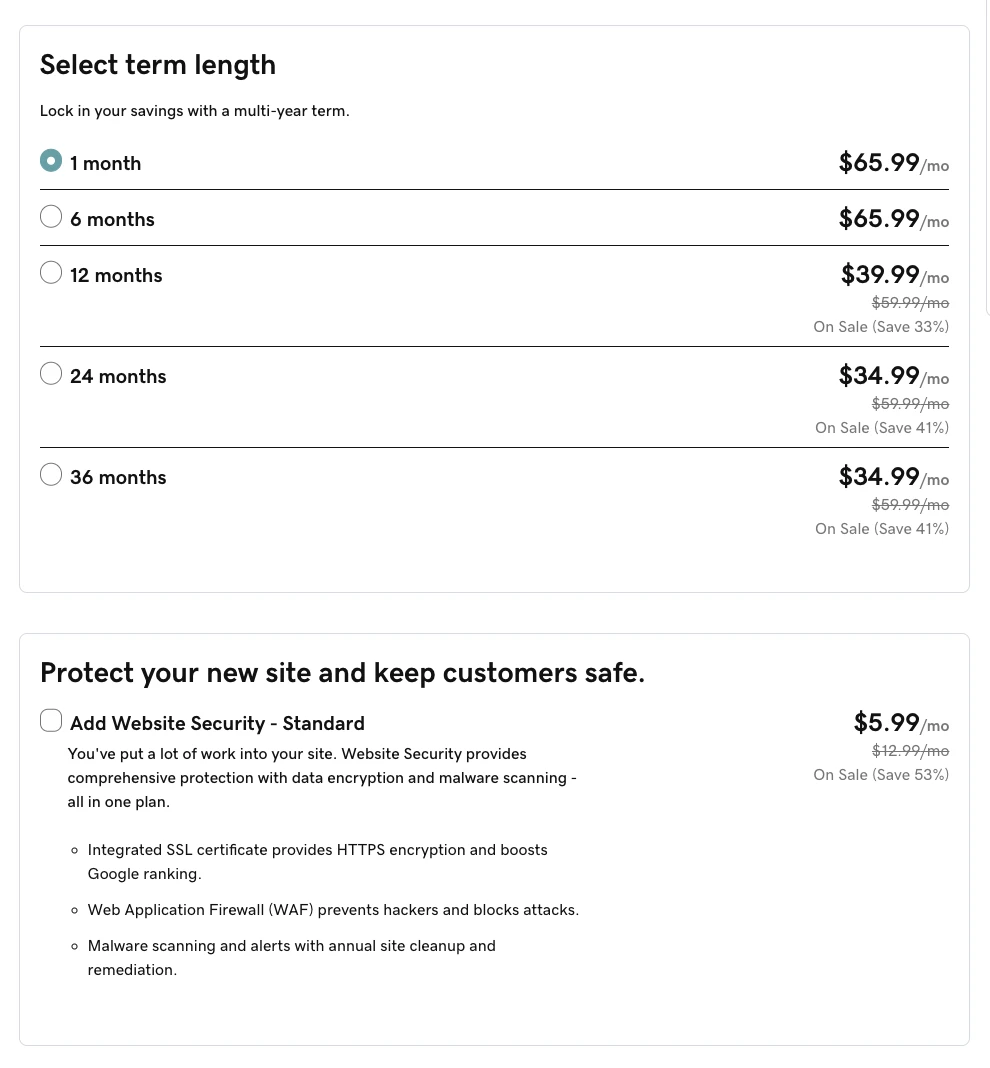
In the provisioning screen, you can choose the operating system (Linux or Windows), control panel, term length, and an optional website security add-on
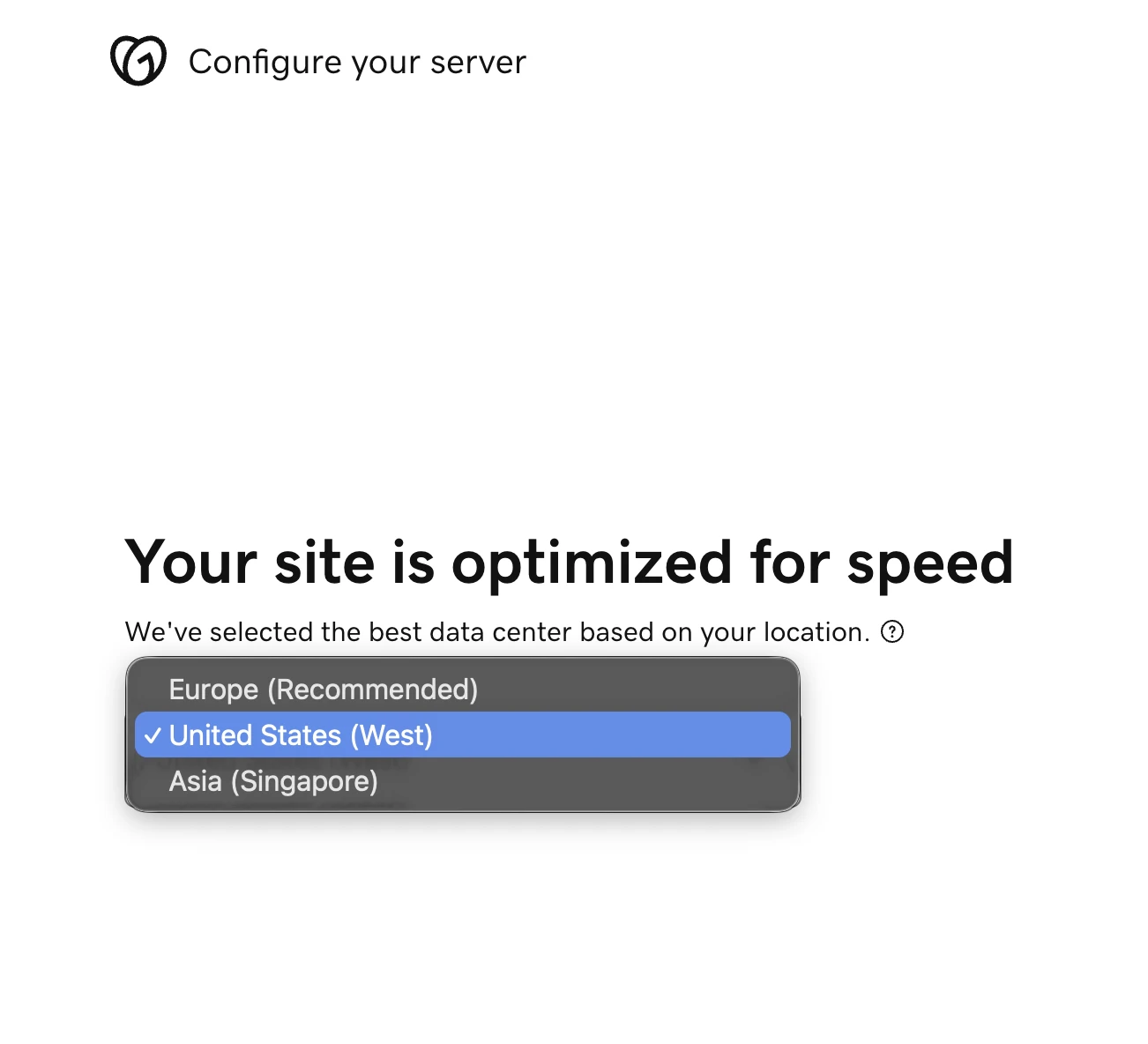
After the payment, you’re redirected to configuration to select data center and os distribution that fits your needs. GoDaddy offers 3 Data Centers which in Europe, United States and Asia. and 3 Linux distributions, Ubuntu, Debian and Alma.
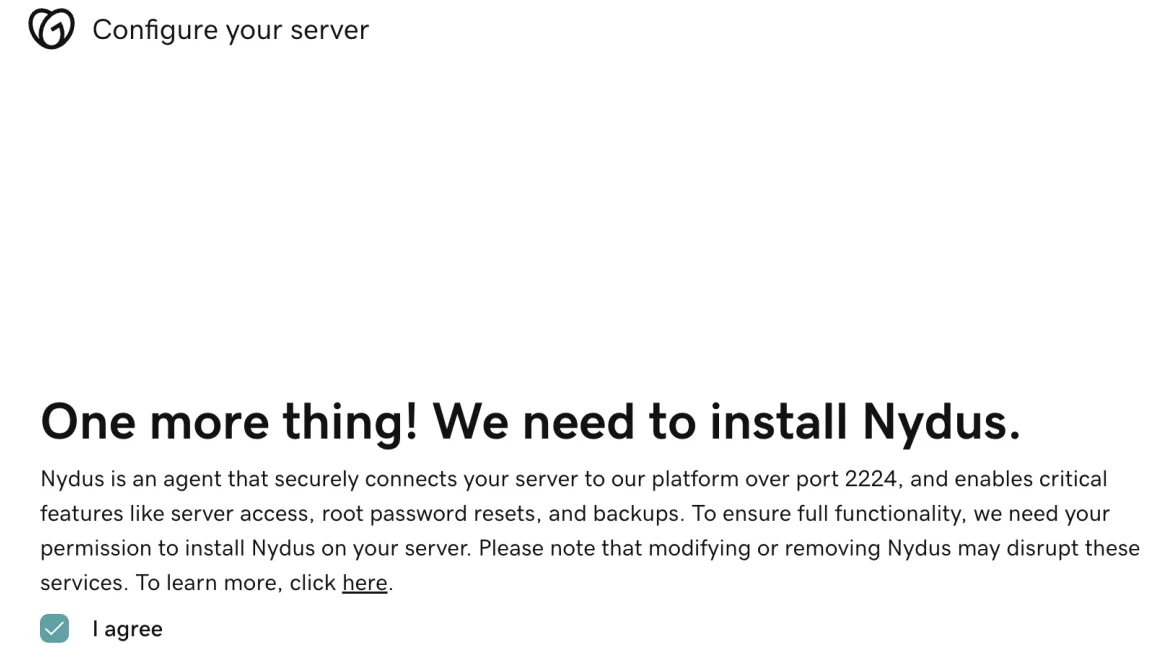
They require deploying the Nydus agent, which provides features such as server access, root password resets, and backups. They do not offer an option to deploy the VPS without this agent.
GoDaddy Dashboard
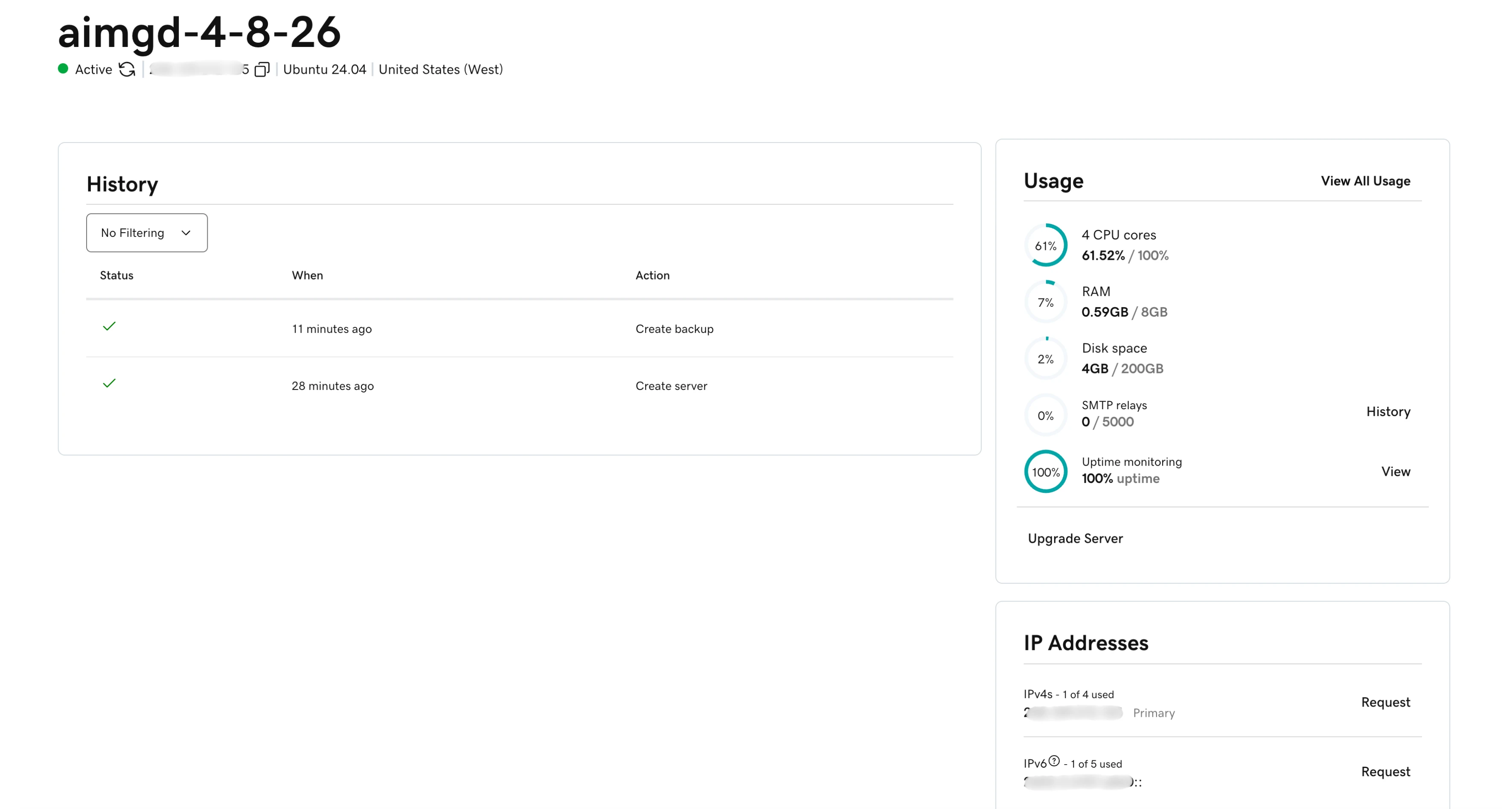
The GoDaddy dashboard provides server monitoring, free back-ups, and request additional IPv4(up to 4) and IPv6(up to 5) addresses.
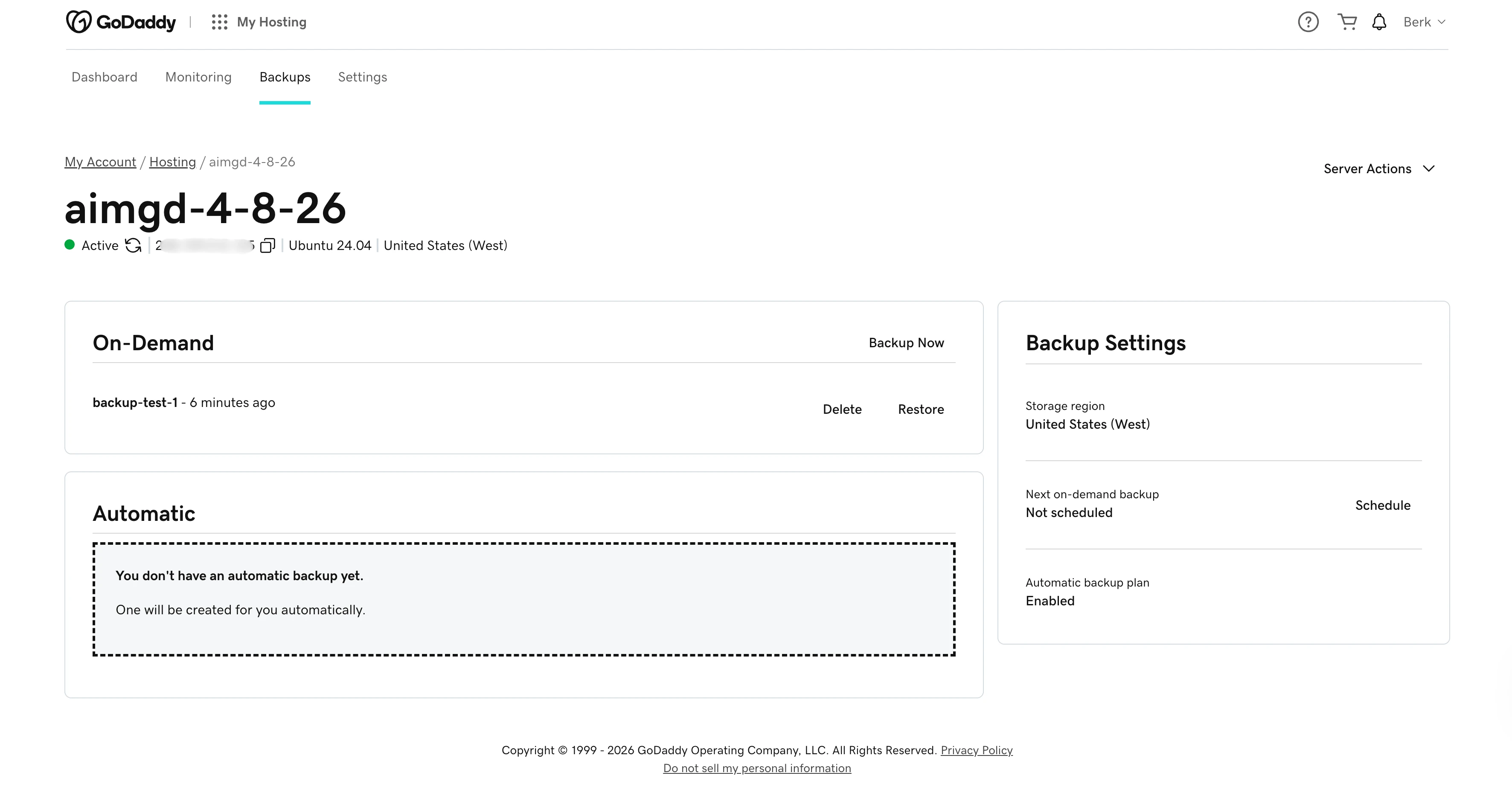
Their backup service is free. It has on-demand and automatic backup. In on-demand backup, they offer one backup slot.
LiquidWeb Onboarding
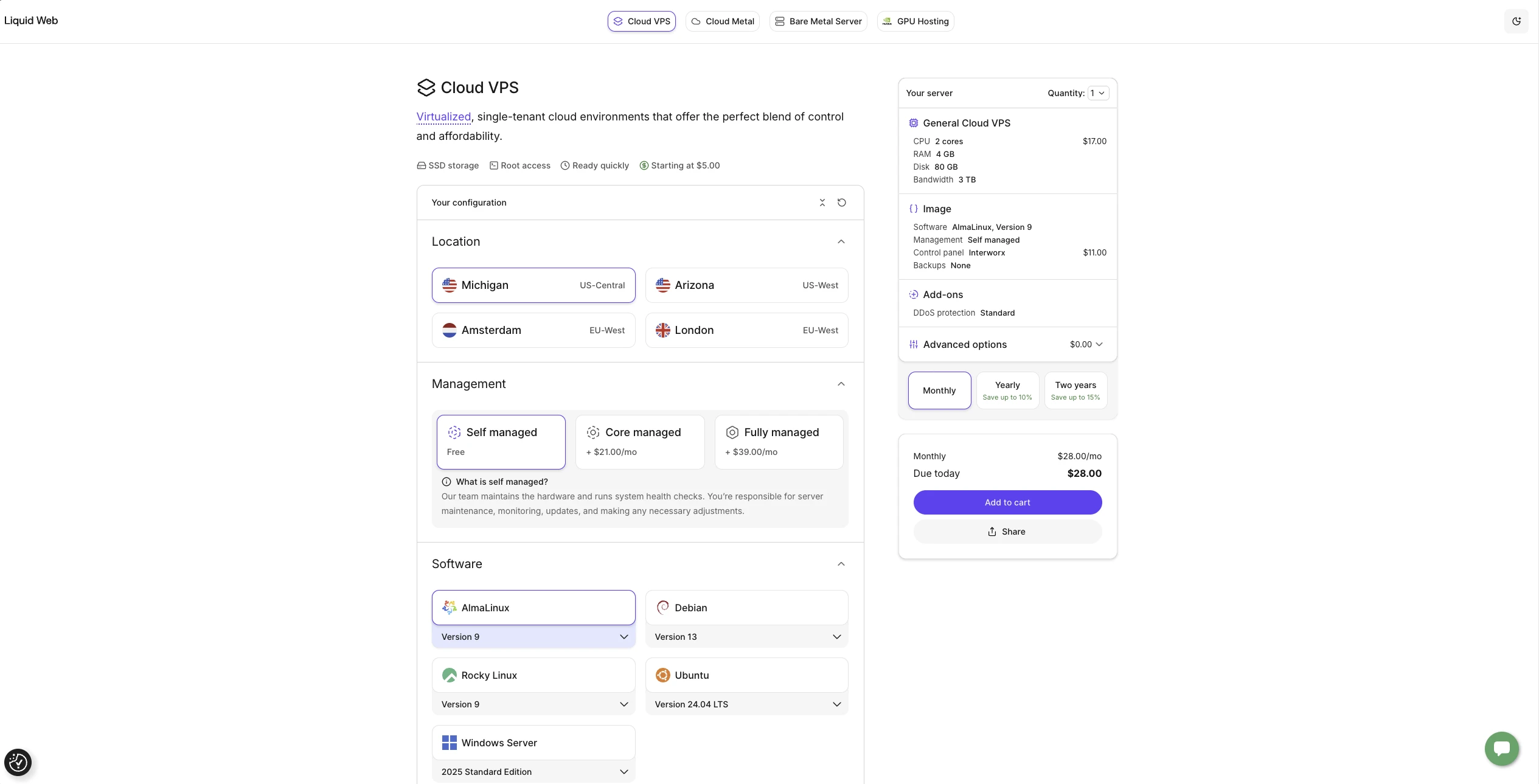
Liquid Web offers 4 data center locations. CPU plans range from 1 vCPU / 1 GB RAM to 16 vCPU / 32 GB RAM. Each has NVMe SSD
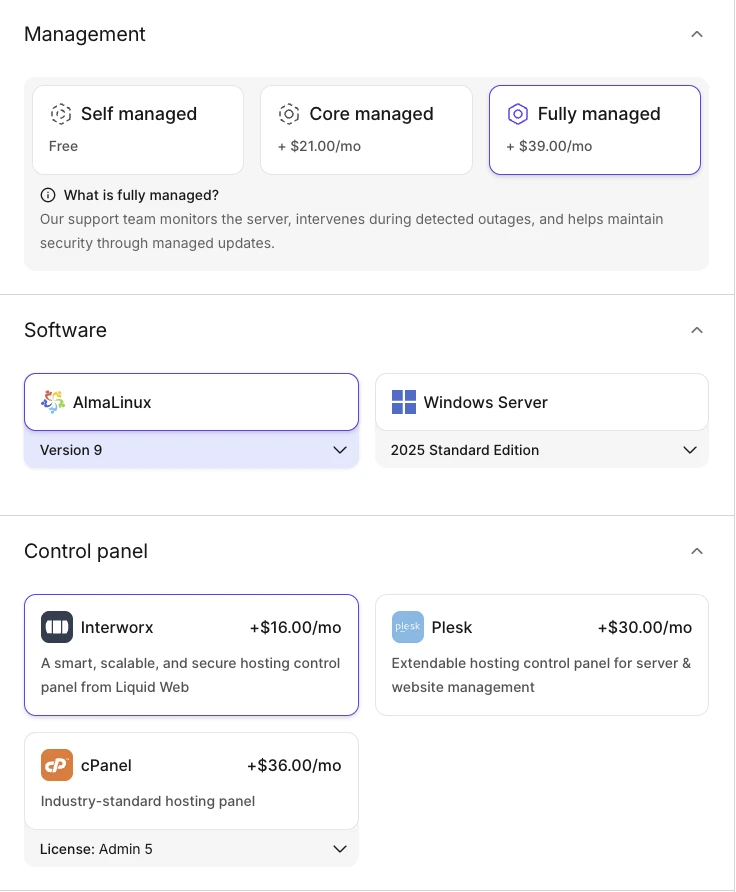
Liquid Web requires choosing a management tier at provisioning.
Core Managed restricts OS to AlmaLinux, Rocky, Ubuntu, or Windows. Fully Managed narrows further to AlmaLinux or Windows and requires a paid control panel (Interworx $16/mo, Plesk $30/mo, or cPanel $36/mo).
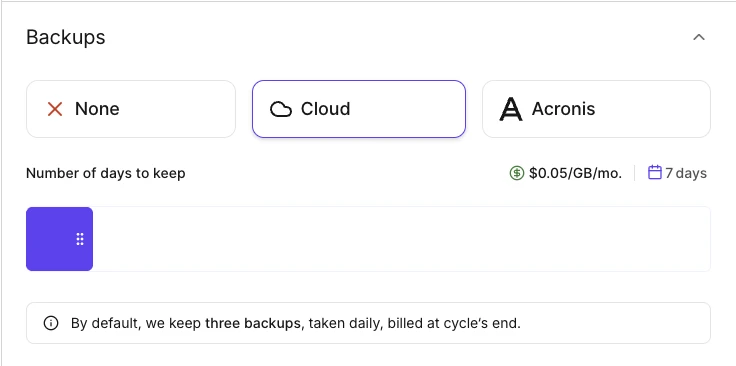
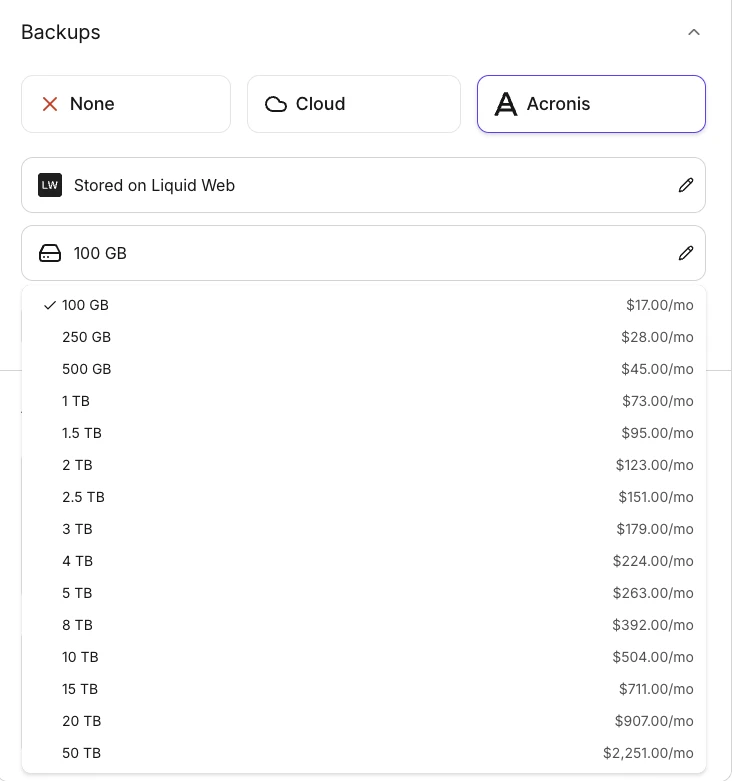
Liquid Web offers two backup options: Cloud ($0.05/GB/mo, three daily backups billed at cycle end) and Acronis (plans from $17/mo for 100 GB to $2,251/mo for 50 TB).
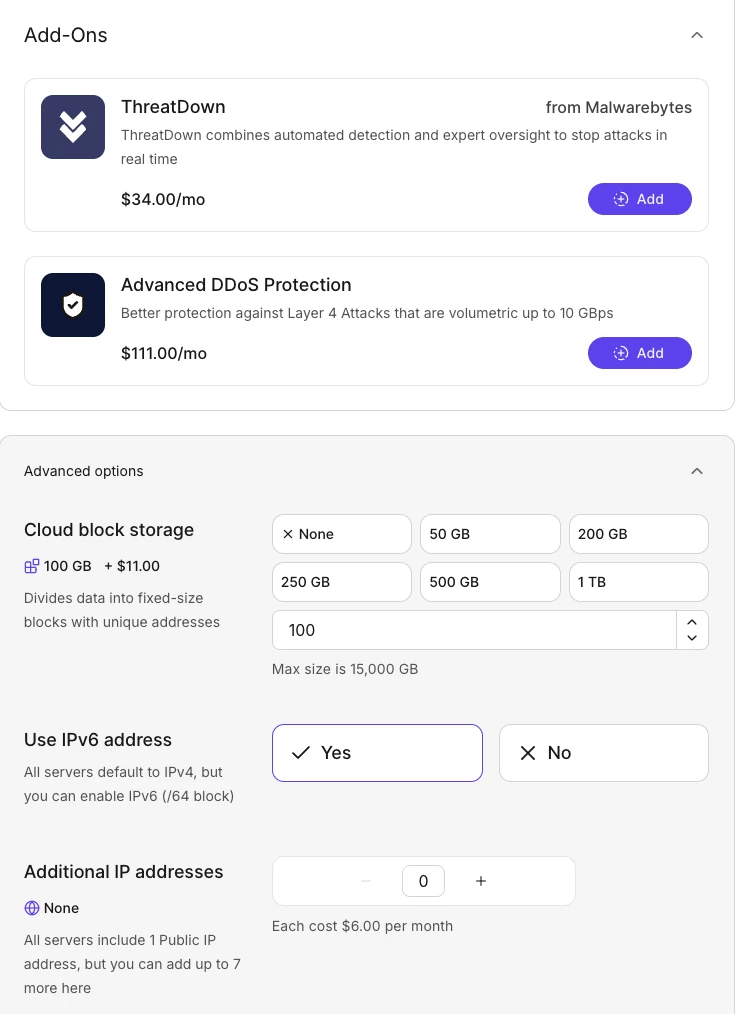
Optional add-ons include ThreatDown ($34/mo), Advanced DDoS Protection ($111/mo), cloud block storage ($11/100 GB/mo, up to 15 TB), IPv6, and additional IPs ($6/mo each).
Liquid Web Dashboard
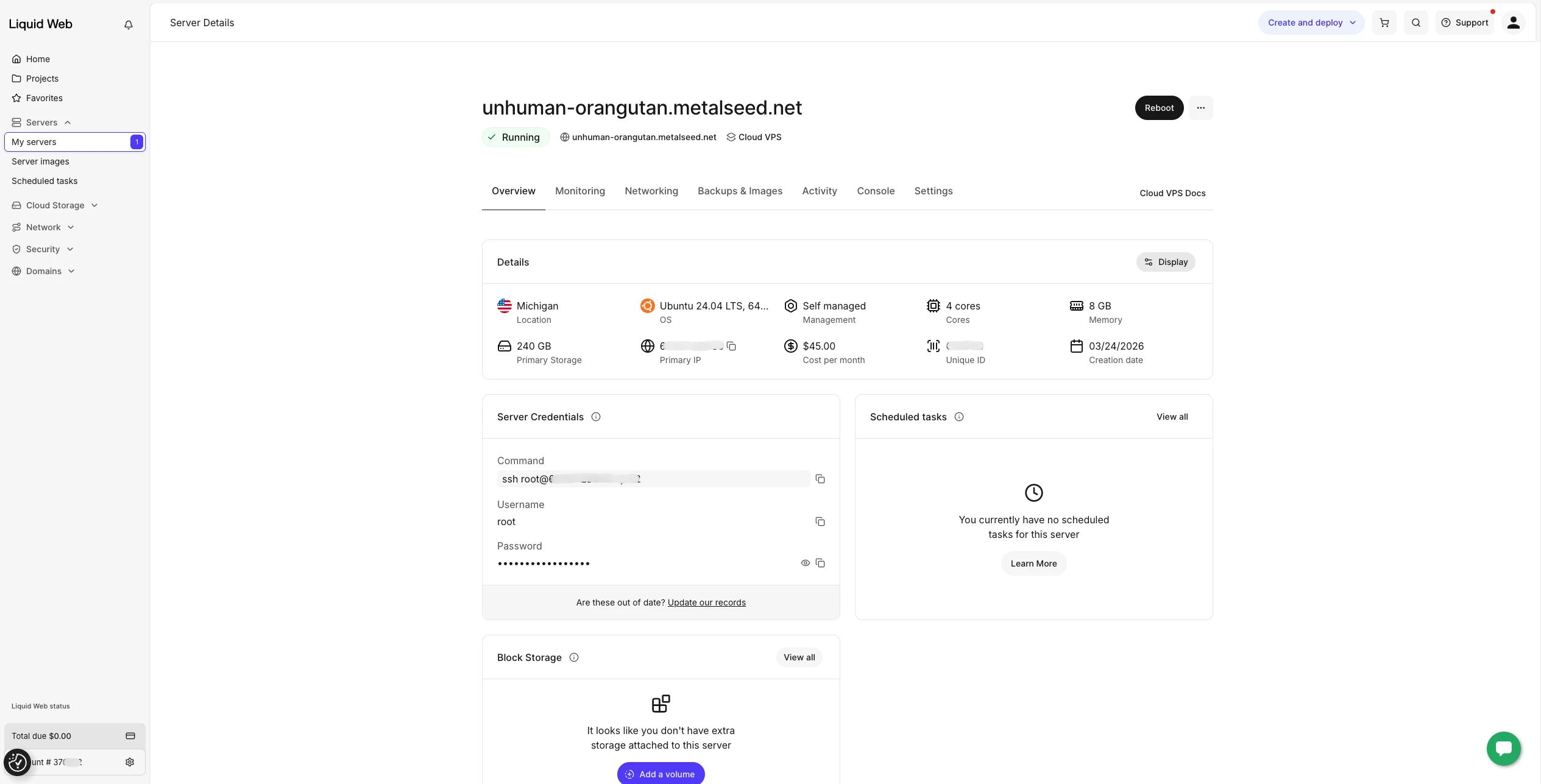
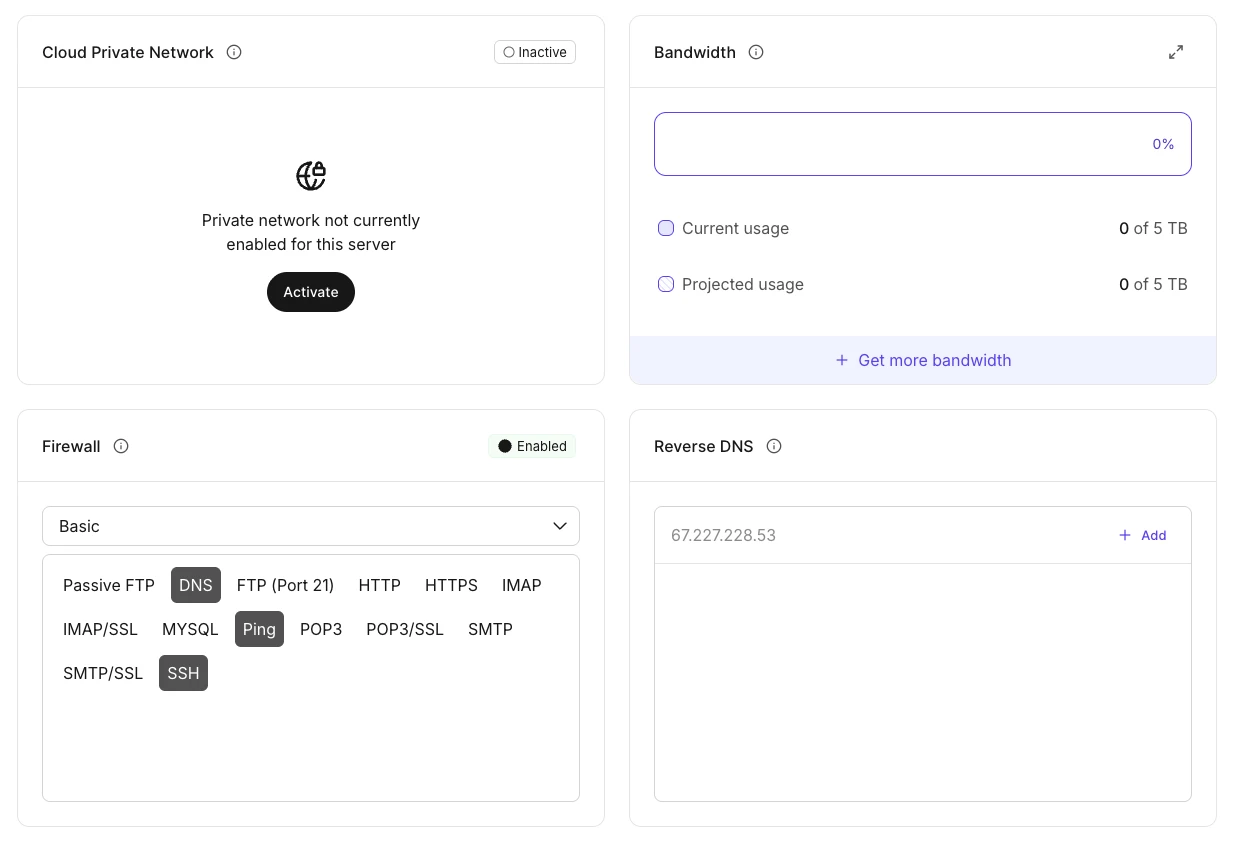
The Liquid Web dashboard provides server monitoring, web terminal access, and network/firewall configuration.
Firewall configuration has two modes: Basic (toggle predefined services like DNS, HTTP, SSH, MySQL) and Advanced (custom port and protocol rules).
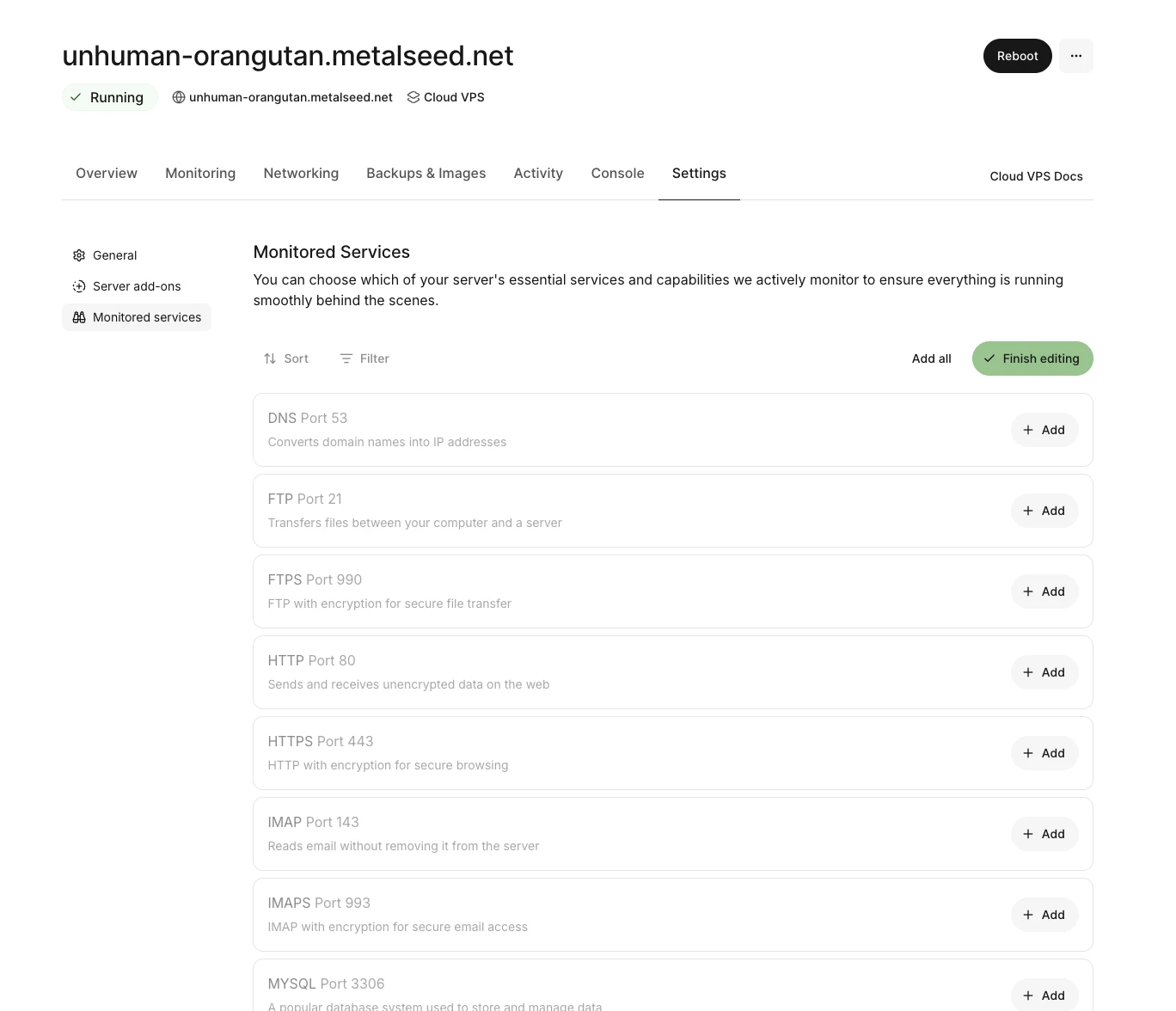
A unique feature: Monitored Services lets you select specific services (DNS, FTP, HTTP, MySQL, etc.) for active health monitoring.
VPS backup options
Acronis
Acronis is a third-party backup product that runs through its own dashboard. IONOS uses it as its backup option for VPS plans. Liquid Web offers it alongside their native option. Pricing starts at $17/mo for 100 GB on Liquid Web. IONOS sells it as a tiered add-on selected during provisioning.
Native VPS backup options
DigitalOcean, Hetzner, Linode, and GoDaddy use snapshot-based backups managed from the same dashboard you use to provision servers. A snapshot captures the full state of the disk at a point in time, and restoring rolls the server back to that state.
How they handle scheduling and pricing differs. DigitalOcean offers two models: plan-based (weekly or daily, priced as a percentage of Droplet cost) and usage-based ($0.04/GiB), in which you configure the frequency and retention yourself. Linode uses a 3-slot rotation: one daily, one 2-7-day-old, and one 8-14-day-old. GoDaddy provides one automatic schedule and one on-demand slot. Liquid Web’s native option keeps three daily snapshots.
Restores are usually one-click and rebuild the server from the chosen snapshot. Snapshots themselves stay tied to the provider you took them from. Moving a server to a different provider is possible, but it requires exporting a custom image, downloading it, and re-uploading it to the new provider if they support custom images.
Dashboard Options
After provisioning, each provider’s dashboard determines what you can manage without SSH. Some providers expose full networking controls (firewall rules, VPC, floating IPs) from the browser. Others limit you to monitoring graphs and basic server info. The table below compares what each dashboard offers.
DigitalOcean and Linode offer the most from the dashboard: VPC, reassignable IPs, firewall management, and load balancers. Hetzner matches them on networking but adds snapshots and floating IPs with per-server granularity. IONOS provides firewall templates and IPv6 assignment, but no VPC or reassignable IPs. Liquid Web has a Cloud Private Network option and a unique Monitored Services feature that actively checks whether specific services (DNS, HTTP, MySQL) are running. GoDaddy has no firewall controls and no private networking. The dashboard is limited to monitoring, backups, and requesting additional IPs.
How to connect to your VPS
Three providers (DigitalOcean, Hetzner, Linode) support SSH key authentication at provisioning. The other three (IONOS, GoDaddy, Liquid Web) provide password credentials. None of the password-only providers offer an SSH key upload option in the dashboard after setup. You can still add a key manually via the terminal once connected.
To connect with an SSH key:
- ssh -i ~/.ssh/your_key root@SERVER_IP
To connect with a password:
- ssh root@SERVER_IP
You will be prompted to enter the root password provided by the provider. For providers that support both methods, SSH key takes priority if one is configured. We recommend SSH key authentication for all servers. It removes password prompts during repeated benchmark runs, eliminates brute-force risk on port 22, and is a prerequisite for any automated workflows.
What is the difference between VPS and VDS?
Virtual Private Server (VPS) and Virtual Dedicated Server (VDS) describe how a physical server’s resources are divided.
On a VPS, multiple customers share the same physical machine. CPU and memory are split between them. If another customer on your machine runs something heavy, your server can slow down. Our benchmark data clearly shows this: DigitalOcean’s CPU scores varied by 174 points across 50 runs. IONOS varied by 22. That gap comes from how much each provider allocates resources among customers.
A VDS gives you dedicated CPU cores that nobody else can use. Performance stays consistent because there is no competition for resources. IONOS and Hetzner both behaved this way in our tests despite being sold as shared plans. Their CPU results barely moved across 50 runs.
Some providers sell shared plans that perform like dedicated ones. Others charge dedicated prices but still show inconsistent results. The name on the plan page does not always match reality. The benchmark numbers in the article show what each provider actually delivers.
VPS plans are more popular across providers, but most also offer VDS plans. IONOS markets some tiers as VDS. Hetzner uses neither term and calls them Cloud servers
VPS Benchmark Methodology
All benchmarks ran on freshly provisioned servers with no configuration changes. We selected the closest available shared-CPU plan from each provider matching these specs:
- vCPU: 4
- RAM: 8 GB
- OS: Ubuntu 24.04
- Data center: US (East coast when selectable)
- CPU type: Shared
- Add-ons, control panels, monitoring agents: None installed. The one exception is GoDaddy, which requires a mandatory Nydus agent that cannot be opted out of.
- Storage type (NVMe vs SSD) and transfer allowances vary by provider since plans are not customizable to identical specs.
We installed three benchmark tools via apt (sysbench, fio, speedtest-cli) and executed them through a single shell script deployed to each server. Each provider was tested across 5 separate sessions at different times of day (early morning, late morning, early afternoon, late afternoon, and evening) to account for shared-infrastructure load patterns and noisy-neighbor effects. The results reported are aggregated across all sessions.
Disk benchmarks use direct I/O to bypass the OS page cache. Without this flag, write tests reflect cache speed rather than actual disk performance. The libaio engine with queue depth 64 simulates realistic concurrent I/O. A queue depth of 1 would underutilize the drive.
We report medians rather than averages. Medians are resistant to single outlier runs. Standard deviation is reported alongside CPU and memory results to surface consistency differences between providers.
Price-performance is calculated as CPU events per second divided by the monthly price. Cost per vCPU-hour is the monthly price divided by 2,920 (4 vCPUs x 730 hours per month).
Cite this benchmark
Pick the format that matches where you're publishing. Pasting the link version into your CMS preserves the backlink.
@misc{dogan2026,
  author = {Dogan, Sedat and Kalelioğlu, Berk},
  title  = {{VPS Benchmark: Hetzner vs Digital Ocean}},
  year   = {2026},
  month  = aug,
  howpublished    = {\url{https://aimultiple.com/vps-benchmark}},
  note   = {AIMultiple. Retrieved August 12, 2026}
}Results and timestamps of 43 data points. Download the summary data shown in this article's charts and tables as a ZIP file containing 7 CSV files and a README.
Want the granular data behind it? Join Premium
Changelog
2 updatesAdded a VPS backup options section covering Acronis and native snapshot backups across providers.
Added a section comparing VPS and VDS before the benchmark methodology.
- Has 20 years of experience as a white-hat hacker and development guru, with extensive expertise in programming languages and server architectures.
- Is a board advisor at a VC investing in early-stage technology firms and at Ödeal, a regional digital payment platform serving 125,000 merchants.
- Has led the technology infrastructure and cybersecurity of seven national elections, and has been recognized in the cybersecurity Hall of Fame by global technology leaders including Twitter.





Be the first to comment
Your email address will not be published. All fields are required. Comments are left in their original language.