

Top 10+ SOAR Platforms in 2026

With nearly 2 decades of cybersecurity experience in a highly regulated industry, I listed the best 10+security orchestration, automation, and response (SOAR) software:
Compare the top 10 SOAR platforms:
* Vendors with”✅” under the OS log support column support log collection from Linux, Unix, macOS, and Windows.
ManageEngine Log360 is a unified SIEM platform that added native SOAR in May 2026 not as a bolt-on module but built into the same data model as its detection and UEBA layers.1 The practical difference from bolted-on SOAR: a playbook drawing on Log360 data doesn’t need to re-authenticate or reconstruct event context from another system the alerts, behavioral signals, and asset data are already there.
SOAR capabilities are available in the Enterprise edition only.2
Key integrations include:
- SIEM: Log360 (native SOAR runs inside the same platform)
- EDR: Seven new cross-domain integrations added at the May 2026 launch, including leading EDR and IAM platforms
- ITSM: ServiceNow, Jira, ManageEngine ServiceDesk Plus
- Threat intel: Webroot, STIX/TAXII feeds, VirusTotal, AlienVault OTX, Constella Intelligence
Pros
Deployment speed: Log360 deploys in under 30 minutes with automatic device discovery. For teams that have struggled with the months-long onboarding that Splunk SOAR or XSOAR can require, this is a practical difference.
Pricing model: Licensed per log source rather than per data volume or per user, which makes costs predictable for organizations with a defined source inventory. Reviewers consistently cite it as the most cost-competitive option against Splunk and Palo Alto at comparable feature sets.3
Compliance reporting: 1,000+ prebuilt report templates covering GDPR, HIPAA, PCI-DSS, SOX, and others ship out of the box.
Cons
SOAR is enterprise-only: The native SOAR capabilities are not available in the Standard edition. Teams evaluating Log360 specifically for automation need to confirm they’re pricing the Enterprise tier.
UI inconsistency: Multiple reviewers note the interface feels dated and inconsistent across modules particularly when moving between the SIEM console and compliance reporting views.4
Performance under load: Users in large or hybrid environments report slowdowns when running complex queries across high log volumes. ManageEngine’s guidance is to move to a distributed deployment above 250 GB/day, but the threshold can catch organizations by surprise if capacity planning wasn’t done at initial sizing.
Non-US support: Offshore support response times are a consistent complaint in user reviews, the same issue that surfaces in QRadar reviews. For teams running 24/7 SOC operations, this warrants checking SLA terms before committing.
Splunk SOAR works best for mature organizations with well-documented processes. It is a practical option for teams already running Splunk SIEM, since it connects to existing Splunk data and alerts without additional ingestion overhead.
With Splunk SOAR playbooks, teams automate security and IT operations through a visual playbook editor. Splunk ships 100 pre-built playbooks, including:
- Recorded future indicator enrichment playbook: This playbook enriches ingested events with file hashes, IP addresses, domain names, or URLs.
- Phishing investigation and response playbook: This playbook automates the investigation and response of incoming phishing emails.
- Crowdstrike malware triage playbook: This playbook enhances the alert detected by Crowdstrike.
Pros
- GUI-based interface: Analysts say the graphical user interface (GUI) allows them to manage playbooks with minimal scripting knowledge.
- Deployment and support: Splunk SOAR offers smooth deployment processes and skilled IT personnel.
- Automation for phishing email: Splunk SOAR’s email automation allowed financial security managers to handle phishing emails in 5 minutes, down from up to 30 minutes.
- Ticketing system integrations: IT users appreciate how Splunk SOAR can connect with other ticketing systems, helping them maintain workflows while integrating it with their support desk.
- Mobile app: Cybersecurity analysts find it valuable since it allows their on-call analysts to respond to alerts and incidents from anywhere.
Cons
- Cost: Splunk SOAR is expensive, especially for small and medium-sized businesses.
- Steep learning curve: IT specialists indicate that the solution has a steep learning curve and may require specialized coding knowledge.
- Integrations with existing systems: Some users had issues integrating Splunk SOAR with their current security products and workflows. They were required to build custom app connectors, which increased the complexity.
- Custom-built solutions: Security automation engineers say the product was inefficient in enabling them to create specialized automation with Python across servers, containers, or runners.
- Mobile app: The mobile app is only supported on iOS.
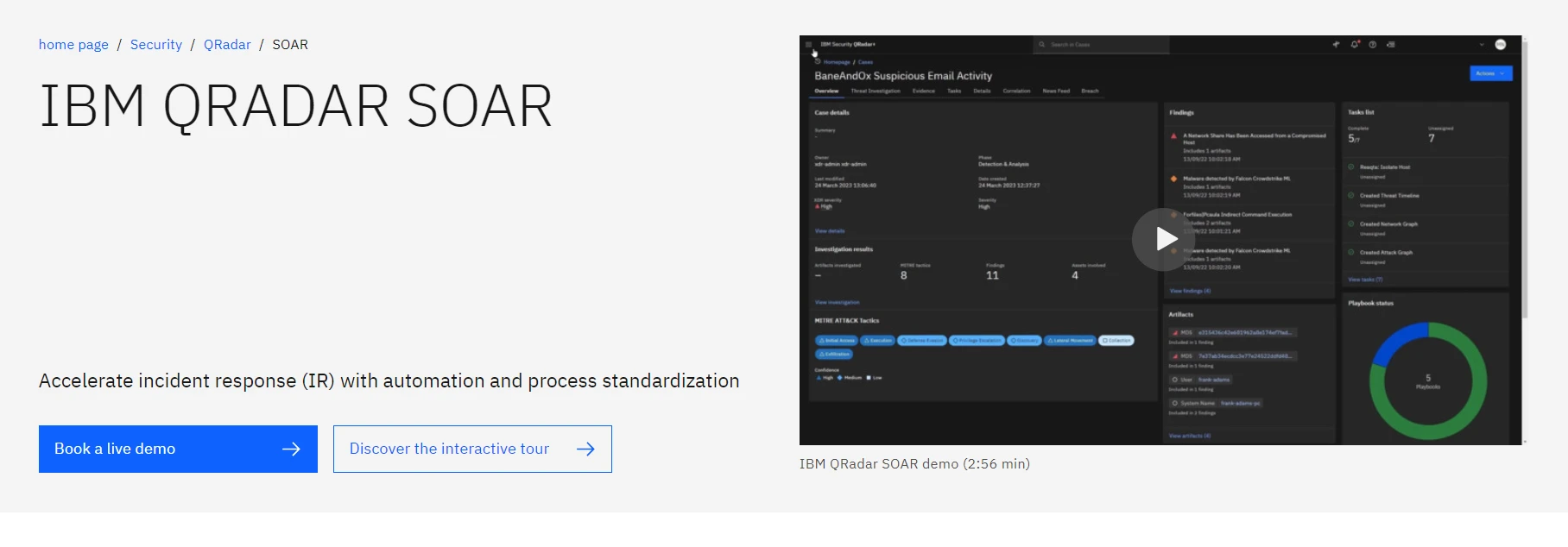
IBM QRadar SOAR (formerly Resilient) orchestrates and automates incident response across security workflows. It supports 200+ built-in privacy regulations and 300+ integrations on the IBM App Exchange.
Security teams can:
- Use dynamic playbooks and customizable procedures
- Time-stamp key actions during incident response to assist with threat intelligence reconstruction
Key integrations include:
- SIEM: IBM QRadar SIEM, Splunk, Microsoft Sentinel, Rapid7 InsightIDR
- EDR: IBM QRadar EDR, SentinelOne, CrowdStrike
- ITSM: Salesforce Service Cloud, ServiceNow, Jira
Pros
- Custom scripting: Analysts can build custom data correlation, API-based actions, and mainframe integrations.
- IBM suite integration: Works well alongside QRadar SIEM for teams running both.
- Custom incident types: Incident categorization, tags, and attributes are configurable to internal processes.
- ulnerability testing: Vulnerability test results can be evaluated end-to-end, filtered, and pushed to Jira.
Cons
- Playbooks require high technical skills: Users find it difficult to build them; they say they demand programming skills, such as learning Python.
- Dependency on IBM Ecosystem: While QRadar SOAR works best with QRadar SIEM, some users feel constrained by the limited plug-and-play options when integrating with other SIEMs, like ArcSight. QRadar SOAR supports external integrations, but connecting to non-IBM products requires significant configuration effort.
- Complexity in setup: Users note setting up QRadar SOAR requires a solid knowledge of Red Hat Enterprise Linux (RHEL) for on-premise deployments
- Complexity in customization: Reviews show customizing the product often involves modifying files via Secure Shell (SSH) protocol.
Rapid7 InsightConnect automates workflows across cloud apps, on-premises systems, and IT and security teams. It offers 300 plugins and a customizable workflow library. Key plugin use cases include:
- Creating HTTP requests
- Mass deleting emails with PowerShell
- Python 2 or 3 scripting
Users can use InsightConnect to generate custom workflows that automatically respond to reported phishing emails by integrating with solutions such as Office 365, Gmail, VirusTotal, and Palo Alto Wildfire. This helps inspect the email headers, links, and attachments, and get alerts if known malicious results are found.
Users can build workflows that automatically respond to phishing emails by integrating with Office 365, Gmail, VirusTotal, and Palo Alto Wildfire, inspecting headers, links, and attachments, and alerting on known-malicious findings.
Integrating InsightConnect with the Metasploit framework gives teams custom filtering for vulnerability management, particularly for VMs in on-premises environments.
Pros
- Integration and plugins: Users value the range of SIEM, firewall, EDR, and ticketing platform integrations.
- Incident response automation: Smaller teams use InsightConnect to automate threat isolation, reducing manual intervention and response time.
- Stability: Network security engineers report that the tool is stable and the initial setup is straightforward.
- Metasploit integration vulnerability management: Metasploit project management instructions help vulnerability testers write and hand off reports quickly, especially on large projects.
- Metasploit integration: Network scans run cleanly; agent-based scans produce more accurate results.
Cons
- Integration coverage gaps: Some users find the integration breadth narrower than expected.
- No automation template repository: There is no curated library of proven automation templates or test cases.
- Scripting knowledge required: Detailed customization requires scripting and skilled automation engineers.
Microsoft Sentinel is a cloud-based SIEM and SOAR software. The solution offers 100+ threat-hunting queries, workbooks, and playbooks to protect your environment and hunt for threats.
It is used by leading organizations such as EPAM Systems Inc., Accenture PLC, and Cognizant Technology Solutions Corp.
A free trial is available, offering 10 GB of daily usage on an Azure Monitor Log Analytics workspace for 31 days, with a limit of 20 workspaces per Azure subscription. Usage exceeding these limits incurs charges starting at $5.59 per GB.
Pros
- Categorized notifications: Cybersecurity engineers appreciate receiving notifications categorized by security level.
- Centralized integrations: SOC analysts say that Microsoft Sentinel’s integration with Microsoft Defender makes it more than just a logging tool for security incidents. With the Defender, users can read and block phishing emails from a single platform.
Cons
- Difficulty with data ingestion and log parsing: Microsoft Sentinel has a large number of data connections provided by Microsoft and its partners. To ingest data from non-supported sources, Microsoft Sentinel uses third-party technologies such as Codeless Connector Platform (CCP) for SaaS and Logstash for on-premise or cloud-hosted infrastructure. Integrating with these sources is difficult because the setups and settings required to make the connector work must be maintained.
Palo Alto Networks Cortex XSOAR enables you to manage alerts from several sources, standardize processes through playbooks, act on threat intelligence, and automate responses for various use cases.
It offers 1000+ third-party integrations, helping SOCs orchestrate incident response across your network security, SASE, endpoint security, and cloud security solutions. A 30-day free trial is available.
Pros
- Custom scripting: Teams can write custom scripts for specific security tasks.
- Playbook depth: XSOAR supports decision trees in playbook automation more granularly than some competing platforms.
- Python support: Strong Python scripting for custom playbooks.
- Integration breadth: 1,000+ pre-built integrations cover a wider surface than most niche SOAR platforms.
Cons
- Maintenance burden: Users noted that Playbooks and integrations may need constant attention to ensure they continue to work with the latest version of an integrated tool or API.
- Deployment: While some users claim that they can handle the majority of a large XSOAR deployment solo, some users have reported that XSOAR deployment is resource-intensive.
- Dashboard: Reviewers state that navigating the dashboard could be more intuitive.
- Pre-built playbooks: The pre-built playbooks are too generic to be utilized directly and require several modifications.
FortiSOAR is suited for large organizations with skilled technical staff. It is not a practical option for smaller teams the licensing cost and upfront configuration complexity are high. FortiSOAR lets IT/OT security teams automate incident management for threat detection and response with:
- Security incident response
- Case and workforce management
- Threat intelligence management
- No-code/low-code playbook creation
Pros
- Automation and playbooks: Analysts report that FortiSOAR offers extensive customization for managing playbooks. Note that Jinja (and some Python) is essential for normalizing data and creating custom actions across these playbooks.
- Third-party integrations: Security teams report that FortiSOAR has positively impacted their SOC by enabling integration with various security systems/platforms and creating a personalized center.
- API integrations: FortiSOAR offers comprehensive API integrations to pull data from firewalls, threat feeds, and other security tools.
- Interface: Users say the interface is user-friendly and allows them to create multiple mini-panels of platforms, incidents, and alerts.
Cons
- Complex data normalization and parsing: Data normalization and parsing (integrating threat feeds or pulling data from different firewalls) can be complex, especially when you don’t have a fully matured SOC environment. The process requires extensive use of custom code with FortSOAR.
- Limited use of Python: In the early stages of maturity, teams may need to use Jinja more frequently than Python, so you may not have fully leveraged the power of Python in playbooks at the outset. This might limit the initial flexibility of your automation workflows.
- Performance: Potential performance issues with Python can arise when using it in playbooks, particularly when dealing with large data sets or resource-intensive processes such as parsing data from multiple firewalls.
- Licensing model: Customers note that the licensing structure is not clear; buyers expect to know the number of concurrent users or the number of FortiSOAR nodes in their licensing plan.
- Costs: The onboarding period can be expensive, leading to up to $70,000 in annual licensing costs.5
ArcSight SOAR by OpenText is designed for analysts with limited skill levels, aiming to allow operators to decide what to do manually with no code.
ArcSight SOAR is a strong choice for enterprises expecting to automate incident response and centralize security operations. Users report that it provides effective playbooks for designing workflows.
However, several users have pointed out shortcomings, particularly with manual policy installations for firewall changes and poor support response times. Concerns have also been raised about the platform’s integrations, which are currently limited.
Key features:
Capabilities-based access control: One of the standout features of ArcSight SOAR is its granular access control, which is more flexible and precise than traditional role-based access control (RBAC). Instead of restricting access based on broad roles (e.g., Analyst A has access to Active Directory, Analyst B does not).
With capabilities-based access control, the AD plugin might expose several functions (e.g., viewing user details, listing group members, etc.). Instead of giving an analyst access to all of AD, the administrator can grant Analyst A access to only specific functions, such as viewing user details and locking accounts.
Malware information sharing platform (MISP) support: ArcSight SOAR integrates with malware information sharing platform (MISP) to allow threat intelligence sharing and enrichment.
Triggers: ArcSight SOAR can initiate a playbook when triggered by a third-party product, such as:
- Third-party products (e.g., SIEM alerts, threat intelligence, or custom applications)
- Manual triggers by SOC analysts
- REST API calls
- Threat intelligence (e.g., IOC (Indicator of Compromise) feeds or real-time alerts from threat intel providers)
Incident classifications: ArcSight SOAR comes equipped with a group of incident classifications: malware, phishing, lost laptops, etc.
Notification templates: Users can send out notifications at particular stages of workflows, including:
- Email notifications
- SMS messages
- Windows pop-up notifications
Pros
- Customization: The product provides high customization for alerting and reporting.
- User-friendly playbook creation: Creating workflows and playbooks is intuitive, without needing extensive expertise in coding or system integration.
- Log file analysis: Analysts appreciated the fact that they could examine the log files in detail.
Cons
- Manual firewall policy installation: While ArcSight SOAR can block IP addresses on the firewall as part of an automated workflow, the manual policy installation for the changes needs to be done separately.
- Costs: The license and pricing model are expensive for small-scale enterprises.
- Limited integrations: Some users think that ArcSight SOAR only integrates with limited tools.
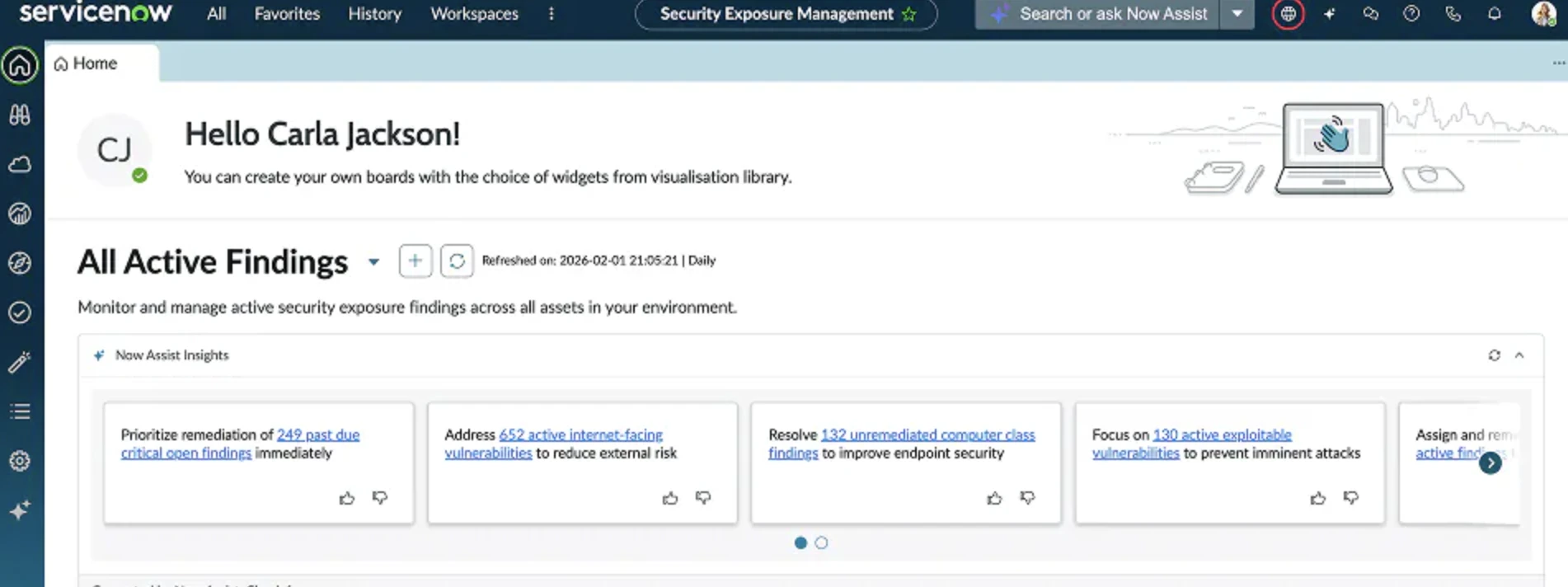
ServiceNow Security Operations integrates incident data from your security devices into a structured response engine that leverages intelligent security processes. The software provides the following:
- Vulnerability management: to identify vulnerabilities based on business impact.
- Data security posture management: to understand which security data is protected and at risk.
- Threat intelligence: to gain a comprehensive platform to bolster cybersecurity posture.
Pros
- Vulnerability summaries: IT specialists note that the product gives accurate vulnerability summaries, allowing for the identification and swift remediation of technical issues.
- Debugging: Users appreciate the debugging features, noting they achieve complete visibility into playbook generation and troubleshooting.
Cons
- Complex playbook: The complexity of playbook design might be challenging for engineers without programming skills.
- Bulk closure option: Users address that the product asks them to terminate events manually, which is difficult because there is no bulk closure option available.
Tines’ main focus is automating standard cloud security posture management (CSPM), endpoint detection and response (EDR), SIEM, phishing, or policy approval processes.
Tines seeks to help the security operations center streamline workflows without coding, scripting, or human intervention. It is used by IT security, engineering, and product experts and offers a free community edition.
Users say the platform is much more lightweight and flexible than other SOAR solutions since it’s a no-code workflow builder, enabling users to connect with APIs effectively.
Pros
- Ease-of-use: Reviews highlight that Tines’ drag-and-drop interface and the UI are easy to use.
- Customer training: Numerous reviews indicate that the Tines team ensures you are well-trained and self-sufficient on the platform.
Cons
- No-code: Users claim that “no-code” features are not useful since utilizing these features requires computer engineering expertise.
Torq is a strong alternative for organizations that prioritize simplicity in automation above significant complex multi-environment coordination, since it focuses more on no-code security automation and lacks features such as comprehensive case management.
Torq offers its users security bots. The bots replace manual, monotonous processes with automated self-service experiences. These bots can:
- Integrate workflows and tools – Schedule workflow runs, trigger automatically, or run manually via Slack or CLI.
- Reduce alert fatigue – Automatically handling duplicate alerts and false positives.
Pros
- Security integrations& automation: Torq has received positive feedback from customers for its versatility in supporting a range of security use cases, particularly for IAM, CSPM, threat hunting, and email security automation.
- Customer support: Several users state that their assistance is highly engaging.
Cons
- Integrations: Some users reported challenges with integration consistency, particularly when working alongside more complex SIEM setups.
- Alerts: Customers note that the software templates are highly repetitive.
What is a SOAR system?
Security orchestration, automation, and response (SOAR) is a collection of services and solutions that automate threat detection and response. This automation is performed by integrating your integrations and outlining how tasks should be executed.
To further grasp how modern SOAR solutions function, consider breaking them down into three basic components: automation, orchestration, and incident response.
Automation
SOAR tools’ automation capabilities create tasks that can be completed on their own. This is performed via playbooks, which are sets of procedures that run automatically when triggered by a rule or incident. Playbooks enable you to automate tasks, address alerts, and respond to threats and incidents.
Automation also helps accelerate security procedures such as threat hunting and remediation, allowing you to resolve potential risks with minimal steps.
With security automation, SOC teams dealing with never-ending alerts can save time by reducing tasks and processes, allowing them to focus on the important signals.
Orchestration
Orchestration enables SOCs to integrate several tools to respond to incidents as a group across their entire environment, even if the data is spread throughout. Orchestration is essential for managing large-scale automation.
Companies can integrate several security tools with SOAR software, such as:
- SIEM (security information and event management)
- firewall audit
- endpoint protection
- cyber threat intelligence
Note that security automation streamlines activities, making them operate more easily, whereas security orchestration integrates tools so that they operate together.
Incident response
SOAR’s orchestration and automation capabilities enable it to function as a centralized console for security incident response. Security analysts can utilize SOARs to investigate and resolve events without switching between technologies.
SOARs, like threat intelligence platforms, collect metrics and alerts from external feeds and combine them into a centralized dashboard. Security analysts may use SOAR solutions to:
- combine data from several sources,
- filter out false positives,
- prioritize alerts
SOCs can also use SOAR tools to conduct post-incident audits. For example, SOAR dashboards can help security teams discover how a certain threat infiltrated the network.
Who should use SOAR systems?
For an organization to successfully implement a SOAR platform, it should have a certain level of maturity, with well-documented processes and robust security/IT controls in place. Without the right maturity level, inadequate processes, or unskilled IT employees, no SOAR solution will be effective.
Additionally, hiring a skilled SecEng professional to implement SOAR can be costly, often more expensive than the analysts or roles the platform aims to automate. Thus, if your organization has achieved a high IT maturity level and has skilled employees, you can consider investing in a SOAR solution.
A SOAR tool would be an ideal solution for you, especially if your organization is meeting one or more of the criteria below:
- Organizations with high alert volumes: Companies that need to automate threat detection and response.
- Organizations in highly regulated industries: Financial institutions, healthcare providers, and government agencies with compliance requirements such as HIPAA.
- Organizations with complex IT environments: Companies with multi-cloud or hybrid infrastructures find it difficult to integrate and coordinate responses.
Why should organizations use SOAR systems?
Detecting and responding to security risks earlier helps reduce the effects of cyberattacks. According to IBM’s 2024 and 2023 research, a shorter data breach lifespan correlates with reduced breach costs. Organizations that suffered a data breach between March 2023 and February 2024 spent ~$1 million less on average for breaches remediated within 200 days, representing a ~25% savings.6
SOARs can assist SOCs in reducing mean time to detect (MTTD) and mean time to respond (MTTR) to identify cyberattacks quickly by:
- Integrating security information with incident response tools.
- Enabling security experts to develop response workflows with playbooks
- Automating incident management and response
 Add as preferred source
Further reading
Cite this research
Pick the format that matches where you're publishing. Pasting the link version into your CMS preserves the backlink.
@misc{hafa2026,
  author = {Hafa, Adil},
  title  = {{Top 10+ SOAR Platforms in 2026}},
  year   = {2026},
  month  = may,
  howpublished    = {\url{https://aimultiple.com/top-soar-platforms}},
  note   = {AIMultiple. Retrieved May 26, 2026}
}Results and timestamps of 11 data points. Download the data used in this article as a ZIP file containing one CSV file.
Reference Links


















Be the first to comment
Your email address will not be published. All fields are required. Comments are left in their original language.