


VPN Benchmark of Top 5 VPN Providers

We tested six leading consumer VPN services, measuring throughput, packet drops over 15 minutes per provider, CPU and RAM use on macOS, and VPN connection behavior under load. Our test on VPN providers show that best VPN services change based on different needs.
Key findings on VPN benchmark
We combined the six measurements into two scores:
- Network Quality Index uses download speed, upload speed, ping, and jitter.
- System Resource Index uses CPU and RAM.
- Each index runs from 0 to 100.
Windscribe scored highest on both, at 75 for network quality and 100 for system resources. For more information, read the section on how the index scores were calculated.
To understand more about the measurements, read the VPN benchmark methodology.
Summary of VPN benchmark results
All provider figures come from Cloudflare Speed Test on each provider’s fastest German server.
Download speeds held up well across the board. Every provider returned between 90 and 99 Mbps on its German server, an 8.4 Mbps spread. PureVPN posted the highest figure at 98.6 Mbps, NordVPN was second at 95.2 Mbps.
Latency is where providers split. Proton VPN had the lowest ping at 60.3 ms. NordVPN had the highest at 126 ms, more than double. For voice calls, gaming, or anything sensitive to round-trip time, that gap matters more than a few Mbps either way.
Jitter varied more than expected. Most providers stayed under 20 ms of jitter. NordVPN and ExpressVPN went above 30 ms during testing, which is enough to be audible on a VoIP call.
Packet loss was zero everywhere. Across three five-minute rounds per provider, no dropped packets were recorded on any of the five. Stability was not a differentiator in this test window.
Resource use is low overall. CPU stayed under 6% for every client. Windscribe was the lightest on both CPU (0.5%) and RAM (68 MB). ExpressVPN used the most RAM at 150 MB.
Vendor deep dive on VPN benchmark results
- Price: The monthly subscription price in US dollars.
- CLI: The operating systems for which the provider offers a command-line client to control the VPN from a terminal.
- Connection Speed (sec): How many seconds the app took to establish a connection to the chosen server.
- # of Region: The number of geographic server locations the provider offers.
- # of Platform: The number of separate platforms (operating systems and devices) the provider has apps for.
NordVPN
NordVPN finished with the largest server network in the test at 211 server locations and the second-highest download throughput at 95.2 Mbps. Upload was 18.3 Mbps. CPU averaged 5.2% on the M2 MacBook Air, the highest in the group, and RAM stayed low at 74.6 MB. VPNconnection to the fastest German server took 10 seconds.
The clear weakness was latency. Ping to the German endpoint averaged 126 ms, the highest in the group and 65.7 ms above Proton VPN. Jitter was also high at 32.1 ms. For downloads, streaming, or background browsing that gap will not be felt. For a Zoom call, a remote desktop session, or competitive gaming, it will. Across three five-minute stability rounds, the provider dropped zero packets, so the latency penalty is consistent rather than spiky.
The Basic plan was priced at $12.99 per month at the time of testing. CLI support is documented for Linux and Windows but not macOS; we did not run the Linux client directly and relied on NordVPN’s documentation for that claim. The concurrency check, desktop session active, and then logging in to the same account in the Android 16 app succeeded without disconnecting the desktop tunnel. No IP, DNS, or WebRTC leak was observed on the public leak-check pages we visited during the session.
ExpressVPN
ExpressVPN landed in the middle on most metrics. Download was 90.2 Mbps, upload 18.3 Mbps, ping 73.4 ms, and jitter 40.1 ms: the highest jitter figure in the group. CPU was low at 1.5%, but RAM use was the heaviest of any provider at 150.2 MB, roughly double Windscribe and NordVPN. Connection time to Germany was 9 seconds.
A 73.4 ms ping is workable for calls and remote work, but the high jitter is worth flagging. Jitter at 40 ms can cause audible artifacts on VoIP and uneven frame pacing in cloud-streamed apps. Whether you feel it depends on the destination service’s own buffer settings. The provider held zero packet loss across the stability rounds, so the network behavior is consistent; the jitter is real, not a transient spike.
Pricing was $12.99 per month on the Basic plan, the same as NordVPN. Server coverage was 205 server locations, close to NordVPN. CLI is documented for Linux and Windows; we verified the documentation but did not run the CLI directly. The Android 16 concurrency test passed: both desktop and mobile sessions stayed up at the same time. Leak tests came back clean.
Proton VPN
Proton VPN posted the best latency result of the test: ping was 60.3 ms, 13.1 ms below the next provider, ExpressVPN. Jitter was 29.5 ms. Download was 92.8 Mbps, and upload was 17.6 Mbps. CPU stayed at 1.7% and RAM at 107.4 MB. Connection time was 9 seconds.
Of the five providers, Proton VPN is the one that came closest to feeling like a direct internet connection in real-time use. A 60.3 ms ping to Germany is low enough that voice calls, gaming, and remote desktop sessions should not show a noticeable degradation. Throughput is competitive, although upload is on the lower end of the group at 17.6 Mbps.
The VPN Plus plan was the cheapest among the major-brand providers in this test at $9.99 per month, with 191 server locations. The main feature gap is the CLI: Proton VPN does not ship a macOS or Linux command-line client according to its current documentation, so anyone scripting connections from a terminal will need to look elsewhere. Concurrency held when the Android 16 client was added to the same account, and leak tests showed no IP, DNS, or WebRTC exposure.
Windscribe
Windscribe was the lightest VPN client in the test by a clear margin. CPU averaged 0.5% and RAM 68.1 MB, the lowest figures in both columns. It also posted the lowest jitter at 13.9 ms. Download was 94.0 Mbps, and upload speed hit 19.0 Mbps, the highest upload in the group. Connection time was 11 seconds, the slowest of the five, but still fast in absolute terms.
Ping was 89.8 ms, the second-highest after NordVPN. That sits in the middle of the pack. The low jitter is the more useful number for sustained sessions: real-time traffic should feel steady even if the absolute latency is not the lowest.
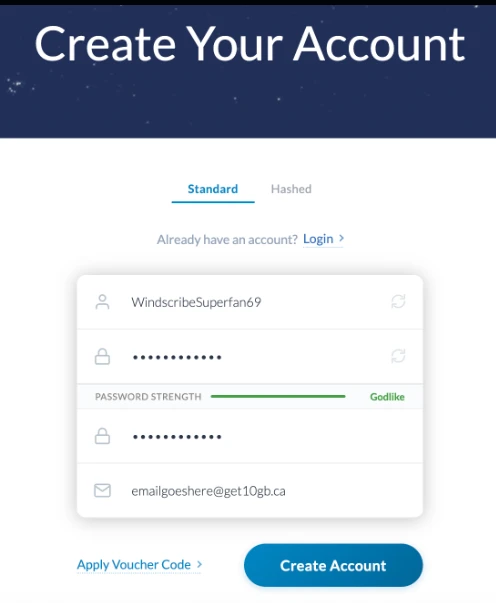
Windscribe is also the provider in the test that ships a working macOS CLI, which we ran directly and confirmed against the documentation. The other providers either skip macOS in their CLI support or do not publish one at all. For users who want to wire VPN connect and disconnect into shell scripts on a Mac, this is the practical option in the group. The Monthly plan was $9.00, the lowest price in the test. Server coverage was 115 server locations, fewer than the top three but enough for common use cases. The Android 16 concurrency check succeeded, and leak tests were clean.
PureVPN
PureVPN posted the highest raw download number in the test at 98.6 Mbps and low jitter at 15.8 ms. Upload was 17.6 Mbps. CPU was 0.9% and RAM 98.6 MB. Ping was 81.8 ms, the third-lowest in the group. Connection time to Germany was 8 seconds, the fastest of the five.
The throughput result is the headline. At 98.6 Mbps, PureVPN was 3.4 Mbps ahead of NordVPN and 8.4 Mbps ahead of ExpressVPN, the slowest in the group. Jitter at 15.8 ms is the second-lowest after Windscribe and is good enough for VoIP. An 81.8 ms ping is workable for most use cases but 21.5 ms behind Proton VPN.
The Standard plan was $12.95 per month with 121 regions, the smallest server network in the group after Windscribe. CLI support is documented for Linux; we did not run it directly. Concurrency between the desktop session and the Android 16 client was held without dropping either side, and leak tests came back clean. Stability over the three five-minute ping rounds showed zero packet loss.
Surfshark (excluded from main results)
Surfshark could not establish a stable desktop tunnel from a Turkish IP address during the testing window. The desktop VPN app launched and authenticated, but the connection either failed to complete or dropped quickly after the handshake, making it impossible to run VPN speed and stability tests consistently on macOS. The mobile client on Android 16 connected without issue, suggesting the problem was specific to the desktop app’s routing rather than the account or the underlying service.
From the partial data captured before exclusion, Surfshark’s Starter plan was priced at €15.75 per month with about 100 server locations advertised. Concurrency was listed as unlimited simultaneous connections. We did not include these numbers in the main charts because the throughput data could not be collected under the same conditions as the other five providers, and a partial entry would skew side-by-side comparisons. The provider folder retains the raw partial logs for transparency.
Users testing from outside Turkey or with a different ISP routing may not run into the same connection issue. If you are evaluating Surfshark specifically, the most reliable check is to use the provider’s money-back window to run the same baseline-versus-tunnel comparison on your own network before committing.
VPN benchmark methodology
Tests ran across two platforms: a MacBook Air (M2, 8 GB RAM, macOS) for the main suite, and an Android 16 device used for the concurrency check. The internet connection was a Vodafone fiber line. The test device sat 30 cm from the router. IPv6 was disabled at both the OS and router level. UPnP was enabled. Each provider was installed from its latest official desktop app and connected to its fastest server in Germany.
Baseline
Before any VPN connection was switched on, we measured the line with a command-line speed test and a 50-packet ping to 8.8.8.8. These numbers describe the line only. The provider results come from Cloudflare Speed Test, a different tool, so we compare providers with each other rather than with this baseline:
- Download: 86.82 Mbps
- Upload: 22.14 Mbps
- Ping to 8.8.8.8: 31.45 ms (average of 50 packets, 0% loss)
What we measured per provider
- Resource use: a script sampled CPU and RAM consumption of the VPN app process while connected.
- IP detection and leak test: 01-test.sh made repeated DNS requests during the session. We also opened public IP-leak check pages and confirmed no WebRTC leak, IPv4 leak, or DNS leak.
- Concurrency: while the desktop session was active, the same account was logged in on Android 16 and connected. We checked whether both simultaneous connections were held.
- Stability: 02-stability.sh ran three rounds of five-minute continuous pings to a DNS server, counting dropped packets in each round.
- Throughput and latency: Cloudflare Speed Test measured download, upload, ping, and jitter across multiple file sizes, giving us a VPN speed comparison across the five providers.
- CLI support: Windscribe ships a working macOS CLI we could test directly. The rest were verified against the provider’s own documentation.
- Pricing, regions, server counts: pulled from each provider’s official site on the test date.
How the index scores were calculated
The measured metrics do not point in the same direction. To put them on one scale, we normalized each metric across the five providers.
- Higher download and upload speeds are better. For metrics where higher is better, we used (value − minimum) ÷ (maximum − minimum).
- Lower ping, jitter, CPU, and RAM are better. For metrics where lower is better, we used (maximum − value) ÷ (maximum − minimum).
This assigns the best provider to each metric a value of 1 and the worst a value of 0.
We then averaged the normalized metrics within each group, weighted equally, and multiplied the result by 100. The Network Quality Index is the mean of the four network metrics. The System Resource Index is the mean of the two resource metrics.
Limitations of VPN benchmark
- All VPN speed tests targeted Germany from Türkiye. Results in other regions will differ.
- Provider downloads topped out below 100 Mbps on this line. On a 1 Gbps line, the absolute Mbps gap between providers would widen.
- Each provider was tested in a single sitting. We did not repeat tests across days, so time-of-day variance is not captured in the per-provider numbers (the three stability runs per provider were back-to-back).
- CLI behavior was verified hands-on for Windscribe. The rest are based on provider documentation.
- The Surfshark exclusion reflects testing conditions in Türkiye on the test date and may not generalize.
- The no-VPN baseline and the provider results came from different tools, so we do not report VPN overhead against the baseline.
How to pick a VPN provider based on benchmark results
The five providers in this test all achieved usable speeds and maintained zero packet loss for 15 minutes of continuous pinging each. None of them is broken. The right choice depends on which metric matters most for how you actually use a VPN. The scenarios below map the numbers above to common use cases.
Quick summary
- Calls and remote work: Proton VPN, then Windscribe
- Gaming: Proton VPN
- Streaming and downloads: PureVPN, NordVPN, or Windscribe (all close)
- Older laptops: Windscribe
- macOS CLI: Windscribe (verified option)
- Region variety: NordVPN or ExpressVPN
- Lowest monthly price: Windscribe, then Proton VPN
If you make a lot of video calls or work remotely
Latency and jitter matter more than raw internet speed for voice and video. Proton VPN is the strongest pick here: its 60.3 ms ping was the lowest in the test. Windscribe is the second option for this use case because its jitter of 13.9 ms was the lowest in the group, which keeps audio and video steady even if the absolute latency is a bit higher. Avoid NordVPN and ExpressVPN for this workload: NordVPN’s ping was 126 ms, and ExpressVPN’s 40 ms of jitter is high enough to cause audible glitches on calls.
If you play online games or use cloud gaming
Gaming is the strictest test of latency. Proton VPN’s 60 ms ping is the lowest in the test, and fast-paced games are still playable at that level. Windscribe at 90 ms total is the upper limit of comfort for most online games. NordVPN at 126 ms total is not recommended for competitive play. Note that all these numbers are for a German server from Türkiye; if you connect to a closer region, latency will drop across the board.
If you download large files or stream a lot
Raw throughput is what counts. PureVPN delivered the highest download number at 98.6 Mbps, slightly ahead of NordVPN at 95.2 Mbps and Windscribe at 94.0 Mbps. The gap between the top and bottom of this group is about 8 Mbps, which is small enough that any of the five will handle 4K streaming services or large file-sharing transfers.
If you run an older or lower-spec laptop
The VPN app runs in the background all day, so its resource use adds up. Windscribe is the clear winner: 0.5% CPU and 68 MB of RAM are the lowest in the test, and the gap to second place is real. NordVPN’s 74.6 MB of RAM is the next-lowest. Avoid ExpressVPN on a memory-constrained machine: its 150 MB RAM footprint is roughly double Windscribe’s, which is significant on an 8 GB laptop running other apps.
If you need to script connections from the command line
Windscribe shipped a working macOS CLI that we could run directly. NordVPN, ExpressVPN, and PureVPN document Linux CLI support but no macOS option. Proton VPN does not ship a CLI for either platform, according to its current documentation. If you are on a Mac and want to wire VPN connect, disconnect, and switching servers into shell scripts, Windscribe is the practical choice. On Linux, NordVPN, ExpressVPN, and PureVPN are all viable based on their published documentation, though we did not run any of those directly.
If you want the widest server choice
For users who rotate between distant VPN servers often, stream catalogs across different countries, access region-locked streaming services, or test from different locations, the server network size matters. NordVPN led with 211 server locations, ExpressVPN was close behind with 205, and Proton VPN had 191. Windscribe at 115 regions and PureVPN at 121 cover the common countries but offer less granular city-level choice.
If price is the deciding factor
Windscribe at $9.00 per month was the lowest-priced provider in the test. Proton VPN at $9.99 is close behind and brings broader server coverage. The three providers at the top of the price band, NordVPN, ExpressVPN, and PureVPN, all sat between $12.95 and $12.99 per month. Whether the extra $3 to $4 per month is worth it depends on which of the scenarios above describes you. None of the higher-priced providers won every category, so cheaper is not automatically a worse deal.
 Add as preferred source
How does the VPN protocol work?
A virtual private network creates an encrypted tunnel between your device and a VPN server using a standardized VPN protocol, so your internet traffic is encrypted before it leaves your device. The VPN server then forwards your DNS requests and other traffic to the public internet on your behalf, presenting its own IP address instead of yours. This is the same mechanism that powers every provider in the test above and alternatives like Private Internet Access.
Further readings
Cite this benchmark
Pick the format that matches where you're publishing. Pasting the link version into your CMS preserves the backlink.
@misc{dilmegani2026,
  author = {Dilmegani, Cem and Arslan, Ezgi},
  title  = {{VPN Benchmark of Top 5 VPN Providers}},
  year   = {2026},
  month  = oct,
  howpublished    = {\url{https://aimultiple.com/vpn-benchmark}},
  note   = {AIMultiple. Retrieved October 23, 2026}
}Results and timestamps of 40 data points. Download the summary data shown in this article's charts and tables as a ZIP file containing 8 CSV files.
Want the granular data behind it? Join Premium
Changelog
1 updatesAdded a section explaining how the Network Quality and System Resource Index scores were calculated.
Cem's work at AIMultiple has been cited by leading global publications including Business Insider, Forbes, Morning Brew, and Washington Post, global firms like Deloitte and HPE, NGOs like World Economic Forum, and supranational organizations like European Commission. [1], [2], [3], [4], [5]
Throughout his career, Cem served as a tech consultant, tech buyer and tech entrepreneur. He advised enterprises on their technology decisions at McKinsey & Company and Altman Solon for more than a decade. He also published a McKinsey report on digitalization.
He led technology strategy and procurement of a telco while reporting to the CEO. He has also led commercial growth of deep tech company Hypatos that reached a 7 digit annual recurring revenue and a 9 digit valuation from 0 within 2 years. Cem's work in Hypatos was covered by leading technology publications like TechCrunch and Business Insider.
Cem regularly speaks at international technology conferences. He graduated from Bogazici University as a computer engineer and holds an MBA from Columbia Business School.







Be the first to comment
Your email address will not be published. All fields are required. Comments are left in their original language.