


Top 13 GoAnywhere Alternatives

We compared the top 13 alternatives to GoAnywhere MFT, highlighting their secure file-transfer capabilities, including supported protocols, deployment options, and free trial availability.
Top 13 alternatives to GoAnywhere
Alternatives | Average ratings | Employee Size |
|---|---|---|
4.5 based on 96 reviews | 533 | |
4.8 based on 127 reviews | 152 | |
4.6 based on 281 reviews | 90 | |
4.8 based on 22 reviews | 12 | |
4.5 based on 152 reviews | 533 | |
ShareFile | 4.2 based on 1,540 reviews | 5,012 |
FileZilla | 4.5 based on 871 reviews | 1 |
Boomi Managed File Transfer | 4.3 based on 775 reviews | 138,393 |
Progress MOVEit | 4.4 based on 528 reviews | 4000 |
WinSCP | 4.6 based on 222 reviews | 3 |
Note: Ratings are based on Capterra and G2. Vendors are listed based on rating. We list our subscribers at the top with their links.
The alternatives are designed for a broad range of business sizes with distinct focuses:
- Enterprise-focused: JSCAPE, Axway, MOVEit, GlobalScape EFT, Boomi Managed File Transfer, and Serv-U by SolarWinds for complex trading partner networks and strict compliance requirements.
- Small to mid-sized businesses: ShareFile and Cerberus FTP Server prioritize ease of use and practical file sharing without requiring a dedicated MFT administrator.
- Individual users and small teams: FileZilla and WinSCP are free, open-source tools for basic file transfer needs.
GoAnywhere competitors feature comparison
Read MFT pricing for detailed analysis of pricing plans.
GoAnywhere alternative MFT solutions analyzed
JSCAPE
JSCAPE is a platform-independent MFT server built for organizations with heterogeneous infrastructure and diverse trading partner requirements. It supports more protocols than most alternatives and runs on more operating systems.
- Protocol support: SFTP, FTPS, HTTPS, AS2, OFTP2, AFP, WebDAV: The widest protocol coverage in this comparison.
- Platform independence: Runs on Windows, Linux, macOS, Solaris, AIX, HP-UX, and other Unix variants.
- Low-code workflow automation: Build complex transfer processes with triggers, conditional logic, error handling, and loops without extensive scripting.
- Cloud storage connectors: Native integration with AWS S3, Azure Blob Storage, and Google Cloud Storage.
Stonebranch
Stonebranch’s Managed File Transfer (MFT) combines workload automation and MFT into a single platform, eliminating the operational overhead of maintaining separate tools for batch jobs, data pipelines, and file transfers.
- Unified WLA & MFT: Managed file transfers, batch jobs, and data pipelines from one interface.
- Container-native deployment: MFT agents deploy in containers with Kubernetes and OpenShift support.
- ServiceNow integration: Bi-directional CMDB integration simplifies monitoring task management and audit trails.
- Data pipeline orchestration: Monitor data availability, trigger processes on arrival, and chain file transfer into broader automation workflows.
Files.com
Files.com is a cloud-hosted MFT and file-sharing platform. It has no self-hosted server: the vendor runs the SFTP, FTPS, and AS2 endpoints, and you can reach internal systems through an agent.
- Protocols: Inbound SFTP, FTPS, FTP, WebDAV, AS2, an S3-compatible endpoint, and SCP.
- Bring-your-own storage: Data can stay in the customer’s own bucket, with Files.com adding automation, permissions, and auditing on top. A Remote Server Mount links a Files.com folder in real time to a third-party cloud, another Files.com account, an on-premise Agent, or any FTP, SFTP, WebDAV, or S3 server. Checksums aren’t available on mounted folders, so use a Remote Server Sync when integrity validation is required.
- On-premise Agent: The Agent runs inside your network and opens an outbound connection to Files.com. It is cross-platform, runs as a system service, and supports local drives, NFS/SMB/CIFS shares, and SAN storage.
- Automation: A visual workflow builder triggers on events and handles PGP/GPG encryption, format conversion, and metadata extraction inside the workflow. It can route files between storage backends including S3, Azure Blob, GCS, SharePoint, Google Drive, Dropbox, Box, and OneDrive.
- Encryption and keys: Files.com uses AES-256 encryption end-to-end. It manages keys by default, and enterprise customers can bring their own keys. PGP/GPG encryption of file content is available for partner-to-partner end-to-end encryption.
- Identity: SAML SSO, SCIM provisioning, and MFA are supported. SSO integrations include Okta, Azure AD, Active Directory, ADFS, LDAP, OneLogin, and Auth0.
- Compliance: Files.com is SOC 2 Type II audited, offers a signed HIPAA BAA and a GDPR DPA, and supports EU and regional data residency. The SOC 2 Type II report is available under NDA.
- Large files: Files up to 5 TB are supported, using chunked, resumable transfers on standard protocols and custom UDP acceleration through the Agent.
Diplomat MFT by Coviant Software
Diplomat MFT by Coviant Software is a self-hosted MFT platform for regulated industries that need no-code automation and security controls in the core product. Licensing is per edition. Standard and Professional cap transactions, transfer-server accounts, and keys; Enterprise has no caps. The current release, 9.5.1 (October 2026), adds a read-only MCP Server for AI clients, TOTP for web users, and cron-based scheduling.
- One-click compliance: SFTP Audit Reports and a Connection Map provide audit-ready documentation for HIPAA, PCI DSS, GDPR, DORA, and GLBA requirements. As of 9.5.1, reports render as HTML instead of fixed-layout PDFs, and some export to CSV.
- Edge Gateway: A DMZ component that external partners connect to, while workflows run on the Diplomat server inside the trusted network. The edge holds no credentials or files, and the internal firewall needs no inbound openings.
- Remote Agents: Enable secure file transfers to and from distributed endpoints and branch locations without inbound firewall rules.
- Workflow automation: No-code job builder with time- and event-based triggers, file arrival monitoring, and conditional routing. Since 9.5.1, transactions also accept one or more Quartz cron expressions, and business calendar exclusions still apply.
- Browser transfer security: Web Transfer Portal uploads can be PGP-encrypted in the sender’s browser. 9.5.1 adds TOTP per user or per File Transfer Group, and SFTP sessions are unaffected.
- SFTP hardening: Administrators control which SSH key exchange, signature, cipher, HMAC, and compression algorithms are offered and in what order. Threat Intelligence includes an override list for verified partners on low-reputation shared cloud IPs.
- MCP Server (Enterprise): A self-hosted, read-only MCP endpoint for clients such as Claude, ChatGPT, or Gemini. It authenticates with per-client API keys in the
X-API-Keyheader, scopes visibility by Admin Role, and can be served over HTTPS. It cannot modify workflows, run jobs, or read file contents. - Protocol support: SFTP, FTPS, HTTPS, and AS2.
Cerberus FTP
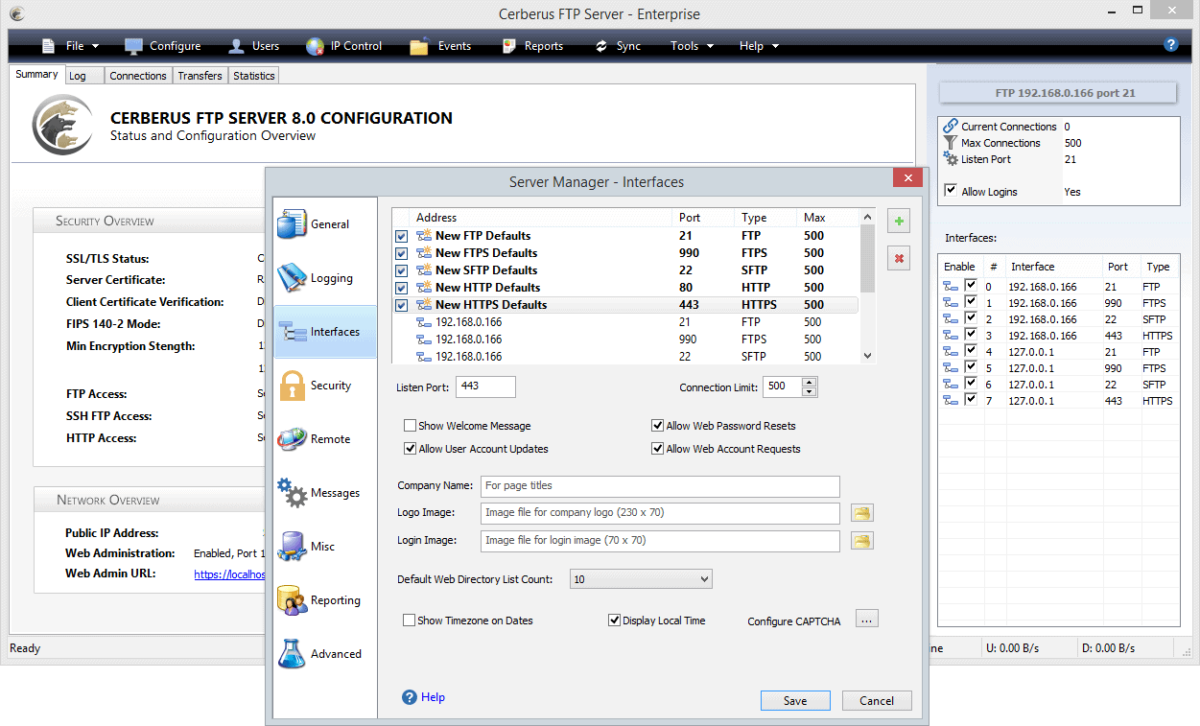
Cerberus FTP Server is a Windows-based MFT solution. It supports SFTP, FTPS, and HTTPS, with built-in two-factor authentication, IP auto-banning, and FIPS 140-2 validated encryption.
- Unlimited user accounts and connections
- Simple Windows-based setup and administration
- Location-based access controls
- Event-driven automation without scripting requirements
- Time-limited public links for quick file sharing
Progress MOVEit
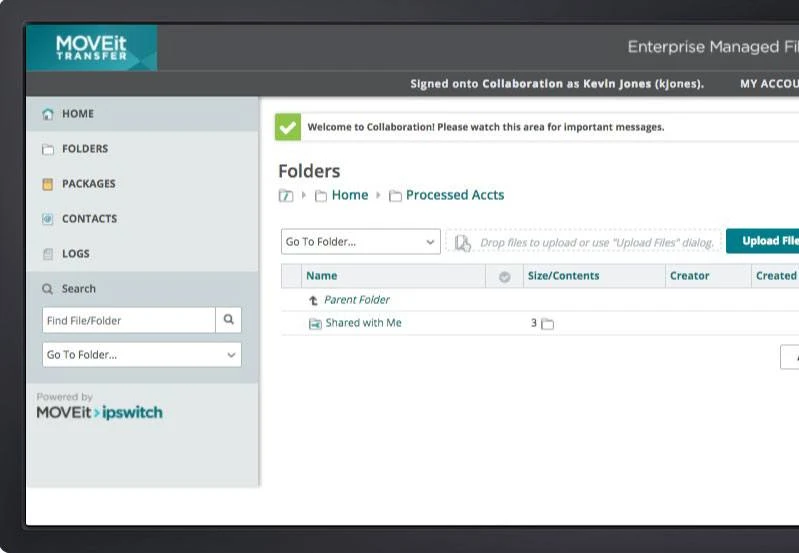
MOVEit is Progress Software’s MFT suite. It has two main parts: MOVEit Transfer, the server that partners and users connect to, and MOVEit Automation, which schedules and runs file movement between systems.
- Protocols: FTP, FTPS, SFTP, HTTP/HTTPS, and SMTP/POP3, plus REST, Java, and .NET APIs.
- Encryption: Files on disk are encrypted with FIPS 140-2 validated 256-bit AES, and the feature list also includes encryption key rotation, TLS 1.3, and FIPS 140-2 mode for SFTP.
- Tamper-evident audit log: Every transfer and admin action is logged, and the entries are cryptographically chained so tampering shows up. Tamper checks run on a schedule or on demand.
- Delivery assurance: Clients use cryptographic hashes to verify file integrity across the transfer chain, and non-repudiation plus restart/resume support guaranteed delivery.
- Identity and access: MFA, SAML SSO, AD/LDAP integration, multiple tenants, and DLP and antivirus integration.
- DMZ and scaling: MOVEit Gateway sits in the DMZ, and Transfer scales through a web farm deployment. Supported back-end databases include MySQL, SQL Server, and Azure SQL.
- Automation: MOVEit Automation ships with pre-built tasks, works with MOVEit Transfer or other FTP servers, can be extended with custom scripts, and adds PGP encryption of data at rest. Tasks can call external REST services through PowerShell.
- API: The REST API exposes many admin functions to PowerShell, Python, or curl, and both products include a Swagger UI for testing calls.
Axway MFT
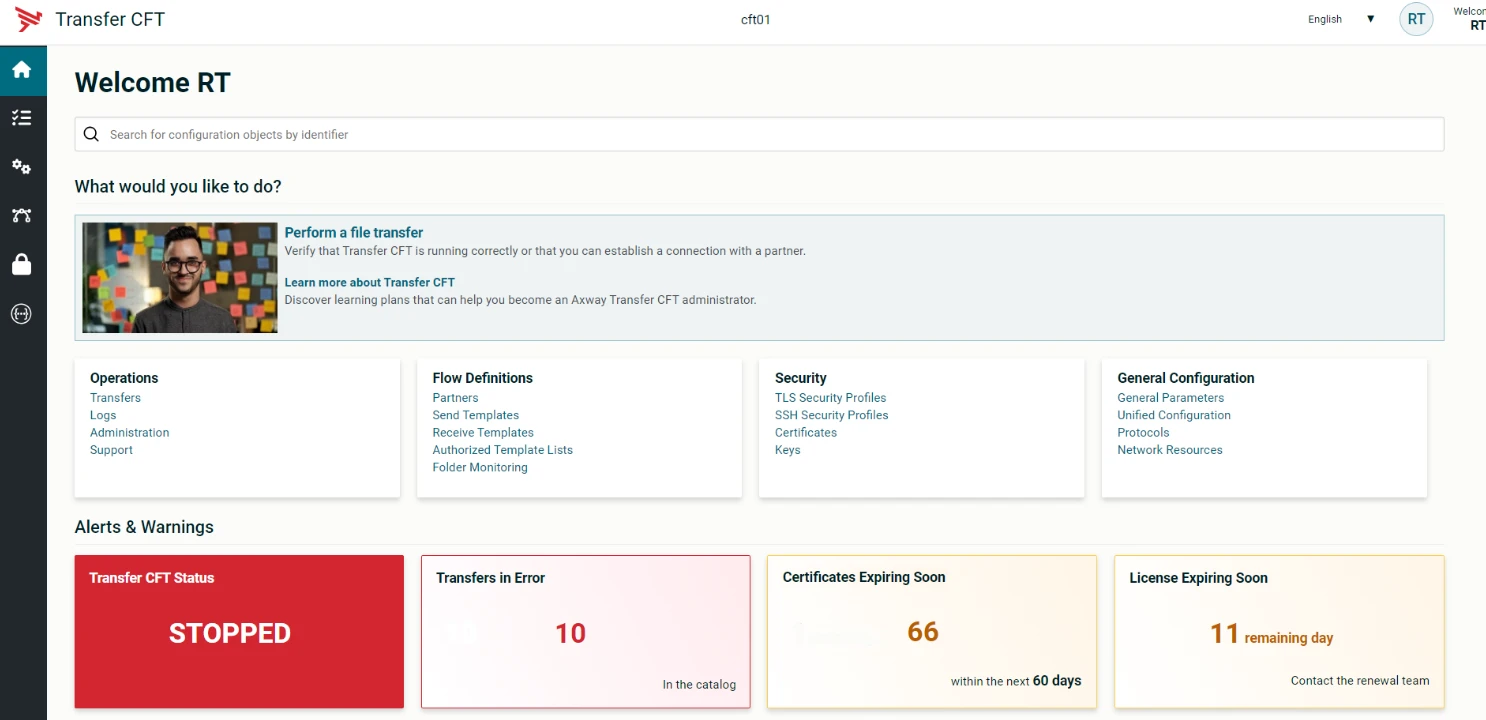
Axway’s MFT portfolio centers on SecureTransport, the gateway server. Transfer CFT handles internal application-to-application transfers, and Flow Manager provides centralized configuration across both.
- Protocols: SecureTransport supports AS2, SFTP, FTPS, PeSIT, and HTTP/S. PeSIT support matters mainly for French and European banking flows.
- Edge proxy: SecureTransport Edge works as both a reverse and forward proxy and never stores files locally. It runs in the DMZ and forwards traffic to the back-end SecureTransport server, which separates user accounts from the first point of entry.
- Availability: SecureTransport offers enterprise clustering, zero-downtime upgrades, file transfer acceleration, and guaranteed delivery, with SLA options up to 99.99%.
- Routing and cloud storage: Advanced routing handles event- or schedule-driven collection, delivery, and transformation, and SecureTransport connects to Google Cloud, Google Drive, Azure Files, Azure Blob, OneDrive, and Amazon S3.
- Internal transfers: Transfer CFT is a multi-platform file transfer controller that gives applications a uniform interface across distributed sites, regardless of the underlying platform.
- Central management: Flow Manager provides one interface to configure the Axway MFT estate and lets business users create and deploy flows themselves.
- Deployment and API: SecureTransport runs on-premises, in the cloud, hybrid, or as a managed service, and it exposes REST APIs for integration.
Globalscape EFT
Globalscape includes a modular EFT: it is licensed per server instance, and features like AS2 and advanced workflows are add-on modules.
- Protocols: SFTP, FTPS, HTTPS, and AS2, each provided by its own module. The AS2 module sends, receives, and tracks EDI messages.
- DMZ Gateway: The connection opens from EFT inside the network out to the DMZ Gateway, which acts as a proxy and removes the need for inbound connections from the DMZ to the internal network.
- Event Rules and triggers: Event Rules run actions when a defined event occurs. The Folder Monitor Module adds an Event Rule trigger for file activity in a folder, and the Timer Event Module runs an action once or on a repeating interval.
- Advanced Workflow Module (AWM): Workflows are built with a drag-and-drop designer that can wrap scripts, batch files, and macros, then attach them to Event Rules.
- Authentication: The Advanced Authentication Modes module adds SAML (WebSSO) and RSA SecurID.
- Encryption and inspection: The OpenPGP module encrypts, decrypts, verifies, and signs files, and EFT can connect to an ICAP gateway to inspect incoming and outgoing files.
- High availability: Active-active HA uses multiple EFT instances behind a load balancer, with every node serving production traffic and no standby hardware or clustering software. An active-passive cluster option is also documented.
Key features of GoAnywhere alternatives
 Add as preferred source
Cite this research
Pick the format that matches where you're publishing. Pasting the link version into your CMS preserves the backlink.
@misc{dilmegani2026,
  author = {Dilmegani, Cem and Ermut, Sıla},
  title  = {{Top 13 GoAnywhere Alternatives}},
  year   = {2026},
  month  = oct,
  howpublished    = {\url{https://aimultiple.com/goanywhere-alternatives}},
  note   = {AIMultiple. Retrieved October 27, 2026}
}Results and timestamps of 30 data points. Download the summary data shown in this article's charts and tables as a ZIP file containing 3 CSV files.
Want the granular data behind it? Join Premium
Changelog
7 updatesReplaced the Files.com entry with Diplomat MFT by Coviant Software.
Expanded the 'Key Features' section for Cerberus FTP.
Added Cerberus FTP to the list of GoAnywhere alternatives.
Cem's work at AIMultiple has been cited by leading global publications including Business Insider, Forbes, Morning Brew, and Washington Post, global firms like Deloitte and HPE, NGOs like World Economic Forum, and supranational organizations like European Commission. [1], [2], [3], [4], [5]
Throughout his career, Cem served as a tech consultant, tech buyer and tech entrepreneur. He advised enterprises on their technology decisions at McKinsey & Company and Altman Solon for more than a decade. He also published a McKinsey report on digitalization.
He led technology strategy and procurement of a telco while reporting to the CEO. He has also led commercial growth of deep tech company Hypatos that reached a 7 digit annual recurring revenue and a 9 digit valuation from 0 within 2 years. Cem's work in Hypatos was covered by leading technology publications like TechCrunch and Business Insider.
Cem regularly speaks at international technology conferences. He graduated from Bogazici University as a computer engineer and holds an MBA from Columbia Business School.

She previously worked as a recruiter in project management and consulting firms. Sıla holds a Master of Science degree in Social Psychology and a Bachelor of Arts degree in International Relations.




Be the first to comment
Your email address will not be published. All fields are required. Comments are left in their original language.