


How to Use SOCKS5 Proxy: Mac, Windows & Mobile

Entering a host and port for SOCKS5 in Windows or iPhone settings can cause loss of internet access. The operating system does not know the endpoint uses SOCKS5.
A SOCKS server needs a SOCKS request. An HTTP proxy needs an HTTP request or a CONNECT tunnel. Sending the wrong request type will fail.
How to Use SOCKS5 Proxy on macOS
Some platforms let you declare the protocol like macOS and Firefox. Windows Settings and the Wi-Fi proxy screens on iOS and Android do not.
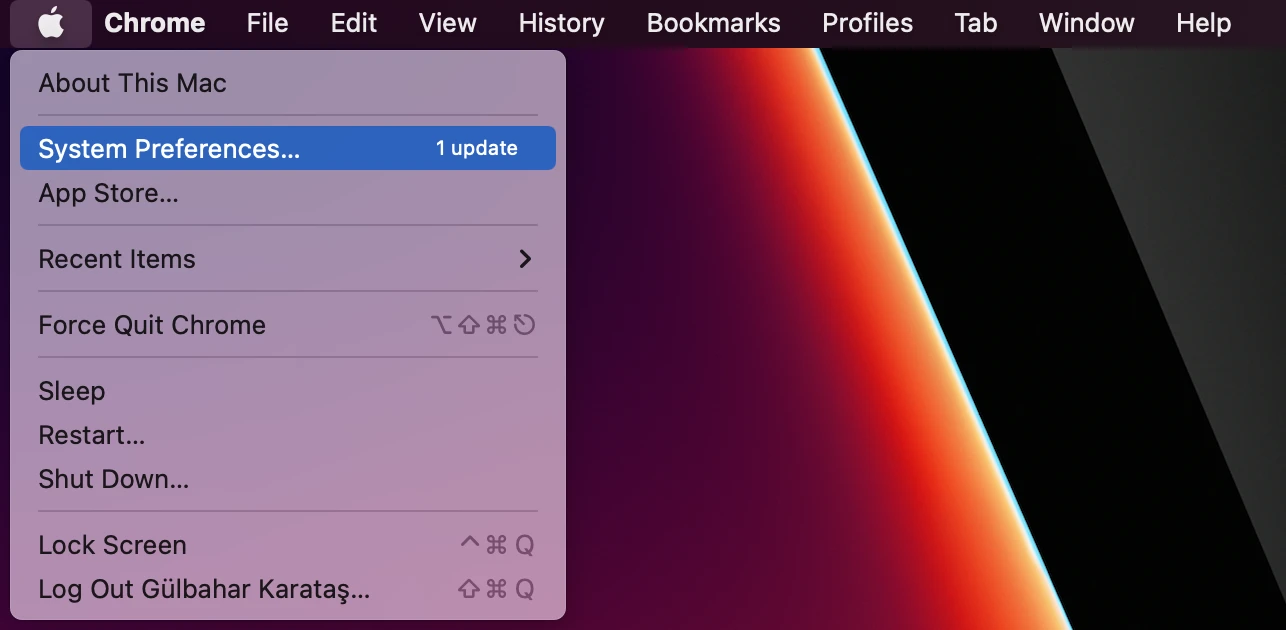
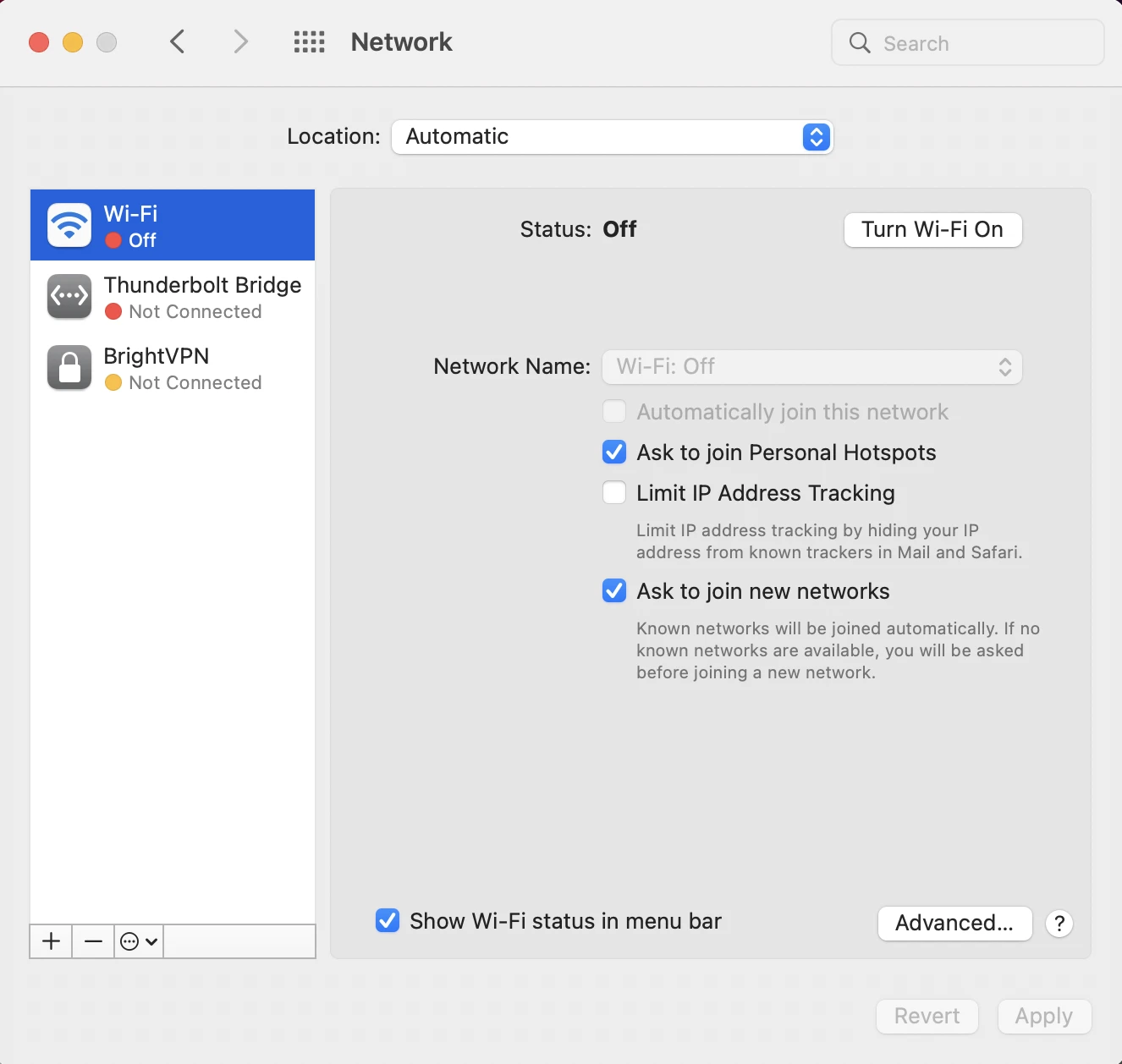
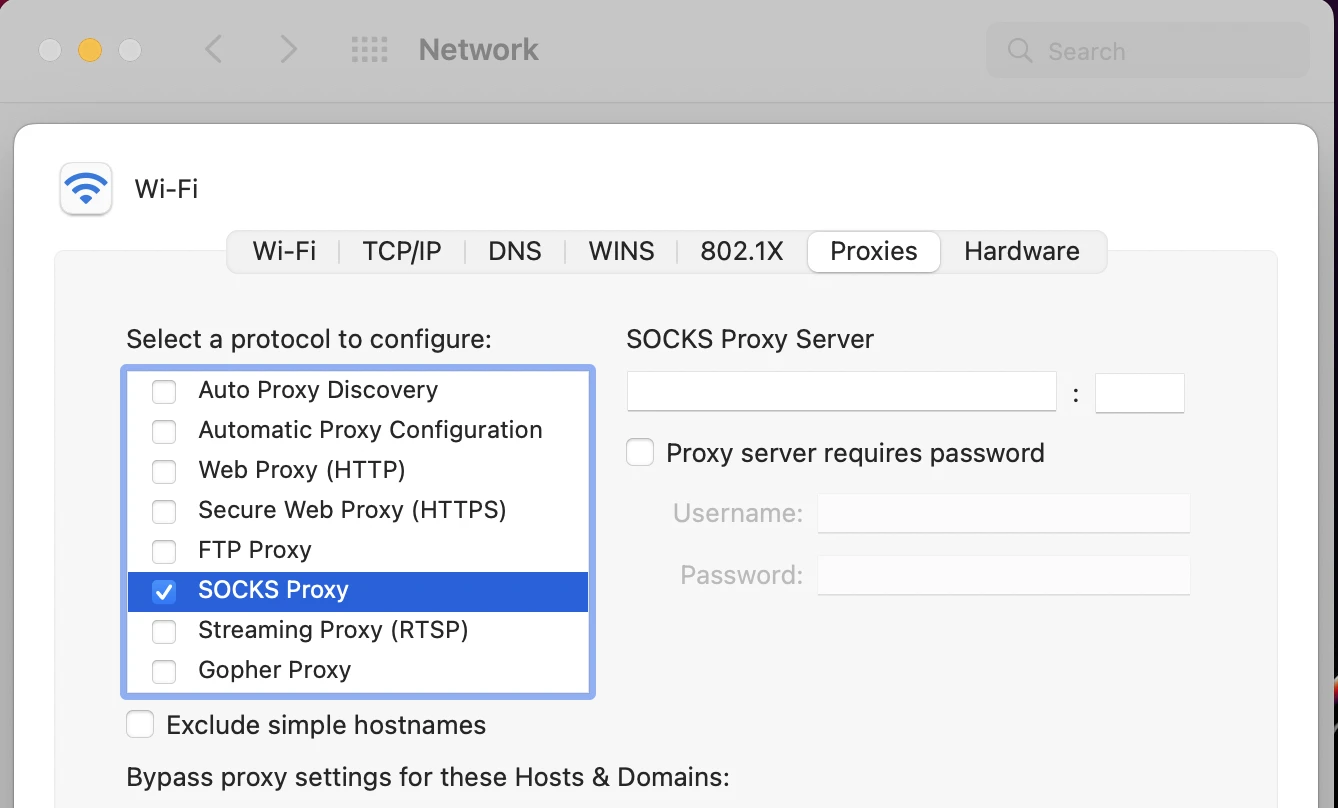
- Open the Apple Menu and go to System Preferences (or Settings), and click on Network.
2. Select the network service you are using (e.g. Wi-Fi), then click Advanced (or Details).
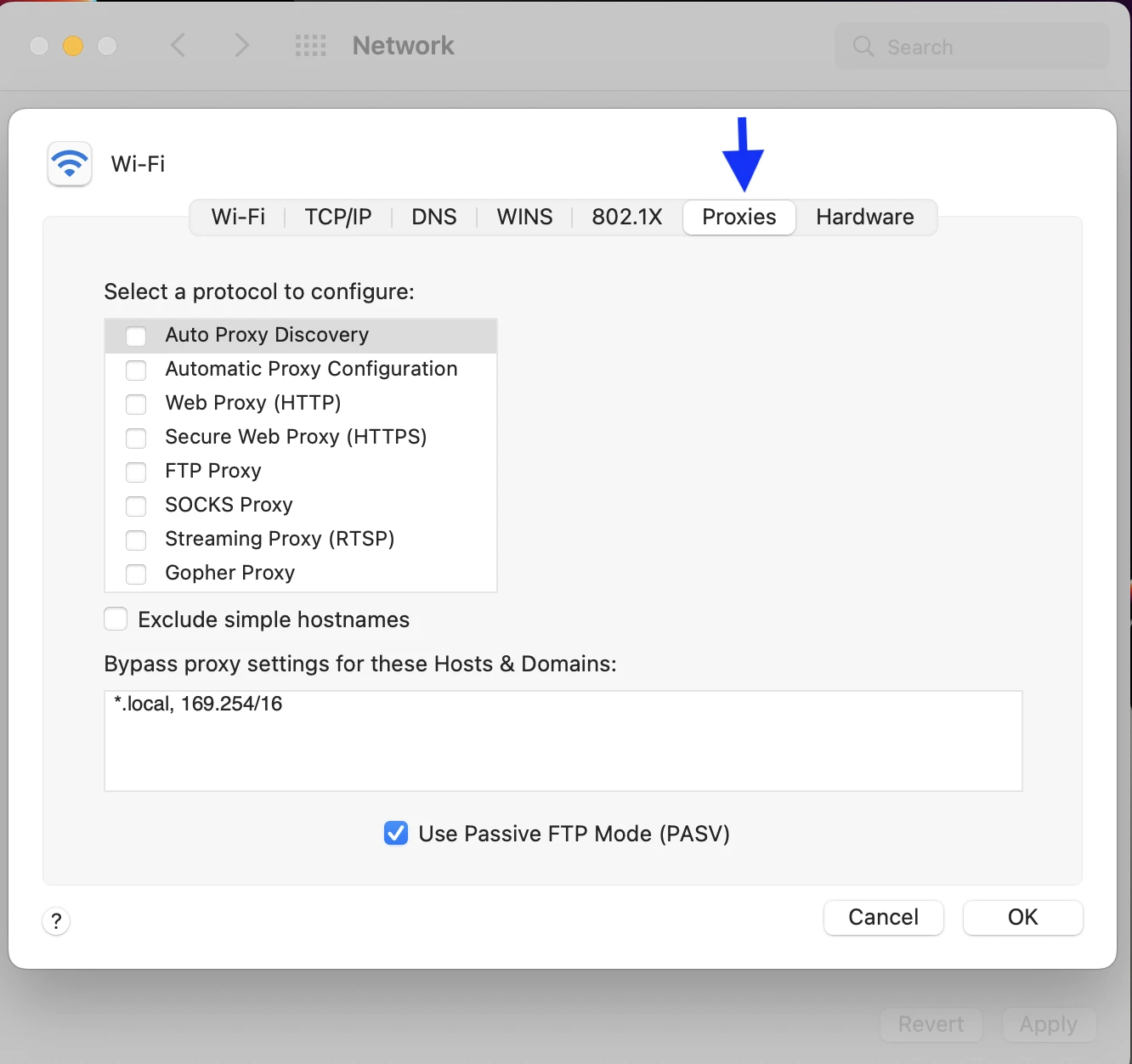
3. Go to the Proxies tab.
- Enable SOCKS proxy.
- In the long box on the right side, enter the Hostname (e.g., pr.oxylabs.io) provided by your proxy provider.
- In the small box after the colon (:), enter the Port Number (e.g., 1080).
- If your proxy server uses User/Pass authentication, check the box labeled “Proxy server requires password”. Enter the Username and Password given by your provider.
- Click OK, then Apply.
How to set up SOCKS5 proxy on Windows
Windows has no native SOCKS5 setting, one of the common source of broken SOCKS5 setups. There is no protocol selector, no SOCKS version selector, and no field for SOCKS credentials. Pasting a SOCKS5 host and port there produces one of two failures:
- The address lands in the HTTP proxy slot, your client sends an HTTP request to a port expecting a SOCKS handshake, and browsing stops.
- Microsoft’s own Edge proxy documentation states that when a proxy is supplied without an explicit scheme, it is interpreted as SOCKSv4 rather than HTTP. SOCKSv4 supports no proxy authentication, always resolves target names client-side, and can reach IPv4 targets.
Use a SOCKS5 proxy in your browser only
Firefox (native SOCKS5, including authentication)
Firefox is distinctive in that it is among the few browsers that support native SOCKS5 proxy configuration, independent of Windows settings.
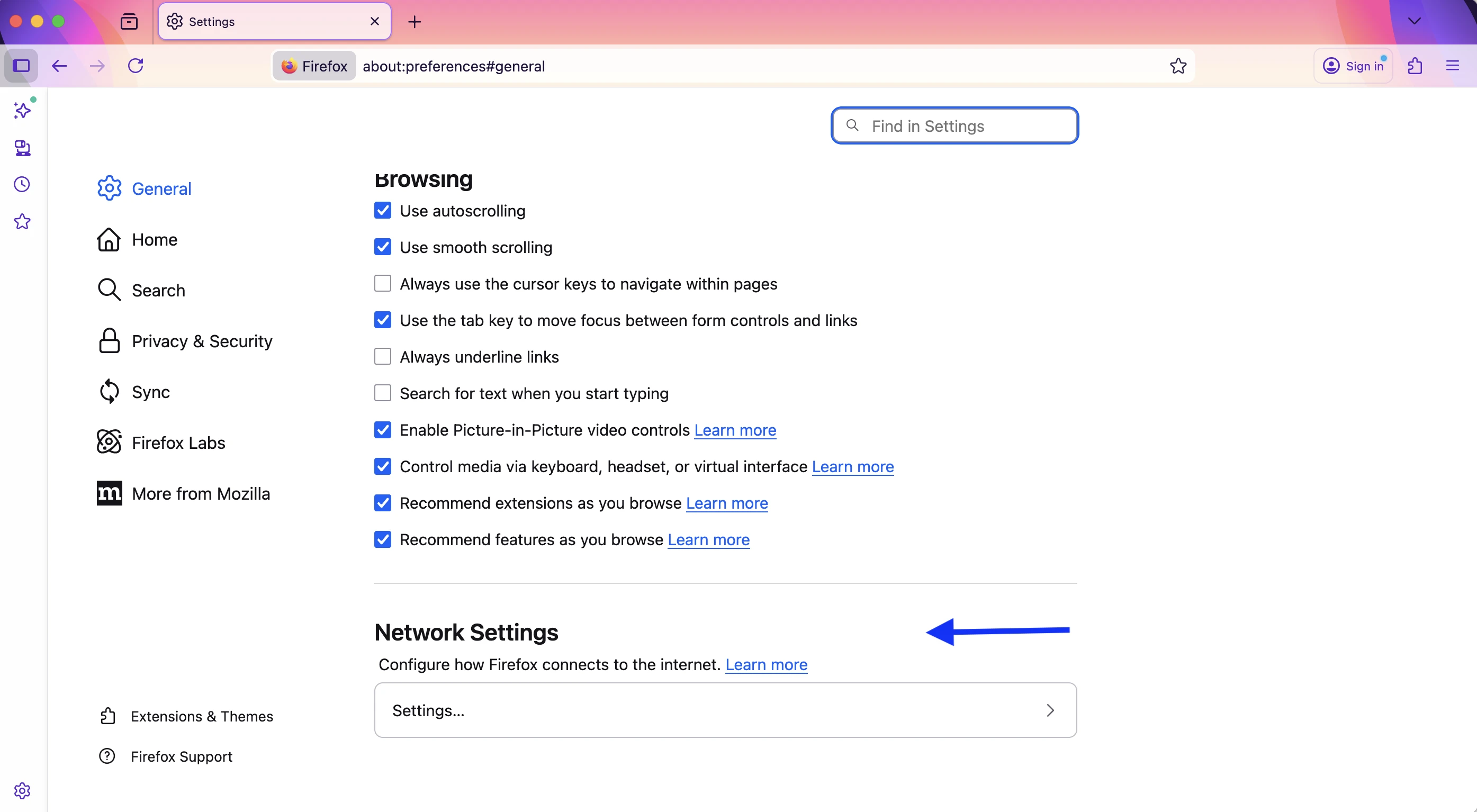
- Go to Settings → General, scroll to Network Settings, click Settings.
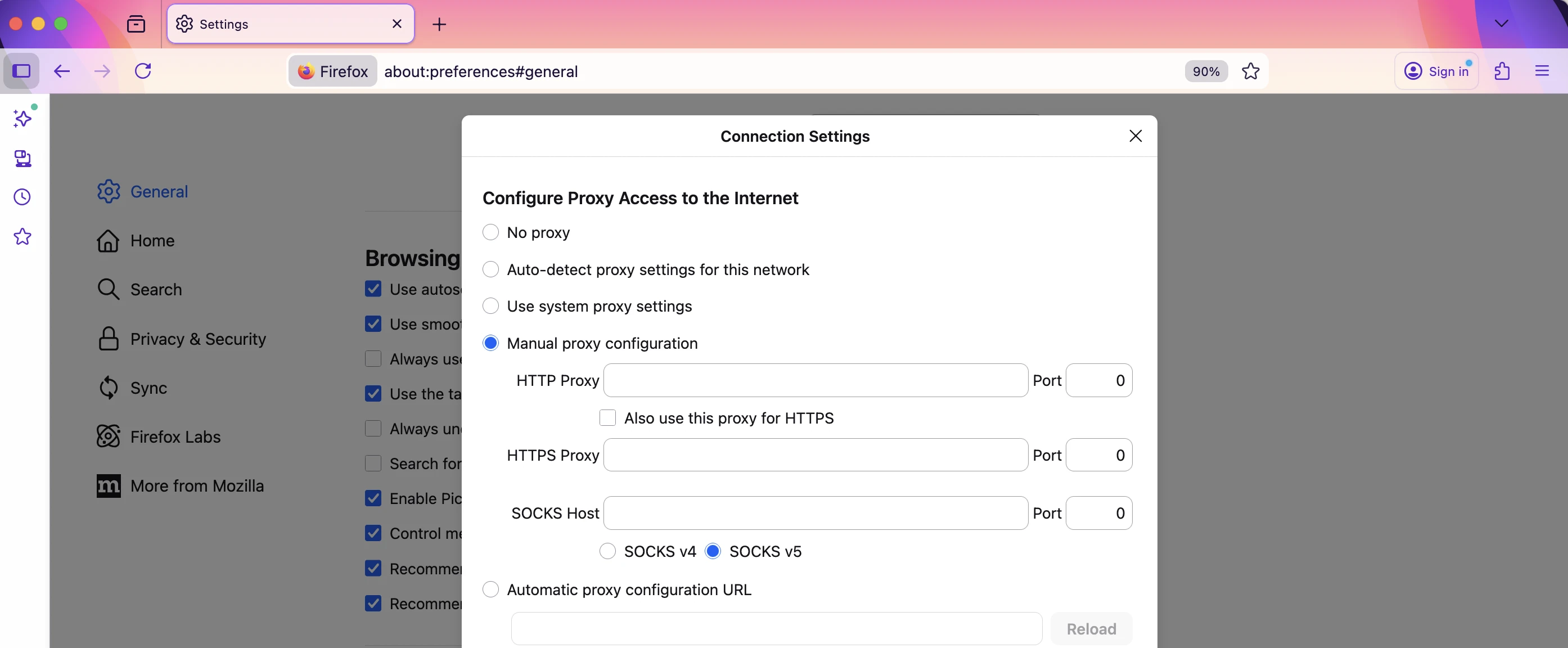
2. Select Manual proxy configuration.
3. Enter your host and port in the SOCKS Host fields.
4. Select SOCKS v5. (If you skip this, Firefox uses SOCKS v4.)
5. Check Proxy DNS when using SOCKS v5. (If you skip this, DNS resolves on your machine, your ISP sees every hostname you visit and geo-targeted proxies may return the wrong region.)
Chrome, Edge, and Brave
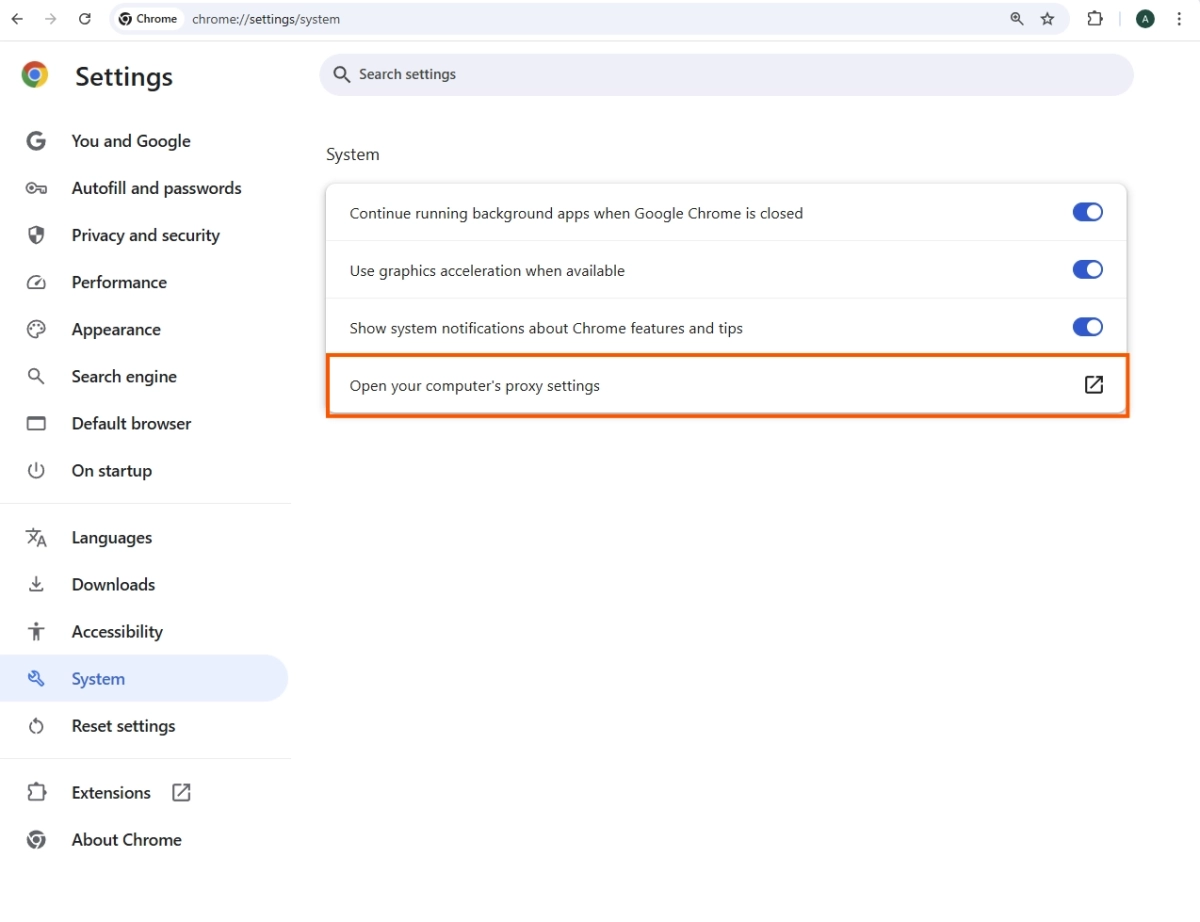
Chromium browsers can use SOCKS5, but if the protocol is declared explicitly, and without credential authentication (see the Windows section above).
Extension route: install ZeroOmega (the Manifest V3 successor to SwitchyOmega) or FoxyProxy from the Chrome Web Store, create a proxy profile, choose SOCKS5 as the protocol, and enter your server and port.
If your provider requires a username and password, add your machine’s IP to the provider’s allowlist or put a local relay in front.
Use SOCKS5 proxy on iOS & Android
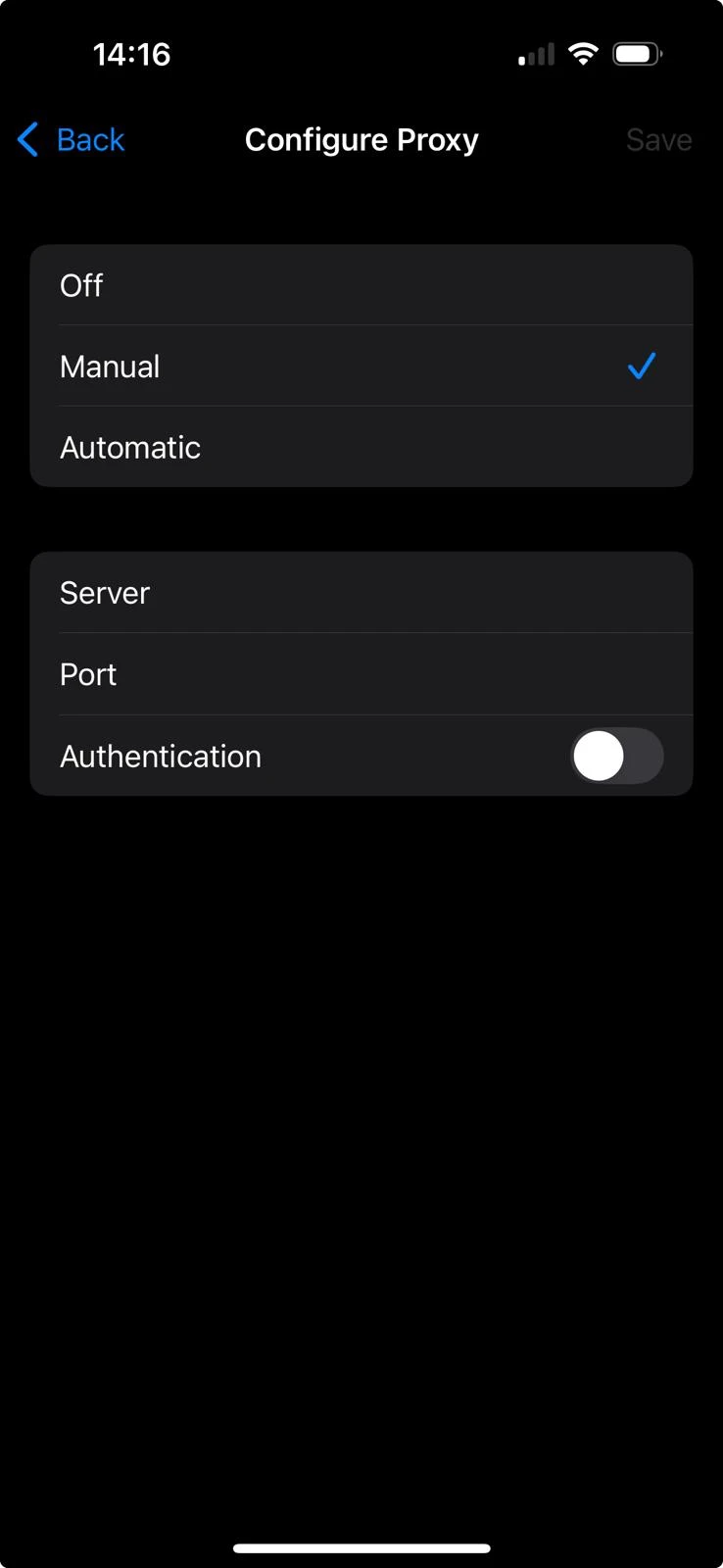
The Wi-Fi proxy fields on both platforms are HTTP proxy fields. On iOS the setting is literally labeled HTTP Proxy; Apple’s device-management payload for the equivalent managed setting is called Global HTTP Proxy.
For a full walkthrough of the native settings and their limits, see our guide to iPhone proxy settings.
If your provider doesn’t offer a profile, you can follow the following steps:
 Add as preferred source
FAQs
Not through Settings. iOS Wi-Fi proxy fields are HTTP. Use a client app built on the Network Extension framework, such as Potatso (free) or Shadowrocket, which creates a local VPN tunnel and relays traffic to your SOCKS5 endpoint.
The specification defines a UDP ASSOCIATE command, but supporting it is a separate question from specifying it.
Several providers restrict ports, which limits UDP workloads further. “SOCKS5 supports UDP” is a statement about the protocol, not about your plan.
No. RFC 1928 leaves security to whichever authentication and encapsulation methods an implementation selects; the protocol itself adds no encryption between you and the proxy.
Cite this research
Pick the format that matches where you're publishing. Pasting the link version into your CMS preserves the backlink.
@misc{karatas2026,
  author = {Karatas, Gulbahar},
  title  = {{How to Use SOCKS5 Proxy: Mac, Windows & Mobile}},
  year   = {2026},
  month  = oct,
  howpublished    = {\url{https://aimultiple.com/how-to-use-socks5-proxy}},
  note   = {AIMultiple. Retrieved October 14, 2026}
}
Changelog
2 updatesRemoved the SOCKS5 for AI agents (MCP) section covering Proxyman setup.
Added ZeroOmega and AI agent SOCKS5 configuration to the introduction.


Be the first to comment
Your email address will not be published. All fields are required. Comments are left in their original language.