


Cron Alternatives: Top Picks Compared

As a technology and information security professional, I have been using cron across system administration, data processing, and security monitoring for the past 20 years. For example, at AIMultiple, we use crontab to orchestrate ~20 cron jobs that run every minute and ~30 less frequent jobs. Based on these experiences, I compiled the most effective cron alternatives. If your business is:
- Considering using the cron scheduler but is undecided and/or looking for other free alternatives, check out the alternatives with similar capabilities.
- An enterprise with a complex process that is using the cron scheduler, having issues due to its limitations, and needs to upgrade to an enterprise-focused solution, see workload automation solutions.
- Using cron mainly for file transfers & need more advanced features, check out Managed File Transfer (MFT) solutions and SFTP server software which can support high-volume file transfers to multiple parties.
Alternatives to cron with similar capabilities
Software | Description |
|---|---|
Systemd timers | The init system used in many Linux distributions. They schedule jobs by calendar time or relative to events such as boot or a service’s last run. |
Anacron | Schedules periodic commands when a system might not be running all the time (e.g., laptops). It runs jobs missed due to downtime. |
bcron | Secure and minimalistic cron implementation with permission control. |
fcron | Combines features of both cron and anacron, can schedule tasks based on system activity and time. |
In UNIX-like operating systems, the cron scheduler is a potent choice for scheduling tasks. In the same family of operating systems, there are the above free alternatives to cron. Unlike enterprise workload automation solutions, these free alternatives lack scalability for large environments.
For example, none of them offers central management or monitoring of jobs across many servers. Still, they improve on cron in some ways: systemd timers, for instance, can trigger scripts based on system events (startup, service completion) rather than just time intervals.
Anacron runs jobs at regular intervals, ensuring missed tasks execute after system downtime, unlike cron’s specific time schedules. So, even if you shut down your computer for multiple days, you can use anacron to execute crucial tasks once you start it up.
If these alternatives are not sufficient for your business, see top 5 alternatives to the cron scheduler in enterprise job scheduling:
Enterprise-focused alternatives to cron comparison
*Ratings and reviews are based on B2B user review platforms. Vendors are ranked according to their review count, except subscribers that are placed at the top.
For more on enterprise scheduling software, follow the link.
Cron scheduler review
Cron features:
- Simplicity: One of the cron scheduler’s most significant advantages is its simplicity. Users can quickly define time-based schedules using the crontab syntax.
- Availability: It’s available on most Unix-like systems. However, on macOS, Apple considers cron deprecated and recommends launchd instead, and some Linux distributions, such as Arch Linux, don’t install cron by default.
- User-specific Scheduling: Each user on a system can have their own crontab (if permitted by the cron.allow and cron.deny files), allowing for personalized task scheduling.
- Scheduling: With its five-field system (minute, hour, day of the month, month, day of the week), cron scheduler can handle various scheduling needs, from tasks that run every minute to tasks that run once a year.
- Email notifications (MAILTO): By default, any output (including errors) produced by a cron job is emailed to the user or to the address set in MAILTO. Cron sends an email only if the job produces output, so a job that fails without output (non-zero exit code, empty stderr) generates no notification.
Where cron may fall short
- Only time-based scheduling: Cron is purely time-based (the only exception is @reboot, which runs a job at system startup). Unlike more advanced task schedulers (e.g., workload automation tools), it can’t schedule jobs based on events or conditions (e.g., when a file changes or the system load is low).
- No Centralized Management: For organizations running multiple servers, there’s no built-in way to manage or monitor cron jobs across all machines centrally.
- Potential for Silent Failures: Failed jobs can go unnoticed, if users don’t regularly check their email (or if mail functionality isn’t set up correctly).
- No Dependency Management: Cron does not have built-in capabilities to manage job dependencies. If one task depends on the successful completion of another, you’ll need to manage that logic within the scripts or tasks themselves.
Our experience with cron
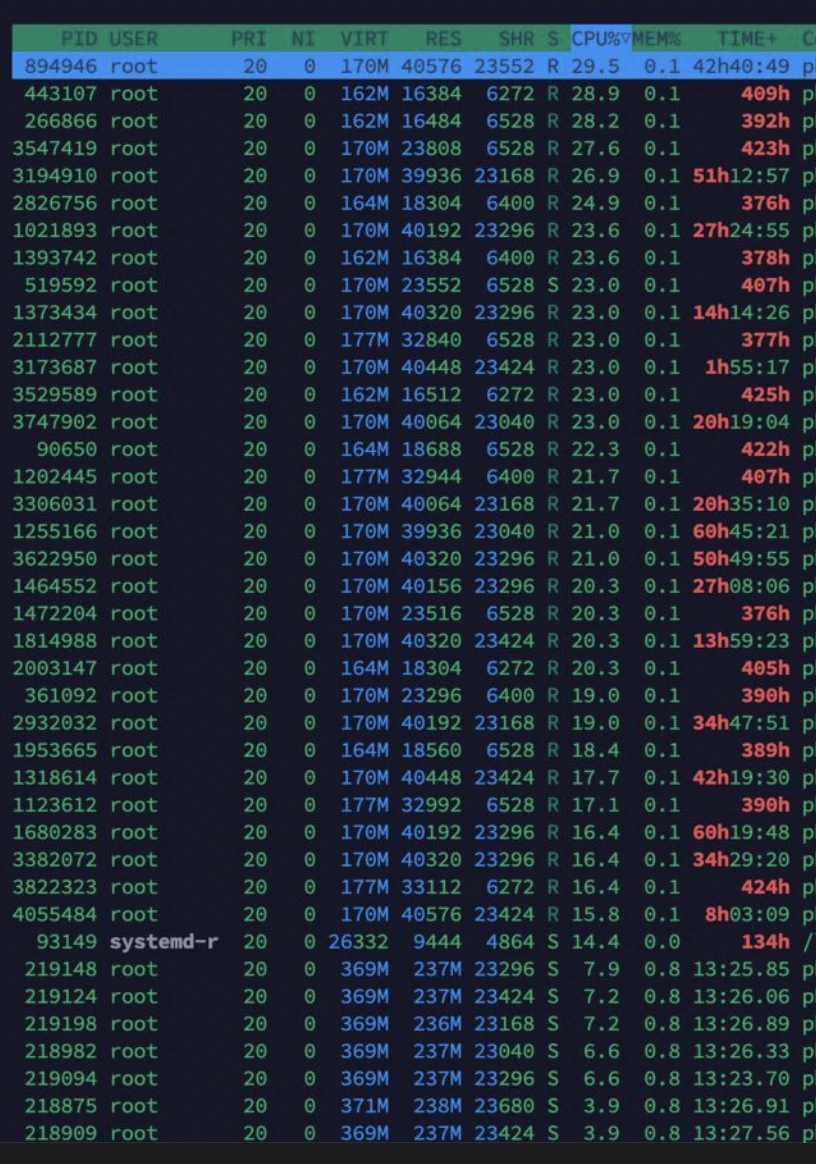
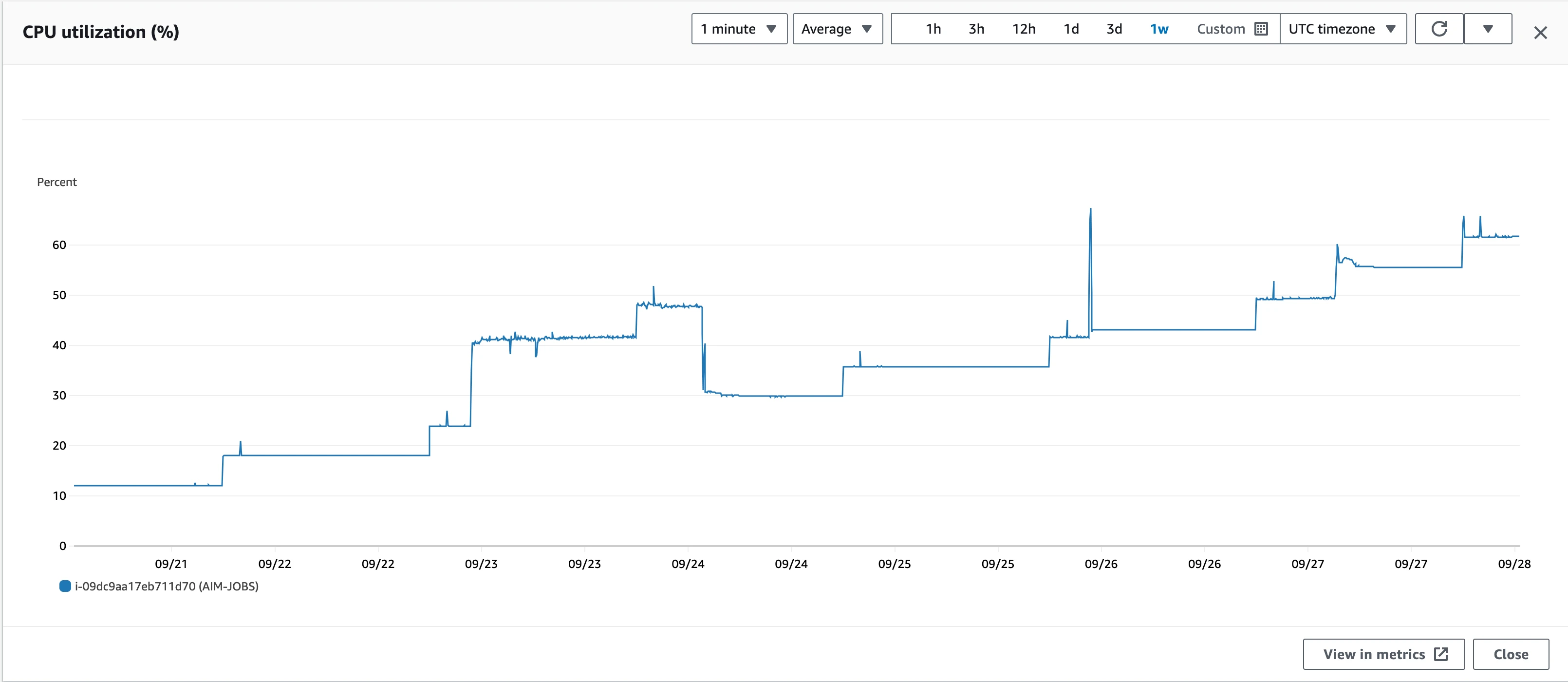
We dedicate an instance with 8 vCPUs and 32 GiB memory for our cron jobs. We use crontab to orchestrate ~20 cron jobs that run every minute and ~30 less frequent jobs. See the examples of the kind of jobs that we are running below:
As we added or modified cron jobs, CPU demand increased, reflecting the added computational load. The CPU utilization graph shows a clear trend of rising activity with each change, highlighting the impact on system workload.
Cron works well for simple time-based tasks, but its utility breaks down as job complexity, dependencies, and error-handling needs grow.
Choose the right enterprise solution
1-Stonebranch
StoneBranch Universal Automation Center (UAC) provides a web-based interface that simplifies job scheduling, monitoring, and management. This contrasts with Cron’s text-based configuration, making it easier for users to interact with and manage scheduled tasks.
UAC provides an Integration Hub that supports integrations with various applications and platforms. Users can deploy pre-packaged integrations or create custom ones to suit their specific needs.
Choose Stonebranch for community-driven integrations, available on-prem, in the public cloud, or as SaaS
Visit Website2-ActiveBatch
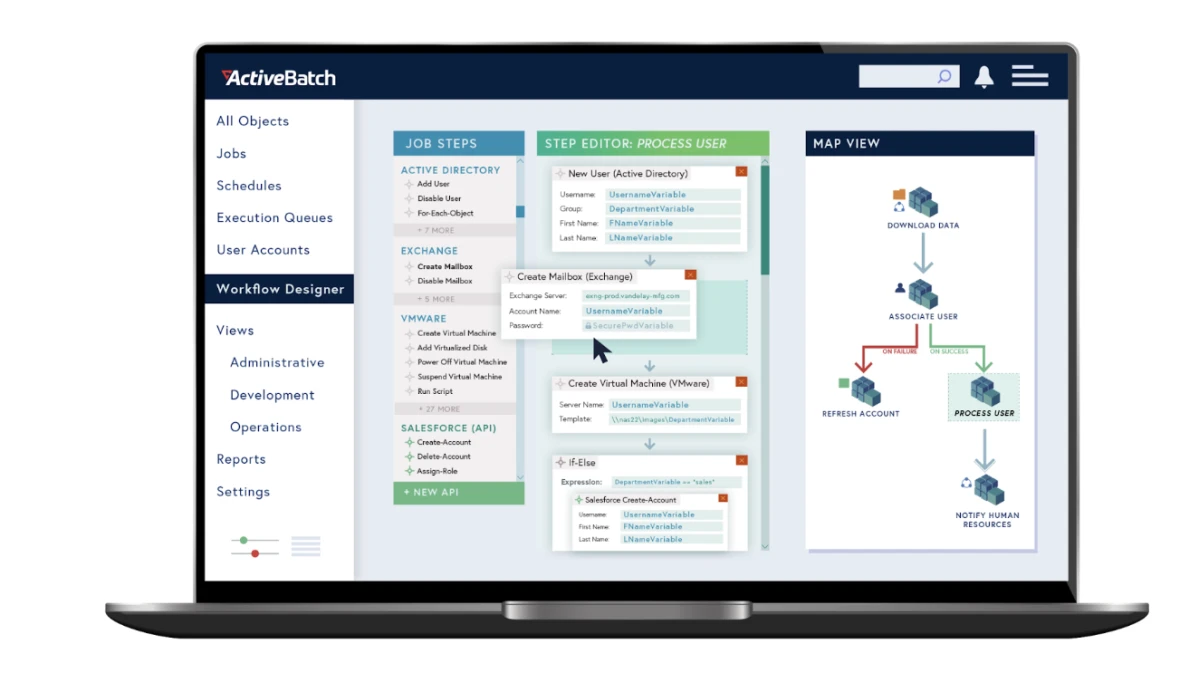
ActiveBatch provides a centralized console for managing all scheduled tasks and workflows, allowing for better visibility and control compared to the decentralized nature of Cron jobs.
ActiveBatch supports event-driven scheduling based on triggers such as file events, email, and web services. ActiveBatch’s central server runs on Windows, and its agents can run on Unix, Linux, Mac, OpenVMS, IBM i (AS/400), HP NSK, and z/OS.
3-JAMS Scheduler
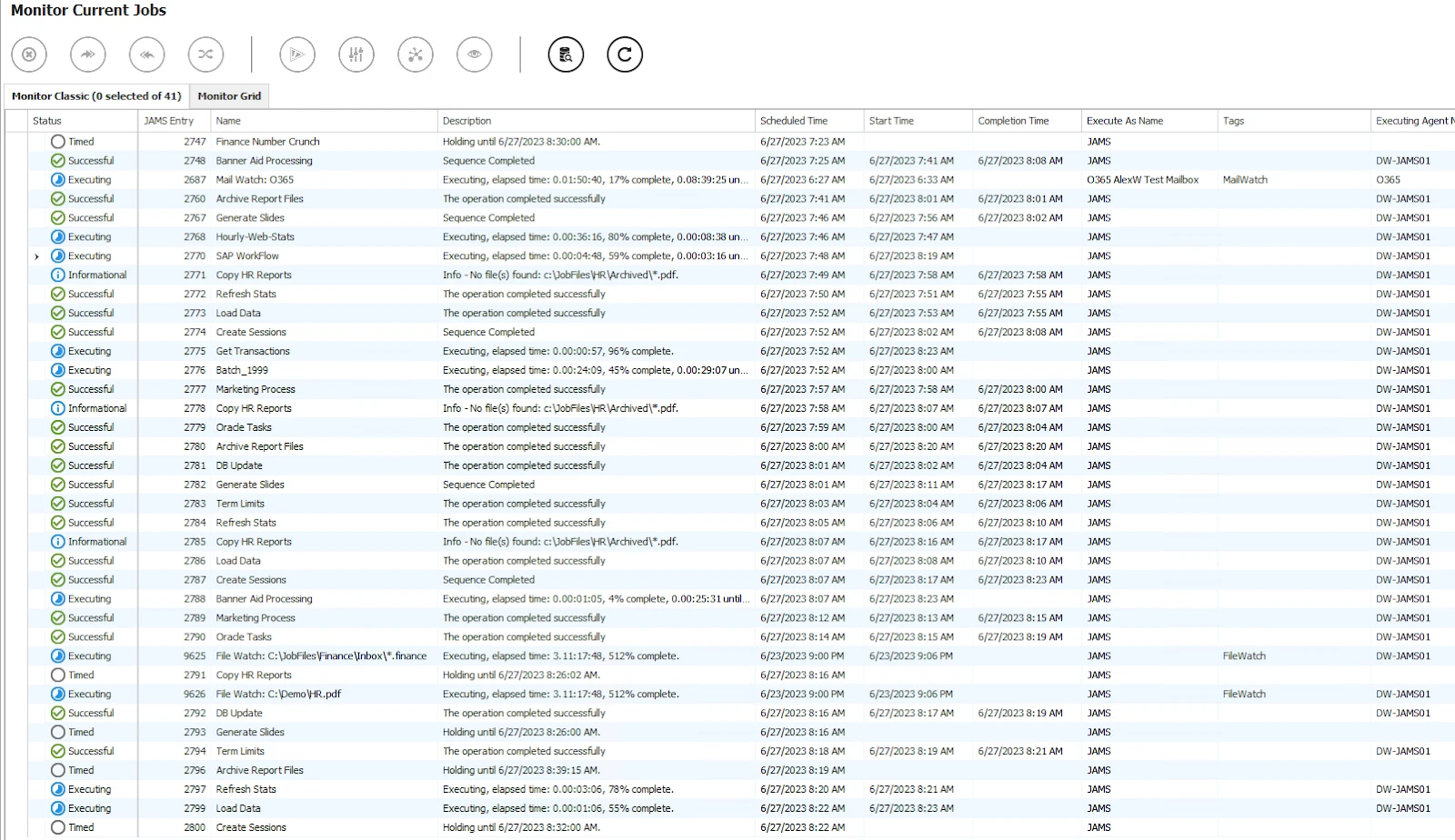
AMS can schedule tasks across various platforms. Its central server runs on Windows, and its agents can run on Linux, UNIX, and AS/400. See its user interface below:
4-RunMyJobs by Redwood
Redwood RunMyJobs is a Software as a Service (SaaS) platform that provides real-time insights and reporting on job performance, enabling proactive monitoring and issue resolution. This is a significant enhancement over Cron, which typically requires manual log checks and lacks real-time visibility.
RunMyJobs offers SaaS encryption and security policies that comply with stringent security standards such as ISO 27001 and SOC 2. This makes it a suitable tool for large enterprises that wish to adhere to compliance regulations.
5-VisualCron
VisualCron is an automation, integration, and task-scheduling tool for Windows. While cron scheduler is native to Unix-like systems, VisualCron is specifically designed for Windows. For organizations primarily using Windows infrastructure, VisualCron offers tighter integration with Windows Event Log and Task Scheduler.
 Add as preferred source
FAQs
Cron is a time-based job scheduling service found in Unix-like operating systems.
Cronjobs are managed by a daemon called cron. When a cronjob is scheduled, the cron daemon checks the job’s timing configuration and executes the job when the specified time conditions are met. The timing configuration is specified using a cron expression that defines the schedule.
A cron expression is a string that consists of five fields separated by spaces, representing a set of times, normally as a schedule to execute a task. The fields represent minute, hour, day of the month, month, and day of the week.
Standard Unix cron has no year field. Six- or seven-field formats (a seconds field at the start and an optional year field at the end) belong to other schedulers, such as Quartz.
To create a cronjob, you need to add an entry to your cron table (crontab). This can be done by editing the crontab file with the command crontab -e. Each line in the crontab represents a separate job and contains the cron expression followed by the command to be executed.
Cite this research
Pick the format that matches where you're publishing. Pasting the link version into your CMS preserves the backlink.
@misc{dogan2026,
  author = {Dogan, Sedat and Şimşek, Hazal},
  title  = {{Cron Alternatives: Top Picks Compared}},
  year   = {2026},
  month  = oct,
  howpublished    = {\url{https://aimultiple.com/cron-alternative}},
  note   = {AIMultiple. Retrieved October 26, 2026}
}Results and timestamps of 9 data points. Download the summary data shown in this article's charts and tables as a ZIP file containing 2 CSV files.
Want the granular data behind it? Join Premium
Changelog
12 updatesReplaced Fortra's JAMS with RunMyJobs by Redwood in the Enterprise-focused alternatives to cron section.
- Has 20 years of experience as a white-hat hacker and development guru, with extensive expertise in programming languages and server architectures.
- Is a board advisor at a VC investing in early-stage technology firms and at Ödeal, a regional digital payment platform serving 125,000 merchants.
- Has led the technology infrastructure and cybersecurity of seven national elections, and has been recognized in the cybersecurity Hall of Fame by global technology leaders including Twitter.






Be the first to comment
Your email address will not be published. All fields are required. Comments are left in their original language.