


Mac Proxy Settings: How to Set Up, Disable & Fix

Mac proxy settings control how your device routes traffic through an intermediary server. Learn how to configure a proxy in macOS, how to turn it off, and how to confirm one is active.
Note: A proxy manager can apply and rotate these settings for you instead of editing the fields manually. Bright Data’s proxy manager is one such tool.
How to set up a proxy on macOS
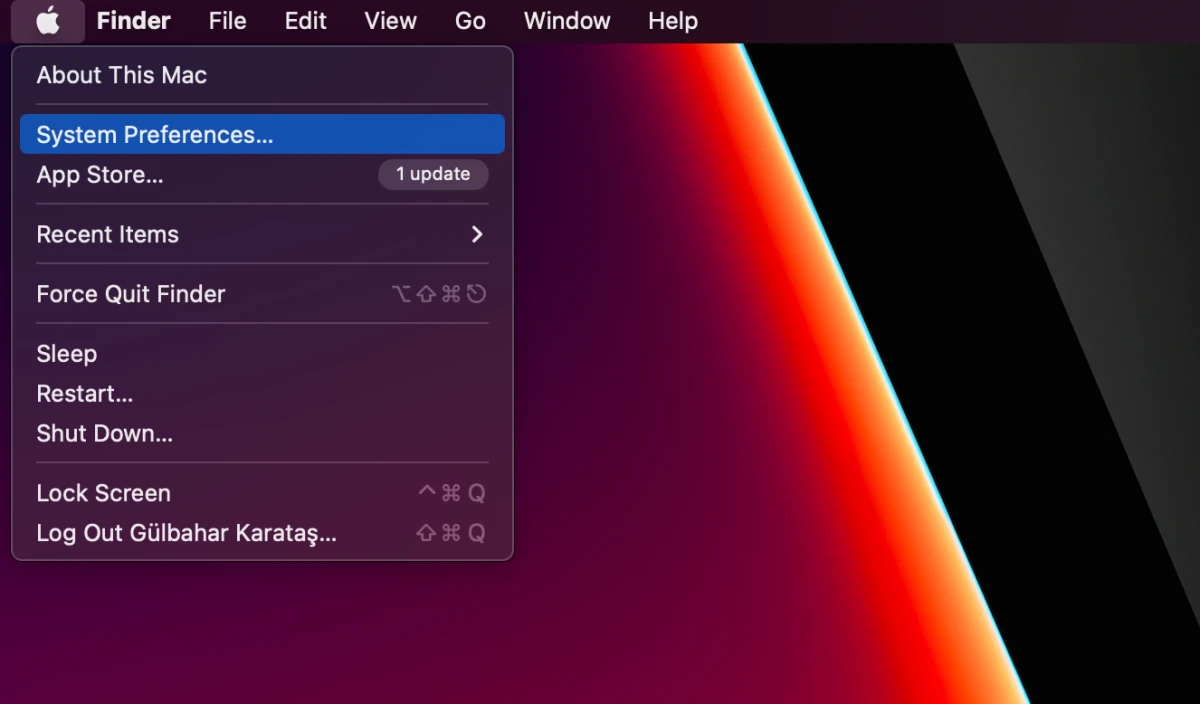
Step 1: Open system settings
Click the Apple menu in the top-left corner and select System Settings (System Preferences on macOS 12 and earlier).
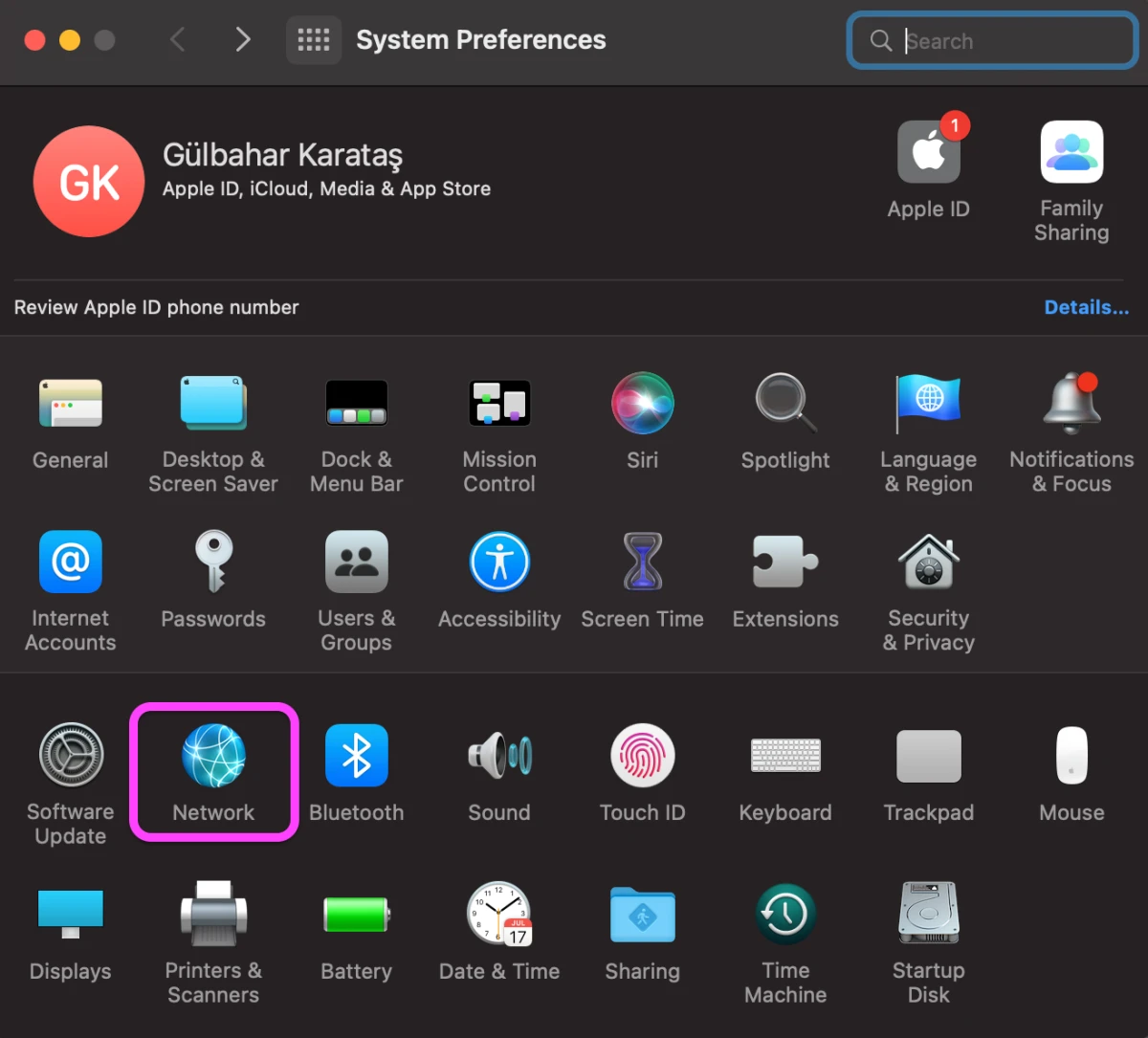
Step 2. Open Network settings
Select Network in the sidebar.
Step 3. Open the Proxies tab
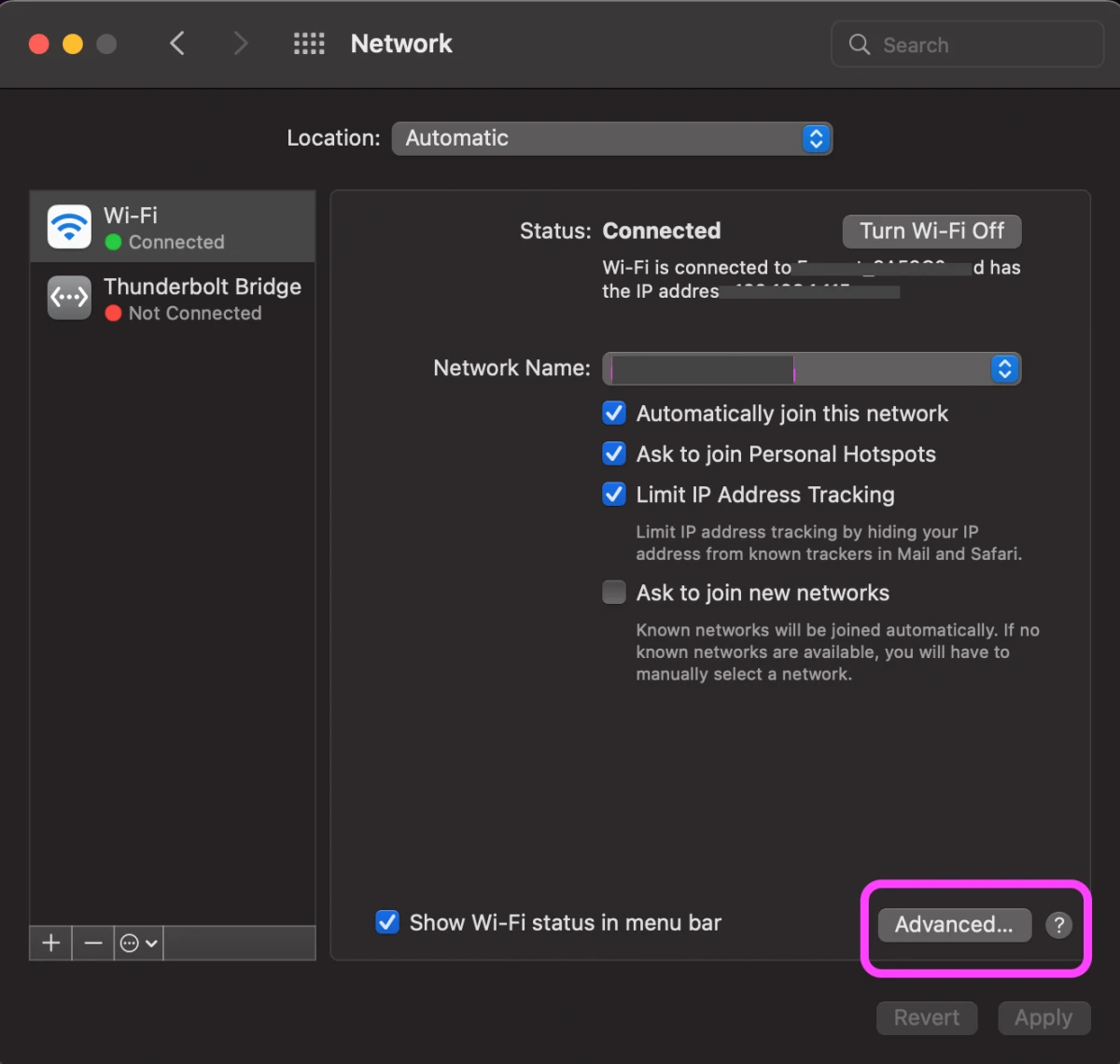
- Select the active connection you want to configure (e.g., Wi-Fi or Ethernet), then select Proxies in the sidebar.
On macOS 12 (Monterey) and earlier: System Preferences > Network > select the service > Advanced… > Proxies.
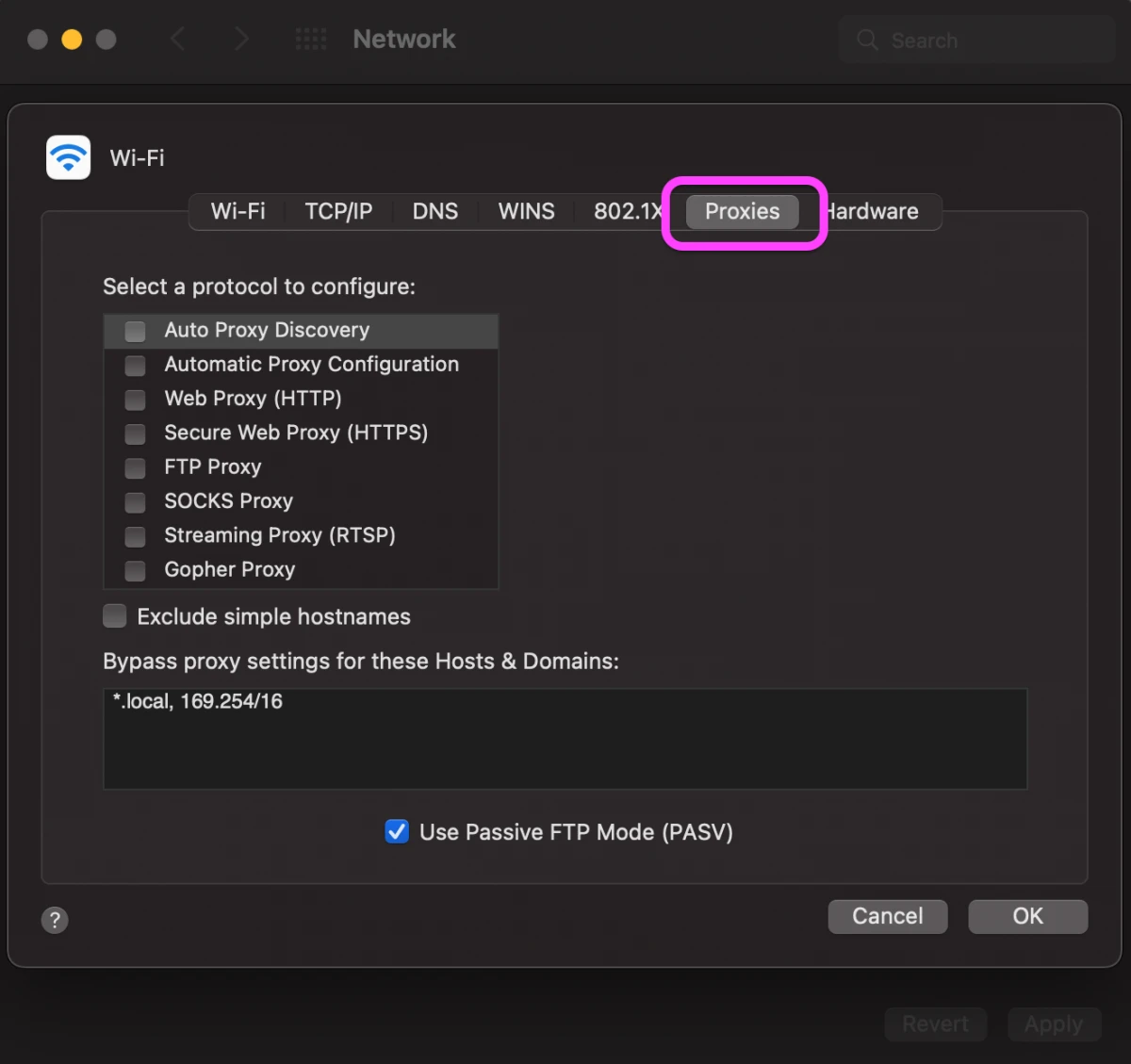
- In the advanced window, click proxies.
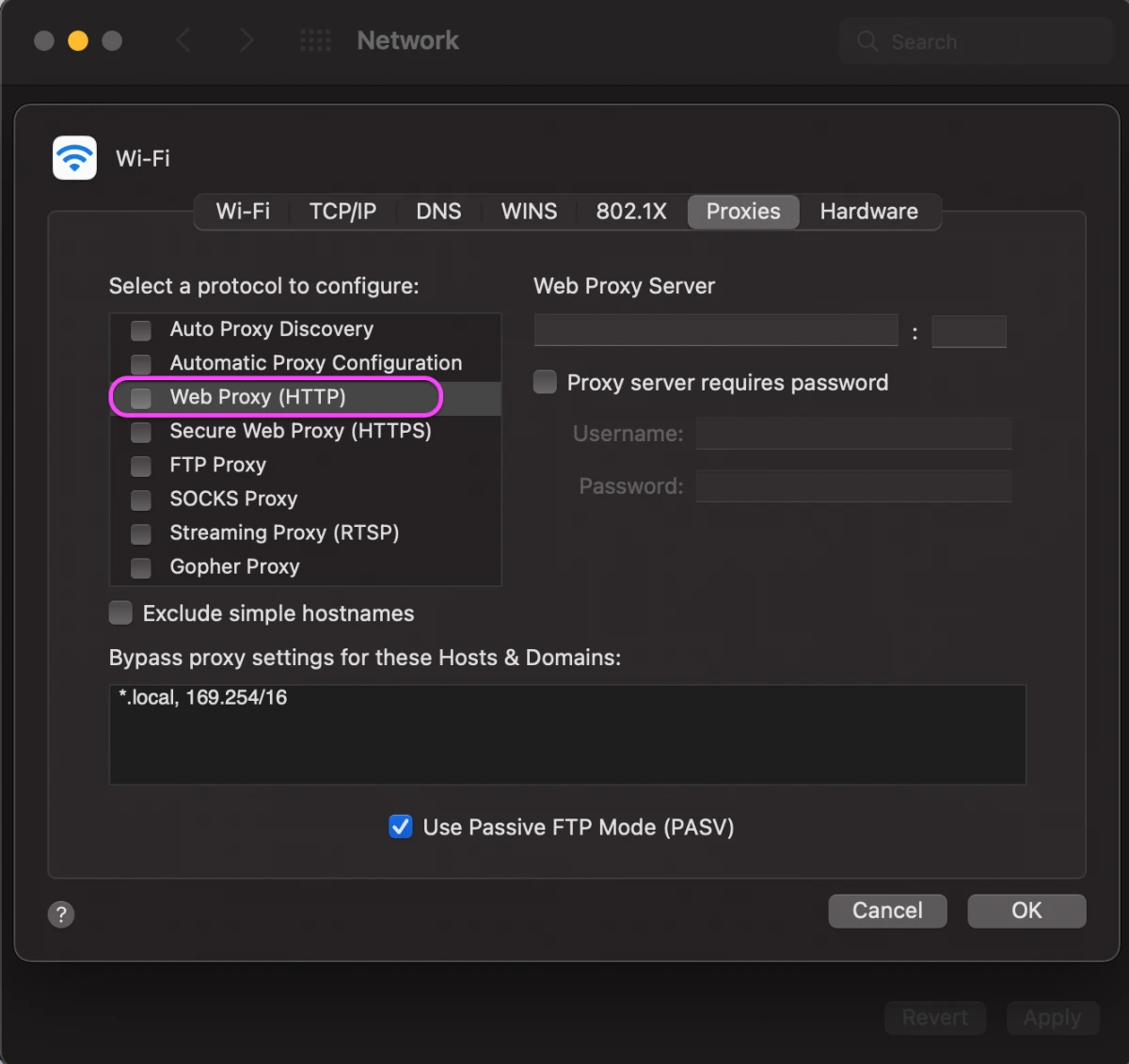
Step 4. Configure protocols
- Web Proxy (HTTP) & Secure Web Proxy (HTTPS): Standard traffic.
- SOCKS Proxy: Recommended for Telegram and secure tunneling (supports SOCKS5).
- Automatic Proxy Configuration: Uses a PAC file URL to automate switching.
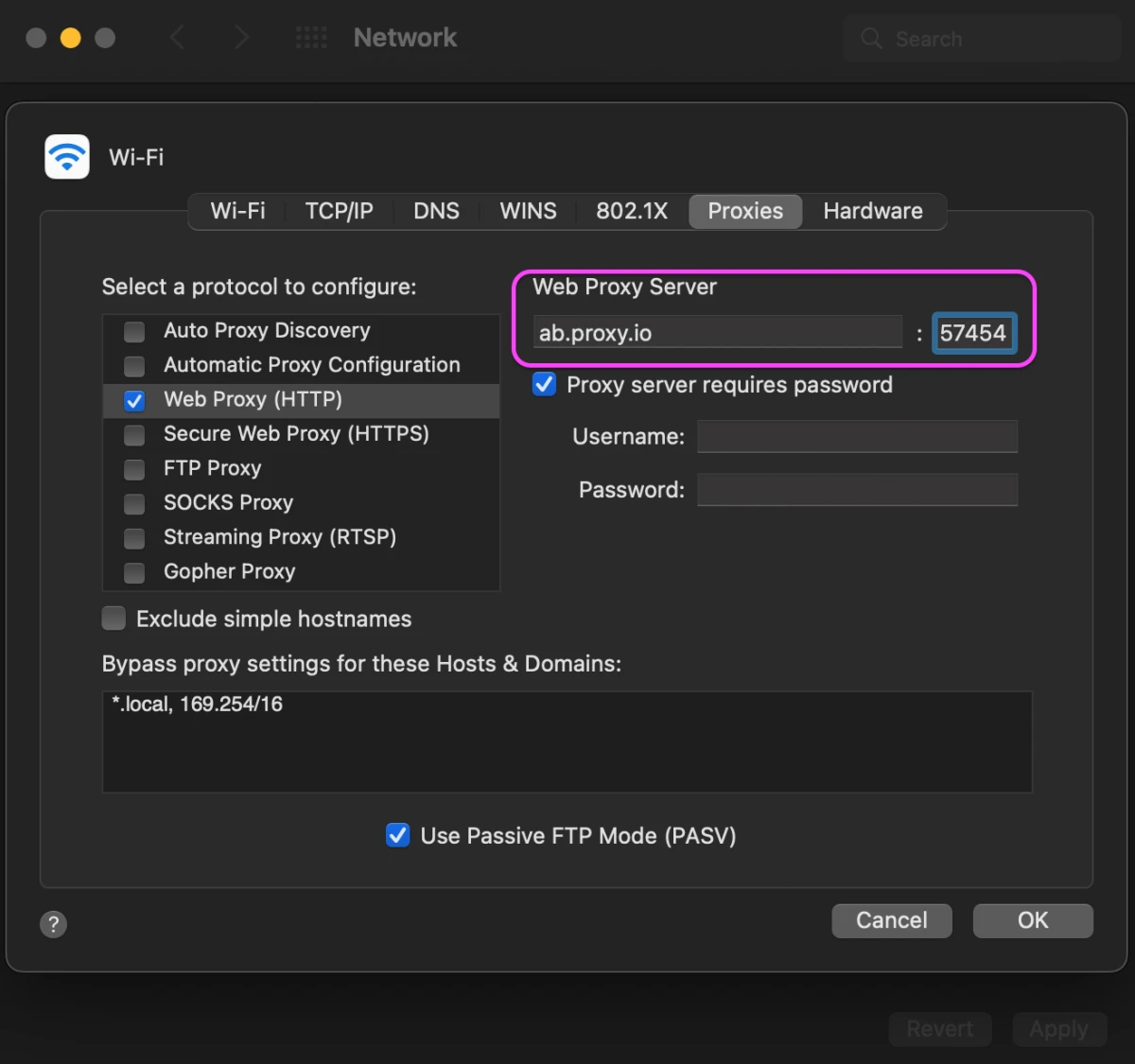
Step 5: Enter proxy server and port information
- Select a web proxy (HTTP) and set up your proxy manually.
- Enter the host name that your proxy provider has provided for the web proxy server.
- Turn on “Proxy server requires password,” then enter the other proxy details.
For example, if your provider gives you ab.proxy.io:57454, enter ab.proxy.io in the Server field and 57454 in the Port field.
How to disable a proxy on macOS
- Open System Settings > Network > Details > Proxies.
- Turn off every proxy type you previously enabled.
- Click OK, then Apply.
macOS retains the server details after you disable a proxy, so you can re-enable it later without re-entering them.
What your proxy settings should be if you don’t use a proxy
If you are not using a proxy or VPN, the correct state is:
- All proxy types: off
- Auto Proxy Discovery: off
- Bypass list: keep
*.localand169.254/16, AirDrop, local printing, and internal network connections continue to work.
App-specific proxy setup (Telegram Chrome)
Telegram
Telegram manages its own proxy independently of macOS. Set it in the app under Settings > Data and Storage > Proxy, then add a SOCKS5 or MTProto proxy. Learn how to configure Telegram proxies with this step-by-step guide.
Google Chrome
Chrome uses your macOS system proxy by default. To run a single Chrome session through a different proxy, quit Chrome completely, then launch it from Terminal:
Troubleshooting common macOS proxy issues
iCloud private relay conflict
You cannot run a manual system proxy and iCloud Private Relay simultaneously.
Go to System Settings > Apple ID > iCloud > Private Relay and toggle it OFF if you are using a manual SOCKS5 or HTTP proxy.
Proxy settings not saving
If settings revert to “Auto” or “Off” immediately:
Check for Configuration Profiles installed by your employer (System Settings > Privacy & Security > Profiles). These profiles overwrite manual changes.
Incorrect server or port settings
- Make sure the proxy server address matches exactly what was provided (no typos or extra spaces).
- The port number must match the proxy type.
- If unsure, remove the settings and re-enter them from scratch.
 Add as preferred source
FAQs
Your proxy provider supplies the hostname or IP address, port, and, if required, a username and password.
Yes. In the Proxies tab, turn on Automatic Proxy Configuration and enter the PAC file URL.
No. Most apps follow the system proxy, but some need their own proxy configuration.
Cite this research
Pick the format that matches where you're publishing. Pasting the link version into your CMS preserves the backlink.
@misc{karatas2026,
  author = {Karatas, Gulbahar},
  title  = {{Mac Proxy Settings: How to Set Up, Disable & Fix}},
  year   = {2026},
  month  = jun,
  howpublished    = {\url{https://aimultiple.com/mac-proxy-settings}},
  note   = {AIMultiple. Retrieved June 2, 2026}
}
Changelog
4 updatesRemoved the Docker Desktop proxy setup subsection and the FAQ on checking whether a proxy is active.
Added Docker, Telegram, and Chrome app-specific proxy guides to the article.


Be the first to comment
Your email address will not be published. All fields are required. Comments are left in their original language.