


Best Design to Code Tools Compared: Detailed Analysis

Design-to-code tools have changed more in the past 18 months than in the decade before that. The category used to mean “export some CSS from Figma.” Now it spans full-stack app builders, bidirectional MCP integrations that write back to the canvas, and agentic platforms shipping production branches from Slack messages. The tools on this list are not interchangeable; they solve different problems for different teams, so the comparison table at the top is a starting point, not a buying decision.
With AI coding assistants now used daily or weekly by the majority of developers, the demand for effective design-to-code workflows has never been higher.
Design-to-code tools comparison
Our testing across 13 leading design-to-code tools found significant variation in feature completeness, code quality, and developer experience. The clearest split is between three categories:
- Enterprise-grade solutions: (Figma MCP Server, Builder.io, Supernova) excel in design system integration and team collaboration
- AI-powered full-stack platforms: (Lovable, Bolt.new, v0) prioritize rapid prototyping through to production deployment
- Traditional design handoff tools: (Zeplin, Anima) maintain focus on designer-developer specification delivery
Features comparison
Tool | Direct Figma Integration | AI-Powered Generation | Multiple Framework Support | Backend Integration | Design System Management | Version Control Integration | Custom Code Integration | Mobile App Generation | TypeScript Support | Component Library Creation | Design Token Extraction | Interactive Prototyping | Code Review Features | Plugin Ecosystem | Screenshot-to-Code | API Access | Sketch Import Support |
|---|---|---|---|---|---|---|---|---|---|---|---|---|---|---|---|---|---|
Figma MCP Server | ✓ | ✓ | ✓ | ✕ | ✓ | ✓ | ✓ | ✕ | ✓ | ✓ | ✓ | ✕ | ✓ | ✓ | ✕ | ✓ | ✕ |
Lovable | ✓ | ✓ | ✓ | ✓ | ✕ | ✓ | ✓ | ✕ | ✓ | ✕ | ✕ | ✓ | ✕ | ✕ | ✓ | ✓ | ✕ |
Builder.io | ✓ | ✓ | ✓ | ✕ | ✓ | ✓ | ✓ | ✕ | ✓ | ✓ | ✓ | ✓ | ✕ | ✕ | ✕ | ✓ | ✓ |
v0 by Vercel | ✕ | ✓ | ✕ | ✕ | ✕ | ✓ | ✓ | ✕ | ✓ | ✓ | ✕ | ✕ | ✕ | ✕ | ✕ | ✕ | ✕ |
Bolt.new | ✕ | ✓ | ✓ | ✓ | ✕ | ✕ | ✓ | ✕ | ✓ | ✕ | ✕ | ✓ | ✕ | ✕ | ✕ | ✕ | ✕ |
Anima | ✓ | ✕ | ✓ | ✕ | ✕ | ✕ | ✕ | ✕ | ✕ | ✕ | ✕ | ✓ | ✕ | ✕ | ✕ | ✕ | ✓ |
InVision | ✕ | ✕ | ✕ | ✕ | ✕ | ✕ | ✕ | ✕ | ✕ | ✕ | ✕ | ✓ | ✓ | ✓ | ✕ | ✓ | ✓ |
Uizard | ✓ | ✓ | ✓ | ✕ | ✕ | ✕ | ✕ | ✕ | ✕ | ✕ | ✕ | ✓ | ✕ | ✕ | ✓ | ✕ | ✓ |
Zeplin | ✓ | ✕ | ✕ | ✕ | ✓ | ✓ | ✕ | ✕ | ✕ | ✕ | ✓ | ✕ | ✓ | ✓ | ✕ | ✓ | ✓ |
Adobe XD | ✕ | ✕ | ✓ | ✕ | ✓ | ✕ | ✕ | ✕ | ✕ | ✕ | ✓ | ✓ | ✕ | ✓ | ✕ | ✓ | ✕ |
1. Figma Dev Mode MCP Server
The Figma MCP Server is the most significant structural change to the design-to-code workflow since Figma itself displaced Sketch. Rather than exporting a snapshot of design data, it gives AI coding agents a live, continuously queryable connection to your Figma files component hierarchy, design tokens, spacing constraints, and the full layer tree in real time during code generation.
Remote vs. Desktop server (important distinction)
The original MCP server required the Figma desktop app running locally. The remote MCP server, now the recommended setup, connects directly to Figma’s hosted endpoint at https://mcp.figma.com/mcp without any local app requirement.1 It works from any IDE, AI coding agent, or browser-based model. For the full feature set, including write-to-canvas and live UI capture, a remote server is required. The desktop server is now primarily for specific enterprise and organization needs.
Bidirectional workflow (February 2026)
Figma officially launched bidirectional Claude Code integration in February 2026. The two-direction flow:
- Design to Code: AI agent reads live Figma design data and generates code that matches your component library and design tokens
- Code to Canvas: Push rendered browser UI back into Figma as fully editable vector layers. Agents can build and update frames, components, variables, and auto layout in Design files.
GitHub Copilot users gained access to the same bidirectional capability in March 2026, with VS Code as the first supported client.2
Code Connect
Without Code Connect, the MCP server does not know your existing component library exists. The AI agent will regenerate a Button component from scratch instead of using your src/components/ui/Button.tsx. Figma’s own documentation describes Code Connect as “the #1 way to get consistent component reuse in code.” Real-world data support that: teams with mature design systems report dashboard implementations that previously took 2–3 days to complete in one afternoon. Revision cycles drop from 4–5 rounds to typically one. Teams skipping Code Connect and using a disorganized Figma file see marginal improvement over a screenshot workflow.3
Security note
A 2026 audit of MCP packages found meaningful supply chain risks. The Figma MCP token grants access to every Figma file in your workspace; store it in environment variables or a secrets manager, never in shell history or config files checked into git.4
Supported clients: VS Code (GitHub Copilot), Cursor, Windsurf, Claude Code, and others listed in the Figma MCP catalog.5 Write-to-canvas currently requires Claude Code; Cursor and Windsurf support is in beta.
2. Lovable
Lovable is a full-stack app builder built for non-developers and developers alike. It generates complete web applications from prompts, deploys them via Lovable Cloud (built on Supabase), and exports clean code to GitHub. It is the most popular tool in the “vibe coding” category by user count, and as of June 2026, one of Europe’s fastest-growing startups.
Google Cloud deal (June 3, 2026)
Lovable signed a multiyear deal with Google Cloud that involves a fivefold increase in its cloud footprint, expanded access to both Claude and Gemini models, availability through Google’s Gemini Enterprise Agent Gallery, and real-time security integration with Wiz (Google’s $32B acquisition).6 This deal gives Lovable a clearer enterprise path than any other tool in this category.
Major 2026 updates
- Subagents (June 1, 2026): Lovable can now create subagents that research, explore, and search a project in parallel, handling more complex builds more autonomously with less back-and-forth.7
- Google Connectors (May 21, 2026): Native integration with Google services.
- SEO and AI search capabilities (May 18, 2026): Built-in SEO review, Semrush-powered keyword research (free through August 15, 2026, no Semrush account required), Google Search Console setup from chat, and custom domain management.8
- TanStack Start (May 13, 2026): New Lovable apps now use TanStack Start with server-side rendering by default (except Enterprise plans), giving new apps crawlable HTML from the first request and a stronger foundation for SEO.8
- Skills (May 19, 2026): Save reusable instructions as markdown files to avoid repeating context across projects.
- Data analysis and file generation: Analyze data, create and edit files, generate business documents, and turn spreadsheets into working apps without leaving Lovable.
- Plan Mode (February 2026): Before generating any code, Lovable shows a detailed build plan for review and approval. Gives designers the kind of control they have from design reviews, applied to code generation.9
- Builder.io partnership: Official integration for Figma design imports through the Builder.io plugin.
What Lovable does well and where it falls short
Lovable is genuinely the fastest path from idea to deployed web app for most use cases. The Supabase-backed Lovable Cloud handles databases, authentication, and file storage without configuration. Code exports cleanly to GitHub if you outgrow the platform or want a developer to take over.
The honest limitations: complex business logic trips up the AI, and the credit-based pricing model means heavy iterators burn through budgets faster than the subscription price suggests. For applications that need complex permissions, audit trails, approval flows, or multiple data sources, Lovable is better positioned as the starting point than the complete solution.10
3. Builder.io Visual Copilot
Builder.io is an established design-to-code platform with mature enterprise features and support for multiple frameworks. It operates as the Figma import layer for teams that want design system consistency enforced at the point of code generation, not after the fact.
Fusion 1.0
Builder.io launched Fusion 1.0, an AI agent that converts Slack messages and Jira tickets into production features. Teams tag @Builder.io in Slack or assign Jira tickets to the Builder bot, which generates branches and begins implementation. The platform includes a visual canvas for designers that generates real code using existing components and design tokens, while developers review pull requests that the bot updates based on feedback. This is the most direct enterprise workflow integration of any tool in this category.
How it works
Integration runs through the Builder.io Figma plugin: select design elements, configure framework preferences, and generate code with component mapping. The platform supports responsive code generation and design system integration across React, Vue, Angular, Svelte, and other frameworks. Sketch import is supported alongside Figma.
Where Builder.io fits
Builder.io is strongest for enterprise teams that need Figma-to-production code with enforced design system consistency and framework flexibility. The visual canvas and Fusion 1.0 make it one of the few tools where design and engineering genuinely share a working environment. The learning curve for advanced functionality is real.
4. v0 by Vercel
vp began as a React component generator and is now a full-stack app builder. Its core strength is still React UI generation, and knowing where that strength ends is the key to getting value from it.
Current state (mid-2026)
Vercel reported that v0 had passed 3.5 million unique users and that Teams and Enterprise accounts made up more than half of v0 revenue.11 With the latest changes, Vercel added Git integration, Projects, a built-in editor and production-accurate previews.12
- Sandbox runtime and Git import: Any GitHub repository can be imported into v0 and runs in Vercel Sandbox, a full Node.js environment with server-side code, API routes and the repo’s own package manager. This makes v0 usable on existing codebases, not just new projects. If the repo is already linked to a Vercel project, the chat inherits that project’s development environment variables, integrations, framework settings and domains.13
- Git-native workflows: v0 creates a working branch for each chat and commits every code change automatically. Publishing opens or reuses a pull request, merges it and starts the production deployment. v0 never pushes directly to main, and required GitHub checks and reviews still apply.12
- Token-based pricing (since May 2025): Vercel replaced fixed message counts with token metering in May 2025. Each prompt and response is measured in input and output tokens and drawn from a credit balance.14 As of November 2026, v0 has four plans:
- Free: a 7-message-per-day limit and no listed dollar credit allowance
- Plus: $30/user/month, with $30 of monthly credits per user and $2 of free daily credits on login
- Business: $100/user/month, with training opt-out by default
- Enterprise: custom pricing
- Figma import: Available on paid plans. v0 can read a full Figma file, including its frames, design tokens, auto layout and assets, and build several screens as one flow.15
- Database integrations: v0 can provision Aurora PostgreSQL, Amazon DynamoDB and Aurora DSQL.
- MCP support: You can bring your own MCP servers or pick from preset configurations. These servers give tools to v0 while it generates code; the generated app itself cannot call them.16
The stack lock-in matters
v0 outputs React with Next.js, Tailwind CSS, and shadcn/ui. It will not output Svelte or Vue, confirmed by multiple user reports, where asking for Svelte returns React instead.17 If your team uses a different component library, v0’s shadcn/ui integration advantage disappears. If you are on the React/Next.js/shadcn stack, v0 produces code that drops in with minimal friction. For everything else, the fit is worse.
Where v0 fits
v0 is the right tool for React/Next.js developers who want high-quality component generation and are deploying on Vercel. It is not the right tool for non-technical users (the barrier is too high), teams not on the React stack (framework lock-in is real), or budget-sensitive iterators (token-based pricing is unpredictable at high usage). For mobile, the public roadmap does not include React Native generation as of mid-2026. Replit Agent and Bolt are closer for that use case.18
5. Bolt.new
Bolt.new (by StackBlitz) is a browser-native full-stack development environment. Its technical differentiator is WebContainers’ real Node.js running inside a browser tab via WebAssembly, with zero local setup and shareable project URLs that anyone can run instantly.19 This is genuinely different from competitors and explains why Bolt is the preferred tool for agency demos and education use cases.
Current model setup
Bolt now offers two agents instead of individual model selection: Standard (balanced for everyday building) and Max (deeper reasoning for complex tasks). Claude Sonnet 4.6 is the default model. Claude Opus 4.6 is available for the most complex reasoning tasks. The v1 legacy agent is being retired on April 13, 2026; it cannot be selected for new projects, and existing v1 projects stop working on August 3, 2026.20
Recent updates
- SOC 2 Type II compliant: Clean report, zero exceptions. The compliance foundation that makes Bolt viable for enterprise use.
- MCP server support: Connect MCP servers to bring real-world context from external tools and data sources directly into the build context.
- Bolt Cloud: Built-in hosting, databases, authentication, file storage, edge functions, analytics, and user management built in partnership with Netlify and Supabase.
- AI image generation: Describe what you want, and Bolt creates a ready-to-use image with transparent background support and automatic WebP conversion (enabled in Personal Settings)
- Pick from layers: The Select tool now lets you choose from overlapping elements at a location, making it easier to target nested components
Framework breadth
Bolt supports React, Vue, Svelte, Astro, Next.js, SvelteKit, and Remix. This is the broadest framework support in the category directly useful for developers who work across multiple stacks or teams still evaluating their framework choice.21
Where Bolt fits
Bolt is the best tool in this category for: rapid agency demos (shareable runnable URLs with no deployment step), education (zero-friction environments for students, visible file tree and terminal teach real patterns), and framework-agnostic prototyping. It is not the right tool for teams that want maximum design fidelity from Figma (no native Figma integration), or non-technical users who find the IDE-style interface intimidating.
6. Anima
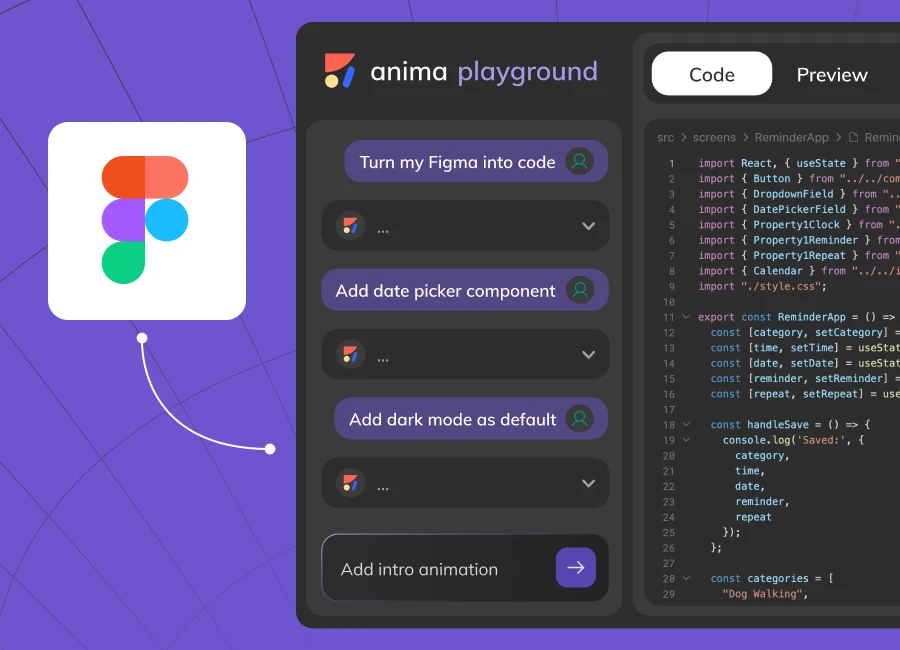
Anima is a traditional design-to-code conversion tool supporting Figma, Sketch, and Adobe XD. It converts static designs into responsive HTML, CSS, and React code through plugin-based export. The output often requires significant manual refinement for production use. Anima is stronger as a design-to-prototype tool than a design-to-production tool.
MCP support was added in early 2026, which improves the workflow for teams using agentic coding tools alongside Anima’s export.
7. Uizard
Uizard generates responsive HTML, CSS, and React code from multiple input methods: screenshots, hand-drawn sketches, and text prompts. It emphasizes rapid prototyping for non-technical users rather than production-ready code. The screenshot-to-UI pipeline is one of the cleaner implementations in the category, useful for converting rough visual references into working wireframes quickly.
8. Zeplin
Zeplin functions as a design handoff platform rather than a code generator. It delivers design specifications, tokens, assets, and component annotations to development teams who then implement the code themselves. Code snippet generation is limited to CSS and basic framework snippets rather than complete component generation.
For teams that want tight designer-developer collaboration with a clear specification layer and do not need AI code generation, Zeplin remains the most mature option in this specific niche.
9. Adobe XD
Adobe XD is in maintenance mode with limited availability for new Creative Cloud users. Adobe has shifted focus to Figma-based workflows since the announced (though ultimately blocked) acquisition.
Existing license holders can continue using XD, but teams should use Figma for new projects. XD’s native code generation features remain functional for existing users but are no longer receiving meaningful development investment.
 Add as preferred source
10. Clutch
Clutch is a React Native-focused design-to-code platform that converts design files into native mobile applications. It is one of the few tools in this category with a mobile-first orientation, supporting state management integration specific to React Native development workflows.
11. Grida
It provides automated design-to-code conversion with Flutter and React support, utilizing AI-powered analysis for responsive layout generation. Platform capabilities include:
- Direct Figma integration support
- Emphasizes cross-platform development capabilities with component library generation
12. Locofy
It focuses on production-ready code generation from design files with multiple framework support, including React, Next.js, and React Native. The platform emphasizes:
- Component optimization and responsive design conversion
- Integration with existing development workflows through plugin-based architecture
13. Supernova
It operates as a design system platform with integrated code generation capabilities, supporting design token management and component library synchronization. The tool emphasizes:
- Design system consistency
- Provides code generation aligned with established design patterns and organizational standards
Shared features of design-to-code tools
All evaluated tools provide specific baseline capabilities that have become standard in the design-to-code ecosystem:
- Basic design import: Support for importing design files or design specifications
- HTML/CSS generation: Ability to generate fundamental web markup and styling
- Responsive layout support: Basic responsive design implementation capabilities
- Component recognition: Identification and conversion of common UI elements (buttons, forms, cards)
- Asset export: Extraction and optimization of images, icons, and other design assets
- Preview functionality: Live preview or demonstration of generated code output
- Code Export options: Multiple output formats or download capabilities
- Documentation access: User guides, tutorials, or help resources
- Update mechanisms: Regular platform updates and feature enhancements
Industry trends
MCP adoption has moved from experiment to infrastructure.
Figma’s MCP server launched in beta in early 2026, and bidirectional Claude Code integration followed in February. The public MCP server registry grew from 1,200 servers in Q1 2025 to 9,400+ by April 2026, and 78% of enterprise AI teams report at least one MCP-backed agent in production.3 For design-to-code specifically, MCP is the most meaningful architectural shift in years it replaces static exports with a live design reference that AI agents consult continuously during development.
Vibe coding is entering enterprise with actual compliance. Bolt achieved SOC 2 Type II. Lovable signed a Google Cloud deal with Wiz security integration.6 v0 added enterprise security controls and proper Git workflows.22 The “ship demos, not production” critique of vibe coding is less accurate than it was 12 months ago at least for the leading platforms.
The full-stack gap has closed for most common use cases. Lovable, Bolt, and v0 all now handle databases, authentication, and deployment without leaving the platform. The workflow that previously required wiring up Supabase, NextAuth, and Vercel separately now fits in a single prompt on each platform. For applications with complex permissions, custom infrastructure, or existing codebases, manual development work still dominates. For greenfield MVPs and internal tools, the gap has genuinely closed.
FAQs
Figma has established itself as the industry standard for UI/UX design, with virtually all UI/UX designers using this platform for their design work. This monopoly-like dominance makes direct Figma integration crucial for the effectiveness of design-to-code tools.
When tools can directly import from Figma, they gain access to the complete component hierarchy, design tokens, and structural relationships that designers have carefully crafted. This direct access enables developers to receive a well-structured starting point that significantly accelerates the design-to-code conversion process, rather than working from flat screenshots or manual descriptions.
Tools with native Figma integration can preserve design intent, maintain component relationships, and provide more accurate code generation that aligns with the original design system architecture.
Most design-to-code tools generate functional code that serves as a strong foundation, but typically require developer review and refinement for production use. The code quality varies significantly between tools, with some producing cleaner, more maintainable output than others.
Advanced tools like Figma Dev Mode MCP Server, Builder.io Visual Copilot, and Bolt.new can handle complex applications including multi-page layouts, component libraries, and interactive elements. However, complex business logic and advanced functionality typically require manual development.
AI-powered tools use machine learning to understand design intent, generate more sophisticated code structures, and enable natural language modifications. Traditional tools follow rule-based conversion processes and typically require more manual refinement of the output.
Further reading
Cite this benchmark
Pick the format that matches where you're publishing. Pasting the link version into your CMS preserves the backlink.
@misc{dilmegani2026,
  author = {Dilmegani, Cem},
  title  = {{Best Design to Code Tools Compared: Detailed Analysis}},
  year   = {2026},
  month  = jun,
  howpublished    = {\url{https://aimultiple.com/design-to-code}},
  note   = {AIMultiple. Retrieved June 24, 2026}
}Results and timestamps of 17 data points. Download the summary data shown in this article's charts and tables as a ZIP file containing one CSV file.
Want the granular data behind it? Join Premium
Changelog
2 updatesReduced the design-to-code tool comparison from 15 tools to 13.
Added AI Model Evolution to the introduction.
Reference Links
Cem's work at AIMultiple has been cited by leading global publications including Business Insider, Forbes, Morning Brew, and Washington Post, global firms like Deloitte and HPE, NGOs like World Economic Forum, and supranational organizations like European Commission. [1], [2], [3], [4], [5]
Throughout his career, Cem served as a tech consultant, tech buyer and tech entrepreneur. He advised enterprises on their technology decisions at McKinsey & Company and Altman Solon for more than a decade. He also published a McKinsey report on digitalization.
He led technology strategy and procurement of a telco while reporting to the CEO. He has also led commercial growth of deep tech company Hypatos that reached a 7 digit annual recurring revenue and a 9 digit valuation from 0 within 2 years. Cem's work in Hypatos was covered by leading technology publications like TechCrunch and Business Insider.
Cem regularly speaks at international technology conferences. He graduated from Bogazici University as a computer engineer and holds an MBA from Columbia Business School.






Be the first to comment
Your email address will not be published. All fields are required. Comments are left in their original language.