


Top 5 Free Chrome Extensions for Web Scraping

A Chrome web scraper extension enables you to collect data such as text, tables, links, images, and lists directly from your browser. Many extensions offer no-code workflows, AI-powered field detection, scheduled scraping, Google Sheets exports, and page-change monitoring.
Compare the popular web scraper Chrome extensions by their key capabilities, export options, ease of use, and monitoring features:
Quick comparison of the best Chrome scraper extensions
Provider | Chrome Web Store score | Exports |
|---|---|---|
WebScraper.io | 4.1 out of 1K ratings | CSV, XLSX, CouchDB |
Thunderbit | 4.2 out of 167 ratings | CSV, Excel, Google Sheets, Notion, Airtable |
Data Miner | 3.9 out of 701 ratings | CSV, Excel, Google Sheets |
Simplescraper | 4.4 out of 363 ratings | CSV, JSON, Google Sheets, API |
Browse AI | 3.9 out of 45 ratings | CSV, Google Sheets, integrations |
Best free web scraper Chrome extensions
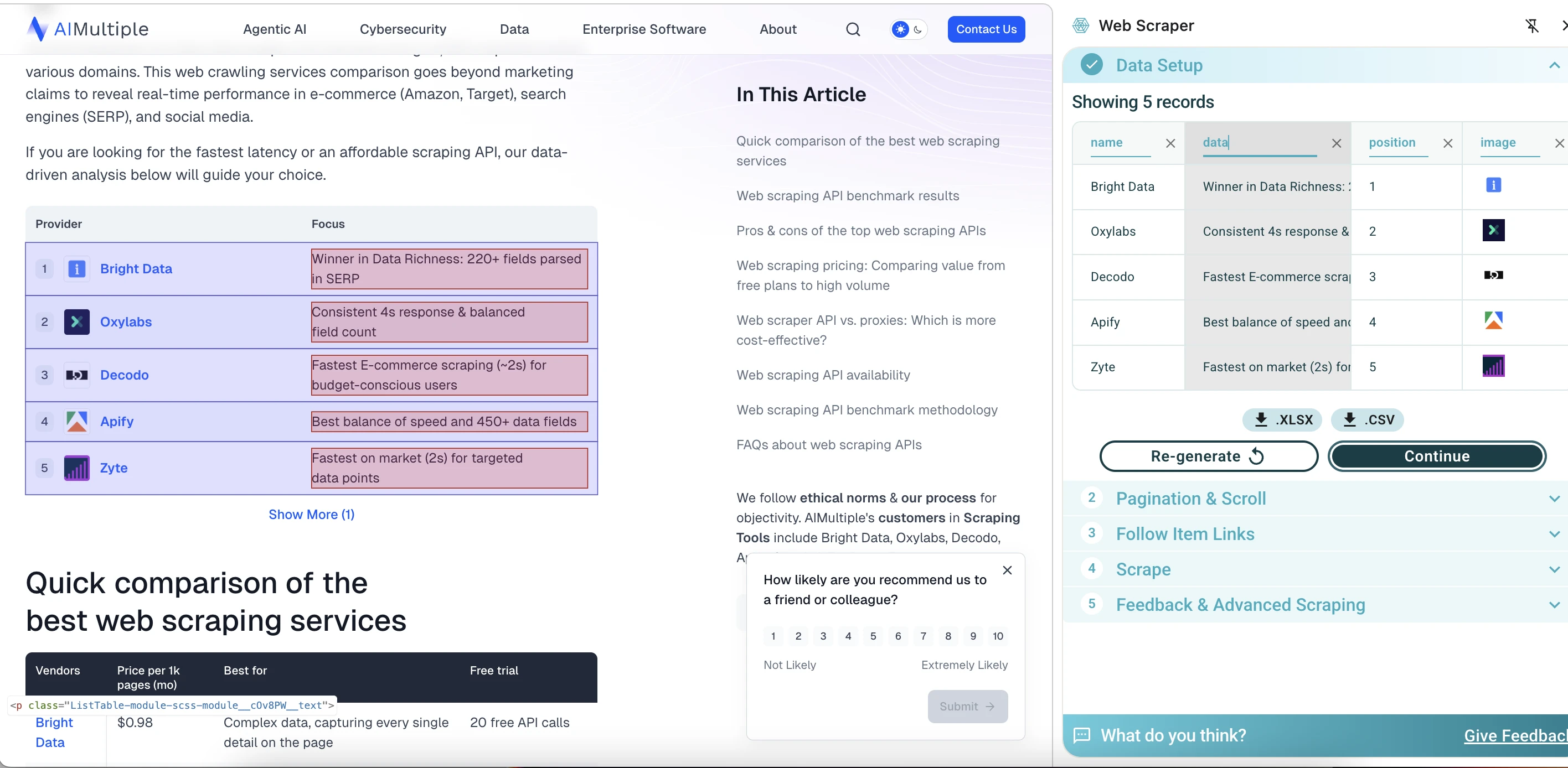
WebScraper.io quickly identified the first element on the page and displayed a preview of 5 records, extracting fields such as provider name, description, position, image URL, and source page URL. One useful detail is that the column names are editable. This makes the output easier to clean before exporting, instead of fixing everything later in a spreadsheet.
However, it could not load or configure the rest of the page for a larger scrape. For simple table extraction, it performed well, offering speed, a visual interface, and easy data export. In this test, it was more limited when scraping the entire page.
The quick extraction workflow is easy enough for simple tables, while the advanced sitemap workflow gives users more control. However, the advanced mode requires an understanding of concepts such as Start URLs, selectors, multiple elements, parent-child selector trees, and scraping delays.
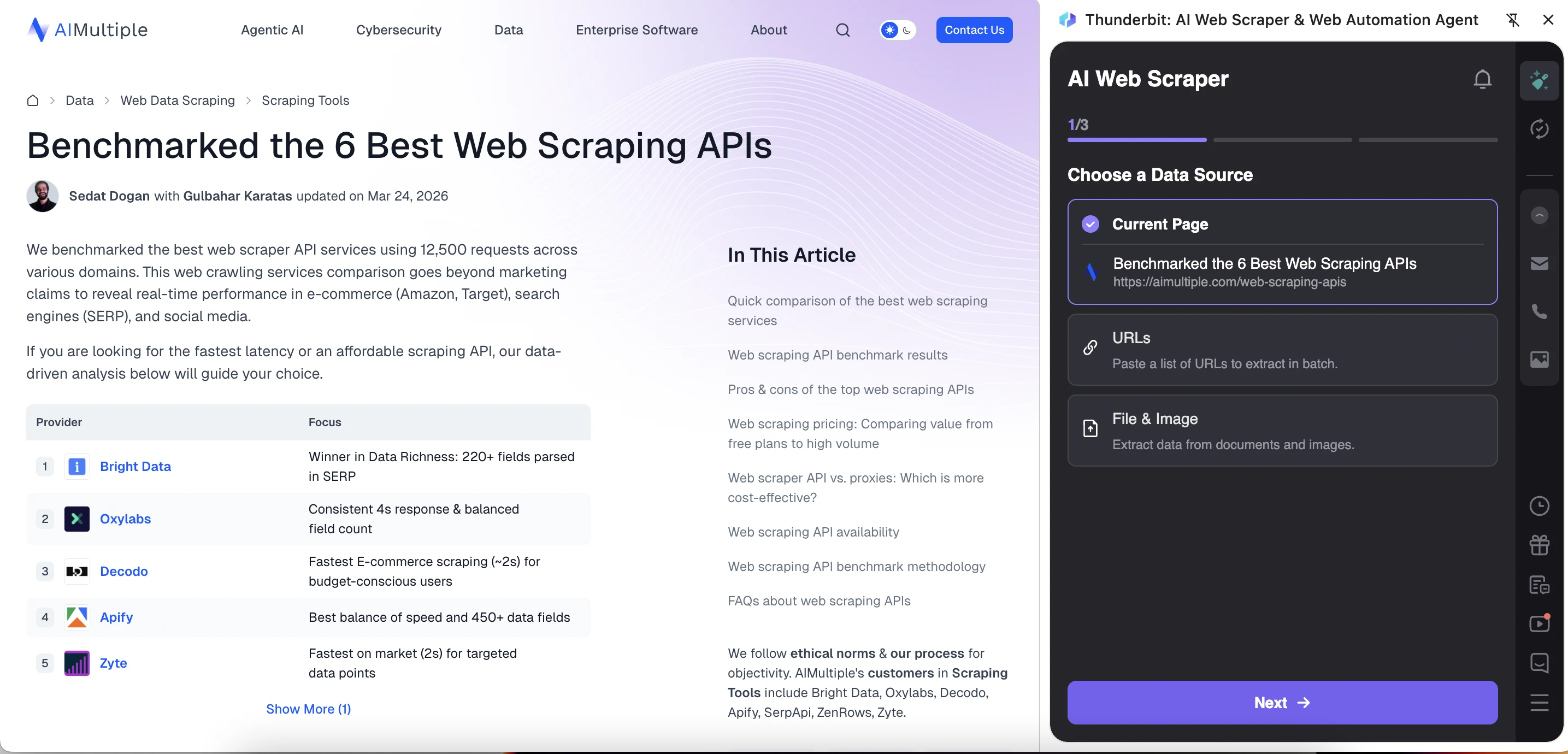
Thunderbit has a more guided and AI-oriented interface. It starts by asking the user to choose a data source: Current Page, URLs, or File & Image. Thunderbit extracted more types of information from the article page than WebScraper.io did. However, the output was not perfectly structured because repeated article fields appeared alongside each provider row.
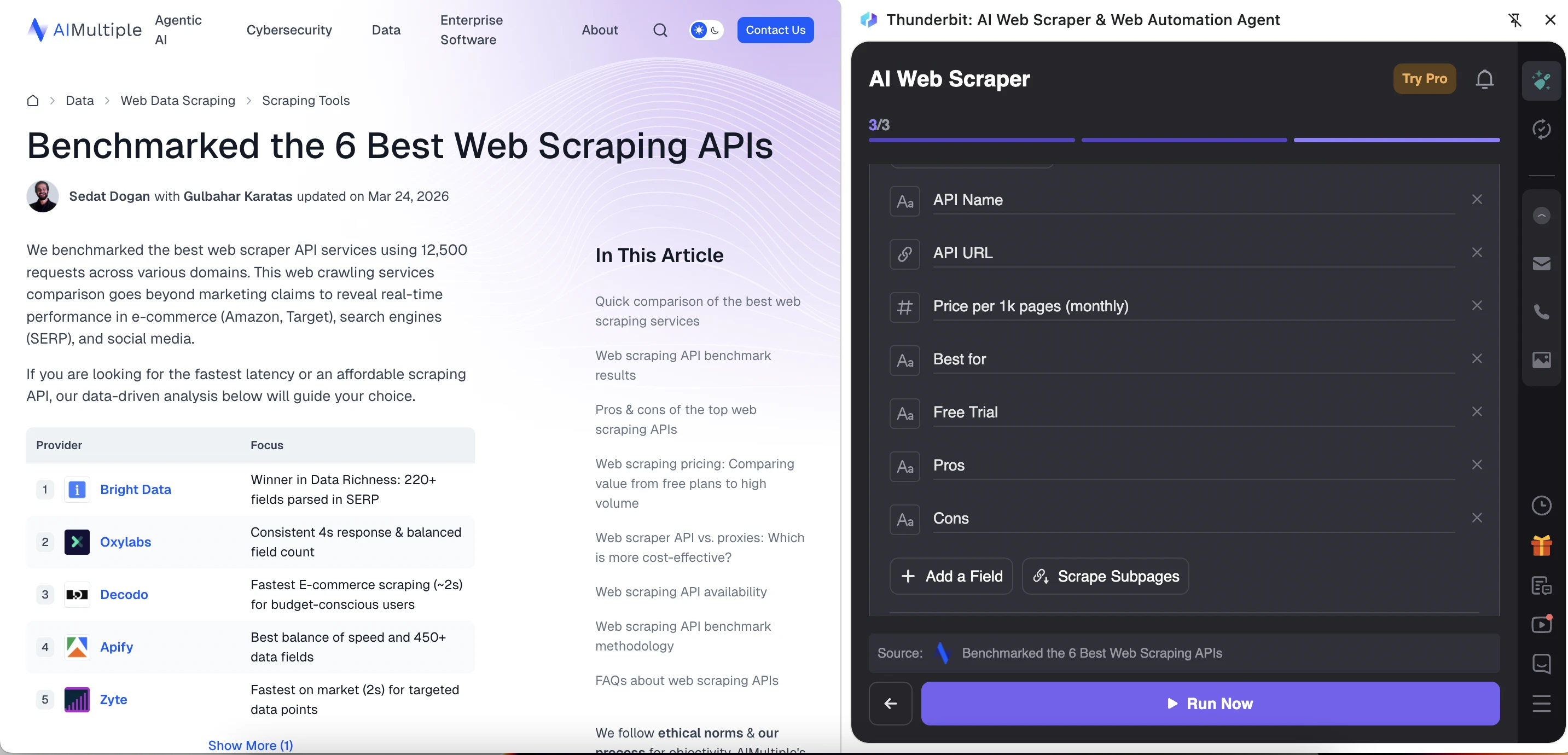
Thunderbit creates or lets you create a template with predefined fields. The tool automatically created a template for the article and suggested fields such as the article title, URL, author, publication date, and content. The template is also editable, so users can remove irrelevant fields, add new ones, or use “AI Improve Fields” to refine the extraction setup before running the scraper.
Simplescraper appears more modern and user-friendly than WebScraper.io and Data Miner. The tool offers two scraping modes:
- Scrape lists: For repeated data, such as products, articles, search results, or table rows.
- Scrape details: For specific fields from a single page.
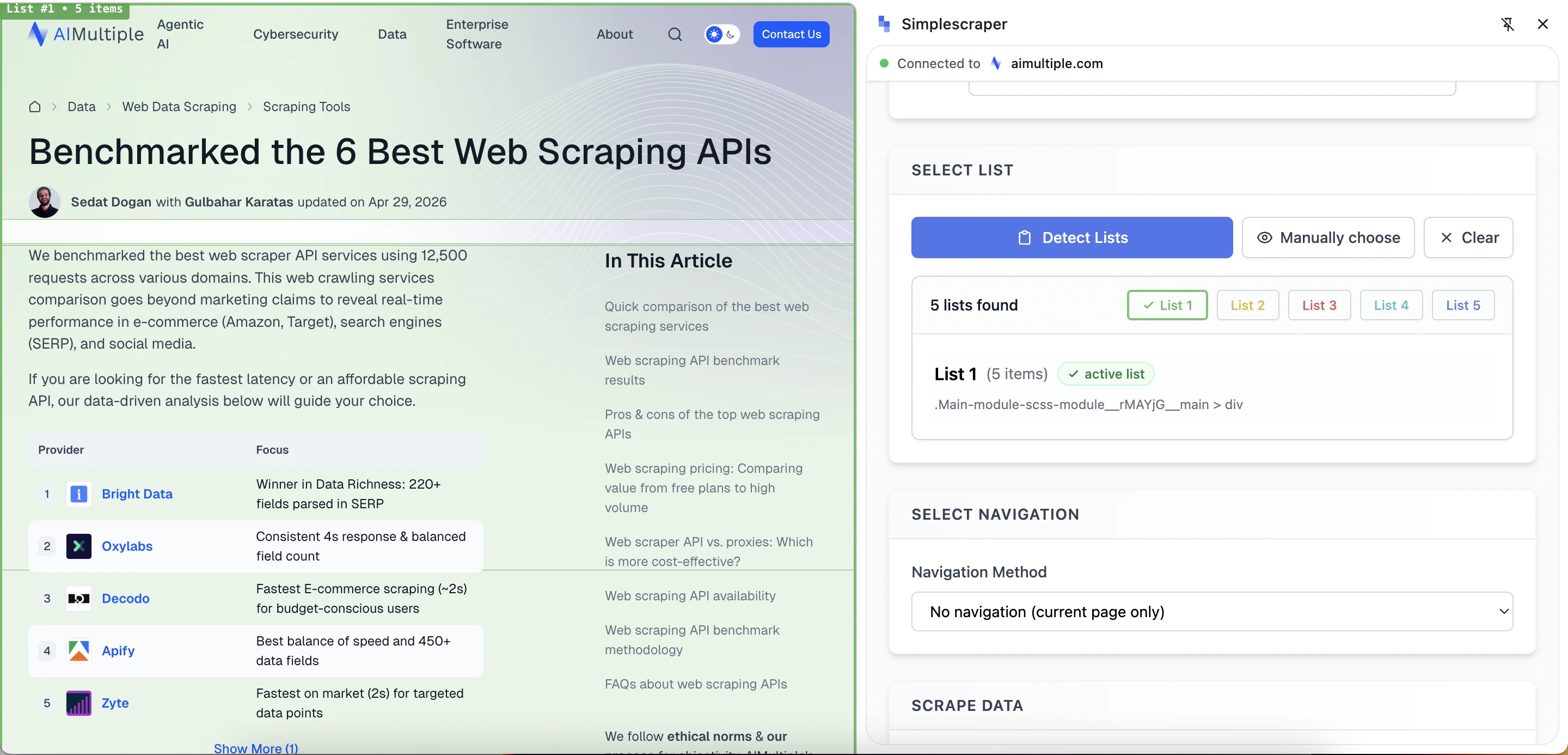
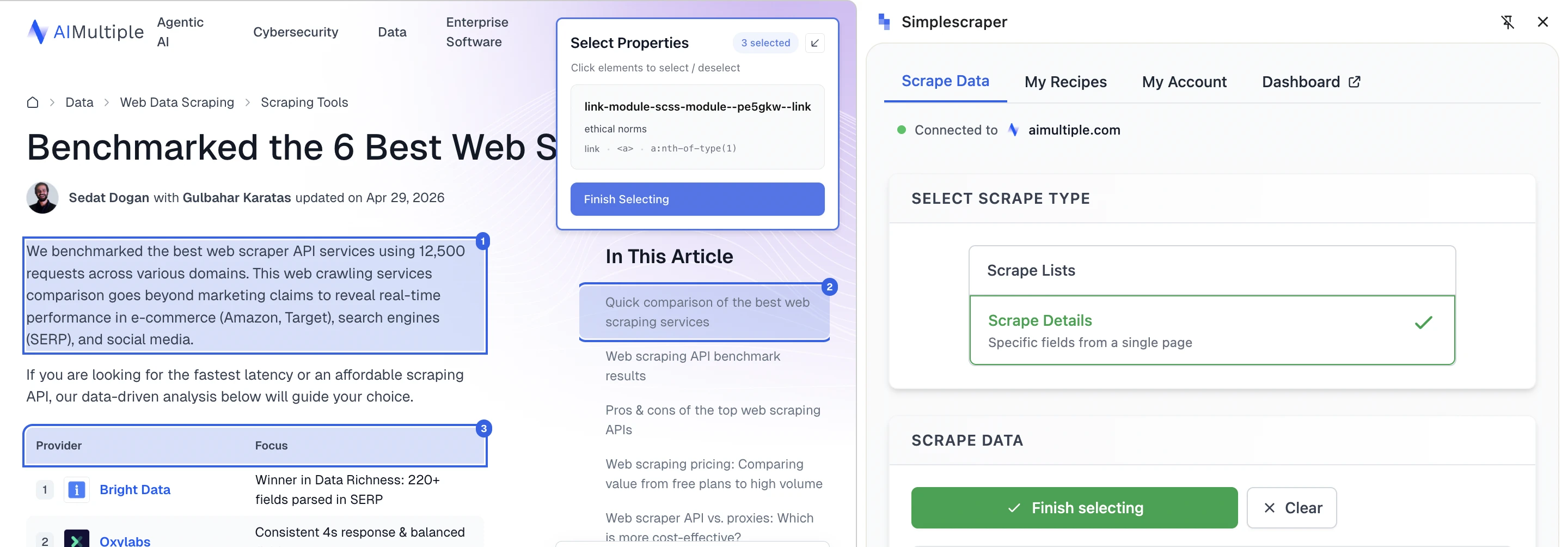
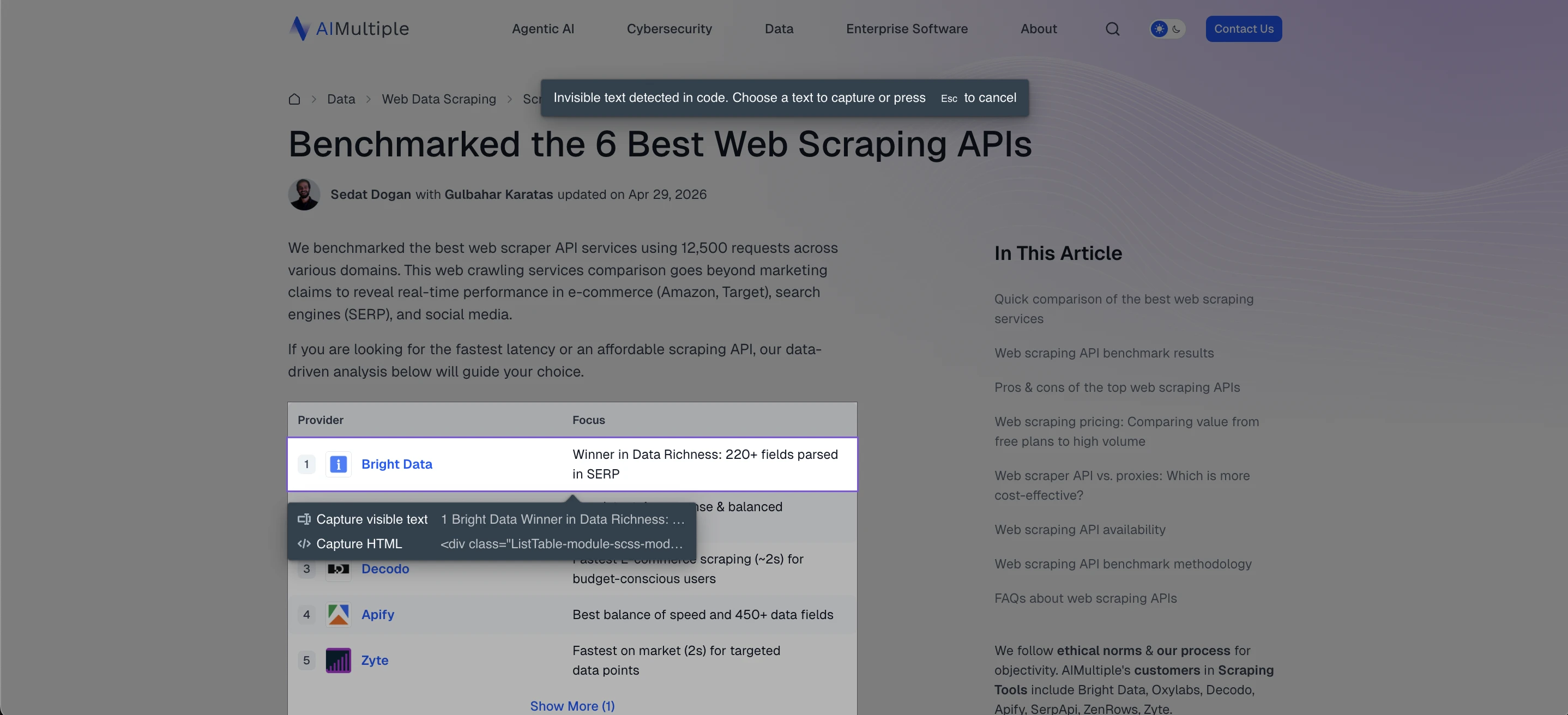
The list detection feature scans the page for potential lists, highlights each, and labels them. Simplescraper also provides a manual selection option, allowing users to click page elements directly.
Navigation features like next page, infinite scroll, or load more require a paid account. For users testing the free extension, Simplescraper is mainly useful for scraping the current page. The output is helpful, though some detected fields may be unclear due to shortened column names or mixed content. Automatic list detection identifies repeated structures, but users may need to select the correct list and refine the fields.
Automatic list detection feature:
Manual detection of specific fields from the page:
The Browse AI data extraction extension has two main features: it can extract data from a webpage and monitor changes. The tool offers the following capabilities:
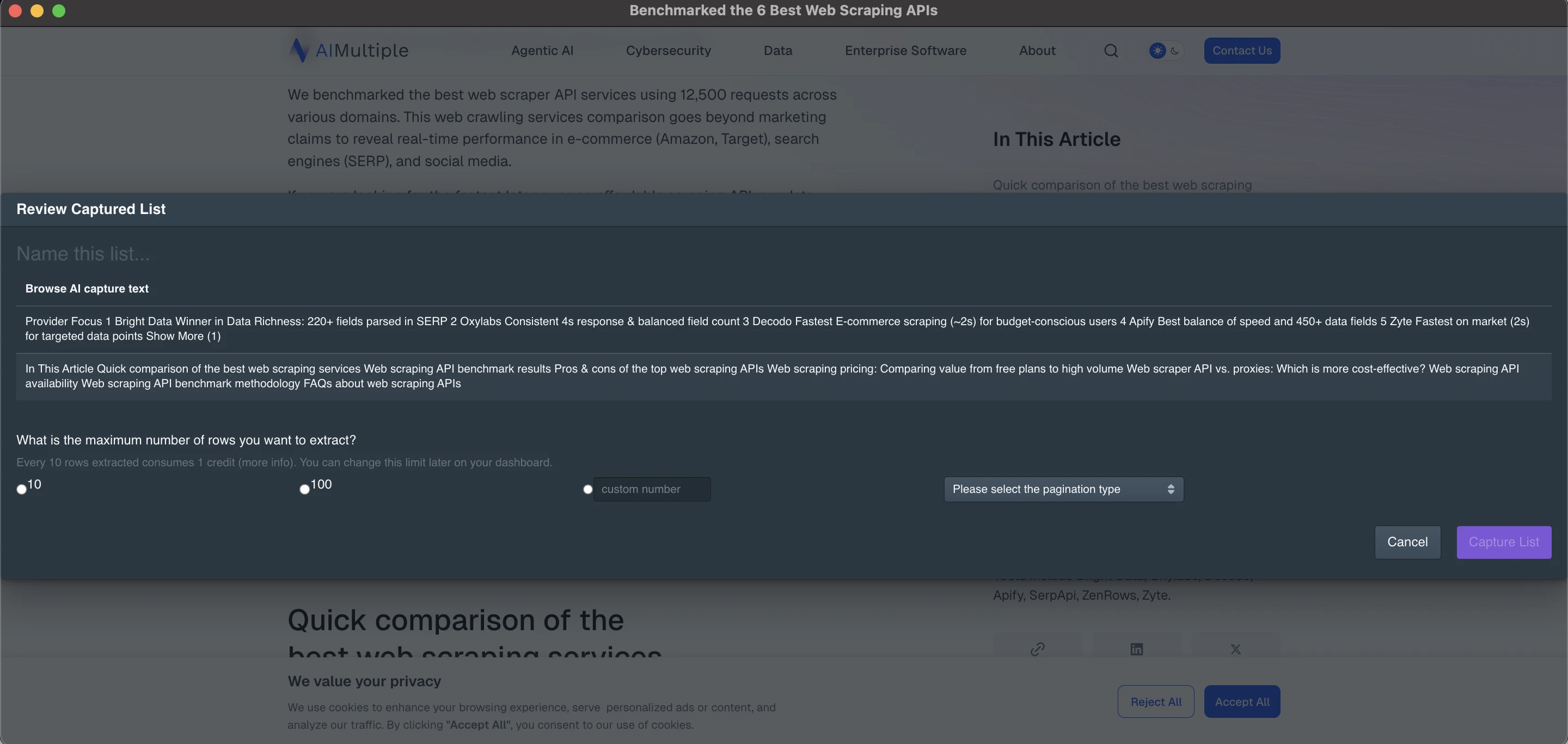
Capture list extracts organized data by selecting repeated items on a page, such as table rows or list cards, and turning them into a downloadable table or spreadsheet.
Capture text monitors specific text or images by selecting the elements you want to track. Browse AI will automatically check these elements each time it runs. You can choose the number of rows to extract, such as 10 or 100, or any other preferred amount. The system will then prompt you to select a pagination type, which is useful for navigating lists that span multiple pages or require options like “Show More.”
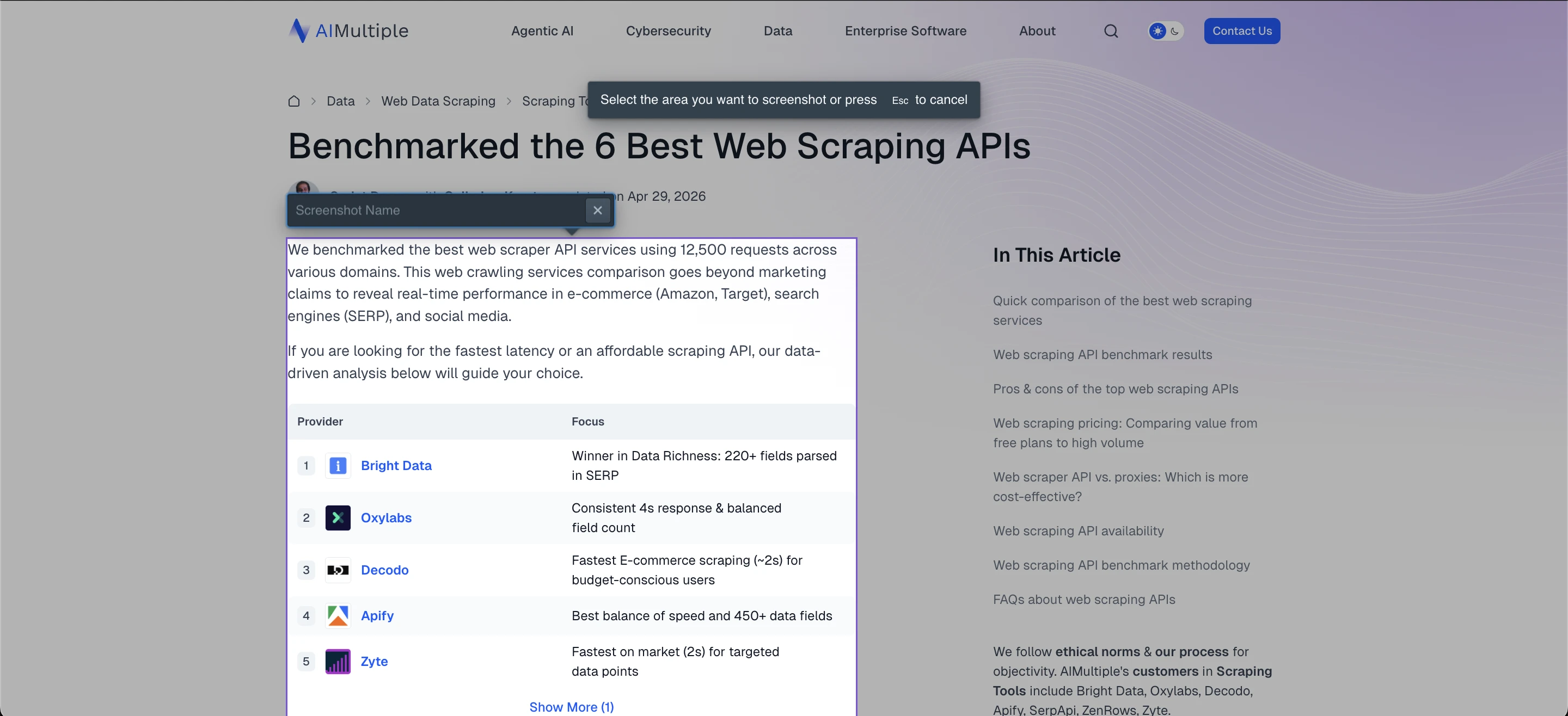
Capture screenshot provides options for taking visual snapshots. You can capture a selected area, the entire page, or the visible portion of your screen. After capturing a screenshot or selecting a page element, Browse AI lets you configure a monitoring schedule and change-alert rules. For example, you can set the sensitivity threshold to a small change (1%), meaning you can be notified even when a small portion of the captured screenshot changes.
Data Miner
Data Miner requires users to sign up or log in before using the extension. The free plan includes 500 page scrapes per month, access to existing site-specific scripts, multi-page scraping, and exports to CSV or XLS files.
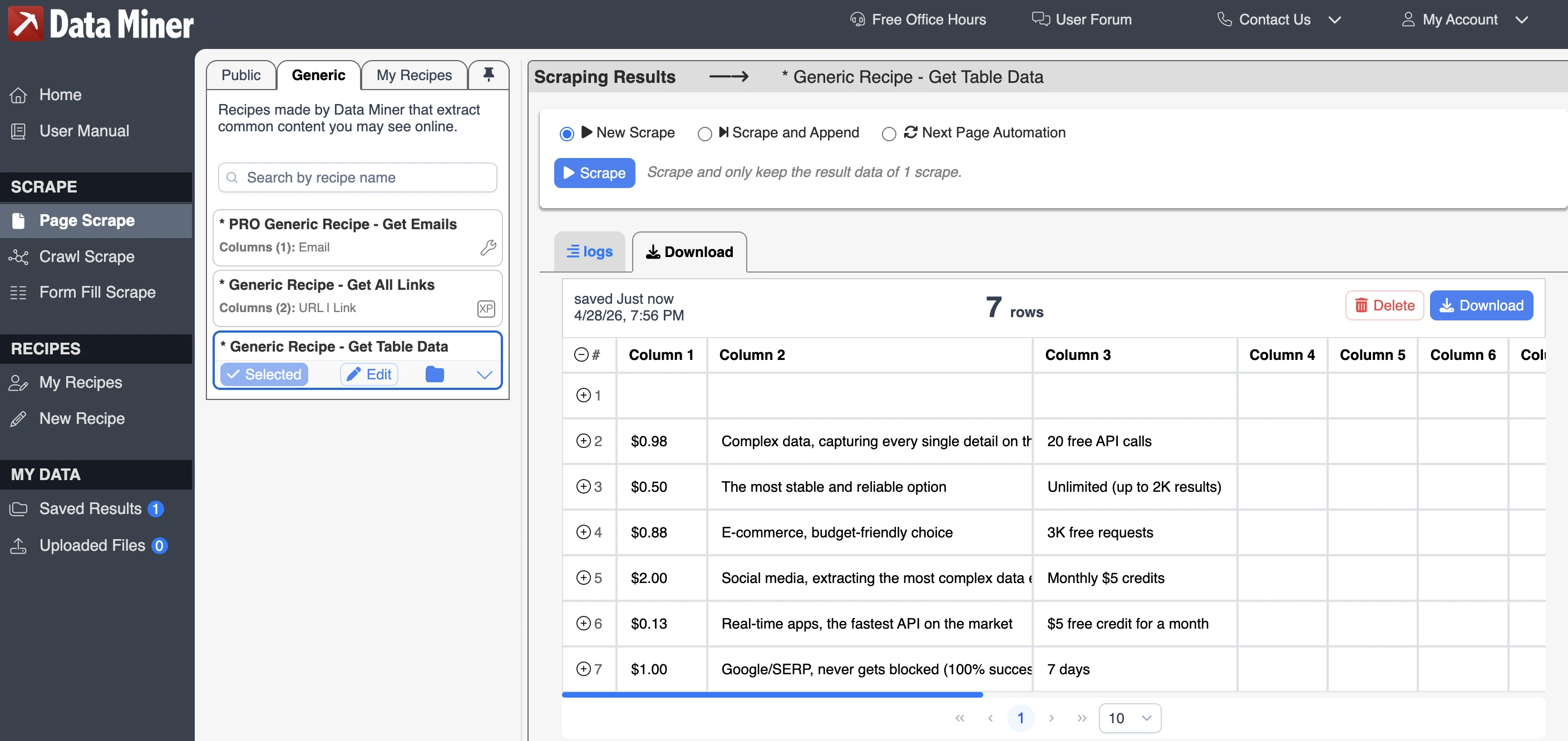
Data Miner uses a recipe-based scraping system. A recipe is a predefined data scraping template that tells the extension which parts of a webpage to extract. Instead of selecting every field manually each time, users can run an existing recipe, create their own, or use a public recipe shared by other users.
The output was not perfectly structured for getting data from tables. It missed the vendor-name column, used generic column names such as “Column 1” and “Column 2”. The scraped values were mostly accurate, but the result required manual cleanup before it could be used as a clean dataset.
FAQs
A web scraper Chrome extension extracts data from web pages and exports scraped data as a CSV or XLSX file in a structured format. You can select text, tables, links, images, or lists and export them. Many extensions do not require coding.
No. Most Chrome scraping extensions work without coding, offering a point-and-click interface. Install the extension, open a webpage, select the data, and export it. For complex pages, use selectors or custom rules.
A Chrome web scraper can extract product names, prices, links, images, reviews, tables, search results, business listings, job postings, article titles, and directory entries. Some tools can scrape data from multiple pages or URL lists.
Yes. Many data scraper extensions can process pages with next-page or load more buttons, and lists of URLs. You can collect data from catalogs, search results, directories, or tables across multiple pages. A browser scraper runs in your browser for local scraping.
A Chrome scraper extension usually runs inside your browser and is useful for quick, visual, local scraping. A web scraper cloud runs on remote servers and is better suited for scheduled jobs, larger crawls, automation, and scraping when your computer is offline.
Cite this research
Pick the format that matches where you're publishing. Pasting the link version into your CMS preserves the backlink.
@misc{karatas2026,
  author = {Karatas, Gulbahar},
  title  = {{Top 5 Free Chrome Extensions for Web Scraping}},
  year   = {2026},
  month  = aug,
  howpublished    = {\url{https://aimultiple.com/web-scraper-chrome-extension}},
  note   = {AIMultiple. Retrieved August 4, 2026}
}Results and timestamps of 5 data points. Download the summary data shown in this article's charts and tables as a ZIP file containing one CSV file.
Want the granular data behind it? Join Premium






Be the first to comment
Your email address will not be published. All fields are required. Comments are left in their original language.