


Top 12 Open Source Job Schedulers & 5 WLA Tools

Businesses leverage open source job schedulers and workload automation tools to automate IT tasks without paying licensing costs or getting locked in to a specific vendor.
See top open-source job schedulers with their GitHub links, license types, and GitHub stars:
List of the top open-source job schedulers and workload automation tools
The following is a sortable list of the top open-source job schedulers and WLA tools:
Tool | License | OS/Environment |
|---|---|---|
Airflow | Apache 2.0 | Linux, macOS, Windows with WSL |
Argo Workflows | Apache 2.0 | Kubernetes Native (Linux Nodes; supports Windows Containers) |
Dolphin | Apache 2.0 | |
Agenda | MIT | OSX, Linux, Windows |
Quartz | Apache 2.0 | |
Rundeck Community Edition | Apache 2.0 | Linux, macOS, and Windows |
Cronicle | MIT | |
Dkron | GPL-3.0 | Linux, OSX and Windows |
Slurm | GPL-2.0 | Linux (HPC Clusters / Supercomputers) |
DungBeetle | MIT | MySQL, Postgres, ClickHouse |
Best open-source job schedulers
Airflow
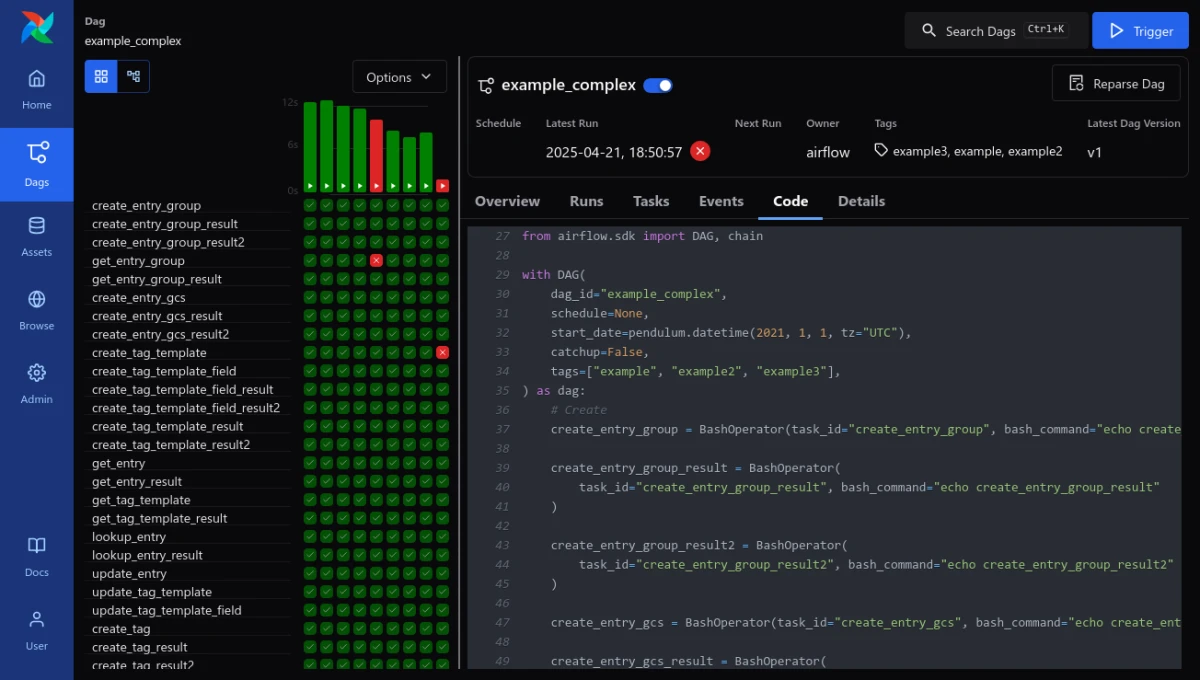
Apache Airflow is an open-source platform for authoring, scheduling, and monitoring data workflows in Python. It uses Directed Acyclic Graphs (DAGs) to define task dependencies and supports scheduling capabilities and pipeline generation.
Airflow features built-in retry logic, web UI, and dynamic autoscaling via KEDA. Widely used for orchestrating ETL jobs, Airflow supports hybrid multi-executor environments and integrates seamlessly with AWS, GCP, and Hadoop ecosystems.
Argo Workflows
Argo Workflows is an open-source, container-native workflow engine implemented as a Kubernetes CRD. It is designed to orchestrate complex parallel jobs by treating each step in a workflow as a separate container.
It provides native support for DAGs, step-based sequences, and artifact management (S3/GCS). It focuses on the lifecycle of a job, offering built-in retry logic, multi-step dependency tracking, and a dedicated UI for visualizing execution paths
Dolphin Scheduler
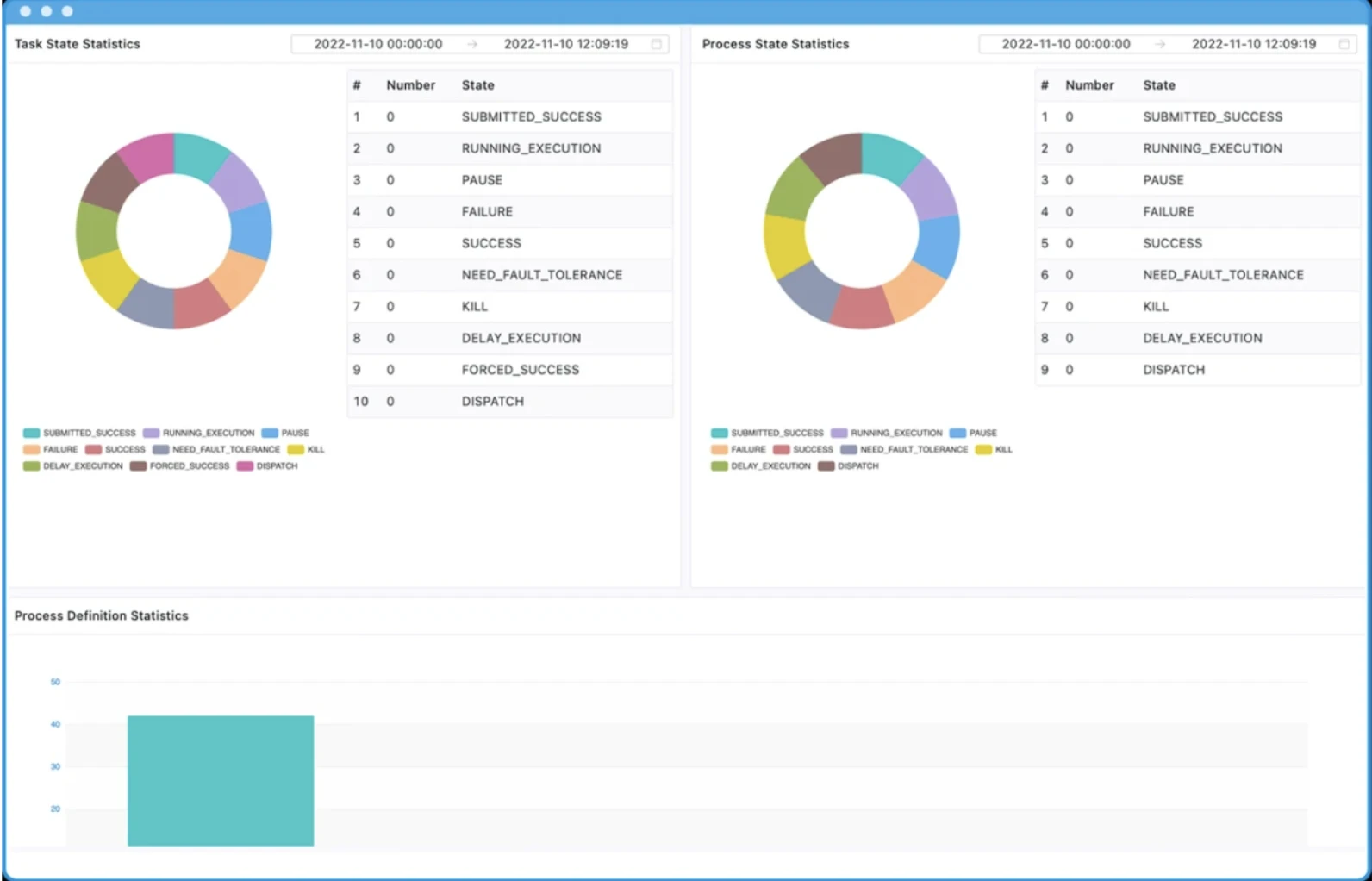
Apache DolphinScheduler is an open-source workflow orchestration system for building, scheduling, and managing data-processing pipelines.
It features a low-code visual designer for drag-and-drop DAG creation and supports 30+ built-in task types (Spark, SQL, Flink, etc.). Built on a decentralized HA architecture, it ensures reliable scheduling for massive-scale pipelines with powerful runtime controls like pausing and resuming workflows.
Agenda Scheduler
Agenda is a Node.js job-scheduling library that persists scheduled jobs in MongoDB.
It supports cron-style and human-readable job scheduling, job prioritization, concurrency control, and lifecycle event hooks for custom logic execution. It suits applications that need job scheduling within a Node.js environment.
Quartz Scheduler
Quartz Scheduler is an open-source job-scheduling library for Java that supports flexible intervals and cron expressions for scheduling recurring and one-off tasks.
It offers persistence options, clustering for load balancing, and listener interfaces for job event handling. Quartz provides enterprise-class features such as JTA transaction support and clustering.
Dkron Scheduler
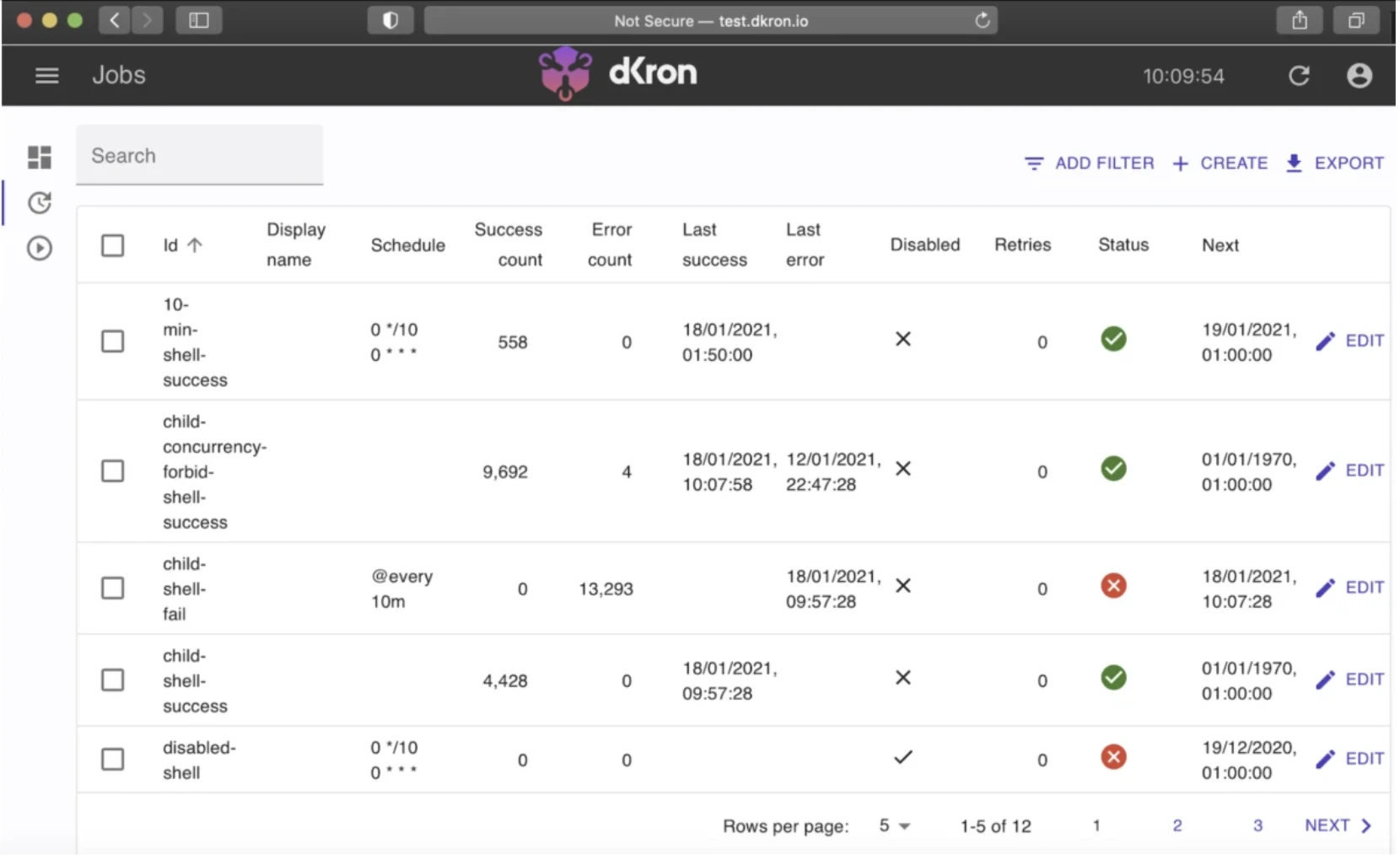
Dkron is a distributed job scheduler for cloud environments, built for high availability and fault tolerance.
It leverages the Raft consensus algorithm, supports multi-node job targeting, and provides a plugin system for extensibility. Dkron aims to eliminate single points of failure (SPOF) and is used to manage jobs across clusters.
Slurm Workload Manager
Slurm is an open-source cluster management and job scheduling system designed for large-scale Linux clusters and supercomputers. It provides a framework for allocating exclusive access to hardware resources, such as CPUs, GPUs, and memory, while managing a queue of pending work to ensure high-performance execution.
Slurm is best fit for High-Performance Computing (HPC) and AI model training as it offers integration with MPI and high-speed interconnects.
Rundeck Community Edition
Rundeck Community Edition is an open-source automation platform for job scheduling, incident response, and self-service operational tasks.
It offers access control, logging, and execution history, and can run jobs across multiple nodes via SSH or plugins. It supports both GUI-based and API-driven job management.
Cronicle
Cronicle is a cross-platform, open-source job scheduler that runs as a lightweight background service. It features a web-based UI and REST API and is suited for teams needing a simple job scheduler for system automation and web application workflows.
DungBeetle
DungBeetle is a job scheduling and automation tool for scheduling and running SQL tasks across databases. It supports multiple database systems and enables scheduling of SQL scripts, stored procedures, and other database jobs.
DungBeetle provides email alerts, job chaining, and logging capabilities. It’s designed for DBAs and data teams looking for a lightweight tool to automate routine SQL operations.
Schedulix
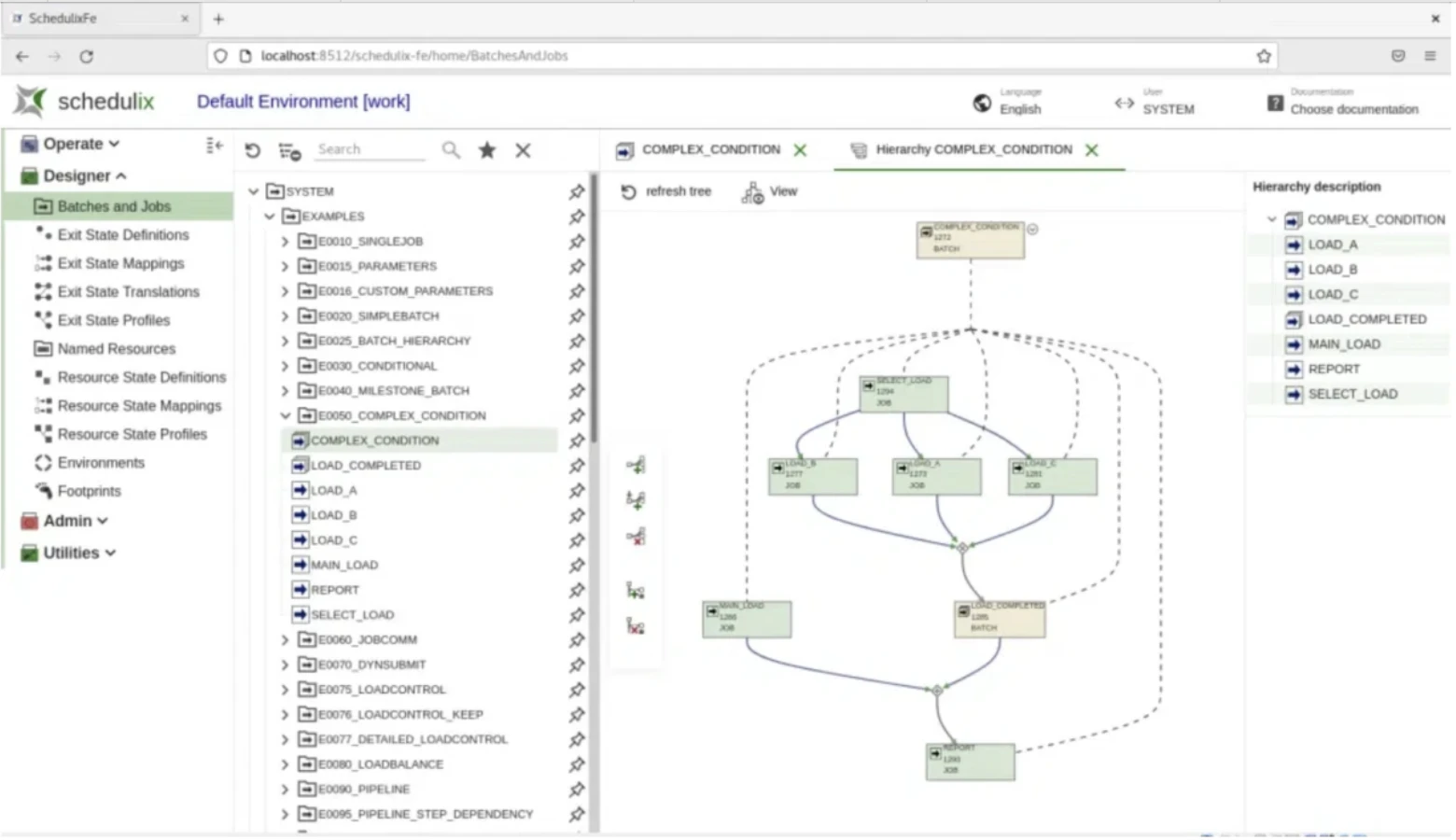
Schedulix is an open-source, enterprise-grade job scheduler that supports complex workflows and job dependencies. It provides a variety of scheduling options, time/event-based triggers, and centralized control.
Schedulix emphasizes multi-platform job execution, auditability, and security features typical of enterprise job scheduler.
JS7 JobScheduler
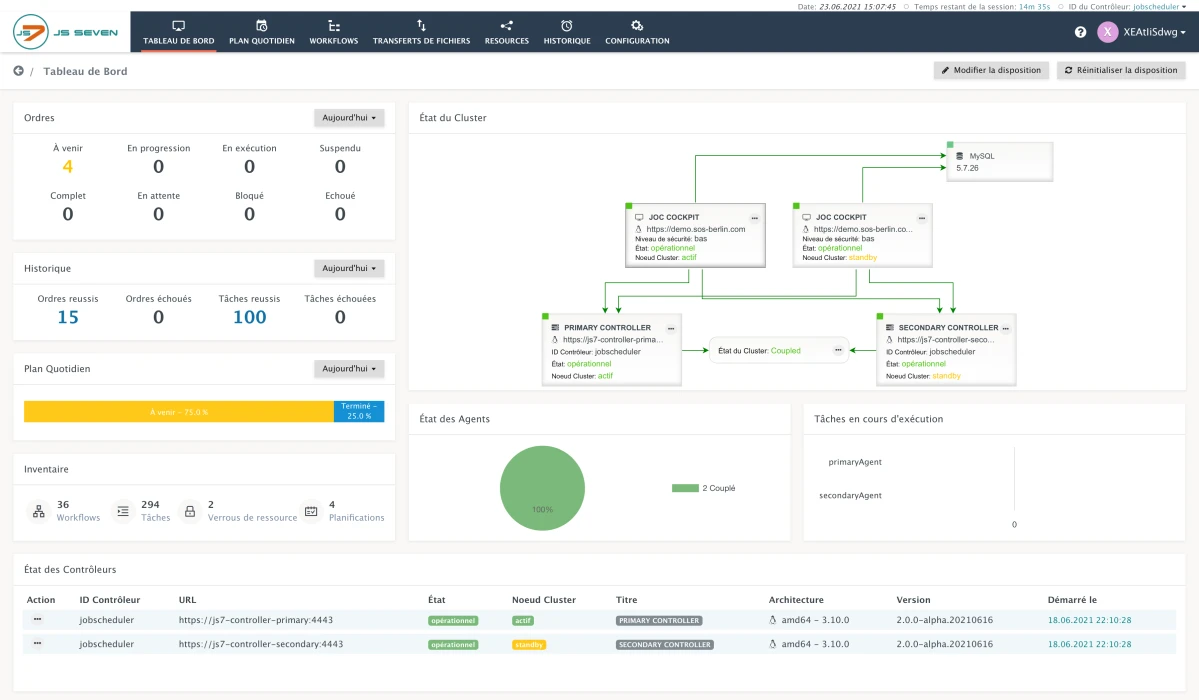
JS7 JobScheduler (by SOS Berlin) is an open-source workload automation tool and orchestration platform for scheduling, running, and monitoring enterprise IT workflows.
It offers a web interface, centralized scheduling, role-based access, and REST APIs. JS7 supports real-time monitoring, job dependencies, calendars, and dynamic parameters and is positioned as a replacement for the older JobScheduler (JITL).
Closed-source enterprise-focused alternatives
You may consider enterprise job scheduling software which includes closed-source options if your organization:
- manages complex, enterprise workloads.
- is open to using proprietary software.
This list features enterprise-grade schedulers, such as RunMyJobs, known for executing high-scale workloads across Fortune 500 organizations.
*Vendors are sorted according to the number of reviews they have received on B2B platforms, except subscribers who are placed at the top with links.
What to look out for when choosing an open-source job scheduler
Here are a few recommendations to consider while choosing an open-source job scheduler and WLA solution:
- Assess community health and adoption: review GitHub contributors, recent commit frequency, open-issue age, forum/activity levels, number of downstream users, and third‑party integrations, active communities mean faster fixes and better ecosystem support.
- Check the features of the job scheduler: Ensure the scheduler supports required features (scheduling, retries, monitoring, alerts, audit trails). For sensitive tasks, prioritize monitoring and auditing capabilities.
- Consider closed source options as well: Proprietary products may offer functionality, support, or integrations that better fit enterprise requirements (e.g., advanced security, vendor SLAs). For example, here is a list of closed source job schedulers focused on data warehouse automation.
Benefits of open-source job schedulers and workload automation tools
Job schedulers and workload automation (WLA) tools are software businesses use to automatically schedule, execute, and monitor workloads across different business platforms. These tools have numerous use cases, including the automation of ETL, FTPs, P&Ls, and data warehousing.
Open source job schedulers and WLA provide users with the source code of the tool, enabling them to:
- modify the code and customize the tools according to business needs,
- collaborate with community members to share codes, address bugs, and learn software hacks,
- avoid vendor lock-in.
In addition, WLA tools are commonly utilized for managing complex file transfers involving multiple parties exchanging large files regularly. However, businesses that solely require complex file transfers may find Managed File Transfer (MFT) solutions more suitable.
Explore WLA tools in-detail and compare them one another, such as:
Security best practices for open-source job schedulers
Because open-source schedulers often handle sensitive data and privileged operations, apply these security best practices:
- Principle of least privilege (PoLP): Run schedulers and tasks with minimal permissions required. Avoid running as root.
- Secure credential management: Do not store secrets (DB passwords, API keys, tokens) in job definition files or scripts. Use a secrets backend (e.g., HashiCorp Vault, AWS Secrets Manager, GCP Secret Manager, Azure Key Vault) or the scheduler’s built-in secrets manager.
- Access control (RBAC): Implement Role-Based Access Control to manage who can define, modify, trigger, or monitor jobs. Enforce strong authentication and authorization on the web UI and APIs.
- Regular patching and updates: Apply security fixes and updates to the scheduler and its dependencies promptly.
- Network segmentation: Isolate scheduler components (webserver, scheduler, workers) in private network segments and restrict unnecessary access.
- Audit logging: Enable comprehensive audit trails/logging to track changes, job executions, and access attempts for compliance and forensics.
- Input validation: Validate dynamic job inputs and parameters to prevent command injection and other malicious payloads.
 Add as preferred source
Job schedulers vs. other scheduling tools
The following tools are compared with job schedulers based on scheduling scope, dependency management, and execution environment:
Cron vs job scheduler
- Cron is a simple, time-based scheduler for Unix/Linux systems.
- A job scheduler goes beyond timing. It handles dependencies, retries, alerts, and large-scale workload automation across systems.
Explore VisualCron alternatives as major job schedulers.
Task scheduler vs job scheduler
- Windows Task Scheduler runs tasks on a single machine, often using GUI or task scheduler PowerShell scripts for automation.
- Learn more on Windows task scheduler.
- A job scheduler coordinates tasks across multiple systems, manages dependencies, and monitors execution at scale.
- Check out Windows job schedulers to understand the differences better.
Script scheduler vs job scheduler
- A script scheduler runs individual scripts like PowerShell or shell scripts at scheduled times.
- Discover more on script schedulers.
- A job scheduler orchestrates multiple scripts, applications, or processes, ensuring proper order, error handling, and reporting across environments.
FAQs
An open source job scheduler is job scheduler software that automates when and how tasks run. It supports job scheduling with deadlines to ensure tasks complete on time.
Its source code is publicly available, allowing customization. It is commonly used as part of open source workload automation initiatives.
– Traditional job schedulers run on a single server and handle tasks locally, suitable for small-scale or single-environment workloads.
– Distributed job schedulers coordinate tasks across multiple machines or environments, managing communication, failover, and orchestration.
For example, Cron and Windows Task Scheduler are local, not distributed schedulers.
For more on open source job scheduler, WLA tools in 2026
To read more articles on job scheduling and orchestration tools follow the links below:
- SAP Scheduler alternatives
- Data center automation tools
- Process orchestration tools
- Workload automation tools.
Cite this research
Pick the format that matches where you're publishing. Pasting the link version into your CMS preserves the backlink.
@misc{dilmegani2026,
  author = {Dilmegani, Cem and Şimşek, Hazal},
  title  = {{Top 12 Open Source Job Schedulers & 5 WLA Tools}},
  year   = {2026},
  month  = aug,
  howpublished    = {\url{https://aimultiple.com/open-source-job-scheduler}},
  note   = {AIMultiple. Retrieved August 28, 2026}
}Results and timestamps of 24 data points. Download the summary data shown in this article's charts and tables as a ZIP file containing 3 CSV files.
Want the granular data behind it? Join Premium
Changelog
8 updatesExpanded the Airflow section with new features and integrations.
Added a Q&A section to the end of the article.
Cem's work at AIMultiple has been cited by leading global publications including Business Insider, Forbes, Morning Brew, and Washington Post, global firms like Deloitte and HPE, NGOs like World Economic Forum, and supranational organizations like European Commission. [1], [2], [3], [4], [5]
Throughout his career, Cem served as a tech consultant, tech buyer and tech entrepreneur. He advised enterprises on their technology decisions at McKinsey & Company and Altman Solon for more than a decade. He also published a McKinsey report on digitalization.
He led technology strategy and procurement of a telco while reporting to the CEO. He has also led commercial growth of deep tech company Hypatos that reached a 7 digit annual recurring revenue and a 9 digit valuation from 0 within 2 years. Cem's work in Hypatos was covered by leading technology publications like TechCrunch and Business Insider.
Cem regularly speaks at international technology conferences. He graduated from Bogazici University as a computer engineer and holds an MBA from Columbia Business School.




Comments 1
Share Your Thoughts
Your email address will not be published. All fields are required. Comments are left in their original language.
Hi Alamira, I consider your article helpful, however, may I bring to your attention that you post wrong information to the public? Your page adds the following phrase from a "sponsored" statement: "Active Batch’s Job Scheduler is an open source job scheduling tool" Let's be precise: Active Batch is a closed source solution, not an open source solution. For proof consider this: https://www.advsyscon.com/en-us/activebatch/job-scheduling/open-source-job-scheduler. In addition check the license terms of Active Batch to identify that no open source license is offered. Please remove such wrong information (maybe introduced by your sponsors) from your page as it invalidates your honest work and as it posts wrong information to the public that is not acceptable. Best regards Andreas Püschel
Thanks for highlighting that, it is corrected