


RPA for Mac: 12+ RPA tools That Can Run on Mac

Most RPA tools were built for Windows, since Windows runs the majority of enterprise desktops. Macs have gained ground. They now make up over 15% of desktop operating systems worldwide and more than 24% in the U.S.1 That shift pushed vendors to support macOS.
See the following sections for more information:
Top 7 RPA tools for Mac
We have curated a list of all premium RPA tools that run on macOS.
UiPath and IBM are the largest RPA vendors on this list, and anyone looking at RPA for Mac should consider them first.
Vendor Name | Is it open-source? | Pricing
| Comments |
|---|---|---|---|
IBM | No | They offer a 30 day free trial. After that, the platform starter pack starts at $840 per month. | - Low-code/no-code RPA software - Allows for building of intelligent virtual agents (IVAs) and dashboards - Built-in OCR - Attended and unattended bots are included in the platform starter pack |
UiPath | No | - 1 attended bot + 1 action center: $420/month - 1 attended + 1 unattended + 1 action center: $1,380/month | |
Automation Anywhere | No | N/A | |
Nividous Platform | No | N/A | - |
OneRPA | No | N/A | System client is executed natively with no virtualization framework needed |
Robomotion | Yes | Free: 1 user Startups: $19 for 3 users with limited features Corporate: $19 for 5 users Enterprise: Custom prices | - |
T-Plan | No | N/A | -14 days free trial -enables GUI / screen interaction, OCR text extraction & image recognition |
IBM
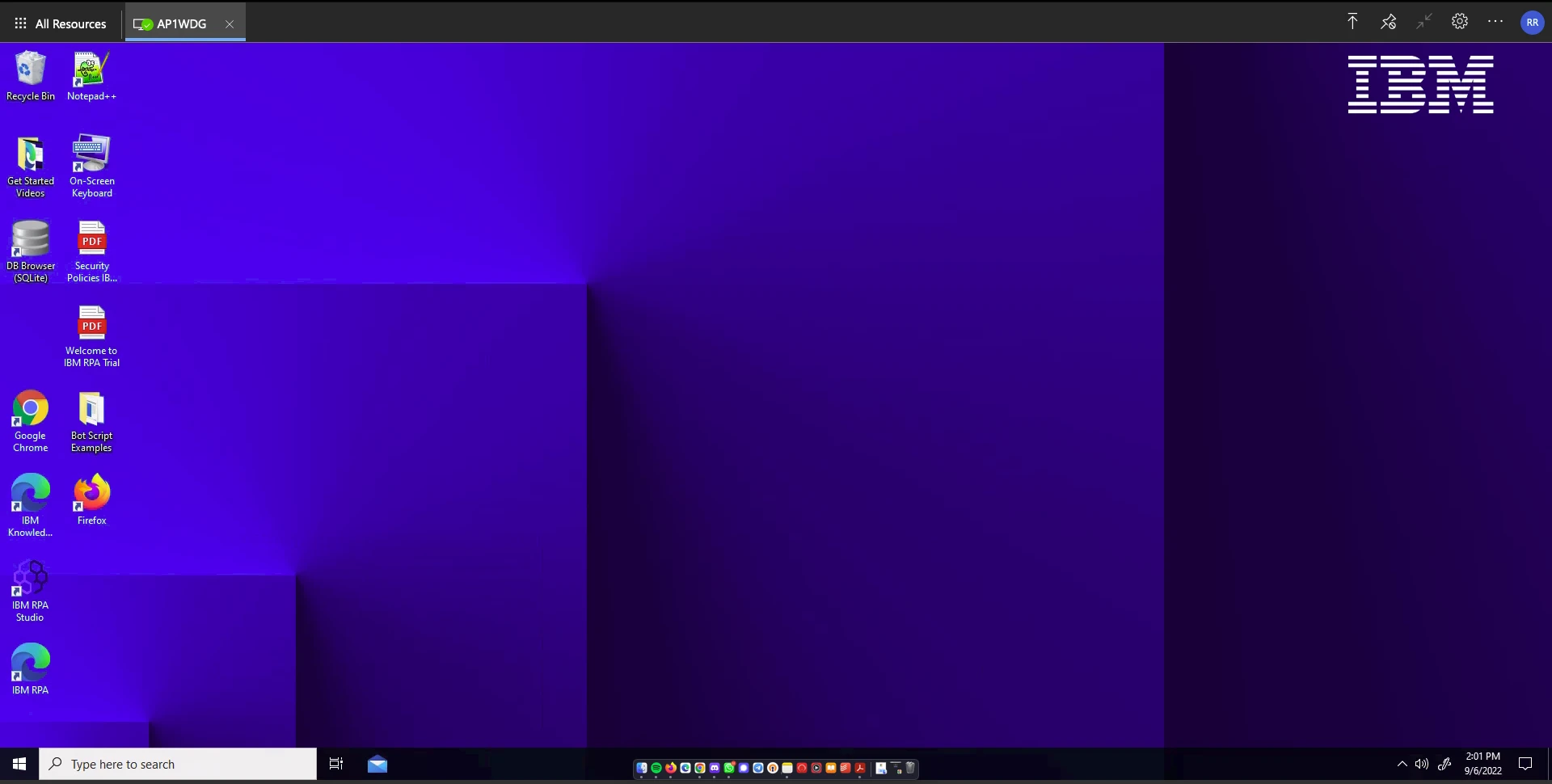
IBM’s RPA offers a Windows-based virtual desktop that is usable on any operating system, including Mac. For example, as free-trial users, we accessed it over the cloud. Leveraging containerization, users can also launch such virtual desktops on their laptops.
UiPath
As of early 2026 (v25.10), UiPath has enhanced macOS support, specifically for Safari 18 and Apple Silicon-based UI automation. Users of ScreenPlay on Mac must migrate to the Gemini 2.5 Flash model to maintain AI-agent functionality.2
Automation Anywhere
Automation Anywhere (A360) released a major package update in February 2026 that introduced a native Apple Mail Trigger, allowing automations to be triggered directly by events in the macOS Mail app without requiring a Windows VM.3
6 Free RPA tools for Mac
Below is a list of free RPA tools that run on Mac.
Alternative methods for leveraging RPA on Mac
1. macOS apps for automation
Automator 4 is an Apple application that comes pre-installed on macOS. Automator enables desktop automation of repetitive tasks by creating workflows.
Shortcuts is another Apple’s built-in automation app, and it now stands in for Automator. Apple still ships Automator, but new work belongs in Shortcuts, which imports old Automator workflows.
In macOS Tahoe (macOS 26), Shortcuts gained automation triggers. A shortcut can run when a file lands in a folder, an email arrives from a set sender, a drive connects, or a Focus mode turns on. For example, a rule can move every downloaded PDF to a chosen folder.
Tahoe also added intelligent actions that tap Apple Intelligence models, so a shortcut can summarize text or pull details from a document as part of a workflow. Shortcuts stays free and needs no coding.
Thanks to these tools, users can automate activities using a drag-and-drop interface, facilitating the customization of specific functions for users with no coding skills.
Learn more about no-code AI.
2. Running MS Windows compatible RPA software on your Apple hardware
Though almost all RPA tools are designed for Windows operating systems, there are ways to run and install them on the Mac operating system.
Here are your options for installation:5
Dual boot solutions
Solutions such as Apple Boot Camp 6 enable you to install a Microsoft Windows operating system and allow both operating systems to work simultaneously.
Remote desktop virtualization
These solutions run on a remote operating system connected to your local Mac device over a network using a remote display protocol. So you can remotely control and run RPA bots on a Windows machine using your macOS device. Solutions you can prefer are:
- Citrix Virtual Apps and Desktops
3. Virtual machines
Applications such as Parallels 7and VirtualBox 8 allow users to run a version of Microsoft Windows in a window on Mac.
When to use which approach on Mac
The right path depends on the task. Four approaches cover most needs on a Mac.
Native Mac apps → native Mac automation. Built-in macOS tools handle these apps directly, and a full RPA platform can automate them on Apple Silicon Macs without a Windows virtual machine.
Desktop software with no API → traditional RPA. A defined script suits stable interfaces, while an AI computer-use agent that reads the screen and works the mouse and keyboard fits interfaces that change often or need reasoning.
Simple triggers and file tasks → Apple Shortcuts. The built-in automation app replaces Automator and, in macOS Tahoe, runs from event triggers with free AI actions.
Web tasks that change often → an AI browser agent. An AI browser agent reads the live page and adapts when a site’s layout shifts, unlike a script tied to fixed page addresses.
Windows-only bots → a virtual machine. A virtual machine runs Windows inside macOS, at the cost of extra setup and system resources.
Mixed setups are common: built-in tools for quick tasks, a native automation platform for Mac apps, and a virtual machine for the few remaining Windows-only bots.
What is RPA Mac?
RPA for Mac is a vendor’s RPA solution that is accessible, programmable, and usable on Mac computers and laptops. RPA Windows, RPA solutions that work on Windows OS, are more common because PCs are more common in the enterprise.
But with Macs becoming more prevalent in offices9, big and small RPA vendors are starting to offer their solutions on macOS as well. This expands their market by making RPA tools accessible to more Mac users.
AI computer-use agents, a new way to automate a Mac
A computer-use agent is an AI system that reads the screen and controls the mouse and keyboard, the way a person does. It works at the pixel level, so it can drive any visible app, including desktop software, with no API.
Several reached Mac users in 2026. Anthropic’s Claude can take screenshots, click, and type across macOS apps. OpenAI’s ChatGPT agent and Google’s Project Mariner run similar browser and desktop tasks.
Setup is light. Claude’s computer use, for example, runs from the terminal and needs two macOS permissions: Screen Recording and Accessibility. This differs from classic RPA, which follows a fixed script, and from browser tools such as Playwright, which read page code rather than pixels.
Two cautions belong with the promise. Reliability on long, multi-step tasks still trails a person, so high-stakes actions need a human check. And an agent runs with the user’s own access, so a first run deserves supervision and a test account.
 Add as preferred source
FAQs
IBM’s RPA Mac solution doesn’t run natively on macOS, but it can be accessed via cloud-based virtualization, offering the ability to run robotic process automation (RPA) workflows across operating systems, including Mac.
Yes. Since August 2025, UiPath has run automations natively on macOS through Studio Web, with no Windows virtual machine.5 UI automation for native Mac apps needs an Apple Silicon Mac. Intel Macs still run cross-platform and web automations.
Blue Prism doesn’t run natively on macOS. However, you can use virtualization or remote desktop solutions to access and operate Blue Prism’s robotic process automation tools on Mac.
Microsoft Power Automate does not run natively on macOS. However, it can be accessed via virtualization, enabling users to create automation scripts and process workflows on Mac computers.
Yes, various RPA tools such as UI.Vision and TagUI offer the ability to automate browser tasks on macOS. These tools allow you to create scripts that automate internet-based processes, including verifying websites, extracting data, and handling images without human intervention.
You can use Apple’s built-in Automator and Shortcut app, which offers users the ability to create automated workflows through a user-friendly, no-code interface. Automator helps developers and non-technical users automate file management, internet tasks, and routine activities without extensive programming knowledge.
For more on RPA
To learn more about RPA, you can read about:
- Best Open Source RPA Tools
- RPA Use Cases with Real Life Examples
- Top 12 RPA Software & Their Features
Cite this research
Pick the format that matches where you're publishing. Pasting the link version into your CMS preserves the backlink.
@misc{dilmegani2026,
  author = {Dilmegani, Cem and Arslan, Ezgi},
  title  = {{RPA for Mac: 12+ RPA tools That Can Run on Mac}},
  year   = {2026},
  month  = jul,
  howpublished    = {\url{https://aimultiple.com/rpa-mac}},
  note   = {AIMultiple. Retrieved July 29, 2026}
}Results and timestamps of 18 data points. Download the summary data shown in this article's charts and tables as a ZIP file containing 3 CSV files.
Want the granular data behind it? Join Premium
Changelog
9 updatesRemoved the Automation Anywhere question from the FAQ section.
Added a section on AI computer-use agents for automating Mac tasks.
Updated UiPath and Automation Anywhere products with new macOS support details.
Reference Links
Cem's work at AIMultiple has been cited by leading global publications including Business Insider, Forbes, Morning Brew, and Washington Post, global firms like Deloitte and HPE, NGOs like World Economic Forum, and supranational organizations like European Commission. [1], [2], [3], [4], [5]
Throughout his career, Cem served as a tech consultant, tech buyer and tech entrepreneur. He advised enterprises on their technology decisions at McKinsey & Company and Altman Solon for more than a decade. He also published a McKinsey report on digitalization.
He led technology strategy and procurement of a telco while reporting to the CEO. He has also led commercial growth of deep tech company Hypatos that reached a 7 digit annual recurring revenue and a 9 digit valuation from 0 within 2 years. Cem's work in Hypatos was covered by leading technology publications like TechCrunch and Business Insider.
Cem regularly speaks at international technology conferences. He graduated from Bogazici University as a computer engineer and holds an MBA from Columbia Business School.



Comments 1
Share Your Thoughts
Your email address will not be published. All fields are required. Comments are left in their original language.
Hi, I would also add Automator, the standard automation tool from Apple, in the list. Best regards T. Becker