


Top 6 KI-App-Builder: Lovable, Base44 & Glide

Wir haben die Top-6-No-Code/Low-Code-KI-App-Builder mit 1 Prompt über 15 Dimensionen getestet, darunter Einrichtung, Stöbern, Checkout, Design und Benutzerfreundlichkeit.
KI-App-Builder-Benchmark-Ergebnisse
Lesen Sie die Benchmark-Methodik und -Bewertung, um zu sehen, wie wir diese Tools getestet haben.
No-Code & Low-Code-App-Builder
No-Code- & Low-Code-App-Builder-Funktionsvergleich
Lovable

Lovable lässt sich am besten als KI-gestützter Low- bzw. No-Code-App-Builder mit Code-First-Ausgabe beschreiben. Nutzer erstellen hauptsächlich über natürliche Sprache-Prompts, iteratives Feedback und browserbasierte Bearbeitung statt Code manuell zu schreiben. Im Gegensatz zu traditionellen No-Code-Plattformen generiert Lovable echten React- und TypeScript-Code, unterstützt die GitHub-Integration und gibt technischen Nutzern Zugriff auf den zugrunde liegenden Code und Stack.
Lovable erreichte 18/20, das höchste Ergebnis im Benchmark. Es generierte eine vollständige, funktionierende App mit starker Abdeckung der wichtigsten Shopping-, Warenkorb-, Checkout-, Admin-, Bestands- und Persistenz-Flows. Die Hauptlücken von Lovable waren das Fehlen von Such-/Filterfunktionen und einer Artikelanzahl-Anzeige im Warenkorb. Wir fanden es außerdem das schnellste und am einfachsten zu bedienende Tool mit dem visuell ausgereiftesten Ergebnis. Die Möglichkeit, Code zu exportieren oder Apps nativ zu erstellen, trug ebenfalls zur Gesamtstärke bei.
Base44

Base44 ist ein All-in-One-KI-App-Builder, der Beschreibungen in einfacher Sprache in funktionale Web- und Geschäfts-Apps verwandelt. Wix übernahm Base44 im Jahr 2025 und verschaffte dem Produkt Zugang zu Wix‘ Infrastruktur, Distribution und Website-Erfahrung.
Base44 übernimmt App-Struktur, Design, Datenbank, Anmeldungen, Benutzerberechtigungen, Hosting, Analysen und Integrationen. Nutzer können vollständige Apps ohne Programmiererfahrung erstellen, APIs anbinden, Zahlungsanbieter verwenden und Apps mit einer eigenen Domain veröffentlichen.
Base44 erzielte 16/20 und erfüllte die meisten Kernanforderungen gut, darunter Produktstöbern, Bestandsanzeigen, Suche/Filter, Warenkorbverhalten, Bestandslimits, Reservierungsfreigabe, Checkout-Preisgestaltung, Admin-Änderungen, Bestandsänderungen und Sitzungspersistenz. Die Hauptschwäche war die Benutzerfreundlichkeit: Es war einfach zu bedienen, reagierte aber langsamer als die stärksten Tools. Zudem wurde ein Produktbild auf dem Haupt-Dashboard nicht angezeigt.
Softr

Softr ist eine KI-native No–Code-Plattform für Geschäfts-Apps, Kundenportale, Dashboards und interne Tools.
Softr bietet Drag-and-Drop-Blöcke, Workflows, Formulare, Nutzergruppen, responsives Veröffentlichen und Integrationen mit Tools wie Airtable, Google Sheets, Notion, HubSpot, monday.com, SQL-Datenbanken, BigQuery und REST-APIs.
Der KI Co-Builder von Softr erstellt Datenbank, App und Geschäftslogik aus einem Prompt, wobei Sicherheit und Berechtigungen verbunden sind, was es von Tools unterscheidet, die UI- oder Frontend-Code generieren. Es eignet sich gut für Produktteams und Business-Nutzer, die KI–gebaute Apps wünschen, die mit echten Daten verbunden sind, Kunden und Nutzer unterstützen und als betriebsbereite Software statt als Prototypen starten.
Softr erzielte 12/20. Die Such-/Filterfunktion, Warenkorb-Hinzufügen/-Entfernen-Aktionen, Warenkorb-Ablauf, Checkout-Preise und Admin-Workflows funktionierten gut. Es fehlten jedoch mehrere wichtige Commerce-Anforderungen, darunter Bestandsanzeigen, Durchsetzung von Bestandslimits, Artikelanzahl im Warenkorb und Statuspersistenz. Softr erforderte außerdem mehrere Einrichtungsschritte vor dem Testen, einschließlich Design- und Layout-Entscheidungen, was mehr Kontrolle über die Darstellung bot, aber den Evaluierungsfluss verlangsamte.
Glide

Glide ist ein No–Code-App-Builder, der Tabellenkalkulationen und Datenbanken in mobile-first Geschäfts-Apps verwandelt. Er wird häufig für interne Tools, Außendienst-Apps, Verzeichnisse, CRMs, Bestands-Tracker und operative Workflows verwendet und verbindet sich mit Google Sheets, Excel, Airtable, SQL-Quellen und Glide Tables
Nutzer können Apps mit einem visuellen Editor, Vorlagen, Formularen, Rollen, Berechtigungen, Automatisierungen und KI-Funktionen erstellen, die beim Zusammenfassen, Klassifizieren, Extrahieren und Bearbeiten von Daten helfen.
Glide erzielte 11/20. Es bewältigte grundlegende Warenkorb-Aktionen, zeigte die Warenkorb-Anzahl, gab reservierte Bestände frei, unterstützte Checkout-Preise und ermöglichte Admin-Aktualisierungen. Die mobilen und Web-Ansichten wirkten visuell stark, und der Agent war reaktionsschnell und hilfreich. Der Veröffentlichen-/Öffnen-Flow funktionierte jedoch nicht wie erwartet; Suche/Filter schlugen fehl; Bestandslimits wurden nicht durchgesetzt; und die Testfunktionen fühlten sich weniger direkt an als bei anderen Tools.
Bubble

Bubble ist ein Full-Stack-No–Code-App-Builder für die Entwicklung von Web- und Mobile-Apps. Bubble umfasst einen Drag-and-Drop-Editor, eine integrierte Datenbank, Workflows, Datenschutzregeln, Authentifizierung, API-Integrationen, Marketplace-Ressourcen und KI-gestützte App-Erstellung. Nutzer können benutzerdefinierte Apps, Geschäfts-Apps, Portale, Dashboards und native Mobile-Apps für iOS und Android erstellen.
Bubble erzielte 10/20. Es zeigte Bestandsanzeigen und bildete Checkout-Preise ab. Es fehlten jedoch mehrere zentrale Commerce-Flows: Der Warenkorb wurde nicht korrekt aktualisiert, Bestandslimits wurden nicht durchgesetzt, die Warenkorb-Anzahl fehlte, Suche/Filter schlugen fehl, und Admin-Bestell- und Bestandsaktualisierungen funktionierten nicht wie erwartet. Der Editor von Bubble war detailliert, aber die generierte App benötigte mehr Feinschliff und wirkte visuell weniger ausgereift.
FlutterFlow

FlutterFlow ist ein visueller Low-Code-App-Builder für native Mobile, Web- und Desktop-Apps.
FlutterFlow kann Flutter- und Dart-Quellcode exportieren, sodass Teams die App über die Plattform hinaus erweitern können, wenn Programmierung erforderlich ist. FlutterFlow eignet sich gut für Teams, die anfangs No-Code-Geschwindigkeit wünschen, aber später dennoch generierten Code, Code-Export und Entwicklerkontrolle benötigen.
Es unterstützt außerdem KI-Agenten für Chat, Bild-Generierung, Video-Generierung, Spracherkennung und Text-to-Speech innerhalb von Apps.
In unserem Benchmark haben wir FlutterFlow aus dem endgültigen Bewertungsvergleich ausgeschlossen. Es bot einen äußerst detaillierten Design-Editor und könnte für designorientierte Nutzer geeignet sein, generierte aber keine vollständige, testbereite App aus dem Prompt. Stattdessen lieferte es eine allgemeine Struktur und überließ den größten Teil der Implementierungsarbeit uns. Da der Benchmark die Ergebnisse generierter Apps bewertete, wäre eine Bewertung von FlutterFlow nach denselben Kriterien kein fairer Vergleich gewesen.
Code-First-KI-App-Builder
Code-First-KI-App-Builder-Funktionsvergleich
Cursor von Anysphere
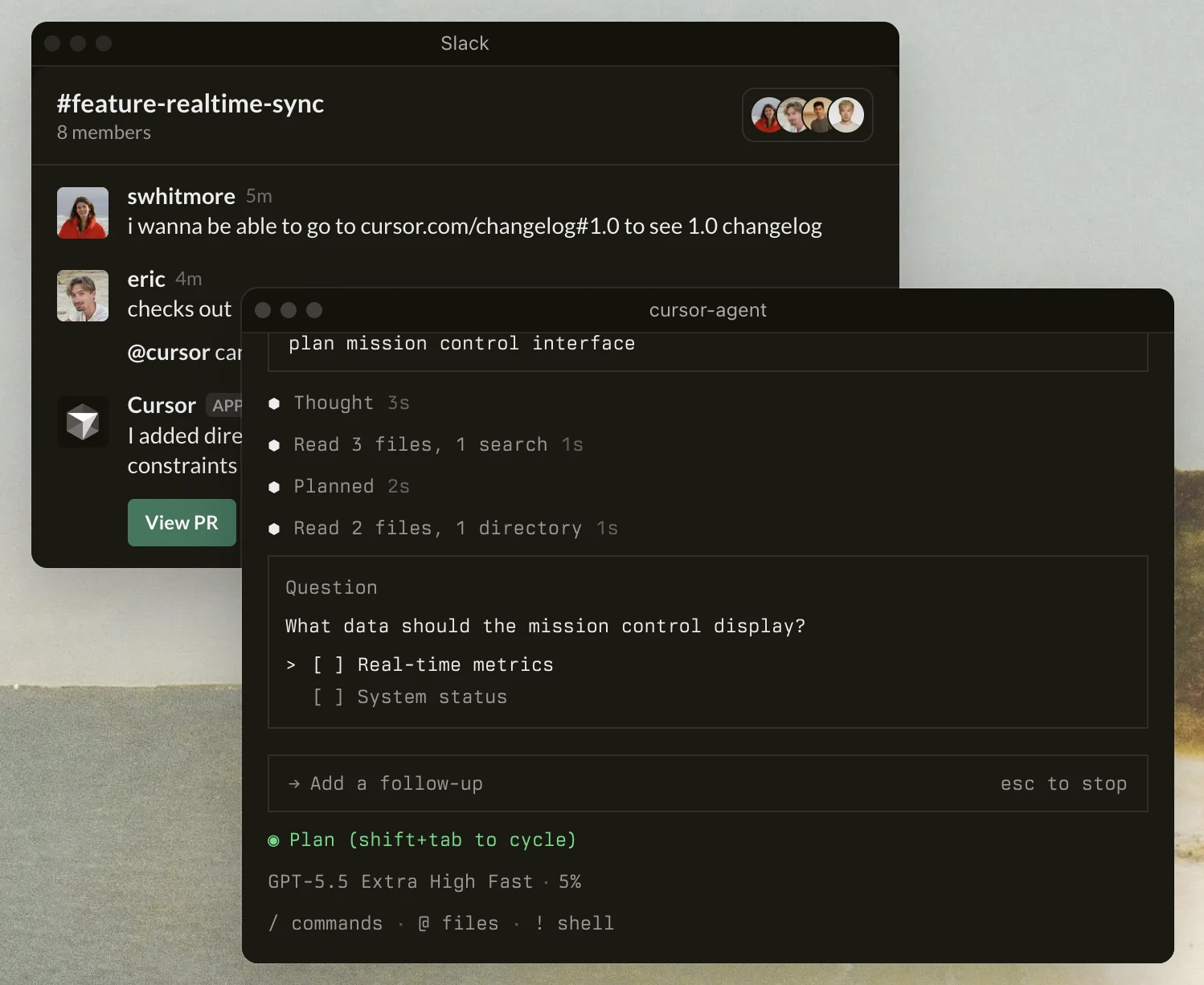
Cursor ist ein KI-nativer Code-Editor und kein klassischer No–Code-App-Builder. Er ermöglicht es Produktteams und Entwicklern, Apps zu erstellen, neue Funktionen hinzuzufügen, Fehler zu beheben und mit echten Codebasen zu arbeiten.
Die Differenzierung von Cursor liegt in seiner agentischen Programmierumgebung und dem hauseigenen Composer-Modell, das für längere Software-Engineering-Aufgaben, mehrstufige Planung und das Generieren von Codeänderungen über Dateien hinweg entwickelt wurde. Es ist modellunabhängig und bietet Zugriff auf Modelle von OpenAI, Anthropic, Gemini, xAI und Cursor, sodass Teams für unterschiedliche Programmieraufgaben unterschiedliche Modelle wählen können.
Cursor unterstützt KI-Autovervollständigung, Chat mit der Codebasis, Code-Review und terminalbewusste Entwicklung. Es hilft Nutzern, schneller benutzerdefinierte und KI-gestützte Apps zu erstellen, aber Programmiererfahrung ist weiterhin nützlich, da Nutzer direkt mit Code arbeiten.
Replit
Replit ist eine browserbasierte App-Entwicklungsplattform mit Cloud-IDE und KI-Agenten. Sie kann von Hobbyisten, Studierenden, Gründer:innen und Enterprise-Teams genutzt werden, um Apps und Prototypen aus natürlichsprachigen Prompts zu erstellen.
Replit Agent 4 kann mehrere Agenten parallel am selben Projekt ausführen, eine visuelle Design-Leinwand verwenden und mehrere Artefakttypen erstellen, darunter Web-Apps, native Mobile-Apps, Foliendecks, Daten-Apps und Animationen.
Es unterstützt außerdem Zahlungsanbieter wie Stripe für Web-Apps und RevenueCat für Mobile-Apps und umfasst Workflows zum Erstellen von iOS- und Android-Apps sowie zum Einreichen zur Überprüfung im App Store.
Sehen Sie sich das folgende Video an, um zu erfahren, wie der Visual Editor von Replit funktioniert:
v0 von Vercel
v0 ist der generative UI- und Full-Stack-Web-App-Builder von Vercel. Er verwandelt Prompts in React-, Next.js-, Tailwind- und Shadcn-UI-Oberflächen und ist eng mit der Bereitstellungsplattform von Vercel verbunden.
Nutzer können GitHub-Repositories importieren, an vorhandenem Code arbeiten, Commits erstellen, Branch- und Pull-Request-Workflows nutzen und sich mit Vercel-Projekteinstellungen verbinden. Es unterstützt außerdem datenverbundene Apps über Snowflake- und AWS-Datenbankintegrationen, was es nützlich für interne Tools und Anwendungen mit echten Daten macht.
Bolt von StackBlitz
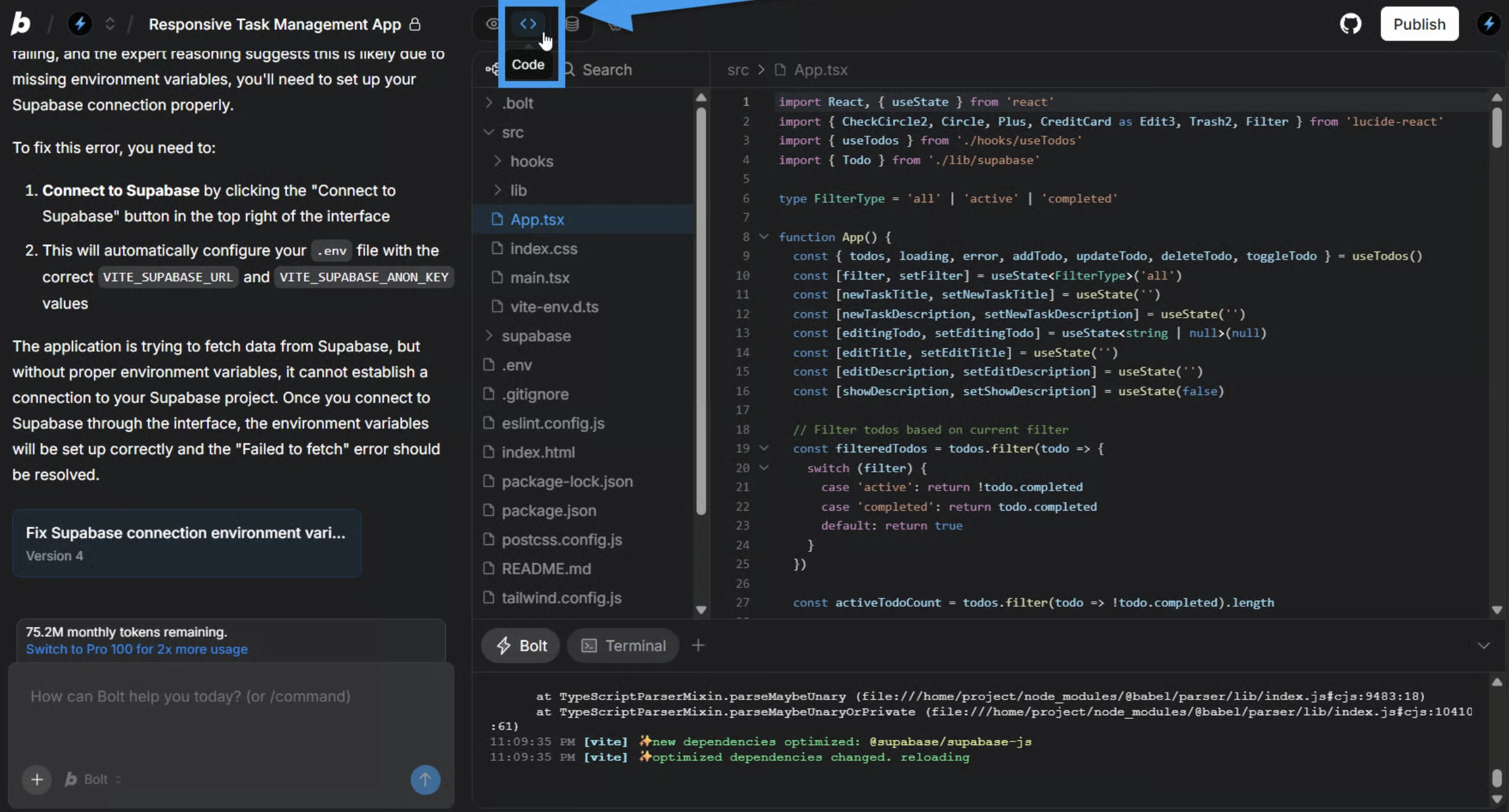
Bolt ist ein browserbasierter, KI-gestützter App-Builder für die Full-Stack-JavaScript-App-Entwicklung.
Mit den StackBlitz WebContainers, die eine Node.js-Umgebung im Browser ausführen, beschleunigt Bolt den App-Erstellungsprozess, indem Nutzer echte Apps testen können, ohne Abhängigkeiten lokal zu installieren.
Unsere Erfahrungen mit KI-App-Buildern
Screenshot-zu-Code-Benchmark
Screenshot-zu-Code ist ein praktischer Workflow zur Bewertung von KI-App-Buildern, da viele Nutzer mit einem Mockup, einer Landingpage oder einer App-Idee beginnen, bevor sie zu einer funktionierenden App übergehen. In unserem Screenshot-zu-Code-Benchmark testeten wir Lovable, v0 und Bolt auf fünf Designseiten mit demselben Prompt: „Erstellen Sie eine pixelgenaue Umsetzung dieses UI-Designs.“
Wir haben sowohl die quantitative Elementgenauigkeit als auch die qualitative UI-Treue gemessen. Die quantitative Bewertung konzentrierte sich darauf, ob Boxen, Buttons, Textelemente, Bilder, Icons und Eingabefelder korrekt implementiert wurden. Die qualitative Bewertung konzentrierte sich auf Typografie, Layoutstruktur, visuelle Elemente, grundlegendes Styling und Farbverwendung.
In unserem Benchmark führten v0 und Bolt den Vergleich an. Das deutet darauf hin, dass Teams, die KI-App-Builder einsetzen, die Design-zu-Code-Qualität separat von anderen Kriterien wie generierter Codequalität, GitHub-Integration, Unterstützung eigener Domains, Unterstützung mobiler Apps und der Fähigkeit, vollständige Apps mit echten Daten zu erstellen, testen sollten. Siehe den Screenshot zum Code für weitere Details zum Benchmark und zu Ausgabebeispielen.
Hinweis: Wir haben die Screenshot-zu-Code-Leistung bewertet, nicht die breiteren App-Entwicklungsfunktionen wie Backend-Logik, integrierte Datenbanken, Integrationen, API-Schlüssel, Code-Export, native Mobile-Apps, Zahlungsanbieter oder App-Veröffentlichung. Der Benchmark ist jedoch nützlich, um zu vergleichen, wie Lovable, v0 und Bolt Design-zu-Code-Aufgaben bewältigen.
KI-Code-Editor-Benchmark
Der KI-Code-Editor-Benchmark konzentrierte sich auf eine andere Frage: Kann ein KI-Programmieragent eine funktionierende Web-App mit minimalem menschlichem Input erstellen und validieren? Wir testeten sechs KI-Code-Editoren in zehn realen Webentwicklungs-Herausforderungen mit Backend, Frontend, Authentifizierung und Zustandsverwaltung.
Die Bewertung kombinierte Backend-Korrektheit, Frontend-Verhalten und Gesamtleistung. Der Aufbau verwendete One-Shot-Ausführung, gefolgt von Backend- und Frontend-Smoke-Tests. Dadurch konnten wir vergleichen, ob jeder Agent ein lauffähiges System erzeugte, Backend-Anforderungen erfüllte, das erwartete Frontend-Verhalten implementierte und die Aufgabe zuverlässig bewältigte.
Cursor erzielte die höchste Backend- und Gesamtpunktzahl. Die qualitativen Ergebnisse zeigten unterschiedliche Engineering-Stile der Tools. Cursor bevorzugte kleine, risikoarme Korrekturen. Replit bearbeitete den Workflow über seine Cloud-Umgebung. Siehe den vollständigen Vergleich unter KI-Code-Editor.
Hinweis: Diese Ergebnisse sollten als autonomer Programmier- und Orchestrierungs-Benchmark betrachtet werden. Wir haben keine No-Code-Bearbeitung, Screenshot-zu-Code-Qualität, integrierte Datenbanken, mobile App-Veröffentlichung, eigene Domains oder breitere Geschäfts-App-Workflows bewertet. Der Benchmark ist jedoch nützlich, um zu vergleichen, wie KI-Coding-Tools lauffähige Systeme, Backend-Logik, Frontend-Verhalten und Full-Stack-Entwicklungsaufgaben bewältigen.
 Als bevorzugte Quelle hinzufügen
KI-App-Builder-Benchmark-Methodik
Zur Bewertung der KI-App-Builder haben wir kostenlos Testkonten für Lovable, Base44, Bubble, Glide, FlutterFlow und Softr erstellt. Jedes Tool erhielt denselben Prompt, um ein Inventar- & Bestellsystem für einen E-Commerce-Anwendungsfall mit Bestandsverwaltung, Kunden-Shopping-Flows, Admin-Kontrollen, Bestellstatus-Aktualisierungen und Vermeidung von Überverkauf zu generieren.
Die Ziel-App umfasste zwei Hauptnutzerrollen:
- Kunde: Produkte durchsuchen, verfügbaren Bestand anzeigen, einen Warenkorb verwalten, zur Kasse gehen und den Bestellverlauf anzeigen.
- Admin: Produkte und Bestände verwalten, Bestellungen anzeigen und den Bestellstatus aktualisieren.
Die Kernanforderung war, dass die App Überverkauf verhindern sollte. Konkret: Wenn ein Produkt einen Artikel auf Lager hat und zwei Nutzer gleichzeitig versuchen, zur Kasse zu gehen, sollte genau ein Checkout erfolgreich sein, während der andere eine Fehlermeldung erhalten sollte. Das erwartete Datenmodell umfasste Nutzer, Produkte, Warenkörbe, Warenkorbpositionen, Bestellungen und Bestellpositionen sowie die Unterstützung temporärer Bestandsreservierungen und Warenkorb-Ablaufzeiten.
Wir testeten die generierten Apps in ihren Test- oder Vorschau-Umgebungen. Keine der Apps wurde öffentlich veröffentlicht. Wo möglich, öffneten wir die Live-Vorschau oder eine Test-URL und bewerteten die App wie ein Endnutzer.
FlutterFlow wurde aus dem endgültigen Benchmark-Vergleich ausgeschlossen. Anders als die anderen Tools generierte FlutterFlow keine vollständige funktionierende App aus dem Prompt. Der Design-Editor war äußerst detailliert, aber die Ausgabe lieferte nur eine allgemeine Struktur und überließ den größten Teil der Implementierung dem Nutzer. Da die anderen Tools automatisch vollständigere Apps generierten, wäre die Aufnahme von FlutterFlow in denselben Bewertungsrahmen kein fairer Vergleich gewesen.
Wir bewerteten jede App anhand der folgenden Kriterien:
- Einrichtung: Ob die App erfolgreich ohne Fehler geöffnet wurde und ob Produktdaten, Bilder und Preise korrekt geladen wurden.
- Stöbern: Ob Kunden Produkte durchsuchen, Bestandsstufen sehen, korrekte Bestandsanzeigen einsehen und Suche oder Filter verwenden konnten.
- Warenkorb: Ob Nutzer Artikel hinzufügen und entfernen, die Warenkorb-Anzahl aktualisiert sehen, verhindern konnten, mehr als den verfügbaren Bestand hinzuzufügen, und ob reservierte Bestände nach Ablauf des Warenkorbs freigegeben wurden.
- Check-out: Ob der Checkout aktuelle Preise widerspiegelte und den Bestand vor Abschluss der Bestellung validierte.
- Admin: Ob Admins den Bestellstatus aktualisieren und den Produktbestand anpassen konnten und ob Änderungen in der gesamten App erhalten blieben.
- Datenpersistenz: Ob Warenkorb-Inhalte, Bestellungen und Bestandsänderungen nach Aktualisierung oder erneutem Login erhalten blieben.
- Benutzerfreundlichkeit: Ob der gesamte Prozess schnell, leicht verständlich und leicht abzuschließen war.
- Design: Ob die App eine ausgereifte, kohärente Oberfläche mit klarem Layout, lesbarer Typografie, konsistenten Komponenten und einem produktionsreifen Gefühl hatte.
- Wir überprüften jede App als fertige Benutzeroberfläche und konzentrierten uns auf die Qualität der sichtbaren Nutzererfahrung und nicht auf den zugrunde liegenden Code.
- Wir bewerteten, ob das Layout eine klare visuelle Hierarchie schuf, bei der wichtige Informationen und primäre Aktionen leicht zu identifizieren waren.
- Wir beurteilten, ob UI-Komponenten wie Buttons, Karten, Eingabefelder und Navigationselemente eine konsistente visuelle Sprache in der gesamten App verwendeten.
- Wir achteten auf gut umgesetzte Produktbilder, Leerzustände, Fehlerzustände, Ladezustände und Aktionsbestätigungen.
- Wir berücksichtigten die allgemeine Kohärenz der App, einschließlich ob sie sich absichtlich gestaltet anfühlte und nicht wie eine unveränderte Startvorlage.
Die Bewertung konzentrierte sich auf beobachtbares App-Verhalten und nutzerbezogene Ergebnisse statt auf die interne Implementierung. Jedes Tool wurde danach beurteilt, wie vollständig und zuverlässig es denselben Prompt in eine funktionale Bestands- und Auftragsverwaltungsanwendung umwandelte.
Zitieren Sie diesen Benchmark
Wählen Sie das Format, das zu Ihrem Veröffentlichungsort passt. Wenn Sie die Link-Version in Ihr CMS einfügen, bleibt der Backlink erhalten.
@misc{ermut2026,
  author = {Ermut, Sıla},
  title  = {{Top 6 KI-App-Builder: Lovable, Base44 & Glide}},
  year   = {2026},
  month  = jul,
  howpublished    = {\url{https://aimultiple.com/ai-app-builders}},
  note   = {AIMultiple. Abgerufen am 3. Juli 2026}
}Ergebnisse und Zeitstempel von 58 Datenpunkten. Laden Sie die Zusammenfassungsdaten aus den Diagrammen und Tabellen dieses Artikels als ZIP-Datei herunter, die 9 CSV-Dateien enthält.
Möchten Sie die granularen Daten dahinter? Premium beitreten
Änderungsprotokoll
1 AktualisierungenBenchmark-Werte für sechs No-Code-KI-App-Builder hinzugefügt: Lovable, Base44, Softr, Glide, Bubble, FlutterFlow.
Zuvor arbeitete sie als Personalvermittlerin in Projektmanagement- und Beratungsunternehmen. Sıla hat einen Master of Science in Sozialpsychologie und einen Bachelor of Arts in Internationalen Beziehungen.






Seien Sie der Erste, der kommentiert
Ihre E-Mail-Adresse wird nicht veröffentlicht. Alle Felder sind erforderlich. Kommentare werden in ihrer Originalsprache belassen.