


Top 6 des constructeurs d'applications IA: Lovable, Base44 & Glide

Nous avons testé les 6 meilleurs constructeurs d'applications IA no-code/low-code en utilisant 1 prompt sur 15 dimensions, notamment la configuration, la navigation, le paiement, le design et l'utilisabilité.
Résultats du benchmark des constructeurs d'applications IA
Lisez la méthodologie du benchmark et l'évaluation pour voir comment nous avons testé ces outils.
No-code & low-code constructeurs d'applications
Comparaison des fonctionnalités des constructeurs d'applications no-code & low-code
Lovable

Lovable est mieux décrit comme un constructeur d'applications IA low-code/no-code avec un résultat orienté code. Les utilisateurs construisent principalement via des prompts en langage naturel, des retours itératifs et une édition dans le navigateur plutôt qu'en écrivant du code manuellement. Cependant, contrairement aux plateformes no-code traditionnelles, Lovable génère du vrai code React et TypeScript, prend en charge l'intégration GitHub et donne aux utilisateurs plus techniques accès au code et à la pile sous-jacents.
Lovable a obtenu 18/20, le meilleur résultat du benchmark. Il a généré une application complète et fonctionnelle avec une bonne couverture des principaux flux de shopping, de panier, de paiement, d'administration, d'inventaire et de persistance. Les principales lacunes de Lovable étaient l'absence de fonctionnalité de recherche/filtre et d'un indicateur du nombre d'articles dans le panier. Nous l'avons également trouvé l'outil le plus rapide et le plus facile à utiliser, avec le résultat le plus soigné visuellement. La possibilité d'exporter le code ou de créer des applications nativement a renforcé sa solidité globale.
Base44

Base44 est un constructeur d'applications IA tout-en-un qui transforme des descriptions en langage clair en applications web et applications métier fonctionnelles. Wix a acquis Base44 en 2025, offrant au produit l'accès à l'infrastructure, à la distribution et à l'expérience de site web de Wix.
Base44 prend en charge la structure, le design, la base de données, les inscriptions, les autorisations des utilisateurs, l'hébergement, l'analyse et les intégrations. Les utilisateurs peuvent créer des applications complètes sans expérience en programmation, connecter des APIs, utiliser des processeurs de paiement et publier des applications avec un domaine personnalisé.
Base44 a obtenu 16/20 et a bien géré la plupart des exigences essentielles, notamment la navigation des produits, les indicateurs de stock, la recherche/le filtrage, le comportement du panier, les limites de stock, la libération des réservations, la tarification au paiement, les mises à jour administratives, les changements d'inventaire et la persistance des sessions. Sa principale faiblesse était l'utilisabilité : il était facile à utiliser, mais plus lent à répondre que les outils les plus performants. Une image de produit ne s'affichait pas non plus dans son tableau de bord principal.
Softr

Softr est une plateforme no–code native IA pour les applications métier, les portails clients, les tableaux de bord et les outils internes.
Softr propose des blocs glisser-déposer, des workflows, des formulaires, des groupes d'utilisateurs, une publication responsive et des intégrations avec des outils tels que Airtable, Google Sheets, Notion, HubSpot, monday.com, les bases de données SQL, BigQuery et REST APIs.
Le Co-Builder IA de Softr crée la base de données, l'application et la logique métier à partir d'un prompt, avec la sécurité et les autorisations connectées, ce qui le différencie des outils qui génèrent du code UI ou frontend. Il est bien adapté aux équipes produit et aux utilisateurs métier qui souhaitent des applications IA–construites qui se connectent aux données réelles, prennent en charge les clients et les utilisateurs, et sont lancées comme des logiciels opérationnels plutôt que des prototypes.
Softr a obtenu 12/20. Ses fonctions de recherche/filtre, les actions d'ajout/suppression au panier, l'expiration du panier, la tarification au paiement et les workflows administratifs ont bien fonctionné. Cependant, il a manqué plusieurs exigences importantes en matière de commerce, notamment les indicateurs de stock, l'application des limites de stock, le nombre d'articles dans le panier et la persistance de l'état. Softr a également nécessité plusieurs étapes de configuration avant les tests, notamment des choix de design et de mise en page, ce qui offrait un plus grand contrôle sur la présentation mais ralentissait le flux d'évaluation.
Glide

Glide est un constructeur d'applications no–code qui transforme les feuilles de calcul et les bases de données en applications métier axées mobile. Il est couramment utilisé pour les outils internes, les applications de terrain, les annuaires, les CRM, les suivis d'inventaire et les workflows opérationnels, et se connecte à Google Sheets, Excel, Airtable, aux sources SQL et aux Glide Tables
Les utilisateurs peuvent créer des applications avec un éditeur visuel, des modèles, des formulaires, des rôles, des autorisations, des automatisations et des fonctionnalités IA qui aident à résumer, classer, extraire et agir sur les données.
Glide a obtenu 11/20. Il a géré les actions de base du panier, affiché le nombre d'articles du panier, libéré le stock réservé, pris en charge la tarification au paiement et permis les mises à jour administratives. Ses vues mobiles et web semblaient visuellement solides, et l'agent était réactif et utile. Cependant, le flux de publication/ouverture n'a pas fonctionné comme prévu ; la recherche/le filtrage a échoué ; les limites de stock n'étaient pas appliquées ; et les fonctions de test semblaient moins directes que dans d'autres outils.
Bubble

Bubble est un constructeur d'applications no–code full-stack pour le développement d'applications web et mobiles. Bubble comprend un éditeur glisser-déposer, une base de données intégrée, des workflows, des règles de confidentialité, une authentification, des intégrations d'API, des ressources de marketplace et une génération d'applications assistée par IA. Les utilisateurs peuvent créer des applications personnalisées, des applications métier, des portails, des tableaux de bord et des applications mobiles natives pour iOS et Android.
Bubble a obtenu 10/20. Il a affiché les indicateurs de stock et reflété les prix de paiement. Cependant, il a manqué plusieurs flux commerciaux centraux : le panier ne se mettait pas à jour correctement, les limites de stock n'étaient pas appliquées, le nombre d'articles du panier était absent, la recherche/le filtrage a échoué, et les mises à jour des commandes et de l'inventaire par l'administrateur ne fonctionnaient pas comme prévu. L'éditeur de Bubble était détaillé, mais l'application générée nécessitait plus de raffinement et n'était pas aussi soignée visuellement.
FlutterFlow

FlutterFlow est un constructeur d'applications low-code visuel pour les applications mobiles natives, web et de bureau.
FlutterFlow peut exporter le code source Flutter et Dart, permettant aux équipes d'étendre l'application au-delà de la plateforme lorsque la programmation est nécessaire. FlutterFlow convient bien aux équipes qui souhaitent la rapidité du no-code au début, mais qui ont encore besoin de code généré, d'export de code et de contrôle par les développeurs par la suite.
Il prend également en charge les agents IA pour le chat, la génération d'images, la génération vidéo, la reconnaissance vocale et la synthèse vocale dans les applications.
Dans notre benchmark, nous avons exclu FlutterFlow de la comparaison finale notée. Il offrait un éditeur de design très détaillé et peut convenir aux utilisateurs axés sur le design, mais il n'a pas généré une application complète et prête à tester à partir du prompt. Au lieu de cela, il nous a donné une structure générale et nous a laissé la majeure partie du travail d'implémentation. Étant donné que le benchmark évaluait les résultats des applications générées, noter FlutterFlow selon les mêmes critères n'aurait pas été une comparaison équitable.
Constructeurs d'applications IA orientés code
Comparaison des fonctionnalités des constructeurs d'applications IA orientés code
Cursor by Anysphere
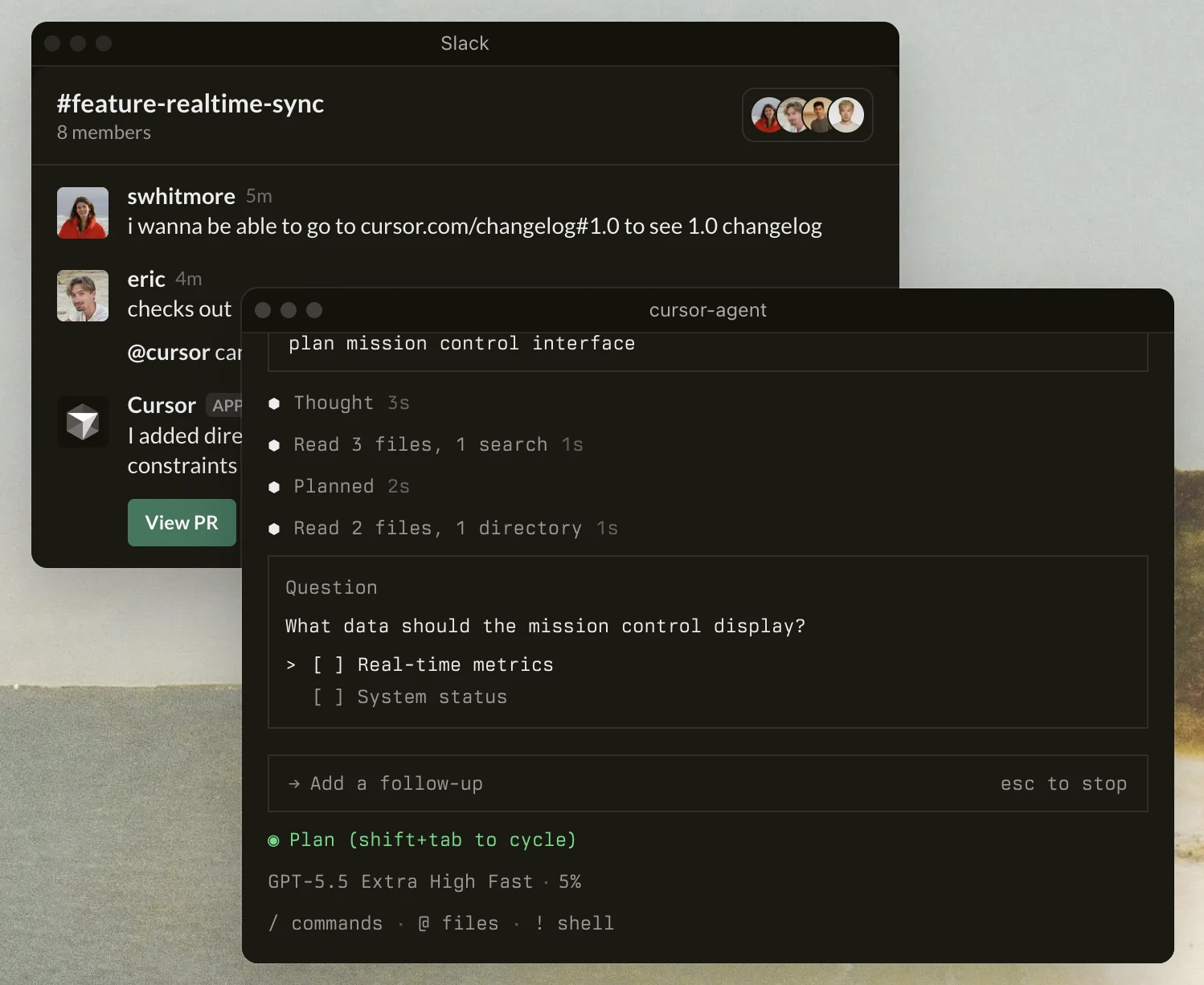
Cursor est un éditeur de code natif IA plutôt qu'un constructeur d'applications no–code classique. Il permet aux équipes produit et aux développeurs de créer des applications, d'ajouter de nouvelles fonctionnalités, de corriger des erreurs et de travailler sur de vraies bases de code.
La différenciation de Cursor réside dans son environnement de codage agentique et son model Composer interne, conçu pour des tâches d'ingénierie logicielle plus longues, la planification en plusieurs étapes et la génération de modifications de code sur plusieurs fichiers. Il est agnostique en matière de model et donne accès à des models de OpenAI, Anthropic, Gemini, xAI et Cursor, afin que les équipes puissent choisir différents models pour différentes tâches de codage.
Cursor prend en charge la saisie semi-automatique IA, le chat avec la base de code, la revue de code et le développement conscient du terminal. Il aide les utilisateurs à créer des applications personnalisées et alimentées par IA plus rapidement, mais une expérience en programmation reste utile car les utilisateurs travaillent directement avec le code.
Replit
Replit est une plateforme de développement d'applications basée sur le navigateur avec un IDE cloud et des agents IA. Elle peut être utilisée par les amateurs, les étudiants, les fondateurs et les équipes d'entreprise pour créer des applications et des prototypes à partir de prompts en langage clair.
Replit Agent 4 peut exécuter plusieurs agents en parallèle sur le même projet, utiliser un canevas de design visuel et produire plusieurs types d'artefacts, notamment des applications web, des applications mobiles natives, des présentations, des applications de données et des animations.
Il prend également en charge les processeurs de paiement tels que Stripe pour les applications web et RevenueCat pour les applications mobiles, et il comprend des workflows pour créer des applications iOS et Android et les soumettre à l'examen de l'App Store.
Voir la vidéo ci-dessous pour découvrir comment fonctionne l'éditeur visuel de Replit :
v0 by Vercel
v0 est le constructeur d'applications web full-stack et d'interface utilisateur générative de Vercel. Il transforme les prompts en interfaces React, Next.js, Tailwind et Shadcn UI et se connecte étroitement à la plateforme de déploiement de Vercel.
Les utilisateurs peuvent importer des dépôts GitHub, travailler sur du code existant, créer des commits, utiliser des workflows de branches et de pull requests et se connecter aux paramètres de projet Vercel. Il prend également en charge les applications connectées aux données via Snowflake et les intégrations de bases de données AWS, ce qui le rend utile pour les outils internes et les applications à données réelles.
Bolt by StackBlitz
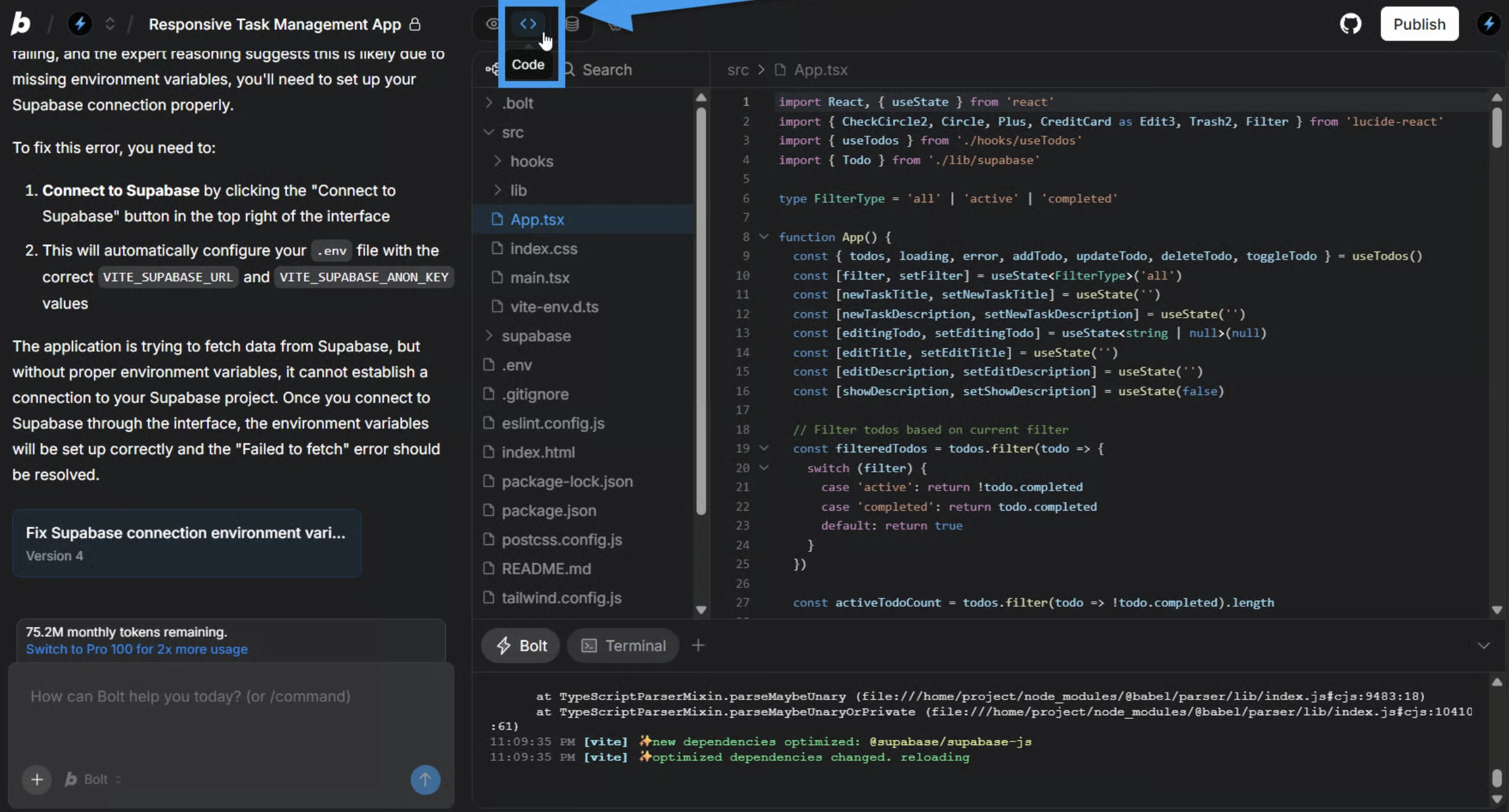
Bolt est un constructeur d'applications alimenté par IA et basé sur le navigateur pour le développement d'applications JavaScript full-stack.
Avec ses StackBlitz WebContainers, qui exécutent un environnement Node.js dans le navigateur, Bolt accélère le processus de création d'applications en permettant aux utilisateurs de tester de vraies applications sans installer de dépendances localement.
Nos expériences avec les constructeurs d'applications IA
Benchmark screenshot-to-code
Le screenshot-to-code est un workflow pratique pour évaluer les constructeurs d'applications IA, car de nombreux utilisateurs commencent par une maquette, une landing page ou une idée d'application avant de passer à une application fonctionnelle. Dans notre benchmark screenshot-to-code, nous avons testé Lovable, v0 et Bolt sur cinq pages design en utilisant le même prompt : « Créez une implémentation parfaite au pixel près de ce design UI. »
Nous avons mesuré à la fois la précision quantitative des éléments et la fidélité qualitative de l'UI. La notation quantitative se concentrait sur la bonne implémentation des boîtes, des boutons, des éléments de texte, des images, des icônes et des champs de saisie. La notation qualitative se concentrait sur la typographie, la structure de la mise en page, les éléments visuels, le style de base et l'utilisation des couleurs.
Dans notre benchmark, v0 et Bolt ont dominé la comparaison. Cela suggère que les équipes utilisant des constructeurs d'applications IA devraient tester la qualité design-to-code séparément des autres critères tels que la qualité du code généré, l'intégration GitHub, la prise en charge des domaines personnalisés, la prise en charge des applications mobiles et la capacité à créer des applications complètes avec des données réelles. Consultez la capture d'écran pour le code pour plus de détails sur le benchmark et des exemples de résultats.
Note : Nous avons évalué les performances de screenshot-to-code, et non des capacités plus larges de développement d'applications telles que la logique backend, les bases de données intégrées, les intégrations, les clés d'API, l'export de code, les applications mobiles natives, les processeurs de paiement ou la publication d'applications. Cependant, le benchmark est utile pour comparer la manière dont Lovable, v0 et Bolt gèrent les tâches de design-to-code.
Benchmark des éditeurs de code IA
Le benchmark des éditeurs de code IA portait sur une question différente : un agent de codage IA peut-il construire et valider une application web fonctionnelle avec une intervention humaine minimale ? Nous avons testé six éditeurs de code IA sur dix défis de développement web réels impliquant le backend, le frontend, l'authentification et la gestion de l'état.
L'évaluation combinait la correction du backend, le comportement du frontend et la performance globale. La configuration utilisait une exécution one-shot, suivie de tests de fumée backend et frontend. Cela nous a permis de comparer si chaque agent produisait un système exécutable, répondait aux exigences du backend, implémentait le comportement frontend attendu et gérait la tâche de manière fiable.
Cursor a obtenu le score backend et combiné le plus élevé. Les conclusions qualitatives ont montré des styles d'ingénierie différents selon les outils. Cursor privilégiait les petites corrections à faible risque. Replit gérait le workflow via son environnement cloud. Consultez la comparaison complète sur éditeur de code IA.
Note : Ces résultats doivent être considérés comme un benchmark de codage et d'orchestration autonomes. Nous n'avons pas évalué l'édition no-code, la qualité screenshot-to-code, les bases de données intégrées, la publication d'applications mobiles, les domaines personnalisés ou les workflows plus larges d'applications métier. Cependant, le benchmark est utile pour comparer la manière dont les outils de codage IA gèrent les systèmes exécutables, la logique backend, le comportement frontend et les tâches de développement full-stack.
 Ajouter comme source préférée
Méthodologie du benchmark des constructeurs d'applications IA
Pour évaluer les constructeurs d'applications IA, nous avons créé des comptes d'essai gratuit pour Lovable, Base44, Bubble, Glide, FlutterFlow et Softr. Chaque outil a reçu le même prompt pour générer un Système d'inventaire et de commandes pour un cas d'utilisation e-commerce avec gestion des stocks, flux d'achat des clients, contrôles administratifs, mises à jour du statut des commandes et prévention de la survente.
L'application cible comprenait deux rôles d'utilisateurs principaux :
- Client : Parcourir les produits, consulter le stock disponible, gérer un panier, passer commande et consulter l'historique des commandes.
- Administrateur : Gérer les produits et l'inventaire, consulter les commandes et mettre à jour le statut des commandes.
L'exigence fondamentale était que l'application empêche la survente. Plus précisément, si un produit a un article en stock et que deux utilisateurs tentent de passer commande en même temps, exactement un paiement doit réussir, tandis que l'autre doit recevoir une erreur. Le data model attendu comprenait les utilisateurs, les produits, les paniers, les articles des paniers, les commandes et les articles des commandes, avec la prise en charge des réservations de stock temporaires et de l'expiration du panier.
Nous avons testé les applications générées dans leurs environnements de test ou de prévisualisation. Aucune des applications n'a été publiée publiquement. Lorsque cela était possible, nous avons ouvert l'aperçu en direct ou une URL de test et évalué l'application comme le ferait un utilisateur final.
FlutterFlow a été exclu de la comparaison finale du benchmark. Contrairement aux autres outils, FlutterFlow n'a pas généré d'application complète et fonctionnelle à partir du prompt. Son éditeur de design était très détaillé, mais le résultat fournissait une structure générale, laissant l'essentiel de l'implémentation à l'utilisateur. Étant donné que les autres outils ont automatiquement généré des applications plus complètes, inclure FlutterFlow dans le même cadre de notation n'aurait pas été une comparaison équitable.
Nous avons évalué chaque application à l'aide des critères suivants :
- Configuration : Vérifier si l'application s'ouvrait correctement sans erreurs et si les données produit, les images et les prix se chargeaient correctement.
- Navigation : Vérifier si les clients pouvaient parcourir les produits, voir les niveaux de stock, consulter des indicateurs de stock corrects et utiliser la recherche ou les filtres.
- Panier : Vérifier si les utilisateurs pouvaient ajouter et supprimer des articles, voir la mise à jour du nombre d'articles, éviter d'ajouter plus que le stock disponible et libérer le stock réservé après l'expiration du panier.
- Paiement : Vérifier si le paiement reflétait les prix en vigueur et validait le stock avant de terminer la commande.
- Administrateur : Vérifier si les administrateurs pouvaient mettre à jour le statut des commandes et ajuster l'inventaire des produits, les modifications persistant dans toute l'application.
- Persistance des données : Vérifier si le contenu du panier, les commandes et les modifications d'inventaire restaient après actualisation ou reconnexion.
- Utilisabilité : Vérifier si le processus global était rapide, facile à comprendre et facile à terminer.
- Design : Vérifier si l'application présentait une interface soignée et cohérente avec une mise en page claire, une typographie lisible, des composants cohérents et une sensation prête pour la production.
- Nous avons examiné chaque application comme une interface utilisateur finie, en nous concentrant sur la qualité de l'expérience utilisateur visible plutôt que sur le code sous-jacent.
- Nous avons évalué si la mise en page créait une hiérarchie visuelle claire, avec des informations importantes et des actions principales faciles à identifier.
- Nous avons évalué si les composants UI tels que les boutons, les cartes, les champs de saisie et les éléments de navigation utilisaient un langage visuel cohérent dans toute l'application.
- Nous avons recherché une bonne gestion des images de produits, des états vides, des états d'erreur, des états de chargement et des confirmations d'action.
- Nous avons pris en compte la cohésion globale de l'application, notamment si elle semblait conçue intentionnellement plutôt qu'à partir d'un modèle de démarrage non modifié.
L'évaluation s'est concentrée sur le comportement observable de l'application et les résultats orientés utilisateur plutôt que sur l'implémentation interne. Chaque outil a été jugé sur sa capacité à transformer de manière complète et fiable le même prompt en une application fonctionnelle de gestion des stocks et des commandes.
Citez ce benchmark
Choisissez le format qui correspond à votre lieu de publication. Coller la version avec lien dans votre CMS préserve le lien retour.
@misc{ermut2026,
  author = {Ermut, Sıla},
  title  = {{Top 6 des constructeurs d'applications IA: Lovable, Base44 & Glide}},
  year   = {2026},
  month  = jul,
  howpublished    = {\url{https://aimultiple.com/ai-app-builders}},
  note   = {AIMultiple. Consulté le 3 juillet 2026}
}Résultats et horodatages de 58 points de données. Téléchargez les données de synthèse présentées dans les graphiques et les tableaux de cet article sous forme de fichier ZIP contenant 9 fichiers CSV.
Vous voulez les données détaillées derrière ? Rejoindre Premium
Journal des modifications
1 mises à jourAjout des scores de benchmark pour six créateurs d'applications IA sans code : Lovable, Base44, Softr, Glide, Bubble, FlutterFlow.
Elle a précédemment travaillé comme recruteuse dans des cabinets de gestion de projet et de conseil. Sıla est titulaire d’un master en psychologie sociale et d’une licence en relations internationales.
À lire ensuite
Top 6 des scrapers de l'App Store d'Apple: Bright Data, SerpAPI & Zyte

Créateurs d'agents IA low-code/no-code: n8n, make, Zapier


20+ créateurs d'agents IA: Microsoft, CrewAI, LangGraph et plus encore


Soyez le premier à commenter
Votre adresse courriel ne sera pas publiée. Tous les champs sont obligatoires. Les commentaires sont laissés dans leur langue d'origine.